How to Check Whether an Array Contains a Value in C#

Is this size one we sell? Is this choice one of the allowed ones? In C#, LINQ's Contains answers that for an array: true when the array holds the value, false when it doesn't.
Syntax
bool <found> = <array>.Contains(<value>);
bool <found> = <array>.Contains(<value>, StringComparer.OrdinalIgnoreCase);
| Part | What it does |
|---|---|
<array>.Contains(<value>) | true when one of the items equals the value. For strings, case counts |
StringComparer.OrdinalIgnoreCase | A second argument that makes the check ignore case |
Microsoft's Enumerable.Contains reference: "Determines whether a sequence contains a specified element by using the default equality comparer."
The Example
A shop sells three sizes, S, M and L. The program checks a size it sells, one it doesn't, and a lowercase m, first as is and then ignoring case.
Prerequisites
- The .NET 10 SDK or newer, which runs a single
.csfile withdotnet run. This guide uses .NET SDK 10.0.404.
Step 1: Write the Code
Create a file named main.cs in an empty folder:
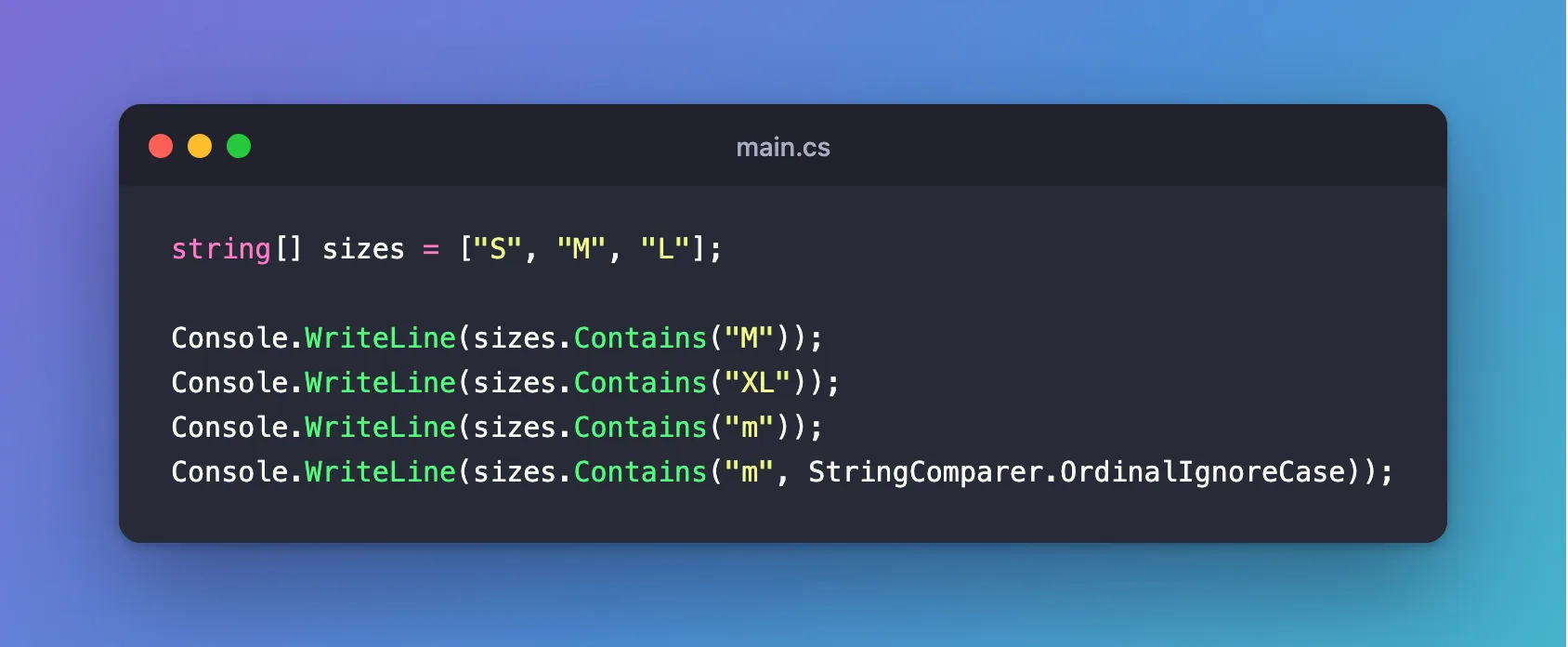
string[] sizes = ["S", "M", "L"];

Console.WriteLine(sizes.Contains("M"));
Console.WriteLine(sizes.Contains("XL"));
Console.WriteLine(sizes.Contains("m"));
Console.WriteLine(sizes.Contains("m", StringComparer.OrdinalIgnoreCase));
Step 2: Run It
dotnet run main.cs
True
False
False
True
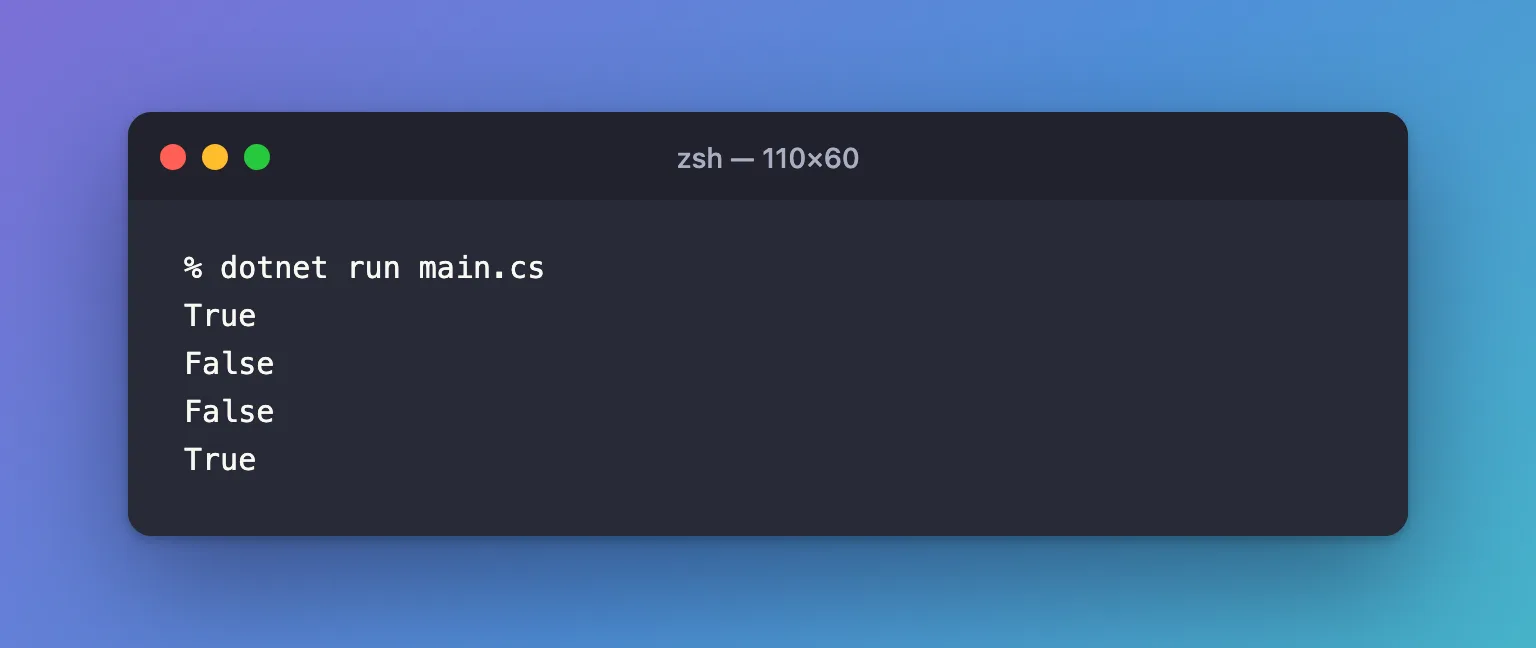
Mis one of the sizes:True.XLisn't:False.misn't either, because string comparison counts case:False.- With
StringComparer.OrdinalIgnoreCase,mmatchedM:True.
The command is the same in zsh, bash and PowerShell.
Not the Same as string.Contains
A string has a Contains too, but it looks for text inside the string. Keep choices in an array, not in one string:
string sizes = "S,M,XL";
string[] sizeList = ["S", "M", "XL"];

Console.WriteLine(sizes.Contains("L"));
Console.WriteLine(sizeList.Contains("L"));
True
False
The string said True for L, because XL has an L in it. The array compared whole items, so L wasn't there.
null Gives False
Contains with null doesn't throw for an array of strings. It says false, because no item is null:
string[] sizes = ["S", "M", "L"];
string? picked = null;

Console.WriteLine(sizes.Contains(picked));
False
Common Mistakes
| Mistake | What happens | Do this instead |
|---|---|---|
Checking m in an array of M, L and S | False, because case counts | Pass StringComparer.OrdinalIgnoreCase |
Keeping the choices in one string, such as "S,M,XL" | Contains("L") is True because of XL | Keep them in an array |
Troubleshooting
| Symptom | Likely cause | Fix |
|---|---|---|
False for a value you can see in the array | Different case, or a space around it | Ignore case, or trim the value |
True for a value that isn't a choice | Contains ran on a string, not on an array | Check the variable's type |
FAQ
Do I need a using directive?
Not in a file run with dotnet run: Contains on an array comes from System.Linq, which is included by default, so the example has no using line.
Does it work on a List?
Yes. List<string> has its own Contains: a list of S, M and L printed True for M.
Conclusion
array.Contains(value) returns true when one of the items equals the value, and false otherwise, null included. For strings, case counts unless you pass StringComparer.OrdinalIgnoreCase, and a string's own Contains looks for text inside it instead.
Additional Resources
- Enumerable.Contains method, on Microsoft Learn.
- StringComparer.OrdinalIgnoreCase property, on Microsoft Learn.
