How to Check Whether a Dictionary Has a Key with ContainsKey in C#

Before you add to a Dictionary or decide what to show, you often need one fact: is this key in it? In C#, ContainsKey answers with true or false, and never throws for a missing key.
Syntax
bool <found> = <dictionary>.ContainsKey(<key>);
| Part | What it does |
|---|---|
<dictionary>.ContainsKey(<key>) | Returns true when the dictionary has that key, and false when it doesn't |
<key> | The key to look for. It's compared the way the dictionary compares keys, which for string is case-sensitive unless you choose otherwise |
Microsoft's ContainsKey reference: "Determines whether the Dictionary<TKey,TValue> contains the specified key."
The Example
A front desk keeps a badge number for each visitor, by first name in lowercase. ana has badge B-101. The program checks three names, then gives ben a badge only if he doesn't have one yet.
Prerequisites
- The .NET 10 SDK or newer, which runs a single
.csfile withdotnet run. This guide uses .NET SDK 10.0.404.
Step 1: Write the Code
Create a file named main.cs in an empty folder:
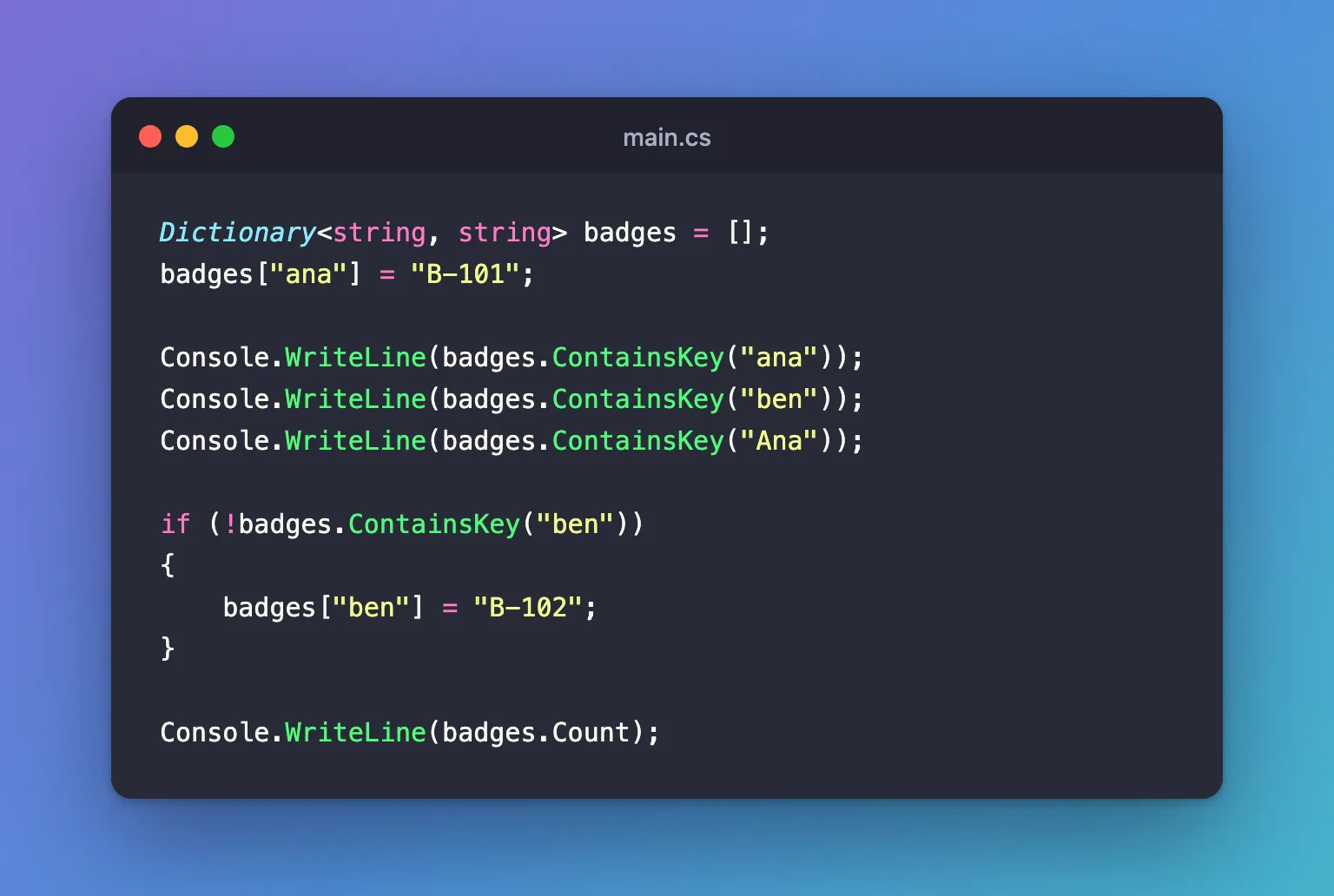
Dictionary<string, string> badges = [];
badges["ana"] = "B-101";

Console.WriteLine(badges.ContainsKey("ana"));
Console.WriteLine(badges.ContainsKey("ben"));
Console.WriteLine(badges.ContainsKey("Ana"));

if (!badges.ContainsKey("ben"))
{
    badges["ben"] = "B-102";
}

Console.WriteLine(badges.Count);
! turns false into true, so the if block runs when ben isn't there.
Step 2: Run It
dotnet run main.cs
True
False
False
2
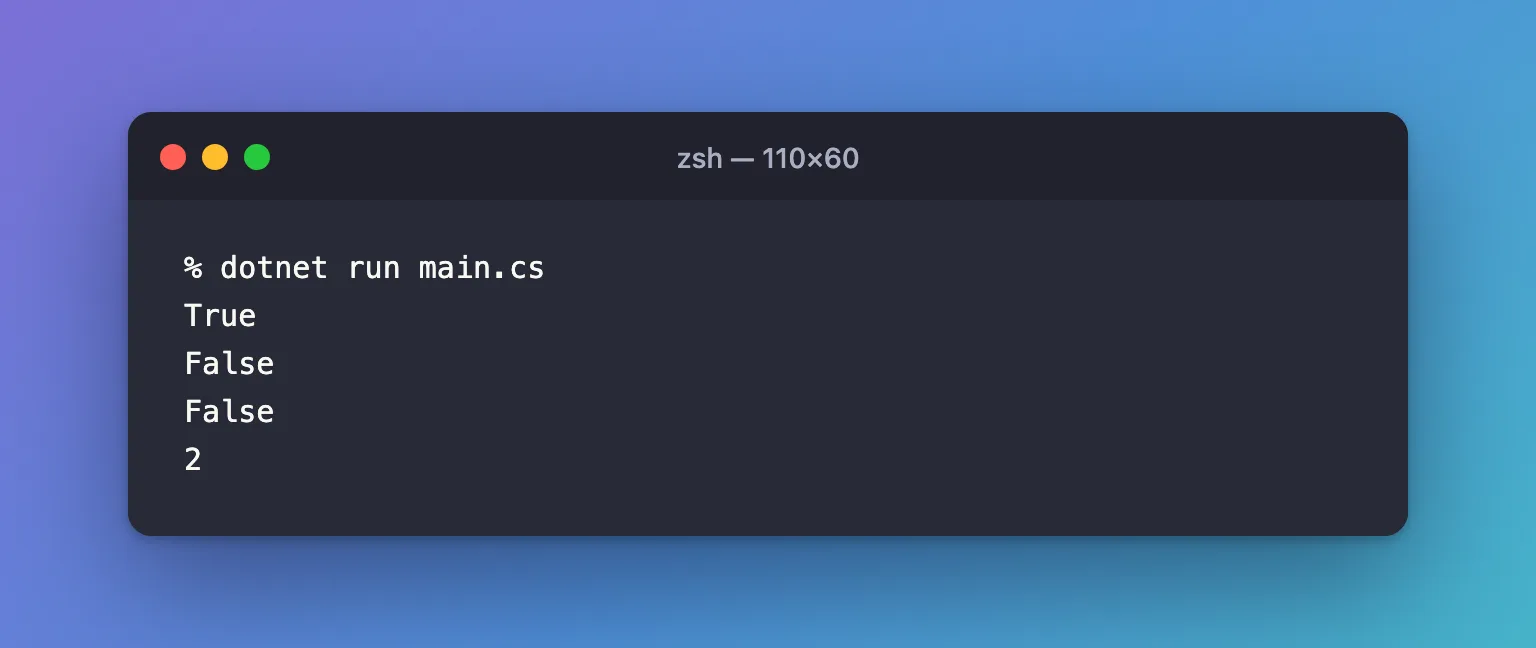
anais there:True.benisn't:False.Anawith a capital A isn't either:False. String keys are compared exactly, soAnaandanaare different keys.benwas missing, so theifadded him, and the dictionary ended with 2 entries.
The command is the same in zsh, bash and PowerShell.
Ignore Case in Keys
To make Ana and ana the same key, pass StringComparer.OrdinalIgnoreCase when you create the dictionary:
Dictionary<string, string> badges = new(StringComparer.OrdinalIgnoreCase);
badges["ana"] = "B-101";

Console.WriteLine(badges.ContainsKey("Ana"));
True
The comparer is chosen when the dictionary is created, and every lookup uses it, ContainsKey included.
A null Key Throws
ContainsKey returns false for a missing key, but it doesn't accept null as a key:
Dictionary<string, string> badges = [];
string? name = null;

Console.WriteLine(badges.ContainsKey(name));
/Users/you/demo/main.cs(4,38): warning CS8604: Possible null reference argument for parameter 'key' in 'bool Dictionary<string, string>.ContainsKey(string key)'.
Unhandled exception. System.ArgumentNullException: Value cannot be null. (Parameter 'key')
   at System.Collections.Generic.Dictionary`2.FindValue(TKey key)
   at System.Collections.Generic.Dictionary`2.ContainsKey(TKey key)
   at Program.<Main>$(String[] args) in /Users/you/demo/main.cs:line 4
The build warned about it first, with CS8604. Check the name for null before you look it up.
Common Mistakes
| Mistake | What happens | Do this instead |
|---|---|---|
Looking up Ana in a dictionary that stores ana | False, although a person would call it the same name | Create the dictionary with StringComparer.OrdinalIgnoreCase |
Passing a key that may be null | ArgumentNullException: Value cannot be null. (Parameter 'key') | Check for null first |
Calling ContainsKey and then the indexer to read the value | Two lookups for one value | Use TryGetValue, which checks and reads at once |
Troubleshooting
| Symptom | Likely cause | Fix |
|---|---|---|
ContainsKey is False for a key you can see | The case differs | Use a case-insensitive comparer, or store keys in one case |
ArgumentNullException ... (Parameter 'key') | The key was null | Check for null before the lookup |
warning CS8604: Possible null reference argument for parameter 'key' | The key's type is string? | Check for null, so C# knows it isn't |
FAQ
How do I check for a value instead of a key?
Use ContainsValue. With ana stored as B-101, badges.ContainsValue("B-101") printed True, and badges.ContainsValue("B-999") printed False. It has to look through every value, while ContainsKey goes straight to the key.
Should I use ContainsKey or TryGetValue?
ContainsKey when you only need yes or no, as in Step 1. TryGetValue when you also need the value.
Conclusion
dictionary.ContainsKey(key) returns true or false and never throws for a missing key, only for a null one. String keys are case-sensitive unless you create the dictionary with StringComparer.OrdinalIgnoreCase.
Additional Resources
Dictionary<TKey,TValue>.ContainsKeymethod, on Microsoft Learn.Dictionary<TKey,TValue>.ContainsValuemethod, on Microsoft Learn.
