How to Check Whether a Character Is a Letter with char.IsLetter in C#

char.IsLetter answers one question about one character: is it a letter? It knows every alphabet, so é and Ж count, which is usually what you want, and sometimes isn't.
Microsoft's reference: Indicates whether the specified Unicode character is categorized as a Unicode letter. Its partner char.IsDigit indicates whether the specified Unicode character is categorized as a decimal digit. Both take one char and return true or false.
Syntax
bool <isLetter> = char.IsLetter(<character>);
bool <isDigit> = char.IsDigit(<character>);
| Part | What it is |
|---|---|
<character> | One char: a character in single quotes, such as 'A', or one taken from a string by a foreach loop |
char.IsLetter | true for an upper or lowercase letter of any alphabet |
char.IsDigit | true for a decimal digit |
The Example
A console app called CharChecks goes through the five characters of Aé3 # and prints, for each one, whether it's a letter and whether it's a digit.
Prerequisites
- The .NET 10 SDK.
dotnet --versionprints a version that starts with10.0.
Step 1: Create a Console App
dotnet new console -n CharChecks
cd CharChecks
The template "Console App" was created successfully.

Processing post-creation actions...
Restoring /Users/you/source/CharChecks/CharChecks.csproj:
  Determining projects to restore...
  Restored /Users/you/source/CharChecks/CharChecks.csproj (in 46 ms).
Restore succeeded.
dotnet new console -n CharChecks creates a folder named CharChecks with a project file and a Program.cs, and cd moves into it. Everything this example uses is part of .NET, so there's no package to add. Open the folder in VS Code, or CharChecks.csproj in Visual Studio.
Step 2: Write the Code
Replace everything in Program.cs. First the text:
string text = "Aé3 #";
Then the checks:
foreach (char character in text)
{
    bool letter = char.IsLetter(character);
    bool digit = char.IsDigit(character);
    Console.WriteLine($"'{character}': letter {letter}, digit {digit}");
}
foreach (char character in text)takes the string one character at a time.char.IsLetter(character)andchar.IsDigit(character)check each one.
Step 3: Run It
Run it in VS Code's terminal, or press Ctrl+F5 in Visual Studio:
dotnet run
'A': letter True, digit False
'é': letter True, digit False
'3': letter False, digit True
' ': letter False, digit False
'#': letter False, digit False
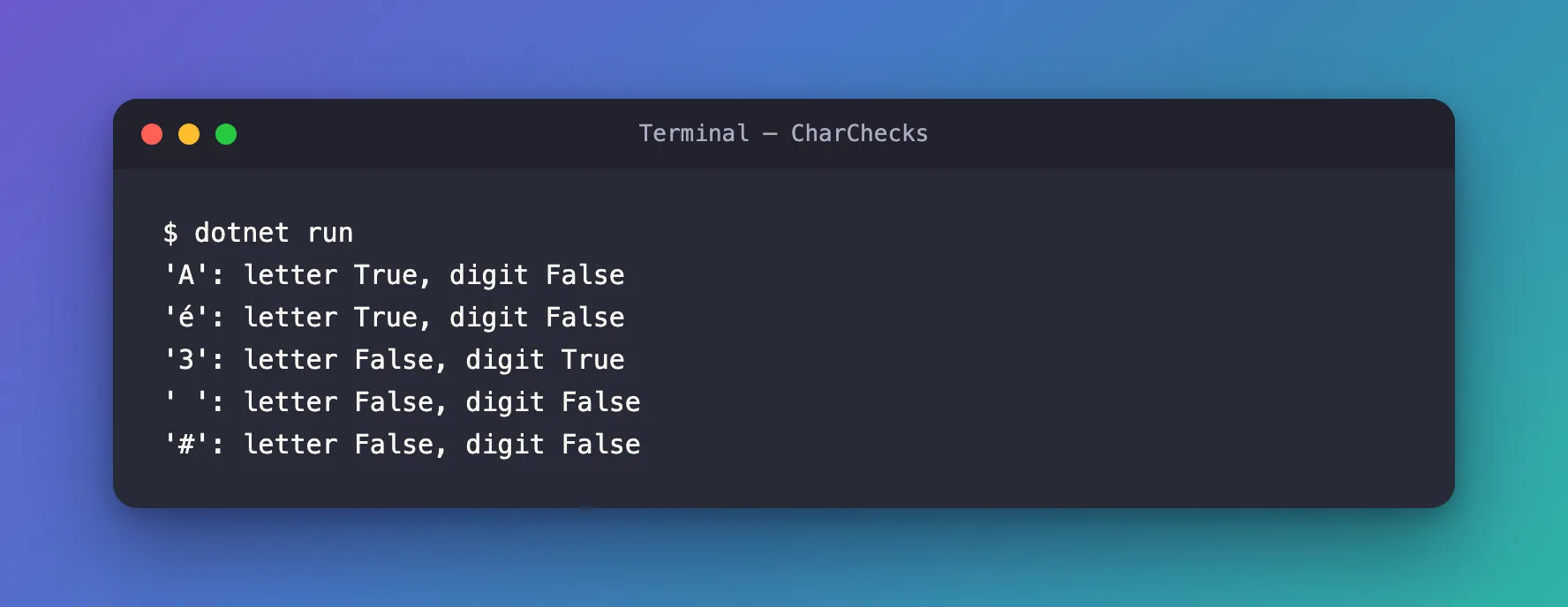
é counted as a letter, just like A. The space and # are neither a letter nor a digit.
The Complete File
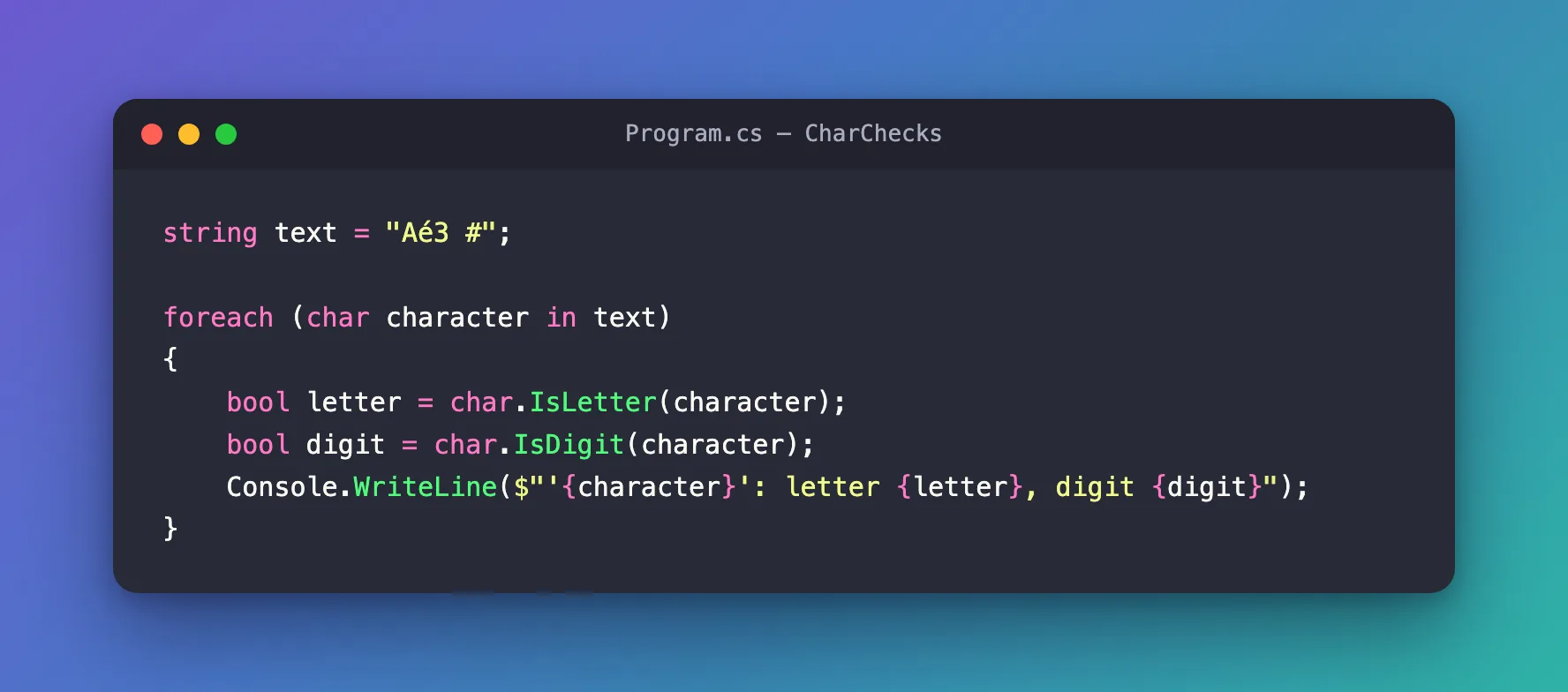
string text = "Aé3 #";

foreach (char character in text)
{
    bool letter = char.IsLetter(character);
    bool digit = char.IsDigit(character);
    Console.WriteLine($"'{character}': letter {letter}, digit {digit}");
}
Common Mistakes
| Mistake | What happens | Do this instead |
|---|---|---|
Using IsLetter to allow only A to Z | Letters of every alphabet count: char.IsLetter('Ж') returned True | Use char.IsAsciiLetter, which returned True for 'A' and False for 'é' |
Passing a string, such as char.IsLetter("A") | The build fails: error CS1503: Argument 1: cannot convert from 'string' to 'char' | Use single quotes for a char: 'A' |
FAQ
How do I check a whole string?
Combine it with LINQ: "Spring2026#".Any(character => !char.IsLetter(character)) returned True, because the string has characters that aren't letters.
Are there checks for letters or digits, and for case?
Yes: char.IsLetterOrDigit('3') returned True, and char.IsUpper('A') and char.IsLower('é') both returned True.
Conclusion
char.IsLetter(c) and char.IsDigit(c) tell you what kind of character c is, for every alphabet, and char.IsAsciiLetter(c) narrows letters down to A to Z. Use them one character at a time, or with Any and All over a whole string.
Additional Resources
- Char.IsLetter — which Unicode categories count as letters.
- Char.IsAsciiLetter — A to Z only.
- Char.IsDigit — decimal digits.
