How to Check the MySQL Version

Before you follow a guide, report a bug or plan an upgrade, you need to know exactly which MySQL you're talking to. MySQL tells you in several places, and one of them works without signing in at all. This guide shows five ways, with real output from MySQL 9.7.4 in Docker, and the one place where the version you see can mislead you.
Prerequisites
- A running MySQL server. The examples use the MySQL 9.7 container from How to Run MySQL in Docker with Docker Compose, but the SQL works on any MySQL.
- The mysql client. It's inside the container: How to Connect to MySQL in a Docker Container with the mysql Client.
Method 1: SELECT VERSION()
The quickest answer, from any SQL tool:
SELECT VERSION();
+-----------+
| VERSION() |
+-----------+
| 9.7.4     |
+-----------+
1 row in set (0.000 sec)
This is the version of the server you're connected to: MySQL 9.7.4.
Method 2: The Welcome Banner
The mysql client prints the server version as soon as you sign in, before you type anything:
Welcome to the MySQL monitor.  Commands end with ; or \g.
Your MySQL connection id is 13
Server version: 9.7.4 MySQL Community Server - GPL
MySQL Community Server - GPL tells you the edition: the free, open-source Community Edition.
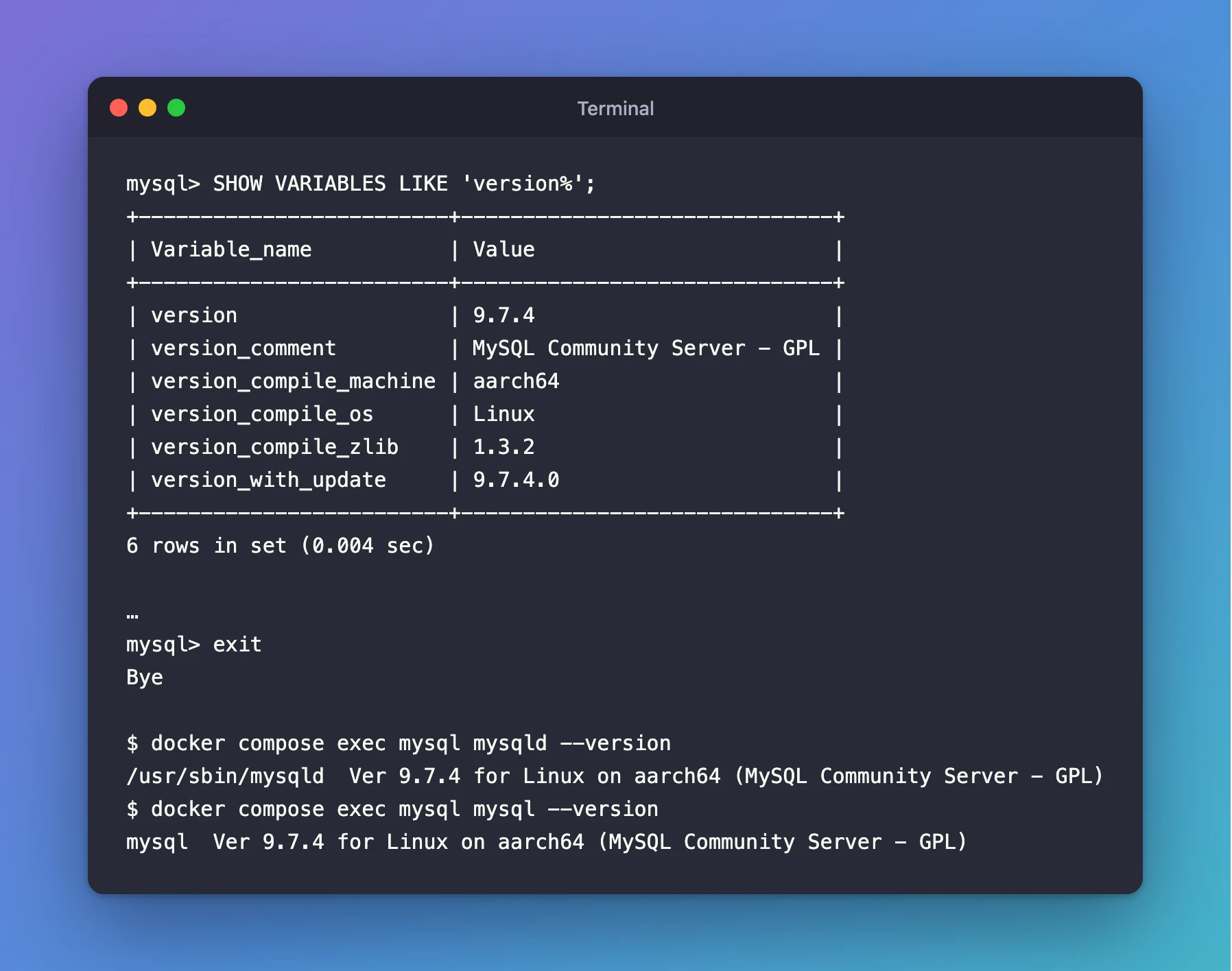
Method 3: SHOW VARIABLES LIKE 'version%'
For the details around the version:
SHOW VARIABLES LIKE 'version%';
+-------------------------+------------------------------+
| Variable_name           | Value                        |
+-------------------------+------------------------------+
| version                 | 9.7.4                        |
| version_comment         | MySQL Community Server - GPL |
| version_compile_machine | aarch64                      |
| version_compile_os      | Linux                        |
| version_compile_zlib    | 1.3.2                        |
| version_with_update     | 9.7.4.0                      |
+-------------------------+------------------------------+
6 rows in set (0.004 sec)
| Variable | What it tells you |
|---|---|
version | The server version, the same as SELECT VERSION() |
version_comment | The edition |
version_compile_machine | The processor it was built for: aarch64 here (an Apple Silicon Mac); x86_64 on Intel and AMD |
version_compile_os | The operating system it was built for; Linux, because it runs in a Linux container |
version_with_update | New in 9.7.4: "the complete server version in MAJOR.MINOR.PATCH.UPDATE form", per MySQL's manual |
Method 4: The status Command
Inside the mysql client, status shows the client's version on its first line and the server's further down:
mysql> status
--------------
mysql  Ver 9.7.4 for Linux on aarch64 (MySQL Community Server - GPL)
…
Server version:		9.7.4 MySQL Community Server - GPL
The client and the server are separate programs, and they can have different versions. Here they match because both come from the same container.
Method 5: Without Signing In
The server program, mysqld, can report its own version without a password. Ask it inside the container:
docker compose exec mysql mysqld --version
/usr/sbin/mysqld Ver 9.7.4 for Linux on aarch64 (MySQL Community Server - GPL)
And the client program:
docker compose exec mysql mysql --version
mysql Ver 9.7.4 for Linux on aarch64 (MySQL Community Server - GPL)
Both commands work unchanged in bash, zsh and PowerShell.
Why the Image Tag Isn't the Exact Version
Docker shows the tag you asked for, not the version inside:
docker image ls mysql
IMAGE       ID             DISK USAGE   CONTENT SIZE   EXTRA
mysql:9.7   63dc4a41ae6a        954MB             0B   U
mysql:9.7 follows the 9.7 line. When Oracle releases 9.7.5, the same tag will point to it. So the tag tells you the line (9.7 LTS), and the methods above tell you the exact version (9.7.4). Check from inside whenever the exact number matters.
Reading the Version Number
MySQL has two release tracks, and they number versions differently:
- Long-term support (LTS) lines such as 8.4 and 9.7 keep their major and minor numbers for years. Only the last number grows with each bug-fix release: 9.7.0, 9.7.1 and so on.
- Innovation releases use the year and month since 9.7: 26.10 is the October 2026 release. A new one comes out every quarter.
So 9.7.4 means "the 9.7 long-term support line, bug-fix release 4".
Common Mistakes
| Mistake | What happens | Do this instead |
|---|---|---|
| Reading the client's version and calling it the server's | You report the wrong version when they differ | Use SELECT VERSION() for the server |
Trusting the Docker tag (mysql:9.7) as the exact version | You miss which patch you're on | Ask MySQL itself, as above |
Running mysql --version on your own computer | You get your local client's version, or "command not found" | Run it inside the container with docker compose exec |
Troubleshooting
| Symptom | Likely cause | Fix |
|---|---|---|
mysqld --version fails on your computer | MySQL isn't installed there; it's in the container | Prefix the command with docker compose exec mysql |
docker compose exec fails | MySQL isn't running, or you're not in the project folder | cd to the folder with compose.yaml; docker compose start --wait |
FAQ
Which version is the "real" one?
The server's, from SELECT VERSION(). That's the program that stores your data and runs your SQL.
Is MySQL 9.7 a long-term support release?
Yes. 9.7 is MySQL's current long-term support line, the one Oracle recommends for stability. The lts tag on Docker Hub pointed to 9.7.4 when I checked on 2 November 2026.
Does the version decide which features I can use?
Yes. MySQL's manual is published per version, so read the 9.7 manual for a 9.7 server.
Conclusion
SELECT VERSION() answers in one line: this server runs MySQL 9.7.4. SHOW VARIABLES LIKE 'version%' adds the edition and platform. mysqld --version works without signing in, and the Docker tag mysql:9.7 only names the release line.
Additional Resources
- Server System Variables (MySQL 9.7) —
version,version_commentandversion_with_update. - MySQL Releases: Innovation and LTS (MySQL 9.7) — how the two release tracks work.
- MySQL image on Docker Hub — the available tags.
