How to Check That an MLflow Model Server Is Running

Before a program sends predictions to an MLflow model server, it should know the server is up and has loaded its model. The server has three endpoints for that: /ping and /health, which answer 200 OK once the model is loaded, and /version, which returns the MLflow version. This guide checks all three and waits for a starting server, with real output from MLflow 3.18.0.
Syntax
- macOS / Linux
- Windows (PowerShell)
curl -i http://HOST:PORT/ping
curl -i http://HOST:PORT/health
curl http://HOST:PORT/version
(Invoke-WebRequest http://HOST:PORT/ping).StatusCode
(Invoke-WebRequest http://HOST:PORT/health).StatusCode
Invoke-RestMethod http://HOST:PORT/version
| Part | What it means |
|---|---|
HOST:PORT | Where the server listens, such as 127.0.0.1:5001 |
/ping | 200 OK once the model is loaded |
/health | The same check under another name |
/version | The MLflow version the server runs |
-i | Make curl print the status line and headers, not only the body |
MLflow's guide to the inference server: "/ping: Used for health checks. /health: Same as /ping /version: Returns the MLflow version."
Prerequisites
- An MLflow tracking server at
http://127.0.0.1:8080, such asmlflow server --port 8080. mlflowandscikit-learnin your project, for example withuv add mlflow scikit-learn pandas.
Step 1: Log a Model and Serve It
The example logs a wine classifier, which tells three wine cultivars apart from their chemistry:
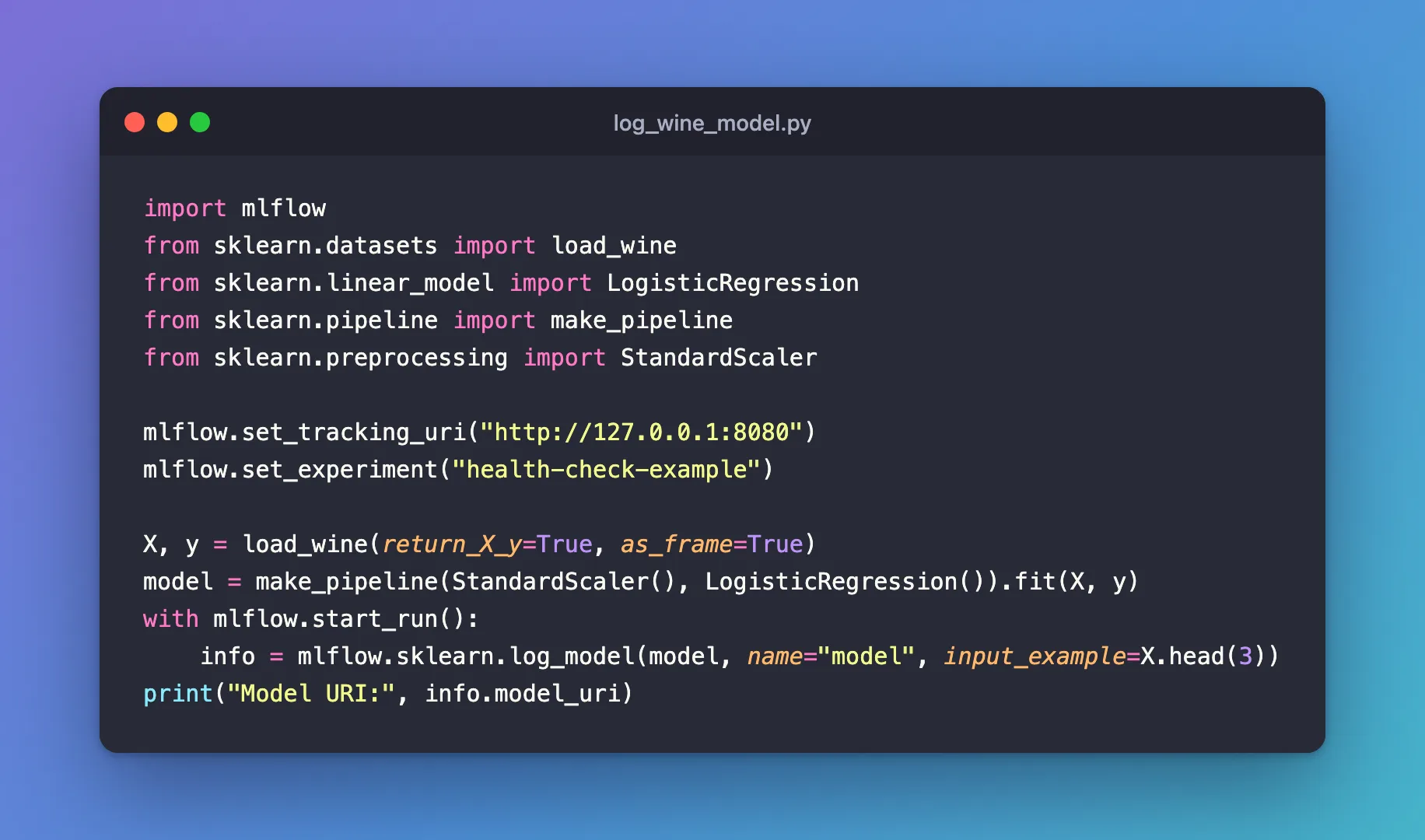
import mlflow
from sklearn.datasets import load_wine
from sklearn.linear_model import LogisticRegression
from sklearn.pipeline import make_pipeline
from sklearn.preprocessing import StandardScaler

mlflow.set_tracking_uri("http://127.0.0.1:8080")
mlflow.set_experiment("health-check-example")

X, y = load_wine(return_X_y=True, as_frame=True)
model = make_pipeline(StandardScaler(), LogisticRegression()).fit(X, y)
with mlflow.start_run():
    info = mlflow.sklearn.log_model(model, name="model", input_example=X.head(3))
print("Model URI:", info.model_uri)
uv run python log_wine_model.py
Model URI: models:/m-88390007c376478da05230c2e62a5427
Serve it on port 5001 in a second terminal, as in How to Serve an MLflow Model as a REST API with mlflow models serve:
- macOS / Linux
- Windows (PowerShell)
export MLFLOW_TRACKING_URI=http://127.0.0.1:8080
uv run mlflow models serve -m "models:/m-88390007c376478da05230c2e62a5427" -p 5001 --env-manager uv
$env:MLFLOW_TRACKING_URI = "http://127.0.0.1:8080"
uv run mlflow models serve -m "models:/m-88390007c376478da05230c2e62a5427" -p 5001 --env-manager uv
Step 2: Check /ping and /health
In a third terminal:
- macOS / Linux
- Windows (PowerShell)
curl -i http://127.0.0.1:5001/ping
HTTP/1.1 200 OK
date: Thu, 26 Nov 2026 04:52:24 GMT
server: uvicorn
content-length: 1
content-type: application/json
(Invoke-WebRequest http://127.0.0.1:5001/ping).StatusCode
200
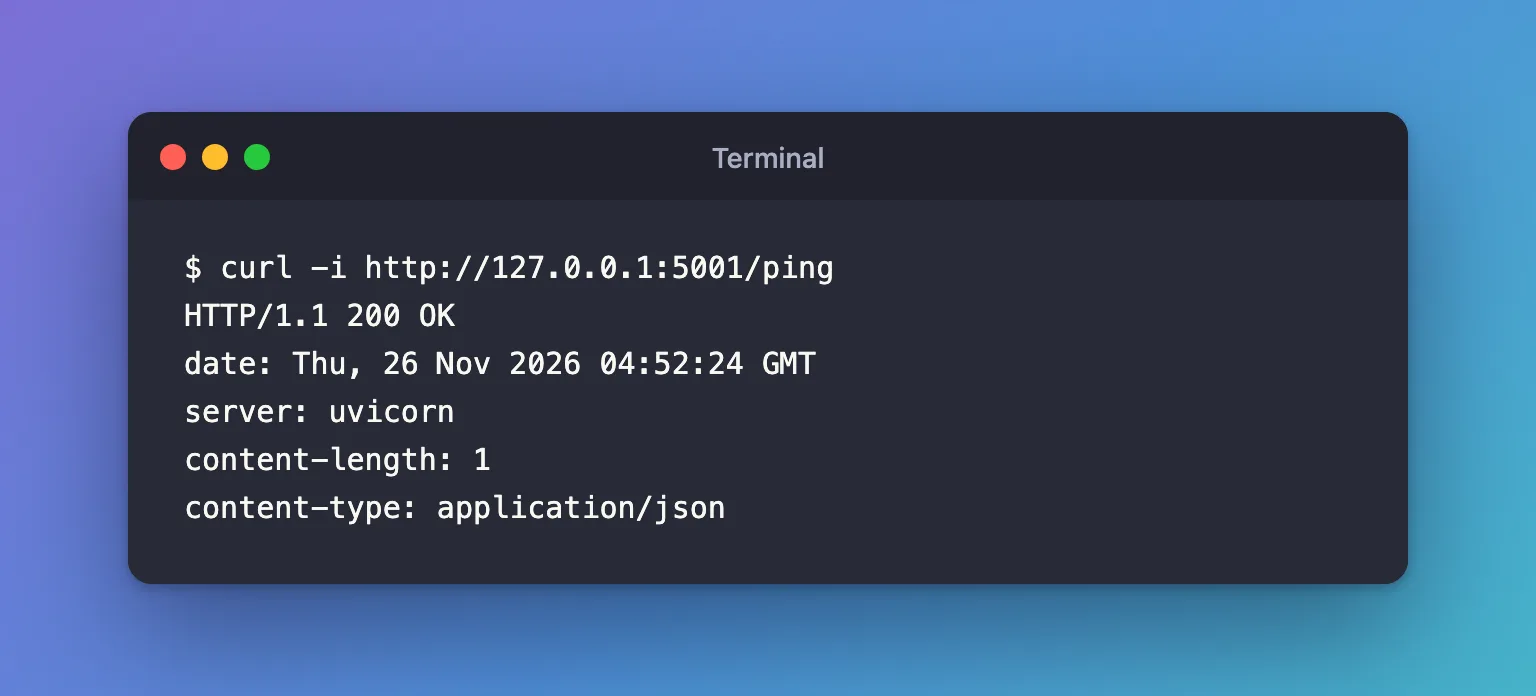
200 OK means the server is running and its model is loaded. The body is empty apart from a line break, which is why content-length is 1. /health gave the same answer, HTTP/1.1 200 OK from curl and 200 from PowerShell.
Step 3: Check the MLflow Version
- macOS / Linux
- Windows (PowerShell)
curl http://127.0.0.1:5001/version
Invoke-RestMethod http://127.0.0.1:5001/version
3.18.0
The version of MLflow running the server, here 3.18.0.
Step 4: Wait Until the Server Is Ready
A script that starts the server and sends requests straight away needs to wait for it. This loop asks /ping once a second until it answers. I started the server again and ran the loop right away:
- macOS / Linux
- Windows (PowerShell)
until curl -sf http://127.0.0.1:5001/ping > /dev/null; do echo "Not ready yet"; sleep 1; done; echo "The model server is ready"
Not ready yet
Not ready yet
Not ready yet
Not ready yet
Not ready yet
The model server is ready
while ($true) { try { Invoke-WebRequest http://127.0.0.1:5001/ping | Out-Null; break } catch { "Not ready yet"; Start-Sleep -Seconds 1 } }; "The model server is ready"
Not ready yet
Not ready yet
Not ready yet
Not ready yet
The model server is ready
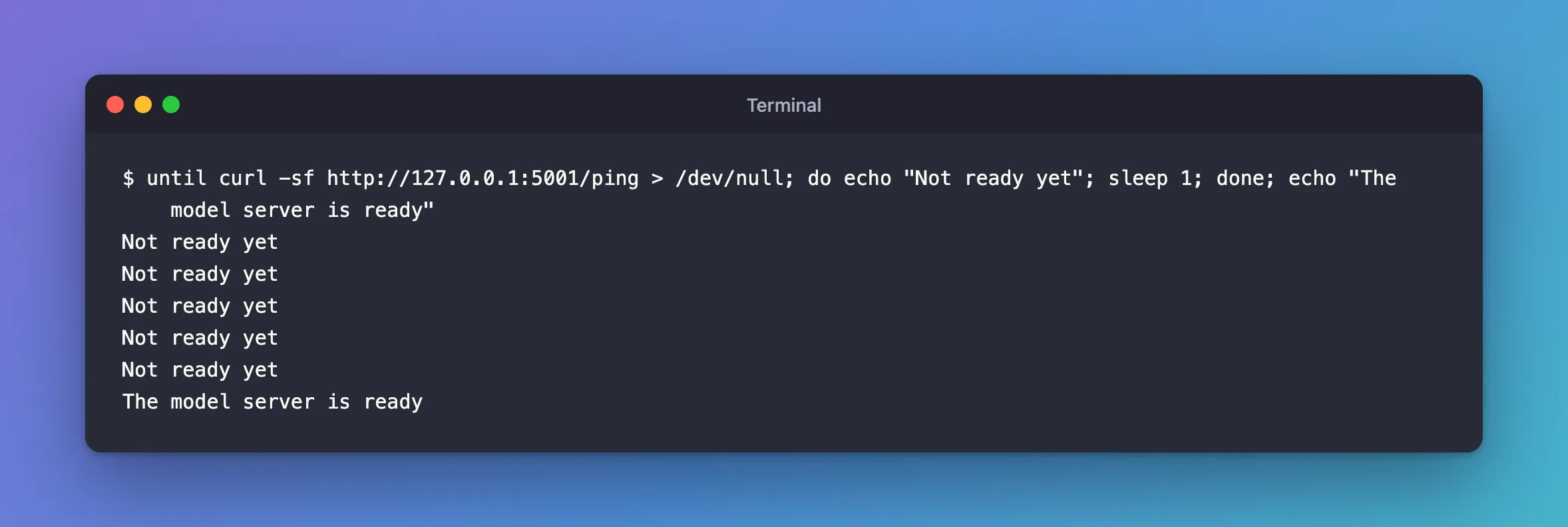
curl -sf keeps quiet (-s) and fails (-f) until the server answers with a success, so the loop repeats while the server starts and ends once /ping returns 200. In PowerShell, Invoke-WebRequest throws an error while the server can't be reached, and the catch block waits a second before trying again. It took about five seconds here.
Common Mistakes
| Mistake | What happens | Do this instead |
|---|---|---|
Checking /health or /version on a container from mlflow models build-docker | 404 and {} | Use /ping there: Fixed: An MLflow Model Container Answers 404 for /health and /version |
| Sending predictions right after starting the server | curl: (7) Failed to connect while it starts | Wait for /ping, as in Step 4 |
Troubleshooting
| Symptom | Likely cause | Fix |
|---|---|---|
| The loop never ends | The server failed to start, or listens on another port | Read the server's terminal for an error |
403 Forbidden from localhost:5000 on a Mac | AirPlay Receiver answers on port 5000 | Use 127.0.0.1 or another port |
FAQ
What does /ping check?
That the server is running and has a model loaded. It doesn't run a prediction, so it stays fast.
Can a container use /ping as a health check?
Yes: in an image from mlflow models build-docker, nginx passes /ping to the model server.
Conclusion
/ping and /health answered 200 OK once the wine classifier was loaded, /version returned 3.18.0, and a loop around curl -sf .../ping waited five seconds for a starting server before saying it was ready.
Additional Resources
- Deploy MLflow Model as a Local Inference Server — the server's endpoints.
- curl manual —
-i,-sand-f.
