How to Check If Two Values Are Different in Python with !=

To check that a typed password doesn't match the saved one, or that a value has changed, compare the two with !=, Python's "not equal" operator. It answers True when the values differ and False when they're the same. This guide compares two passwords, with real output from Python 3.15.2.
Syntax
<value 1> != <value 2>
| Part | What it means |
|---|---|
<value 1>, <value 2> | Any two values: numbers, text, lists and so on |
| The result | True when they're different, False when they're equal |
The Python language reference: "The operators <, >, ==, >=, <=, and != compare the values of two objects. The objects do not need to have the same type."
Prerequisites
- uv and Python 3. This guide uses uv 0.13.10 with Python 3.15.2, in a project made with
uv init.
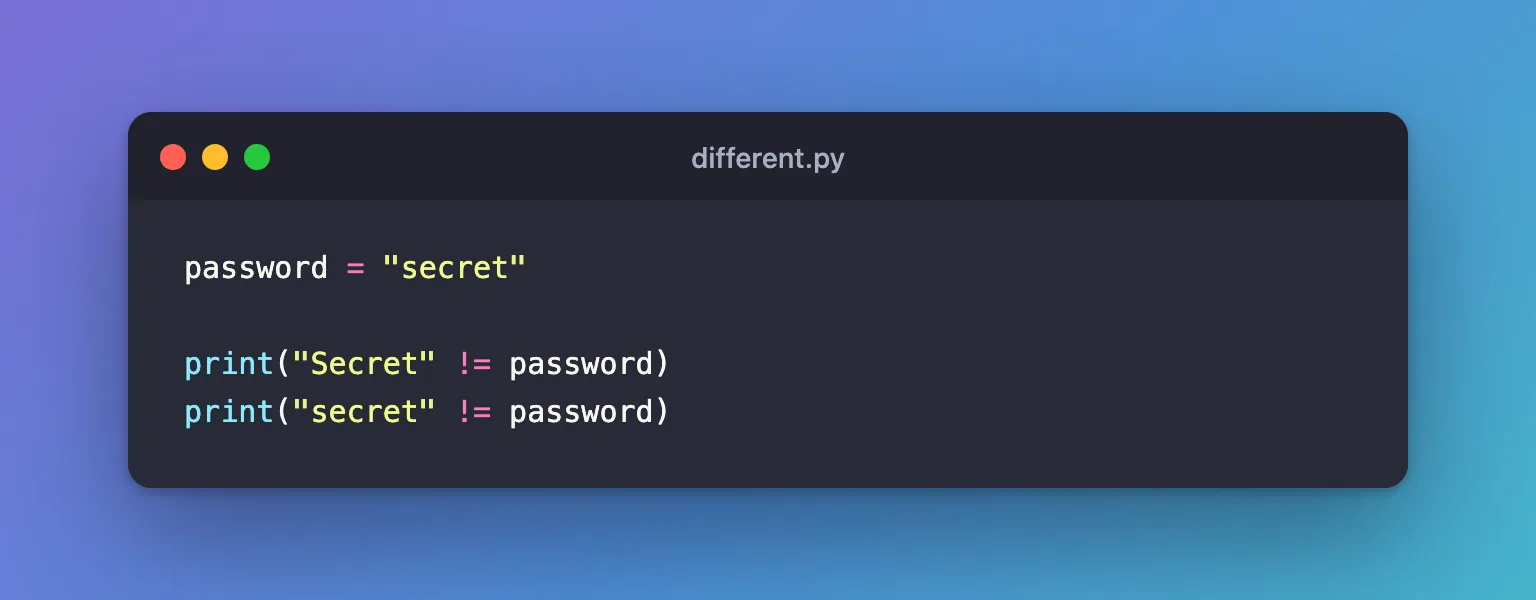
Step 1: Write the Script
password = "secret"

print("Secret" != password)
print("secret" != password)
Step 2: Run It
uv run python different.py
True
False
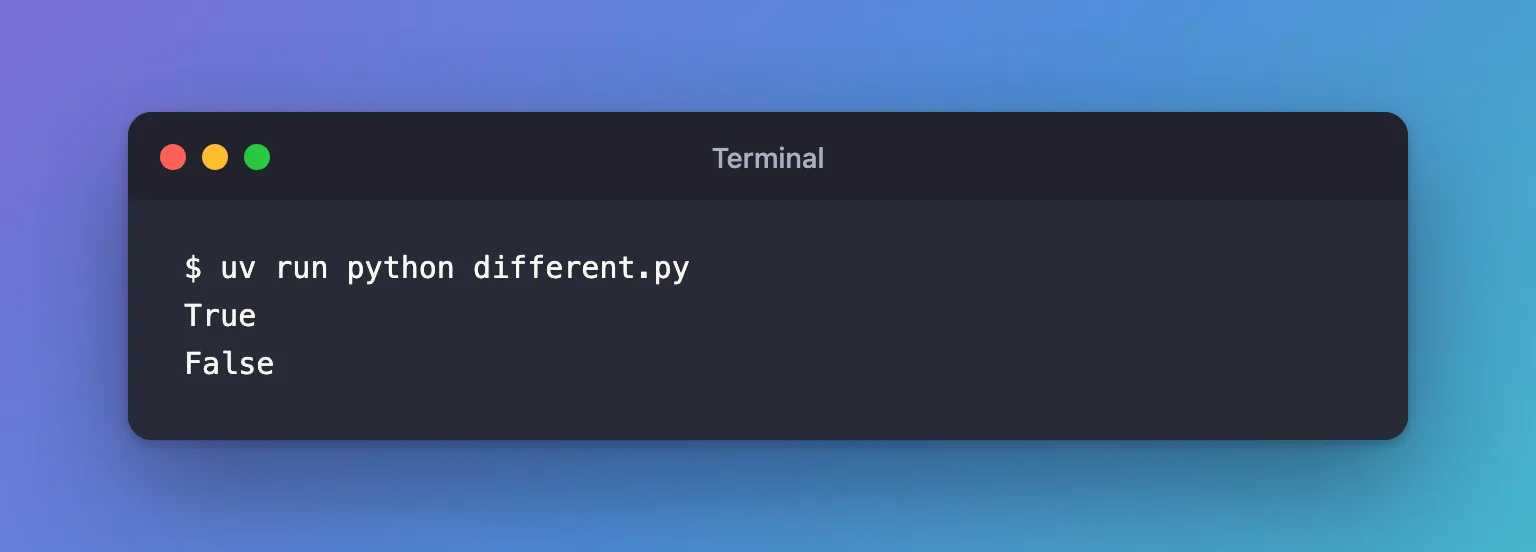
"Secret" differs from "secret" by its capital S, so the first comparison is True. The second compares equal text, so it's False.
Common Mistakes
| Mistake | What happens | Do this instead |
|---|---|---|
| Comparing a number with its text | 1 != "1" gave True: a number and a string are different values | Convert one side first, such as 1 != int("1") |
Expecting != to compare text case-insensitively | "Secret" != "secret" is True | Compare .lower() versions when case shouldn't matter |
Troubleshooting
| Symptom | Likely cause | Fix |
|---|---|---|
!= says two numbers differ that look equal | One of them is text, or a float with a tiny difference | Print type(...) of both, and round floats before comparing |
FAQ
Does != compare lists by their contents?
Yes. [1, 2] != [1, 2] gave False, and [1, 2] != [2, 1] gave True: same items in another order count as different. And 1 != 1.0 gave False, because the numbers are equal.
Should I write value != None?
It works (value != None gave False for None), but value is not None is the usual way: None is a single object, so you check identity, and the result was the same.
Conclusion
"Secret" != password gave True and "secret" != password gave False. != compares values, is case-sensitive for text, and tells a number from its text.
Additional Resources
- Value comparisons — how each type compares.
- Comparisons — the comparison operators at a glance.
