How to Check Whether an Array Is Empty with empty() in Power Automate

A search that finds nothing returns an empty array, and the flow often needs to know that: create the list only if it isn't there yet. empty() answers with true or false. This guide uses it in a Condition.
What It Does
Microsoft's functions reference says empty() checks whether a collection is empty: true when it is, false when it isn't. It works on text, arrays and objects:
empty('<collection>')
empty([<collection>])
Prerequisites
- An action that returns an array. The example is Find the list, a SharePoint REST request in the setup flow from Part 11 of the Career Development Plan series. It asks for the lists with a given title, and its body's
valuearray is empty when there's no such list (How to Use the body() Function).
Write the Expression
empty(body('Find_the_list')?['value'])
| When | value | empty(...) |
|---|---|---|
| The list doesn't exist yet | [] | true |
| The list exists | One item | false |
Use It in a Condition
Add a Condition (How to Add a Condition). In its first value, open the expression editor (How to Add an Expression), type the expression and select Add:
![The If the list is missing condition's pane with the expression editor open, containing empty(body('Find_the_list')?['value'])](https://strdewiridedevblogsprod.blob.core.windows.net/images/blog/power-platform/power-automate/2026/pa-empty-01-expression-editor.webp)
Leave the operator as is equal to, and set the second value to the expression true, also through the expression editor. Typed as plain text, true would be compared as the word true, not as a Boolean:
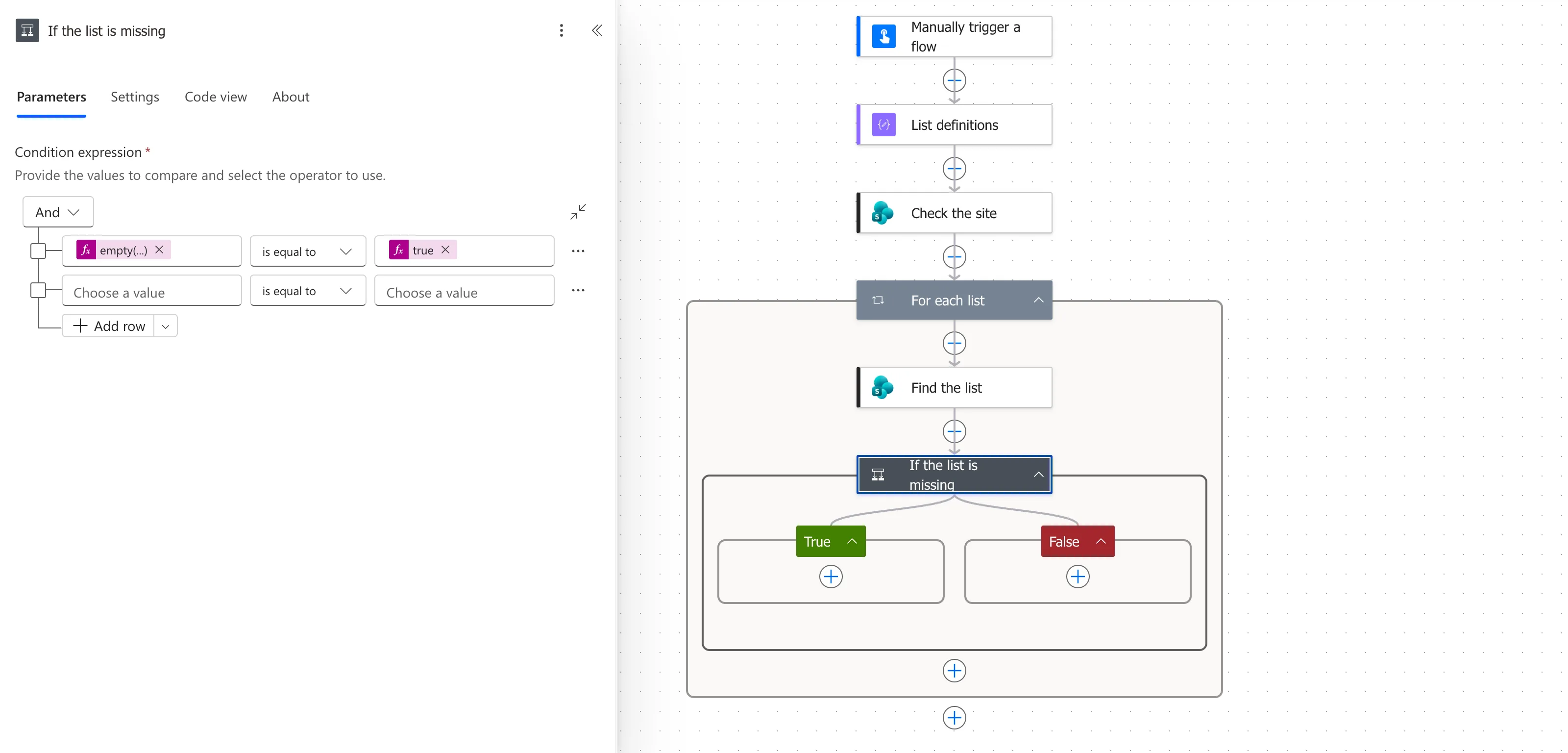
Steps in the True branch run when the list is missing, here Create the list.
Check It in a Run
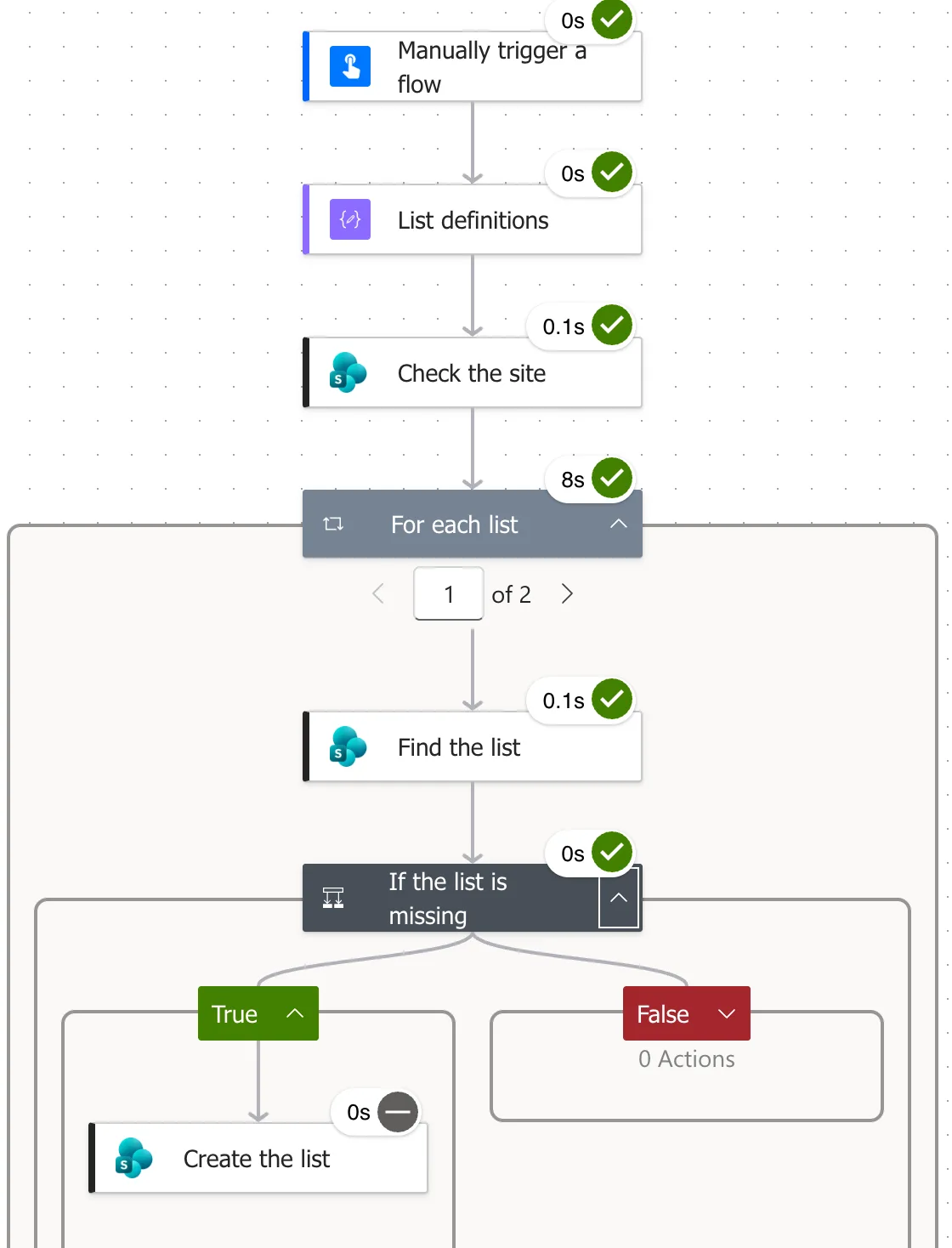
In the first run on an empty test site, the True branch ran and created RoleCompetencies. In later runs, value had the list in it, so the condition was false and Create the list was skipped:
Common Mistakes
| Mistake | What happens | Do this instead |
|---|---|---|
Typing true as text in the condition | The comparison may never be true | Add true as an expression |
| Testing the whole body | The body is an object with a value property, never empty | Test ?['value'] |
Leaving out the ? | A missing property fails the step | Write ?['value'] |
Troubleshooting
| Symptom | Likely cause | Fix |
|---|---|---|
| The True branch never runs | true was typed as text | Re-add it with the expression editor |
The editor replaced true with something else | A suggestion was accepted | Retype it, then press Esc (this post) |
FAQ
Isn't length() equal to 0 the same?
It gives the same answer for an array. empty() reads more clearly, and it works on text and objects too.
Can I put empty() straight into the condition, without is equal to?
The new designer's Condition compares two values, so the expression goes on the left and true on the right.
Conclusion
empty(array) is true when the array has no items. Put it in a Condition, compare it with the expression true, and the True branch runs only when the search found nothing.
