How to Check Whether an Array Contains a Value with contains() in Power Automate

Before a flow removes something, it should check that it's there. contains() answers that: does this array include this value? This guide uses it to check whether a SharePoint view shows a column before a step removes the column from it.
What It Does
Microsoft's functions reference says contains() checks whether a collection has a specific item, and returns true or false. It works on three kinds of collection:
| Collection | It looks for |
|---|---|
| Text | A piece of the text |
| An array | A value |
| An object | A property name |
The reference also notes that the check is case-sensitive.
Prerequisites
- An array to search. The example comes from the setup flow in Part 11 of the Career Development Plan series. Find Title in the view asks SharePoint for a list's default view columns, and its body has them in
Items(How to Use the body() Function):
{
  "SchemaXml": "<FieldRef Name=\"Competency\" /><FieldRef Name=\"JobTitle\" /><FieldRef Name=\"Level\" /><FieldRef Name=\"IsActive\" />",
  "Items": ["Competency", "JobTitle", "Level", "IsActive"]
}
On a new list, Items is ["LinkTitle"]: LinkTitle is the Title column as a view shows it.
Write the Expression
contains(body('Find_Title_in_the_view')?['Items'], 'LinkTitle')
It's true when the view shows Title, and false otherwise.
Use It in a Condition
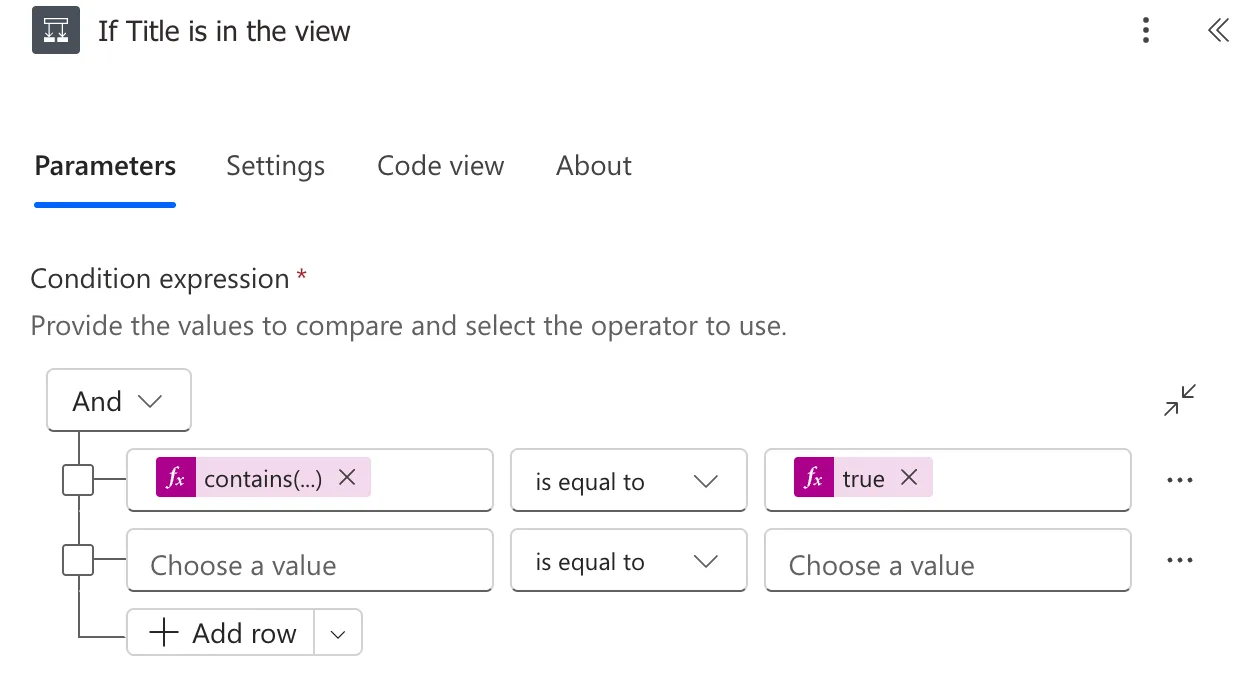
Add a Condition (How to Add a Condition), put the expression in its first value, choose is equal to, and add true as an expression in the second:
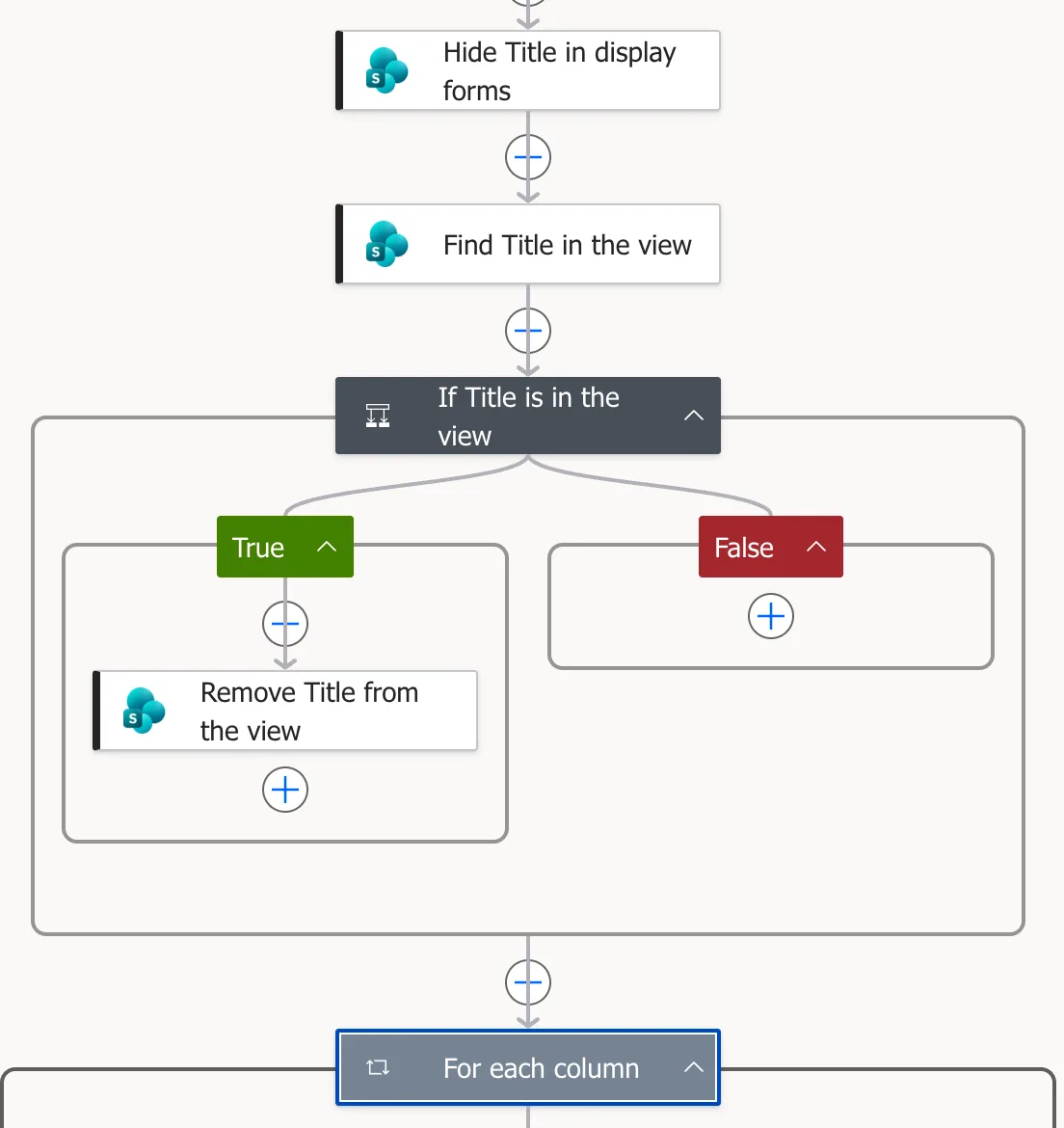
The step that removes the column goes in the True branch:
Check Both Branches
- False: on lists whose view no longer had Title, the run skipped the removal.
- True: I put Title back in one list's view with SharePoint's Show or hide columns, and ran the flow again.
ItemsincludedLinkTitle, the removal ran, and Title was out of the view afterwards.
Without this check, removing a column that isn't in the view fails, and Power Automate spends minutes retrying it (Fixed: "Invalid Field Name" BadGateway).
Common Mistakes
| Mistake | What happens | Do this instead |
|---|---|---|
| The wrong case | 'linktitle' doesn't match LinkTitle | Copy the value exactly |
| Searching an array of objects for a property value | It compares whole items, not their properties | Search an array of plain values, such as Items |
Comparing with true typed as text | The condition may never be true | Add true as an expression |
Troubleshooting
| Symptom | Likely cause | Fix |
|---|---|---|
| Always false | The value or its case differs | Read the array in the run's outputs |
| An error about the array | The property isn't in the body | Check the body's shape in a run |
FAQ
Can contains() search text?
Yes. With text, it checks whether one piece of text is inside the other, such as contains('Career Development Plan', 'Plan').
How do I check whether any item has a certain property value?
Microsoft's expression cookbook suggests Filter array, then checking the length of the result, because contains() on an array of objects compares whole objects.
Conclusion
contains(array, 'value') is true when the array includes the value, matching case exactly. Put it in a Condition before any step that removes or changes something, so the step runs only when there's something to act on.
Additional Resources
- Reference guide to functions in expressions:
contains(). - Expression cookbook for cloud flows: checking arrays, including arrays of objects.
