How to Check Whether a SharePoint List Exists in Power Automate

A flow that creates a SharePoint list should check first whether it's already there. Then running it twice changes nothing, and a half-finished run can simply be run again. This guide checks for a list with one REST request and a condition.
Prerequisites
- Send an HTTP request to SharePoint: see How to Use Send an HTTP Request to SharePoint.
- The example is Find the list and If the list is missing in the setup flow from Part 11 of the Career Development Plan series. They run inside a loop over the lists to create, so the title comes from
items()(How to Use the items() Function).
Step 1: Ask for the List by Title
Add a Send an HTTP request to SharePoint action called Find the list:
| Field | Value |
|---|---|
| Site Address | The site, here the trigger's Site URL |
| Method | GET |
| Uri | _api/web/lists?$filter=Title eq ' + the title + '&$select=Id |
| Headers | Accept: application/json;odata=nometadata |
Type the Uri's text and insert the title as an expression in the middle (How to Add an Expression):
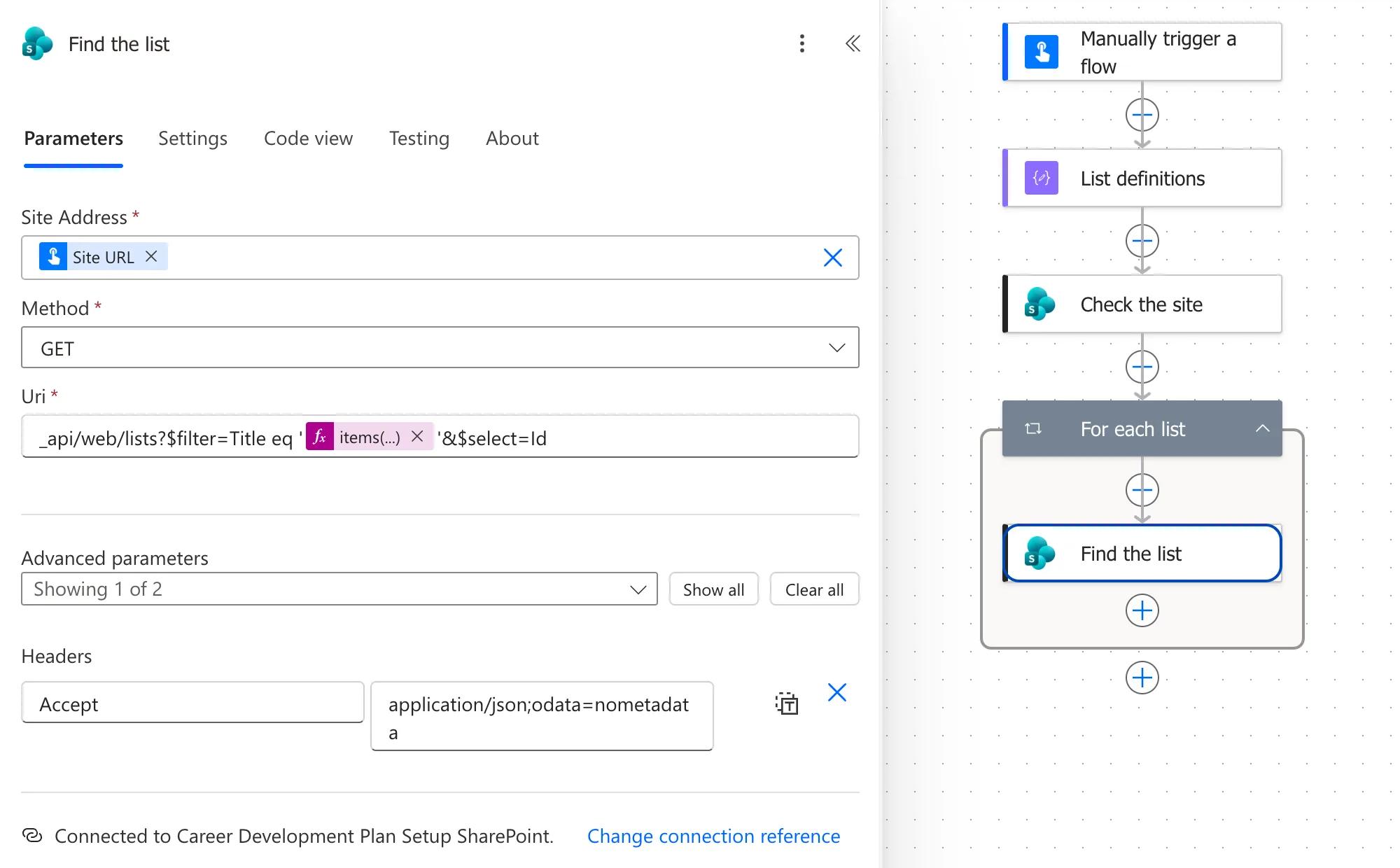
In Code view, the Uri reads:
_api/web/lists?$filter=Title eq '@{items('For_each_list')?['title']}'&$select=Id
$filter=Title eq '...' keeps only the lists with that title, and $select=Id returns only their IDs, which keeps the response small. The request succeeds either way: SharePoint returns the matching lists in an array called value, which is empty when there's no such list.
Step 2: Test the Result
Add a Condition called If the list is missing (How to Add a Condition). Compare this expression with the expression true:
empty(body('Find_the_list')?['value'])
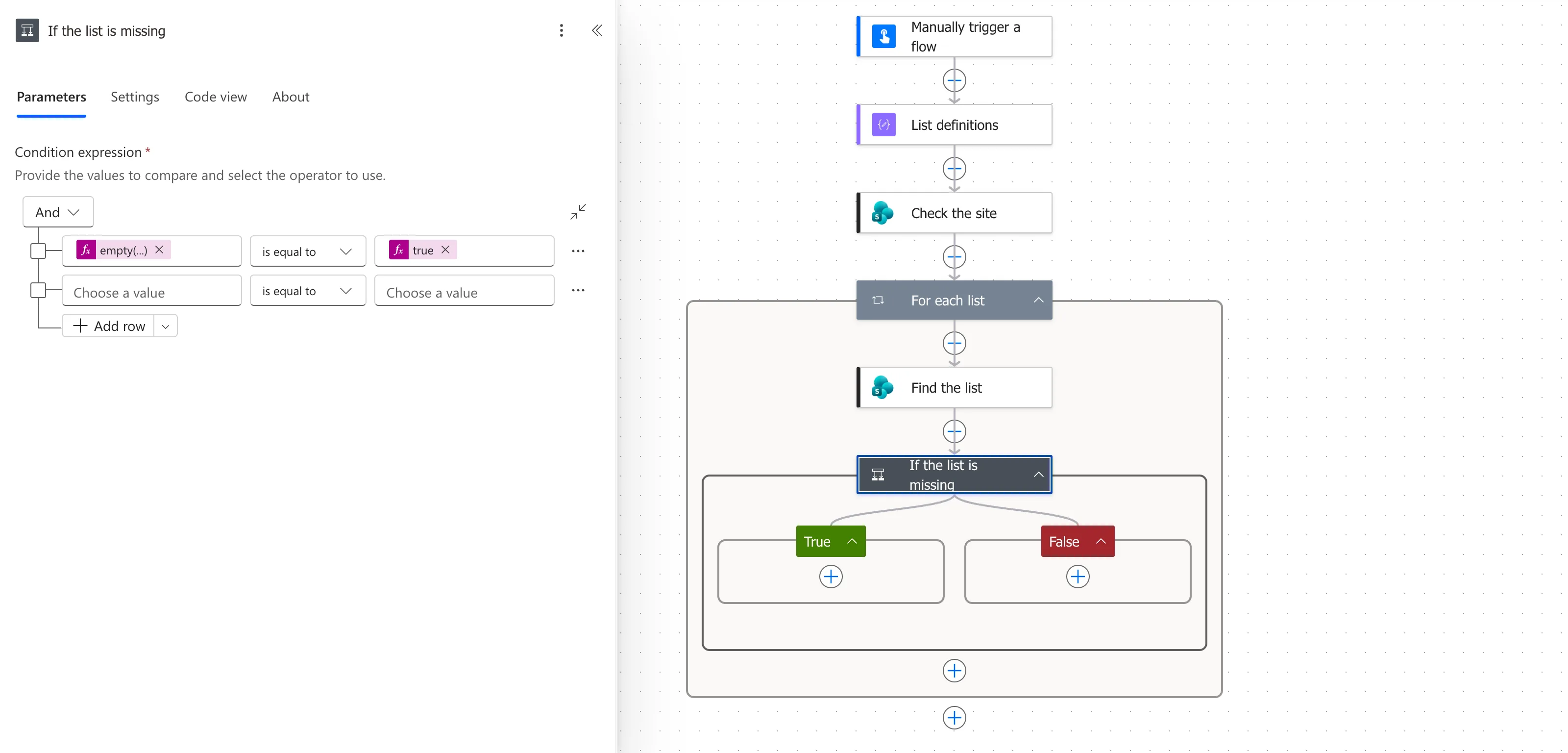
How to Check Whether an Array Is Empty explains empty().
Step 3: Act Only When It's Missing
Put the step that creates the list in the True branch (How to Create a SharePoint List with the REST API), and leave False empty. Steps after the condition then work on the list whether it was just created or already there.
Check It in Runs
The runs I made while building the flow created both lists on an empty test site. Every later run found them, so Create the list was skipped:
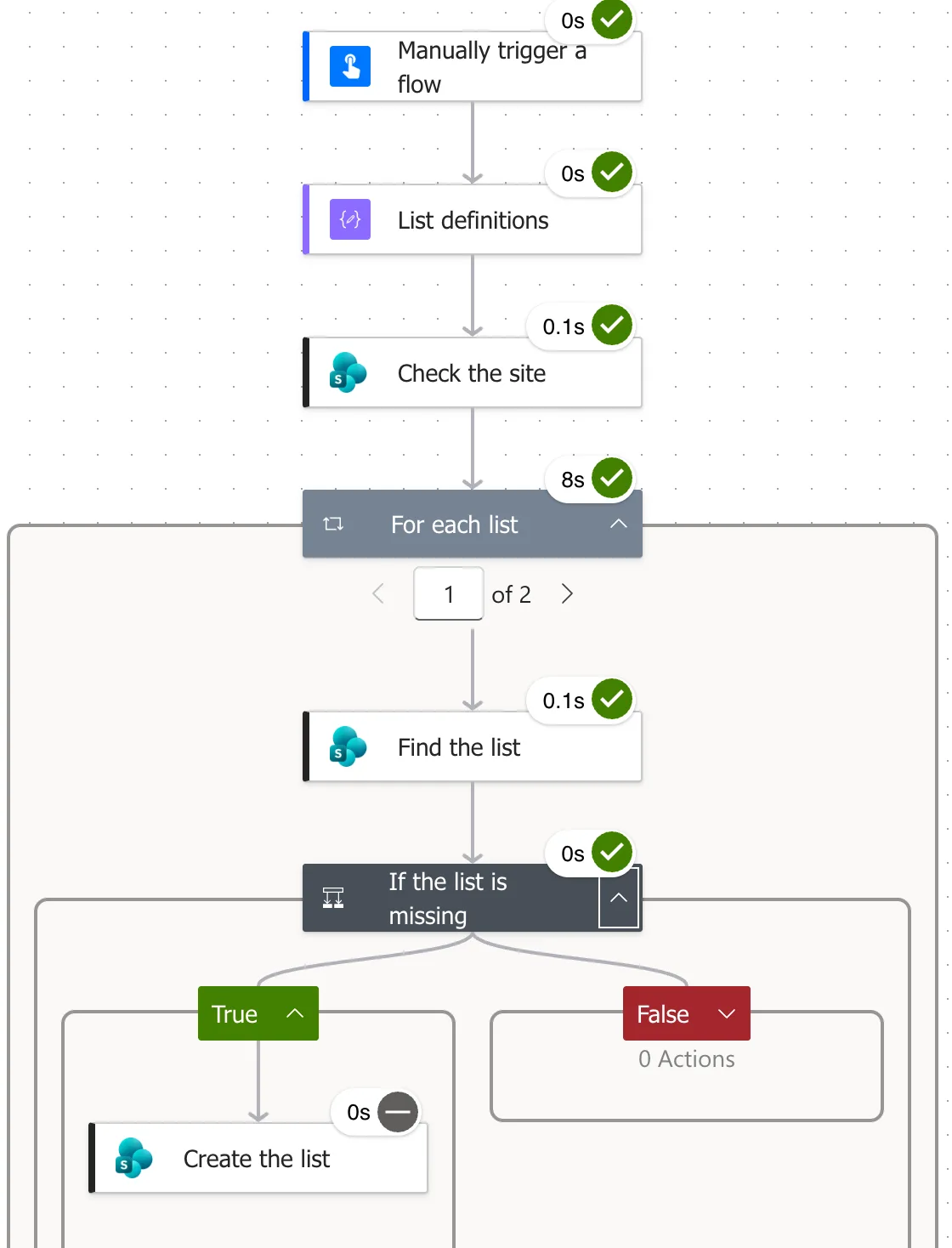
The Same Check for a Column
Columns work the same way, with the list's fields and the column's internal name. Find the column in the setup flow uses:
_api/web/lists/getbytitle('@{items('For_each_list')?['title']}')/fields?$filter=InternalName eq '@{items('For_each_column')?['name']}'&$select=InternalName
and If the column is missing tests empty(body('Find_the_column')?['value']) in the same way (How to Add a Column with CreateFieldAsXml).
Common Mistakes
| Mistake | What happens | Do this instead |
|---|---|---|
| Creating without checking | A second run tries to create the list again | Check first |
| Forgetting the quotes around the title | The filter is invalid | Keep '...' around the expression |
| Testing the whole body | It's never empty | Test ?['value'] |
Troubleshooting
| Symptom | Likely cause | Fix |
|---|---|---|
| The list is created twice | The condition compares with the text true | Add true as an expression |
| Find the list fails | The site address is wrong | Check Site URL |
| Nothing is found, but the list exists | The title differs, such as by a space | Use the exact title from Site contents |
FAQ
Why filter by title instead of asking for the list directly?
A filter query answers with an array, empty or not, which a condition can test. That keeps the check a normal, successful step.
Is the title match case-sensitive?
My checks always used the exact titles, so I can't say. Use the title exactly as SharePoint shows it.
Conclusion
Ask SharePoint for _api/web/lists?$filter=Title eq '<title>'&$select=Id, test empty(body(...)?['value']) in a condition, and create the list only in the True branch. The flow can then run as often as you need.
Additional Resources
- Working with lists and list items with REST: lists in the REST API.
- Use OData query operations in SharePoint REST requests:
$filterand$select.
