How to Check If a Person Is in a Multi-Person Column in Power Automate

A SharePoint Person column that allows several people comes into a flow as an array of people. To check whether one person is among them, turn the column into a list of emails with Select, then test the list with contains() in a Condition. Lower-case both sides so capital letters don't matter.
The example is Get Waiting Approvals, a flow of the Overtime Timesheet app. Each department in its Departments list has an Approvers column with one or more people, and the flow needs the departments that the person running it approves.
Why Not a Filter Query?
The obvious idea is to ask SharePoint for the departments where Approvers includes the person. Microsoft's SharePoint REST query article rules it out: Because multi-value lookup fields are returned as a string of multiple values, there's no way to query for them. So the flow gets the departments and checks each one itself.
Prerequisites
- The items, from Get items (How to Filter SharePoint Items with a Filter Query in Power Automate), and a loop over them (How to Loop Through an Array with Apply to Each in Power Automate).
- The person's email. Here, the person running the flow (How to Get the Profile of the Person Running a Flow in Power Automate).
Step 1: Turn the Column into a List of Emails
Inside the loop, add Select. I named it Approver emails. Set From to the current item's column, with an expression:
items('For_each_department')?['Approvers']
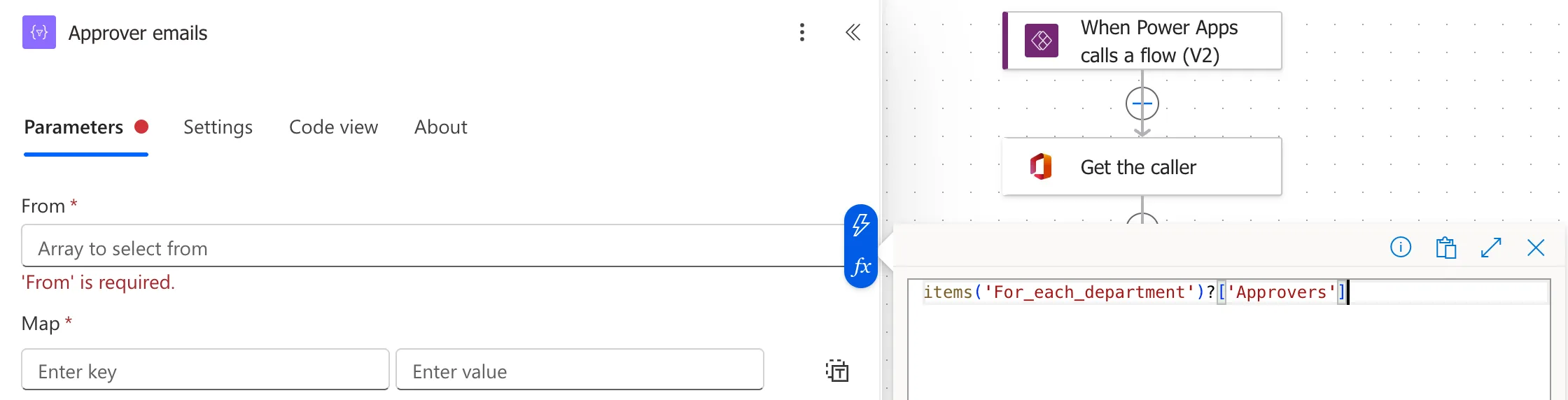
Don't pick Approvers from the dynamic content list here: the designer wrapped the action in a second loop over all the departments when I did (Fixed: Power Automate Adds a Second For Each Loop When You Pick a Token).
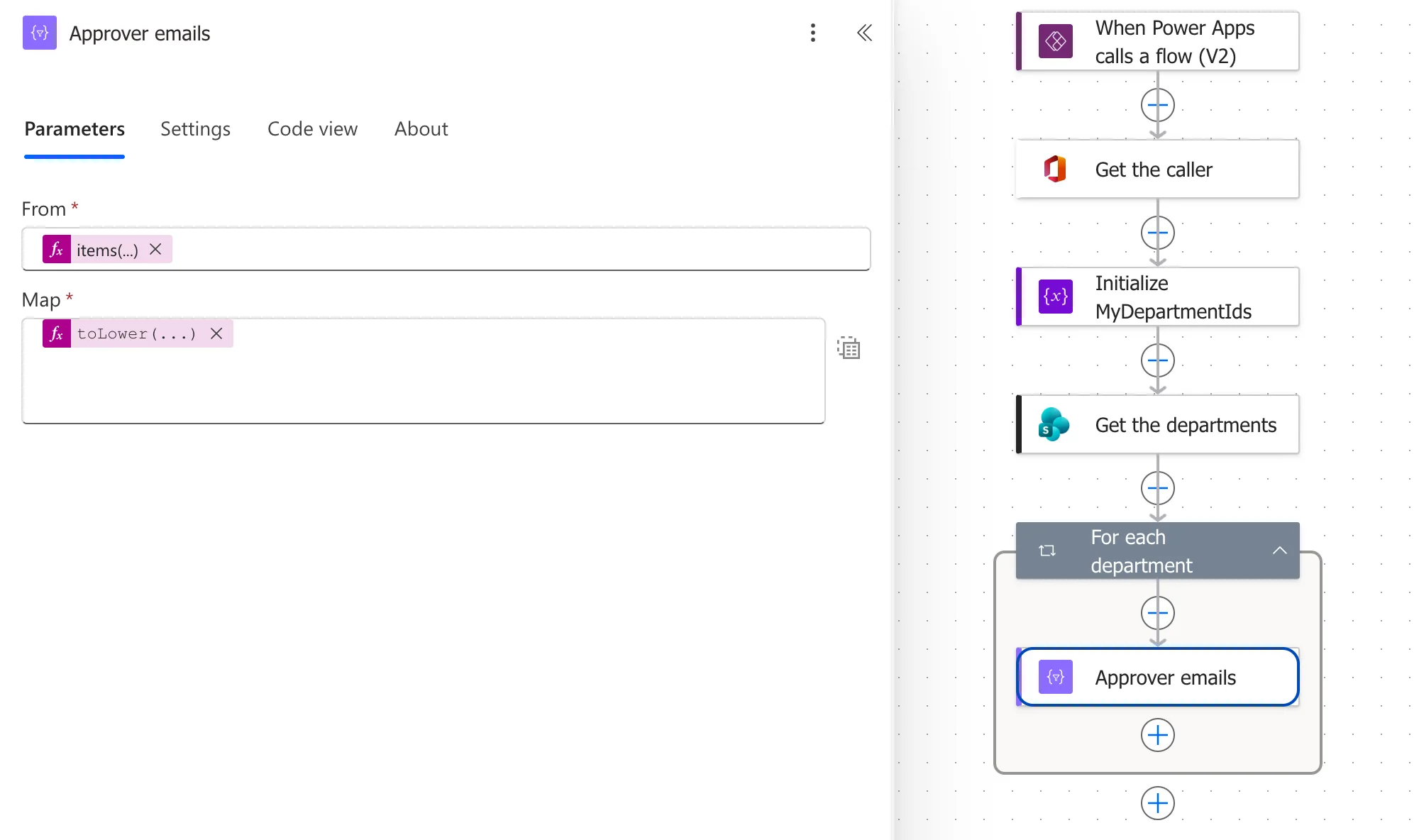
Switch Map to text mode and enter each person's email in lower case (How to Pick One Field from Each Item with Select in Power Automate):
toLower(item()?['Email'])
Step 2: Check the List with contains()
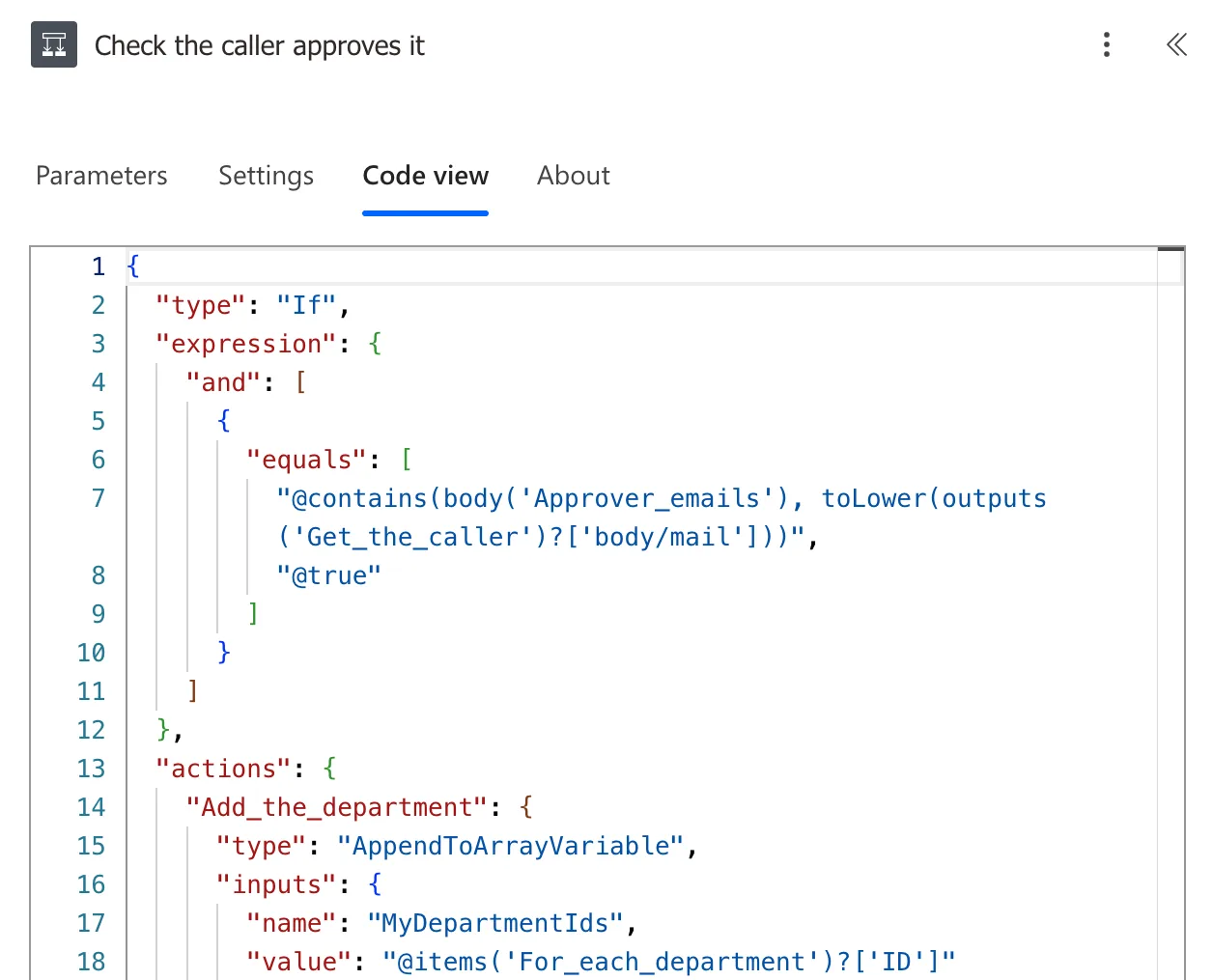
Add a Condition after Select (How to Add a Condition in Power Automate). I named it Check the caller approves it. On the left, an expression that's true when the list holds the person's email, also in lower case. Set the operator to is equal to, and on the right, the expression true:
contains(body('Approver_emails'), toLower(outputs('Get_the_caller')?['body/mail']))
Its Code view:
contains() on an array checks whether one of its items is the value. Microsoft's functions reference notes that it's case-sensitive, which is why both sides go through toLower().
Step 3: Act on the Result
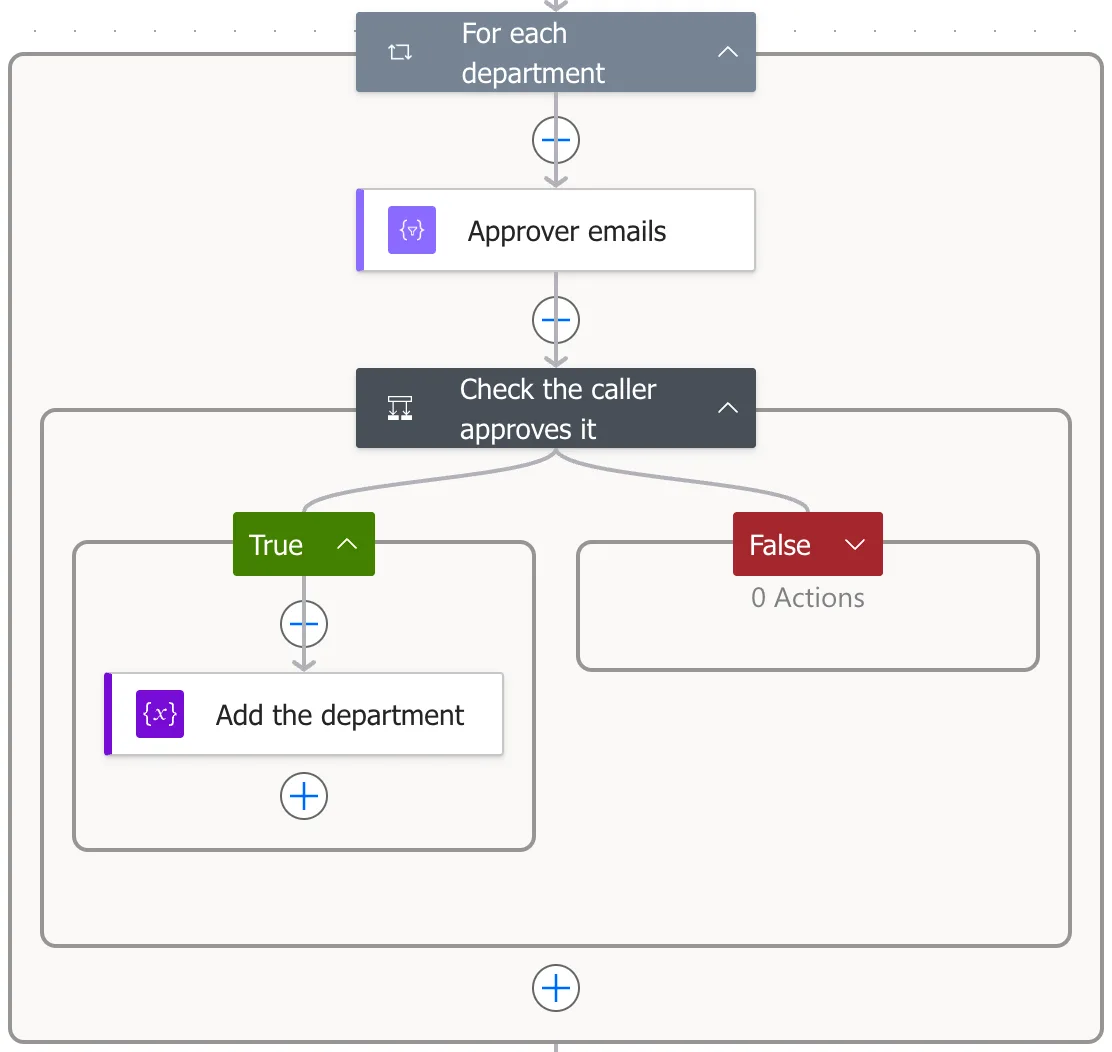
In the True branch, do what a match means. The example keeps the department's ID in an array (How to Add Items to an Array Variable in Power Automate). The loop with both steps:
The Result
For Daniel, the approver of Radiology, the condition was true for Radiology only, and the flow went on to return the entries waiting in that department.
Common Mistakes
| Mistake | What happens | Do this instead |
|---|---|---|
| A filter query on the multi-person column | SharePoint can't query multi-value person fields | Check each item in the flow |
Comparing emails without toLower() | A capital letter stops a match | toLower() on both sides |
| Picking the column from dynamic content inside the loop | A second loop over all the items | items('<loop name>')?['Column'] |
Troubleshooting
| Symptom | Likely cause | Fix |
|---|---|---|
| The condition is never true | Different capitals, or the wrong email field | Check both values in the run |
| Select returns objects, not emails | Map is in key and value mode | Switch to text mode |
| A new For each appeared around Select | The column came from dynamic content | Undo, then the items() expression |
FAQ
Does this work for a Person column with one person?
A single-person column comes through as one object, not an array. This flow reads one the same way for Created By: item()?['Author']?['Email']. Compare that email with equals(), with no Select and no contains().
Can I check by name instead of email?
Names aren't unique, and people's display names change. The email identifies the person.
Conclusion
SharePoint can't filter on a multi-person column, so check it in the flow: Select the column's emails in lower case, and test them with contains() and the person's lower-case email in a Condition.
Additional Resources
- Use OData query operations in SharePoint REST requests: multi-value lookup fields and users
- Reference guide to functions in expressions: contains
