How to Check if a MySQL Query Uses an Index with EXPLAIN

A query can look fine and read a whole table to answer. EXPLAIN shows you how MySQL plans to run it, without running it. On MySQL 9.7 the default output is a tree, not the old table of columns many guides still show. This guide reads that tree on real queries, on a table with about 5,000 rows.
Prerequisites
- MySQL, and a way to run SQL. The examples use MySQL 9.7.4 in Docker, and the
mysqlclient from How to Connect to MySQL in a Docker Container. - A table with some rows. The examples use
products, with about 5,000 rows, a unique index onSku, an index onCategoryId, and no index onName. How to List the Indexes of a MySQL Table shows how to see yours.
Step 1: Explain a Query with No Index
Put EXPLAIN in front of the statement. \G prints it vertically:
EXPLAIN SELECT * FROM products WHERE Name = 'HDMI cable, 2 m'\G
*************************** 1. row ***************************
EXPLAIN: -> Filter: (products.`Name` = 'HDMI cable, 2 m')  (cost=497 rows=489)
    -> Table scan on products  (cost=497 rows=4894)
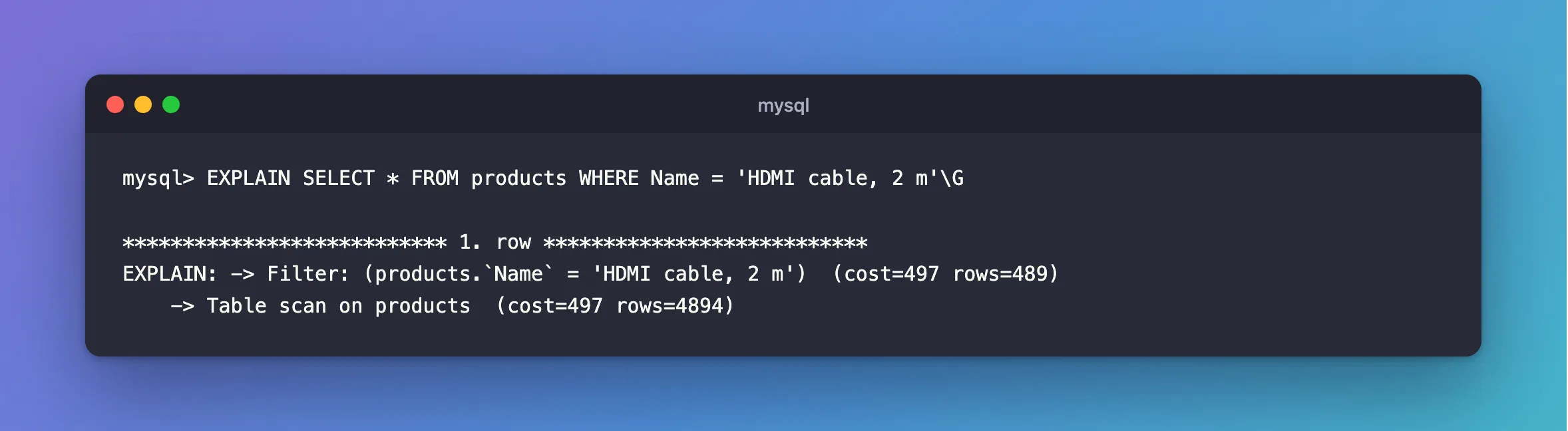
Read a tree from the innermost line outward, since rows flow upward:
Table scan on productsmeans MySQL reads every row, about 4,894 by its estimate.Filterkeeps the ones that match.costis the optimizer's own unit, for comparing plans, androwsis its estimate.
Table scan is what you're looking for on a large table. MySQL's index page says why: "Without an index, MySQL must begin with the first row and then read through the entire table to find the relevant rows."
Step 2: Explain a Query with an Index
CategoryId has an index:
EXPLAIN SELECT * FROM products WHERE CategoryId = 2\G
*************************** 1. row ***************************
EXPLAIN: -> Index lookup on products using IX_products_CategoryId (CategoryId = 2)  (cost=0.7 rows=2)
Index lookup … using IX_products_CategoryId names the index, and goes straight to two rows. The cost dropped from 497 to 0.7.
A unique index on a single value is even better. MySQL finds the row while planning:
EXPLAIN SELECT * FROM products WHERE Sku = 'CBL-USBC-2M'\G
*************************** 1. row ***************************
EXPLAIN: -> Rows fetched before execution  (cost=0..0 rows=1)
Step 3: See What an Index Can't Do
An index on text helps when you know how the value starts:
EXPLAIN SELECT Sku FROM products WHERE Sku LIKE 'CBL%'\G
*************************** 1. row ***************************
EXPLAIN: -> Filter: (products.Sku like 'CBL%')  (cost=1.07 rows=4)
    -> Covering index range scan on products using IX_products_Sku over ('CBL' <= Sku <= 'CBL????…')  (cost=1.07 rows=4)
A % at the front loses that. The index is still there, and MySQL has to go through all of it:
EXPLAIN SELECT Sku FROM products WHERE Sku LIKE '%USBC%'\G
*************************** 1. row ***************************
EXPLAIN: -> Filter: (products.Sku like '%USBC%')  (cost=497 rows=544)
    -> Covering index scan on products using IX_products_Sku  (cost=497 rows=4894)
Covering means the index holds every column this query needs, so MySQL needn't read the table. It's a full scan of the index, though, as the cost shows. LOCATE, which EF Core's Contains becomes, scans the table too:
EXPLAIN SELECT Sku FROM products WHERE LOCATE('USBC', Name) > 0\G
*************************** 1. row ***************************
EXPLAIN: -> Filter: (locate('USBC',products.`Name`) > 0)  (cost=497 rows=4894)
    -> Table scan on products  (cost=497 rows=4894)
Step 4: Use the Traditional Format
Most older guides show a table of columns. Ask for it by name:
EXPLAIN FORMAT=TRADITIONAL SELECT * FROM products WHERE Name = 'HDMI cable, 2 m'\G
*************************** 1. row ***************************
           id: 1
  select_type: SIMPLE
        table: products
   partitions: NULL
         type: ALL
possible_keys: NULL
          key: NULL
      key_len: NULL
          ref: NULL
         rows: 4894
     filtered: 10.00
        Extra: Using where
type: ALL and key: NULL mean the same as Table scan. The same query on Sku, with its unique index, shows type: const and key: IX_products_Sku.
The default comes from a variable. The EXPLAIN page says the format used with no FORMAT option "is determined by the value of the explain_format system variable". On this server:
SELECT @@explain_format\G
*************************** 1. row ***************************
@@explain_format: TREE
Common Mistakes
| Mistake | What happens | Do this instead |
|---|---|---|
| Testing on a table with a few rows | A scan can be the best plan there, so you learn little | Test with realistic data |
Treating cost as time | It's the optimizer's estimate, not milliseconds | Use it to compare plans |
Expecting LIKE '%x%' to use an index well | It scans | Use a prefix, or FULLTEXT |
| Expecting the old columns from a guide | MySQL 9.7 prints a tree here | Add FORMAT=TRADITIONAL |
FAQ
Does EXPLAIN run my query?
No. The plain form only plans it, which is why it's quick. EXPLAIN ANALYZE does run it, and shows real times.
How do I add an index?
With EF Core, see How to Create a Unique Index with EF Core and MySQL.
Conclusion
Put EXPLAIN in front of a query. In MySQL 9.7's tree, Table scan means every row is read, and Index lookup names the index in use. Use FORMAT=TRADITIONAL when you want the older columns, where type: ALL means the same thing.
Additional Resources
- EXPLAIN Statement — formats and options.
- EXPLAIN Output Format — the traditional columns.
- How MySQL Uses Indexes — what indexes are for.
