How to Check if a MySQL Connection Uses TLS

An encrypted connection keeps your password and your data private on the way to MySQL. MySQL 9.7 sets up encryption by itself and uses it whenever it can, but the mysql client in Docker can show SSL: Not in use, and that is fine. This guide shows how to check any connection, why a Unix socket is different, and how to insist on encryption.
TLS in One Paragraph
TLS (still called SSL in many MySQL messages) encrypts the traffic between a client and MySQL. On its first start, MySQL creates its own certificates: the manual says the server "automatically generates server-side and client-side SSL certificate and key files in the data directory" when auto_generate_certs is on, as it is by default. The official Docker image's start-up log shows it:
mysql-1  | 2026-11-02T14:48:54.126279Z 0 [Warning] [MY-010068] [Server] CA certificate ca.pem is self signed.
mysql-1  | 2026-11-02T14:48:54.126314Z 0 [System] [MY-013602] [Server] Channel mysql_main configured to support TLS. Encrypted connections are now supported for this channel.
Self signed means MySQL vouches for itself instead of a certificate authority. The traffic is still encrypted. The manual notes such certificates "may not be very secure" for proving who the server is, which matters in production.
Prerequisites
- MySQL running in Docker: How to Run MySQL in Docker with Docker Compose.
- The mysql client: How to Connect to MySQL in a Docker Container with the mysql Client.
The commands below work unchanged in bash, zsh and PowerShell.
Step 1: Connect over TCP and Run status
Connect the way an application does, over the network (TCP), by adding --protocol=TCP --host=127.0.0.1:
docker compose exec mysql mysql --user=inventory_app --password --protocol=TCP --host=127.0.0.1 inventory
Then type status at the mysql> prompt. These are the lines that matter:
Current user:		inventory_app@127.0.0.1
SSL:			Cipher in use is TLS_AES_128_GCM_SHA256
…
Connection:		127.0.0.1 via TCP/IP
Cipher in use is … means the connection is encrypted. TLS_AES_128_GCM_SHA256 names the encryption method.
Step 2: Ask the Session Directly
These two variables work from any SQL tool, not just the mysql client:
SHOW SESSION STATUS LIKE 'Ssl_cipher';
+---------------+------------------------+
| Variable_name | Value                  |
+---------------+------------------------+
| Ssl_cipher    | TLS_AES_128_GCM_SHA256 |
+---------------+------------------------+
1 row in set (0.001 sec)
SHOW SESSION STATUS LIKE 'Ssl_version';
+---------------+---------+
| Variable_name | Value   |
+---------------+---------+
| Ssl_version   | TLSv1.3 |
+---------------+---------+
1 row in set (0.000 sec)
A value in Ssl_cipher means encrypted, and an empty value means not. TLSv1.3 is the newest TLS version.
Step 3: Compare with the Default Connection
Now connect without the TCP options, the way the earlier guides do, and run status again:
docker compose exec mysql mysql --user=inventory_app --password inventory
Current user:		inventory_app@localhost
SSL:			Not in use
…
Connection:		Localhost via UNIX socket
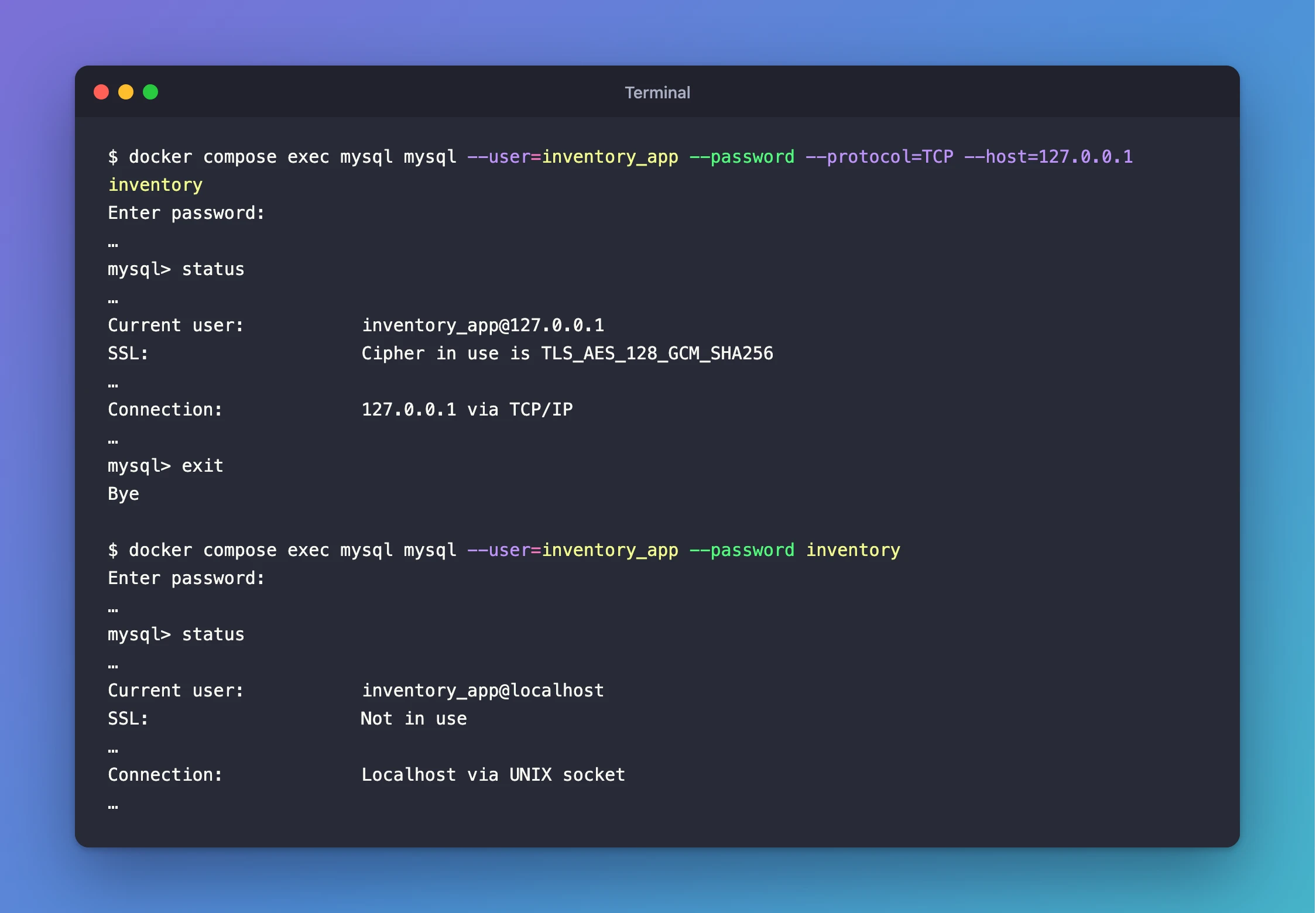
SSL: Not in use, and Ssl_cipher is empty in this session too. That isn't a problem: the client inside the container connected through a Unix socket, a special file on the same machine, so no network is involved. MySQL itself counts it as secure. Its manual says that when encryption is required, the server permits "only TCP/IP connections that use SSL, or connections that use a socket file (on Unix)".
Step 4: Require Encryption
To make a client refuse to connect without encryption, add --ssl-mode=REQUIRED. MySQL's manual: "With --ssl-mode=REQUIRED, clients require an encrypted connection and fail if one cannot be established."
docker compose exec mysql mysql --user=inventory_app --password --protocol=TCP --host=127.0.0.1 --ssl-mode=REQUIRED inventory
SHOW SESSION STATUS LIKE 'Ssl_cipher';
+---------------+------------------------+
| Variable_name | Value                  |
+---------------+------------------------+
| Ssl_cipher    | TLS_AES_128_GCM_SHA256 |
+---------------+------------------------+
1 row in set (0.003 sec)
Without the option, the client also tries TLS first, but would quietly fall back to an unencrypted connection if TLS weren't available. With it, there's no fallback. Application drivers have the same setting, usually in the connection string. The .NET C# Web API series uses it when the API connects.
Two server settings complete the picture:
SHOW VARIABLES LIKE 'require_secure_transport';
+--------------------------+-------+
| Variable_name            | Value |
+--------------------------+-------+
| require_secure_transport | OFF   |
+--------------------------+-------+
1 row in set (0.003 sec)
SHOW VARIABLES LIKE 'tls_version';
+---------------+-----------------+
| Variable_name | Value           |
+---------------+-----------------+
| tls_version   | TLSv1.2,TLSv1.3 |
+---------------+-----------------+
1 row in set (0.001 sec)
require_secure_transportisOFF, so the server allows unencrypted TCP connections, and it's up to each client to require TLS.tls_versionlists the versions the server accepts: TLS 1.2 and 1.3.
Check Another Program's Connection
SHOW SESSION STATUS only describes your own connection. To check an application's connection, such as a Web API's, ask the Performance Schema: its status_by_thread table holds the same status values for every connection, and threads says which account each one belongs to. Connect as root, because reading other connections' status needs a privilege the app account doesn't have. As inventory_app, the query stops with ERROR 1142 (42000) at line 1: SELECT command denied to user 'inventory_app'@'localhost' for table 'status_by_thread'.
docker compose exec mysql mysql --user=root --password
SELECT t.PROCESSLIST_ID AS id, s.VARIABLE_NAME, s.VARIABLE_VALUE
FROM performance_schema.threads AS t
JOIN performance_schema.status_by_thread AS s ON s.THREAD_ID = t.THREAD_ID
WHERE t.PROCESSLIST_USER = 'inventory_app'
  AND s.VARIABLE_NAME IN ('Ssl_version', 'Ssl_cipher');
+------+---------------+-----------------------------+
| id   | VARIABLE_NAME | VARIABLE_VALUE              |
+------+---------------+-----------------------------+
|   70 | Ssl_cipher    | ECDHE-RSA-AES128-GCM-SHA256 |
|   70 | Ssl_version   | TLSv1.2                     |
+------+---------------+-----------------------------+
2 rows in set (0.006 sec)
Change 'inventory_app' to the account your application uses. Connection 70 here is a .NET Web API, connected through Oracle's Connector/NET driver, and it uses TLS 1.2. MySQL accepts it, because tls_version allows both 1.2 and 1.3. The API ran on macOS, where .NET uses TLS 1.2 by default; How to Connect a .NET C# Web API to a MySQL Database — Part 1 explains why. An unencrypted connection would show empty values.
Common Mistakes
| Mistake | What happens | Do this instead |
|---|---|---|
Reading SSL: Not in use on a socket connection as a problem | You chase a non-issue | Check over TCP; socket connections are local and secure |
| Assuming every TCP connection is encrypted | Clients without REQUIRED fall back to plain text if TLS fails | Require TLS in the client or the connection string |
| Treating self-signed certificates as production-ready | Encryption works, but the server's identity isn't verified | Use certificates from a certificate authority in production |
Troubleshooting
| Symptom | Likely cause | Fix |
|---|---|---|
Ssl_cipher is empty over TCP | The client fell back to an unencrypted connection | Reconnect with --ssl-mode=REQUIRED, which refuses to connect instead of falling back |
status shows Localhost via UNIX socket | You didn't pass --protocol=TCP --host=127.0.0.1 | Add both to test the way applications connect |
The log warns CA certificate ca.pem is self signed | MySQL generated its own certificates | Expected for development; nothing to fix |
FAQ
Is my development database traffic encrypted?
Over TCP, yes: the test above shows TLS 1.3. Inside the container, the client uses a Unix socket, which never leaves the machine.
Do I need to create certificates myself?
Not for development. MySQL 9.7 generated them on its first start and stored them in the data volume. For production, use certificates from a certificate authority so clients can verify the server.
What does VERIFY_CA or VERIFY_IDENTITY add?
REQUIRED only insists on encryption. VERIFY_CA also checks that the server's certificate was signed by a certificate authority you trust, and VERIFY_IDENTITY also checks the host name. Both need the CA certificate on the client side.
Conclusion
status in the mysql client, or SHOW SESSION STATUS LIKE 'Ssl_cipher' in any tool, tells you whether a connection is encrypted. Over TCP, MySQL 9.7 in Docker uses TLS 1.3 out of the box with certificates it generated itself. The container's own client uses a Unix socket, which shows SSL: Not in use and is secure anyway. --ssl-mode=REQUIRED turns "encrypted when possible" into "encrypted or nothing".
Additional Resources
- Configuring MySQL to Use Encrypted Connections (MySQL 9.7) —
--ssl-modeandrequire_secure_transport. - Creating SSL and RSA Certificates and Keys using MySQL (MySQL 9.7) —
auto_generate_certsand self-signed certificates. - Encrypted Connection TLS Protocols and Ciphers (MySQL 9.7) —
tls_versionand supported ciphers.
