How to Check Data Against an MLflow Model's Signature

An MLflow model loaded as a Python function checks every input against its signature before predicting, and refuses what doesn't fit. When that happens inside your own code, you want the reason in one sentence, before anything runs. mlflow.models.validate_schema gives you exactly that check on its own. This guide runs it on good and bad data, with real output from MLflow 3.18.0.
Syntax
mlflow.models.validate_schema(data, schema)
| Part | What it means |
|---|---|
data | The input to check, such as a pandas DataFrame |
schema | The model's input schema: model.metadata.get_input_schema() on a model loaded with mlflow.pyfunc.load_model |
It returns nothing when the data fits, and raises an MlflowException when it doesn't; the exception's message says what's wrong.
Prerequisites
- An MLflow tracking server at
http://127.0.0.1:8080. MLflow's tracking server guide shows how to start one.
Step 1: Check Good and Bad Data
The example model is a linear regression trained on scikit-learn's diabetes data, whose signature lists ten double columns, bmi among them; it's models:/m-7d607a74d27d487fba148e09cf774e33 here. check_schema.py checks three versions of two rows: as they are, without the bmi column, and with text in it:
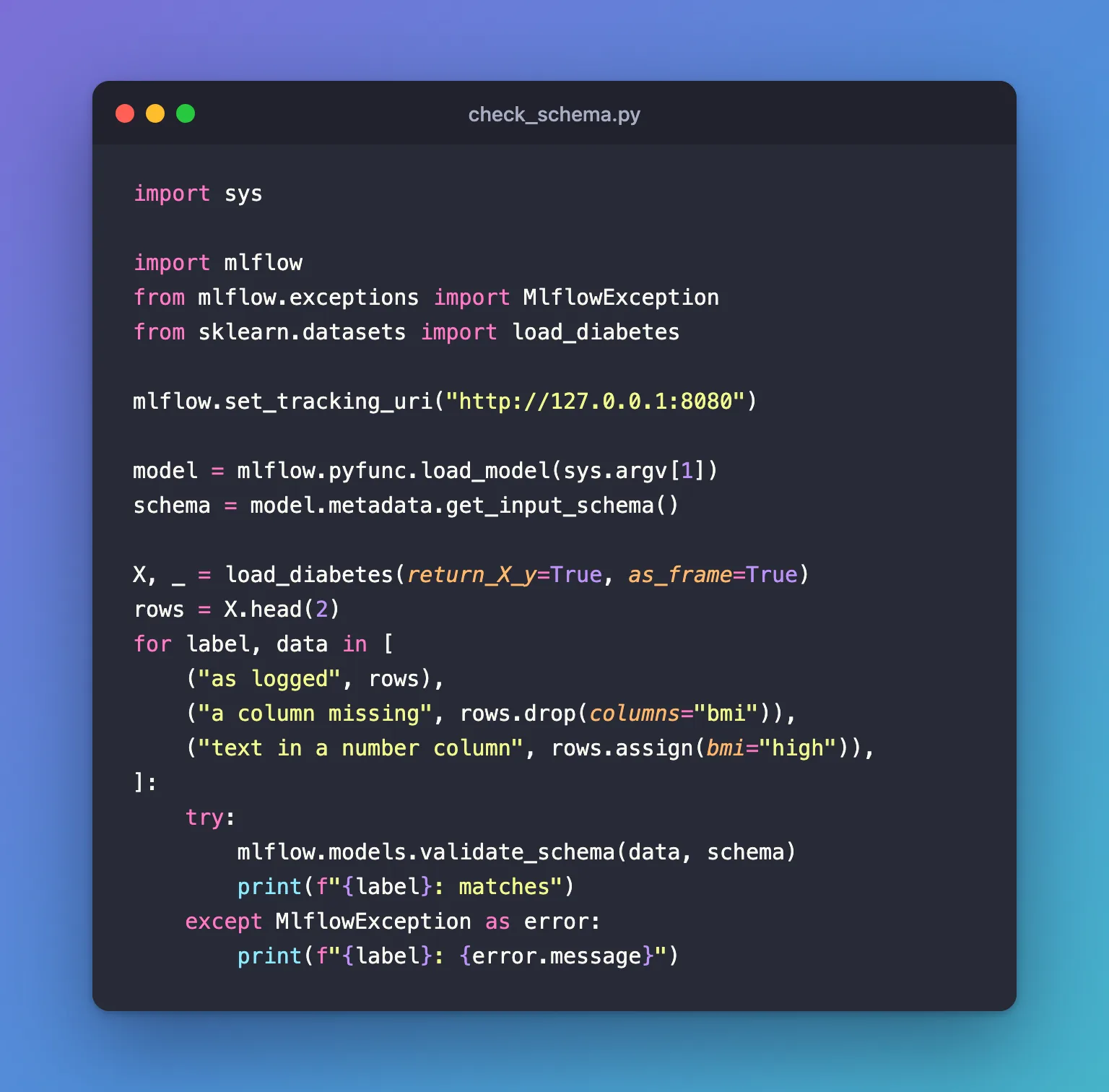
import sys

import mlflow
from mlflow.exceptions import MlflowException
from sklearn.datasets import load_diabetes

mlflow.set_tracking_uri("http://127.0.0.1:8080")

model = mlflow.pyfunc.load_model(sys.argv[1])
schema = model.metadata.get_input_schema()

X, _ = load_diabetes(return_X_y=True, as_frame=True)
rows = X.head(2)
for label, data in [
    ("as logged", rows),
    ("a column missing", rows.drop(columns="bmi")),
    ("text in a number column", rows.assign(bmi="high")),
]:
    try:
        mlflow.models.validate_schema(data, schema)
        print(f"{label}: matches")
    except MlflowException as error:
        print(f"{label}: {error.message}")
uv run python check_schema.py models:/m-7d607a74d27d487fba148e09cf774e33
as logged: matches
a column missing: Model is missing inputs ['bmi'].
text in a number column: Incompatible input types for column bmi. Can not safely convert str to float64.
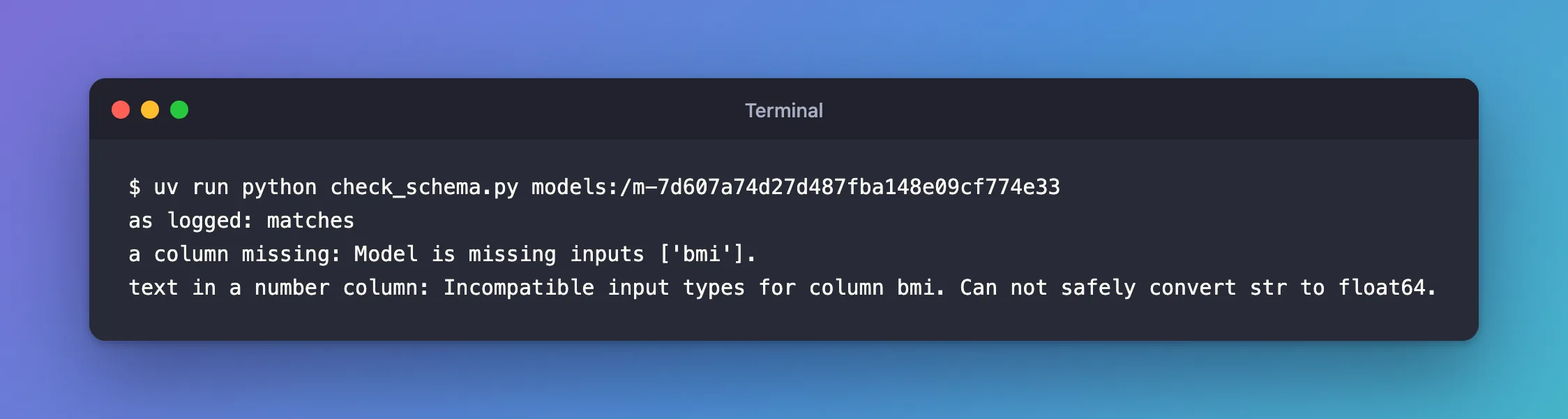
Each problem got one sentence naming the column. Predicting the same bad rows with model.predict fails on the same check, with a longer message: Failed to enforce schema of data '...' with schema '...', which repeats the data and the whole schema before the same Error: sentence.
What the Check Accepts
MLflow's guide lists the safe conversions it makes on its own, int → long, int → double and float → double, and two it rejects: long → double, for "Potential precision loss", and string → int. Two consequences worth knowing:
- Extra columns pass.
predictwarns that they're ignored and drops them. - pandas' whole numbers are 64-bit, "long". A CSV column of whole numbers is refused where the signature says
double: Fixed: Can not safely convert int64 to float64.
Common Mistakes
| Mistake | What happens | Do this instead |
|---|---|---|
Showing users the whole predict error | They get the data and the schema before the reason | Check first with validate_schema and show its message |
| Reading a CSV of input without the signature's types | Whole numbers arrive as int64 and are refused for double columns | Read the signature's double columns as float64 |
Troubleshooting
| Symptom | Likely cause | Fix |
|---|---|---|
Model is missing inputs ['...'] | A required column isn't in the data | Add it |
Incompatible input types for column X. Can not safely convert str to float64. | Text in a number column | Fix the data, or convert it |
Incompatible input types for column X. Can not safely convert int64 to float64. | Whole numbers for a double column | Convert the column to float64 |
FAQ
Does predict check anyway?
Yes: a model loaded with mlflow.pyfunc.load_model checks before every prediction. validate_schema lets you check earlier and report the reason your way.
Where else is the schema?
In the model's MLmodel file, under signature, and in mlflow.models.get_model_info(uri).signature.
Conclusion
mlflow.models.validate_schema(data, model.metadata.get_input_schema()) passed the two rows as logged, and named the problem in one sentence when bmi was missing or held text: the same check predict runs, without its long message.
Additional Resources
- Model Signatures and Input Examples — signature enforcement and the type conversions.
- mlflow.models —
validate_schema.
