How to Check an Object's Type with the is Pattern in C#

A value typed as object could be a number, a piece of text or anything else. In C#, item is int number checks whether it's an int and, when it is, gives it to you as an int called number in the same step, without a separate cast.
Syntax
if (<value> is <Type> <name>)
{
    <code that uses name as a Type>
}
| Part | What it does |
|---|---|
<value> | The value to test, often of type object or of a base type. |
is <Type> | true when the value isn't null and its run-time type is <Type> or derives from it. |
<name> | A new variable holding the value as a <Type>. It's only assigned when the test is true. |
Microsoft's patterns reference: "Use declaration and type patterns to check if the run-time type of an expression is compatible with a given type. By using a declaration pattern, you can also declare a new local variable."
The Example
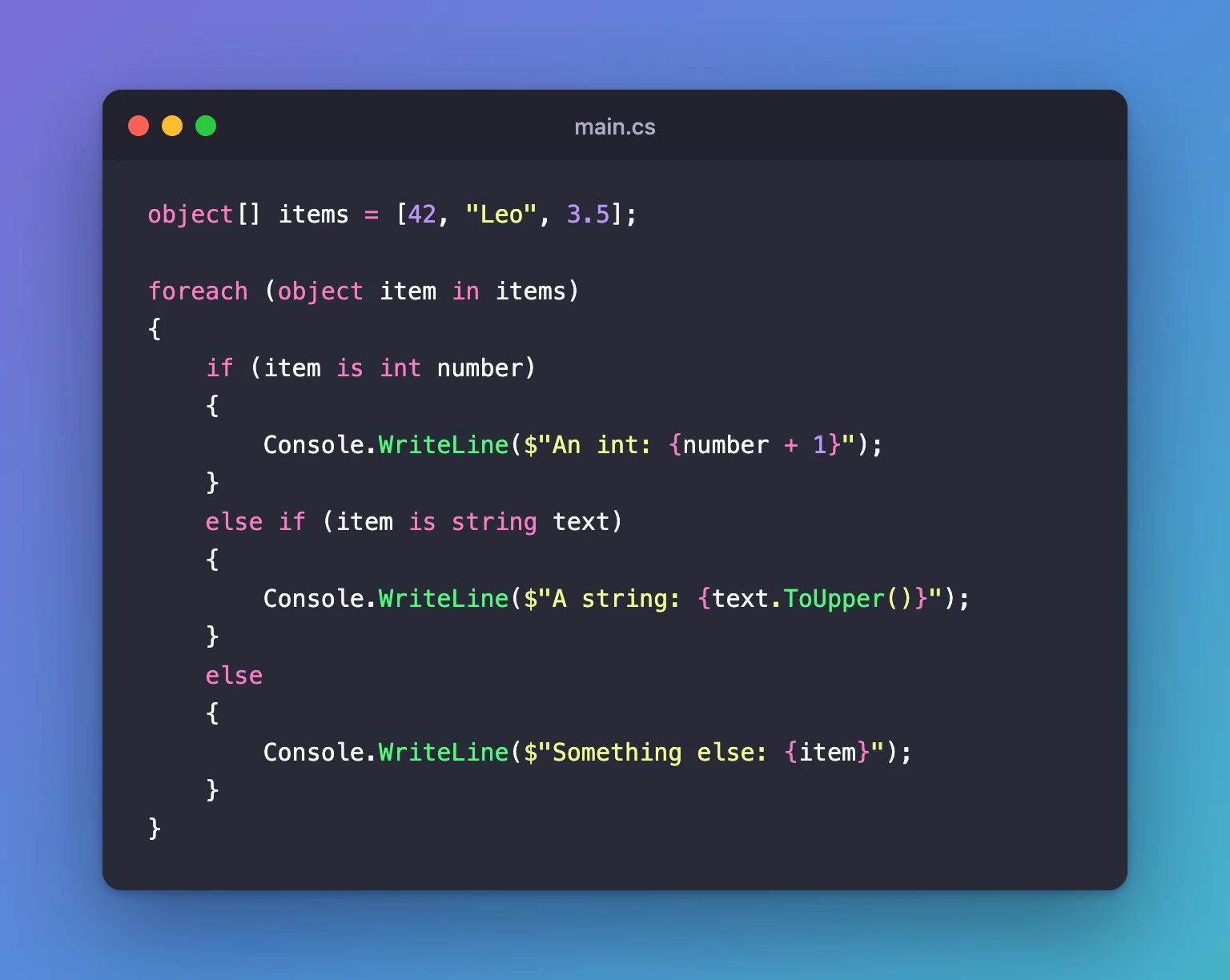
An object array holds three different kinds of value: the number 42, the text Leo and the decimal number 3.5. The example looks at each one and handles it according to its type.
Prerequisites
- The .NET 10 SDK or newer, which runs a single
.csfile withdotnet run. This guide uses .NET SDK 10.0.404.
Step 1: Write the Code
Create a file named main.cs in an empty folder:
object[] items = [42, "Leo", 3.5];

foreach (object item in items)
{
    if (item is int number)
    {
        Console.WriteLine($"An int: {number + 1}");
    }
    else if (item is string text)
    {
        Console.WriteLine($"A string: {text.ToUpper()}");
    }
    else
    {
        Console.WriteLine($"Something else: {item}");
    }
}
Inside each branch, the new variable has the tested type: number + 1 is arithmetic on an int, and text.ToUpper() is a string method. Neither would compile on item, which is an object.
Step 2: Run It
dotnet run main.cs
An int: 43
A string: LEO
Something else: 3.5
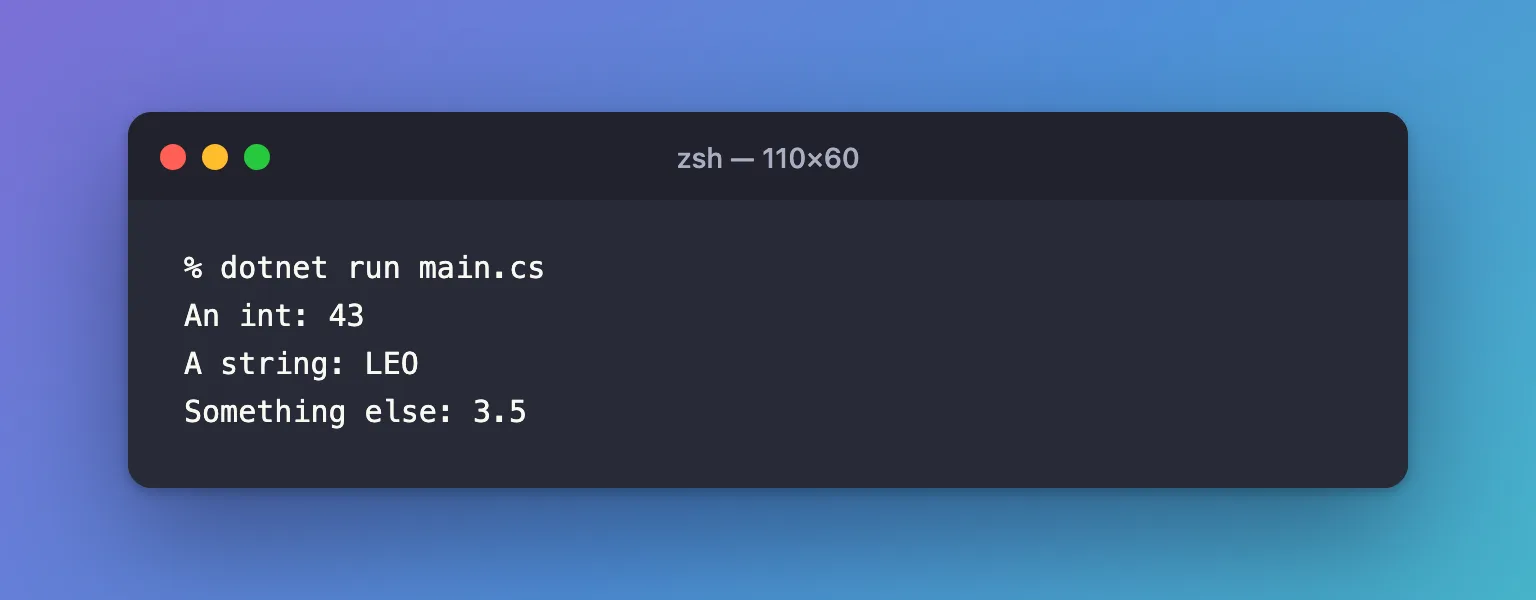
42 matched int, Leo matched string, and 3.5, a double, matched neither, so it went to the else. The command is the same in zsh, bash and PowerShell.
The Variable Only Exists Where the Test Passed
The compiler lets you use the new variable only where the test is certain to have been true:
object item = "Leo";
if (item is int number)
{
    Console.WriteLine(number);
}

Console.WriteLine(number);
/Users/you/demo/main.cs(7,19): error CS0165: Use of unassigned local variable 'number'

The build failed. Fix the build errors and run again.
After the if, item may not have been an int, so number may hold nothing. Use the variable inside the if block.
Common Mistakes
| Mistake | What happens | Do this instead |
|---|---|---|
Using the pattern variable after the if | error CS0165: Use of unassigned local variable 'number' | Use it inside the block where the test was true |
Casting first, as in (int)item, and testing afterwards | An InvalidCastException when the value isn't an int | Test and convert in one step with is int number |
Testing double values with is int | 3.5 is a double, so it never matches int | Test for the type the value really has |
Troubleshooting
| Symptom | Likely cause | Fix |
|---|---|---|
CS0165 for a pattern variable | It's used where the match isn't guaranteed | Move the code into the if block |
| A value never matches although it looks right | It's null, or its type is a different one, such as double instead of int | Print item?.GetType().Name to see the real type |
FAQ
Does null match a type pattern?
No. The reference: "A declaration pattern with type T matches an expression when an expression result is non-null" and its type fits. So is string text is false for a null value, and text is never null inside the block.
Does is int also match types derived from it?
For classes, yes: a declaration pattern also matches when the run-time type derives from the tested type or implements it as an interface. int is a struct, so nothing derives from it.
Conclusion
if (item is int number) tests the type and gives you a typed variable in one step. It never matches null, and the variable can only be used where the test passed.
Additional Resources
- Declaration and type patterns, on Microsoft Learn.
- The is operator, on Microsoft Learn.
