How to Check a File's SHA-256 Hash in Python

A SHA-256 hash is a file's fingerprint: 64 characters that change completely if even one byte of the file changes. Publishers print it next to their downloads so you can check that the file you got is complete and untouched. Python computes it with hashlib.file_digest; this guide hashes a small file and checks it against an expected value, with real output from Python 3.15.2.
Syntax
with open(path, "rb") as file:
    digest = hashlib.file_digest(file, "sha256").hexdigest()
| Part | What it means |
|---|---|
open(path, "rb") | Opens the file for reading bytes. The hash is computed from the file's exact bytes, so it must not be opened as text |
hashlib.file_digest(file, "sha256") | Reads the file a piece at a time and feeds every piece to a SHA-256 hash. Added in Python 3.11 |
.hexdigest() | The result as 64 hexadecimal characters, the form publishers print |
Step 1: Hash a File
Create check_hash.py, which writes a one-line file and prints its hash:
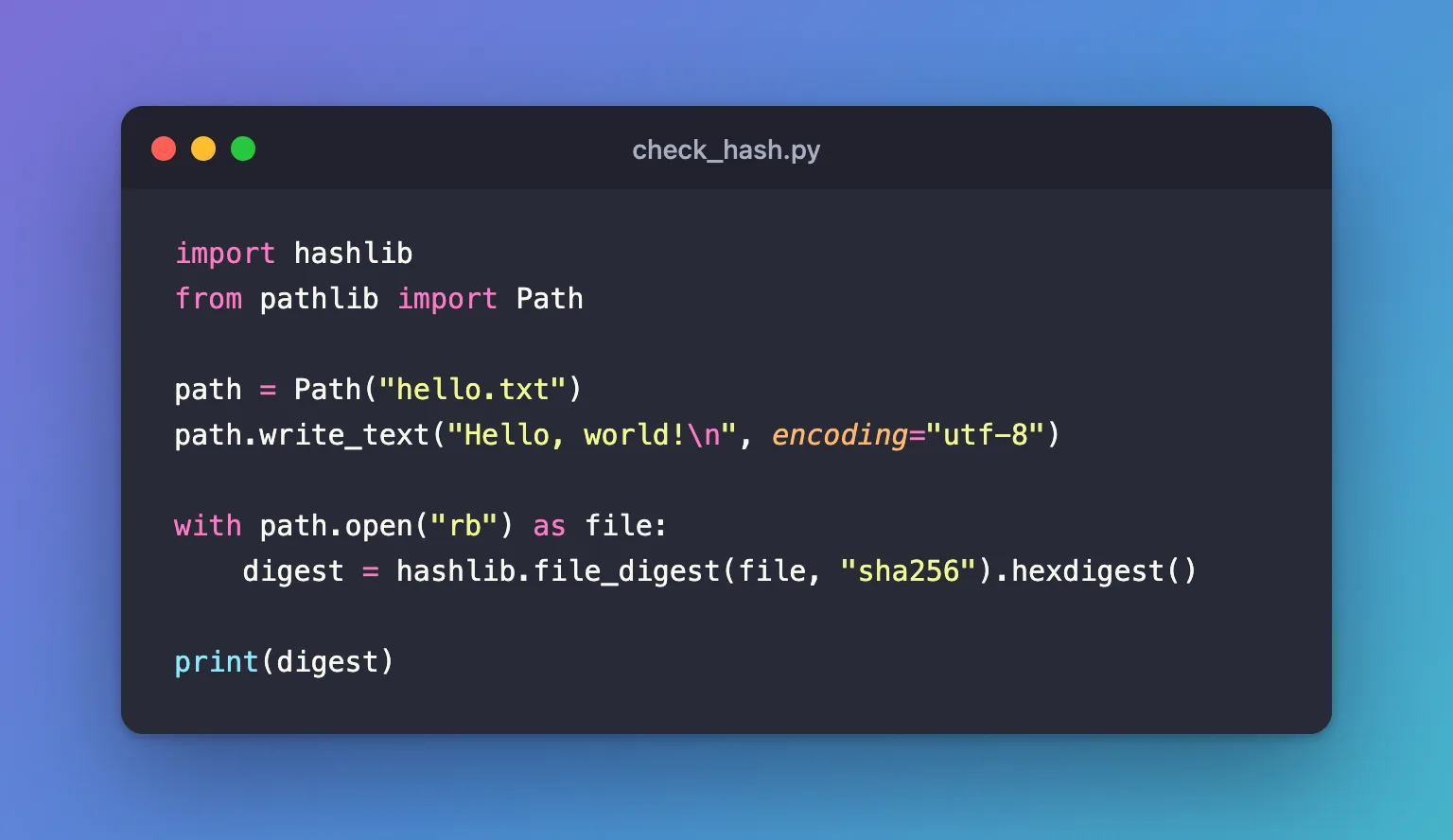
import hashlib
from pathlib import Path

path = Path("hello.txt")
path.write_text("Hello, world!\n", encoding="utf-8")

with path.open("rb") as file:
    digest = hashlib.file_digest(file, "sha256").hexdigest()

print(digest)
uv run python check_hash.py
d9014c4624844aa5bac314773d6b689ad467fa4e1d1a50a1b8a99d5a95f72ff5
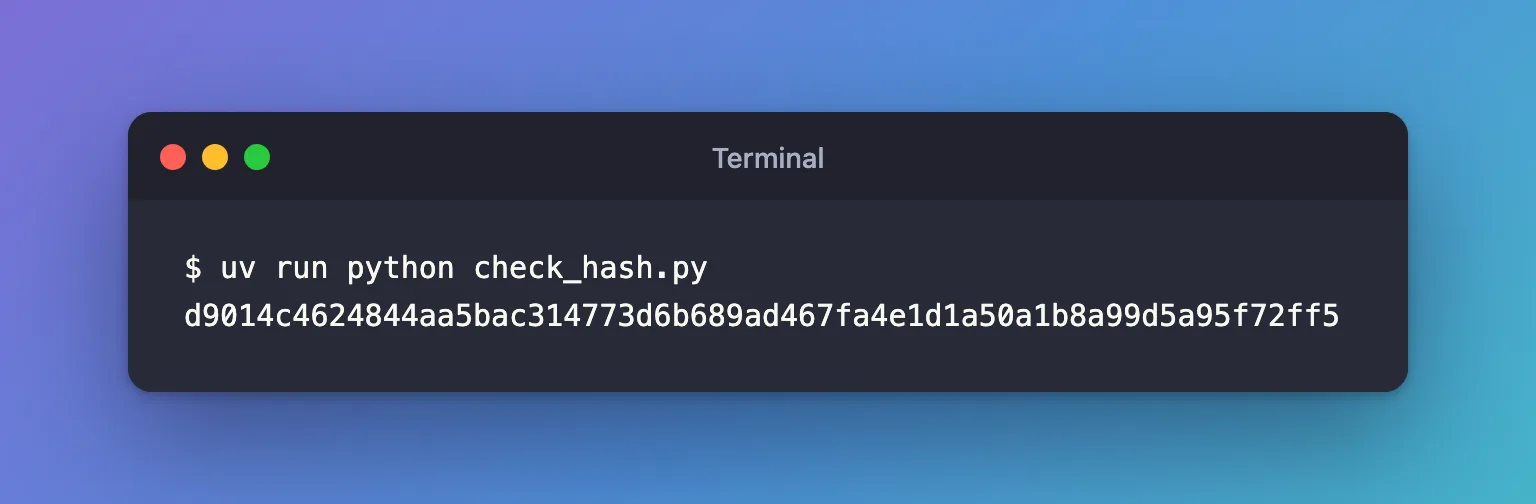
macOS's own shasum -a 256 hello.txt prints the same 64 characters: SHA-256 is a standard, so every tool gives the same result for the same bytes.
Step 2: Compare It with the Expected Hash
Checking a file means comparing its hash with the one you were given. Create verify_file.py, which checks the file twice: once as written, and once with one character changed:
import hashlib
from pathlib import Path

EXPECTED = "d9014c4624844aa5bac314773d6b689ad467fa4e1d1a50a1b8a99d5a95f72ff5"

for text in ["Hello, world!\n", "Hello, world?\n"]:
    path = Path("hello.txt")
    path.write_text(text, encoding="utf-8")
    with path.open("rb") as file:
        digest = hashlib.file_digest(file, "sha256").hexdigest()
    print(repr(text), "matches" if digest == EXPECTED else "does NOT match")
uv run python verify_file.py
'Hello, world!\n' matches
'Hello, world?\n' does NOT match
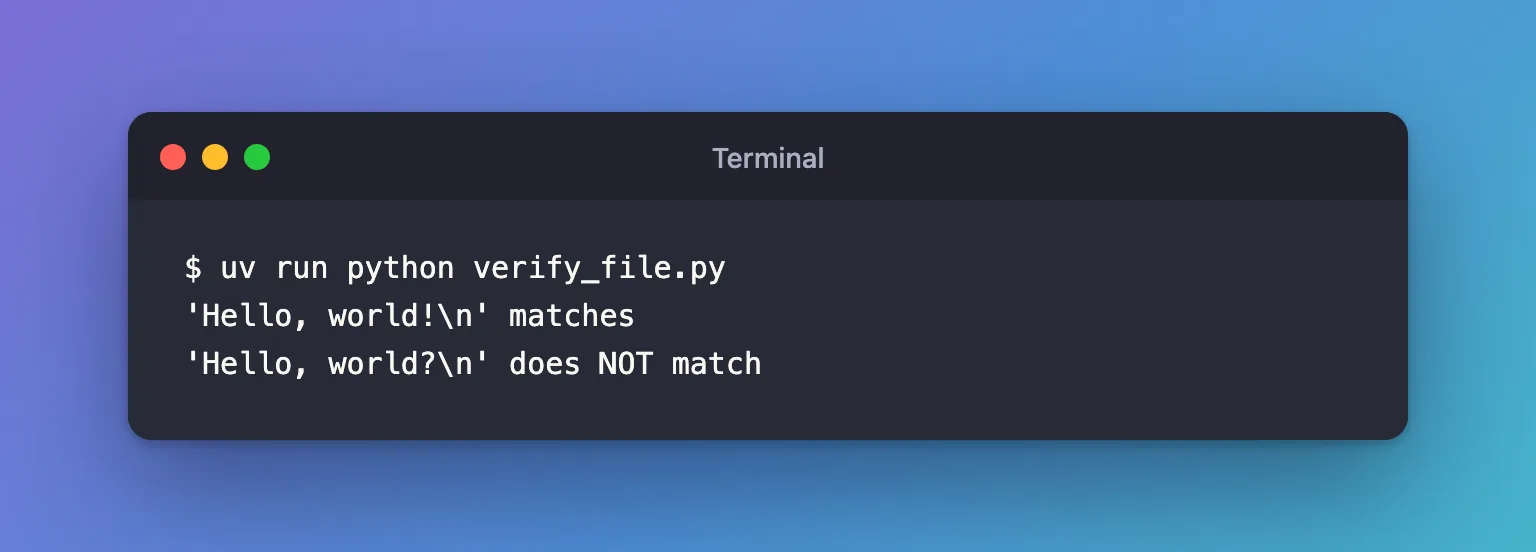
One character, ! changed to ?, and the file no longer matches. In a real program, stop when the hash doesn't match, for example with raise RuntimeError(...), instead of going on with a file you can't trust.
Common Mistakes
| Mistake | What happens | Do this instead |
|---|---|---|
Opening the file with "r" | ValueError: ... is not a file-like object in binary reading mode | Open it with "rb" |
| Comparing with a hash printed in capital letters | The strings differ only in case, and == says no | Compare digest == expected.lower() |
Hashing the file's text after reading it with read_text() | Line endings can be translated, so the bytes hashed aren't the file's | Hash the file opened in "rb" mode |
Troubleshooting
| Symptom | Likely cause | Fix |
|---|---|---|
hashlib has no file_digest | Python older than 3.11, the version that added it | Use a current Python, or read the file in chunks into hashlib.sha256() |
| The hash never matches the published one | The download is incomplete, or you're comparing with the hash of a different file or version | Download the file again and check which file the published hash belongs to |
FAQ
Is SHA-256 the same as a checksum?
It's one kind. Publishers also print MD5 or SHA-1 sums, which Python's documentation notes have "known hash collision weaknesses": someone can craft two different files with the same MD5. Use SHA-256 when you have the choice: hashlib.file_digest(file, "md5") works the same way when MD5 is all you're given.
Where do I get the expected hash?
From the publisher, next to the download, or from the place your code first downloaded and checked the file. Store it in your code as a constant, as EXPECTED above.
Conclusion
hashlib.file_digest(file, "sha256").hexdigest() gave hello.txt the same fingerprint as shasum, and changing one character made it fail the comparison. Hash files opened in "rb" mode, compare in lowercase, and stop when the hash doesn't match.
Additional Resources
- hashlib —
file_digestand the hash algorithms Python supports.
