How to Check a .NET C# Project for Vulnerable NuGet Packages (dotnet package list --vulnerable)

A package can be fine the day you add it and have a published security advisory the next month. .NET checks for that on its own, every time it restores packages, and dotnet package list --vulnerable gives you the full report on demand. This guide runs both on a clean solution, adds a package version with a known vulnerability, reads the report, and moves it to a safe version.
How .NET Knows
NuGet Audit runs during restore. The auditing page: "Your dependencies are checked against a list of known vulnerabilities provided by your audit sources." For nuget.org, that list is GitHub's advisory database, as the links in the warnings show. Findings are warnings by severity: NU1901 for low, NU1902 moderate, NU1903 high and NU1904 critical.
For .NET 10 projects, the audit covers more than your direct references: "NuGetAuditMode defaults to all when a project targets net10.0 or higher. Otherwise NuGetAuditMode defaults to direct."
Prerequisites
- The .NET SDK. The examples use .NET 10, in a solution with a web API and a class library, with
TreatWarningsAsErrorson. - Internet access, for the advisory data.
Step 1: Check a Solution
dotnet package list --vulnerable
Restore complete (0.6s)

Build succeeded in 0.7s

The following sources were used:
   https://api.nuget.org/v3/index.json

The given project `Dewiride.Inventory.Api` has no vulnerable packages given the current sources.
The given project `Dewiride.Inventory.Data` has no vulnerable packages given the current sources.
"given the current sources": no known advisories today, for any package the projects use. Add --include-transitive to check the packages your packages bring along in the same report.
Step 2: What a Vulnerable Package Looks Like
Newtonsoft.Json 12.0.3 is an older version with a published advisory. When it was added to the API, the audit caught it at once, during the add:
error: NU1903: Warning As Error: Package 'Newtonsoft.Json' 12.0.3 has a known high severity vulnerability, https://github.com/advisories/GHSA-5crp-9r3c-p9vr
log  : Failed to restore /Users/you/projects/dewiride-inventory-api/src/Dewiride.Inventory.Api/Dewiride.Inventory.Api.csproj (in 732 ms).
It's an error here, "Warning As Error", because the solution treats warnings as errors; elsewhere it's a warning. Every build failed the same way from then on.
Step 3: Get the Report When Restore Fails
The obvious next step, the report, failed too:
    /Users/you/projects/dewiride-inventory-api/src/Dewiride.Inventory.Api/Dewiride.Inventory.Api.csproj : error NU1903: Warning As Error: Package 'Newtonsoft.Json' 12.0.3 has a known high severity vulnerability, https://github.com/advisories/GHSA-5crp-9r3c-p9vr

Restore failed with 1 error(s) in 1.4s
Because .NET 10's dotnet package list restores first, and that restore failed on the very finding I wanted listed. --no-restore skips it: "Don't restore before running the command."
dotnet package list --vulnerable --no-restore
The following sources were used:
   https://api.nuget.org/v3/index.json

Project `Dewiride.Inventory.Api` has the following vulnerable packages
   [net10.0]:
   Top-level Package      Requested   Resolved   Severity   Advisory URL
   > Newtonsoft.Json      12.0.3      12.0.3     High       https://github.com/advisories/GHSA-5crp-9r3c-p9vr

The given project `Dewiride.Inventory.Data` has no vulnerable packages given the current sources.
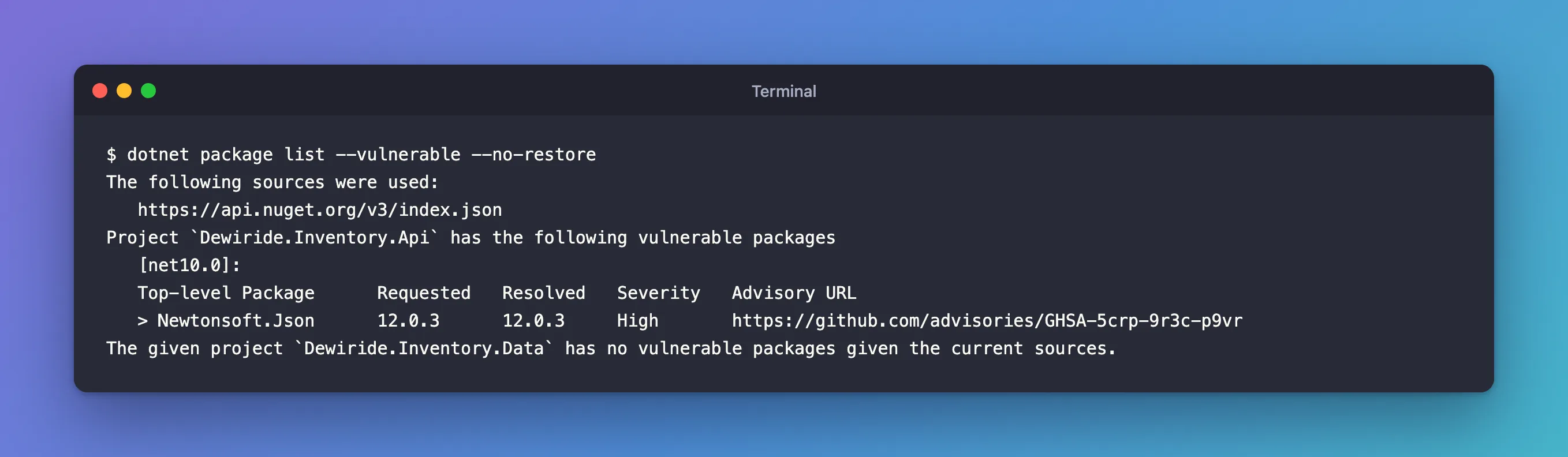
The report gives what the warning didn't: which project, which version, the severity, and the advisory to read.
Step 4: Move to a Safe Version
The NuGet docs: "The easiest case is when a package you reference directly has the known vulnerability. In this situation, update the package version to one that fixes the vulnerability." Two ways:
Name the version yourself, after reading the advisory:
dotnet package add Newtonsoft.Json --version 13.0.4 --project src/Dewiride.Inventory.Api
Or let .NET pick the first safe one with dotnet package update --vulnerable, which upgrades "to the lowest version that is higher than the currently referenced version, that does not have any known vulnerabilities". With warnings as errors on, it needs the workaround from its documentation: a condition on TreatWarningsAsErrors and an environment variable for that one command. With both in place:
Updating packages with security advisories in /Users/you/projects/dewiride-inventory-api/src/Dewiride.Inventory.Api/Dewiride.Inventory.Api.csproj
  Dewiride.Inventory.Api:
    Updating Newtonsoft.Json 12.0.3 to 13.0.1.
Updated 1 packages in 19 scanned packages.
13.0.1 is the first fixed version, not the newest; a second dotnet package update Newtonsoft.Json took it to 13.0.4. Fixed: "dotnet package update: Unhandled exception: Specified method is not supported." shows the workaround step by step.
Step 5: Check Again
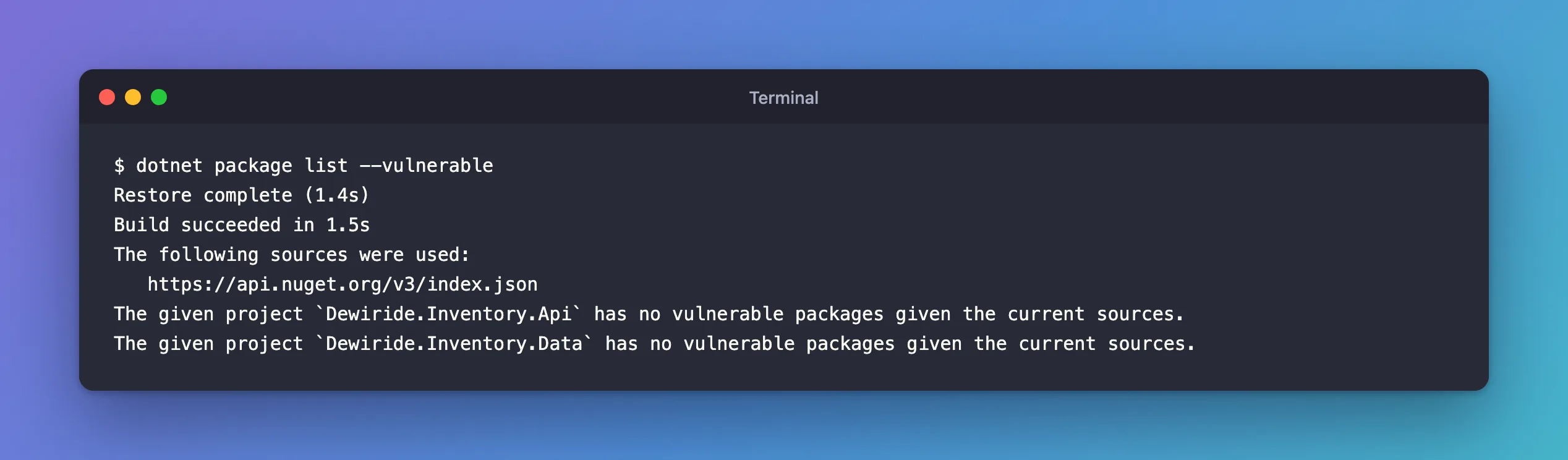
The given project `Dewiride.Inventory.Api` has no vulnerable packages given the current sources.
The given project `Dewiride.Inventory.Data` has no vulnerable packages given the current sources.
Settings That Change the Audit
| Property | Default | What it does |
|---|---|---|
NuGetAudit | true | "If you wish to not receive security audit reports, you can opt-out of the experience entirely by setting the value to false" |
NuGetAuditLevel | low | "The minimum severity level to report." |
NuGetAuditMode | all for net10.0 | direct checks only the packages you reference yourself |
The docs recommend setting them "at a repository level", which in practice means Directory.Build.props. Leave the defaults unless you have a reason: they're the safe ones.
Common Mistakes
| Mistake | What happens | Do this instead |
|---|---|---|
Turning NuGetAudit off to get the build green | You stop hearing about real vulnerabilities | Update the package |
Running --vulnerable while restore fails | You get the restore error, not the report | Add --no-restore |
| Updating to the first fixed version and stopping | You stay behind on other fixes | Then update to the newest stable version |
Passing -p:TreatWarningsAsErrors=false to dotnet package list | Unrecognized command or argument '-p:TreatWarningsAsErrors=false'.: the command doesn't take MSBuild properties | Use --no-restore |
FAQ
Does the audit need a separate tool?
No: it's built into NuGet restore, which dotnet build, dotnet run and the package commands all run.
What if no fixed version exists?
Read the advisory: it may affect a feature you don't use. The NuGet auditing page covers the options, from replacing the package to suppressing one advisory deliberately.
Conclusion
NuGet Audit checks every restore against known advisories, and dotnet package list --vulnerable reports the details per project: version, severity and advisory link. If the audit blocks restore, as it does with warnings as errors, add --no-restore to get the report anyway. Fix by moving to a safe version, with dotnet package add --version or dotnet package update --vulnerable, then check again.
