How to Change wait_timeout in MySQL

wait_timeout is how long MySQL lets a connection sit idle before closing it: 8 hours, by default. It's worth knowing about, and for most apps it's worth leaving alone. Here's what it does, tested live.
Step 1: See the Values
SHOW VARIABLES LIKE '%wait_timeout';
SHOW SESSION VARIABLES LIKE 'interactive_timeout';
+--------------------------+----------+
| Variable_name            | Value    |
+--------------------------+----------+
| innodb_lock_wait_timeout | 50       |
| lock_wait_timeout        | 31536000 |
| mysqlx_wait_timeout      | 28800    |
| wait_timeout             | 28800    |
+--------------------------+----------+
4 rows in set (0.001 sec)

+---------------------+-------+
| Variable_name       | Value |
+---------------------+-------+
| interactive_timeout | 28800 |
+---------------------+-------+
1 row in set (0.001 sec)
Two different things are in that first list. innodb_lock_wait_timeout and lock_wait_timeout are about locks. The one you're after is plain wait_timeout, in seconds. Programs start with wait_timeout. The mysql client counts as interactive, so it starts with interactive_timeout.
Step 2: Change It for One Session
SET SESSION wait_timeout = 3;
SELECT SLEEP(1);
Leave that session for 5 seconds, then run something:
ERROR 4031 (HY000): The client was disconnected by the server because of inactivity. See wait_timeout and interactive_timeout for configuring this behavior.
No connection. Trying to reconnect...
Connection id:    113
Current database: inventory

+------------+
| answer     |
+------------+
| still here |
+------------+
1 row in set (0.011 sec)
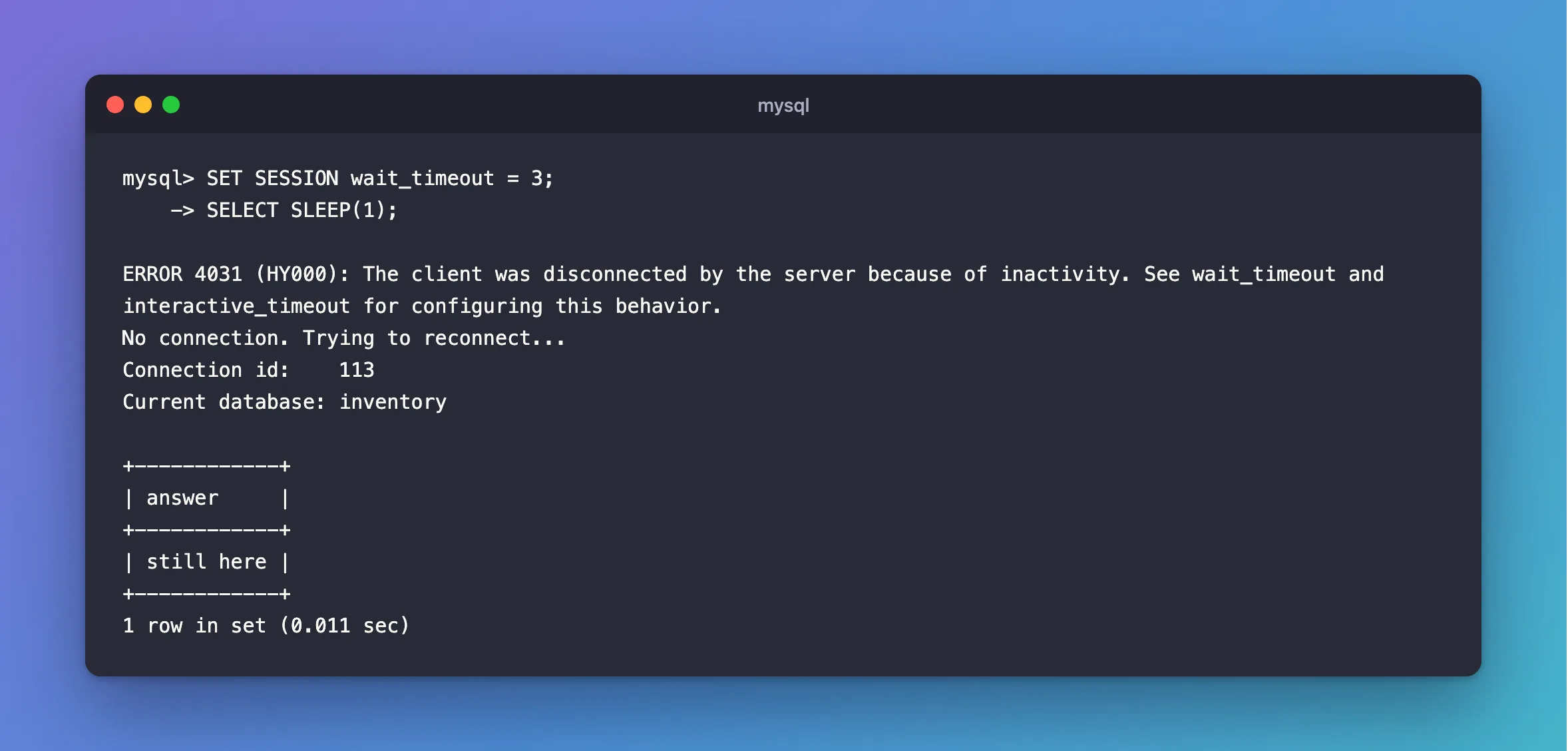
The server closed the session, and the mysql client reconnected by itself. That's a new session: anything tied to the old one, such as a temporary table or an open transaction, is gone.
Step 3: Change It for Everyone New
As an administrator:
SET PERSIST wait_timeout = 600;
This applies to connections made from now on. Sessions already open keep the value they started with.
What It Means for a Connection Pool
I tested .NET's MySql.Data with SET GLOBAL wait_timeout = 5. The API held a pooled connection, which went idle for 8 seconds, and MySQL closed it. The next request:
- worked, with no error in the log;
- got a new connection, with a new id.
The pool also closes idle connections itself after about 3 minutes, so on a healthy network, a pool rarely reaches the 8-hour limit. How Long Does MySql.Data Keep Idle Connections in the Pool? has the measurements.
When to Change It
- Lower it if something leaves idle connections open, and you're short on connections. Fixing that something is better.
- Raise it for a tool that really does sit idle for hours between statements.
- Leave it for most apps. A firewall that drops idle connections sooner than this is a different problem, and
wait_timeoutwon't help with it.
Common Mistakes
| Mistake | What happens | Do this instead |
|---|---|---|
Changing wait_timeout and testing in the mysql client | A new client session uses interactive_timeout | Change that too, or test from a program |
Using SET GLOBAL and expecting open sessions to change | They keep what they started with | Reconnect |
| Very low values with long-running tools | They're disconnected between statements | Raise it for that session only |
Troubleshooting
| Symptom | Likely cause | Fix |
|---|---|---|
ERROR 4031 … because of inactivity | The session went past its limit | The fix |
ERROR 2013: Lost connection during a query | Not idleness | The fix |
| A statement is cut off at some time limit | That's max_execution_time | How to Limit How Long a SELECT Runs in MySQL |
Conclusion
wait_timeout closes idle connections, after 8 hours by default. It's there if you need it, and a connection pool copes with it by itself.
Additional Resources
- Server System Variables: wait_timeout — the variable.
- Server System Variables: interactive_timeout — its partner.
