How to Change the MLflow Server Port

The MLflow tracking server listens on port 5000 unless you tell it otherwise. That port is often taken: on a Mac, the AirPlay Receiver already holds it, and other programs like it too. One option moves MLflow to any free port. This guide changes the port, checks what's using a port, and keeps your code pointed at the right address.
Syntax
mlflow server --port <number>
| Part | What it means |
|---|---|
mlflow server | Starts the tracking server. In a uv project, run it as uv run mlflow server |
--port <number> | The port to listen on. -p <number> is the short form. Without either, the server uses port 5000 |
The server's address then becomes http://127.0.0.1:<number>, and every program that logs to it must use that address as its tracking URI.
Prerequisites
- MLflow installed in a folder you run the server from. See How to Install MLflow in a Python Project with uv and How to Start an MLflow Tracking Server on Your Computer.
Step 1: Start the Server on Another Port
Add --port and the port number:
uv run mlflow server --port 8080
2026/11/13 17:19:15 INFO: Uvicorn running on http://127.0.0.1:8080 (Press CTRL+C to quit)
The server's address is now http://127.0.0.1:8080. mlflow server --help documents the option and its default:
-p, --port INTEGER The port to listen on (default: 5000).
-p 8080 is the short form. Any free port from 1024 up works without special permissions.
Step 2: Point Your Code at the New Address
The port is part of the tracking URI, the address your code sends runs to. Change it wherever you set it, for example in a project's .env file:
MLFLOW_TRACKING_URI=http://127.0.0.1:8080
How to Set the MLflow Tracking URI in Python covers every way to set it. If the code and the server disagree, the code keeps retrying the wrong port for minutes: Fixed: "MlflowException: API request to … failed with exception … Max retries exceeded" Connection Refused in MLflow.
Step 3: Check Which Program Uses a Port
Before picking a port, check that nothing else listens on it:
- macOS / Linux
- Windows (PowerShell)
lsof -nP -iTCP:8080 -sTCP:LISTEN
Get-NetTCPConnection -LocalPort 8080 -State Listen
With the MLflow server running, macOS shows its five Python processes, the parent and four workers, all on 127.0.0.1:8080:
COMMAND   PID USER   FD   TYPE             DEVICE SIZE/OFF NODE NAME
Python  93838 you    3u  IPv4 0x40ce625db1a2fed3      0t0  TCP 127.0.0.1:8080 (LISTEN)
Python  93841 you    3u  IPv4 0x40ce625db1a2fed3      0t0  TCP 127.0.0.1:8080 (LISTEN)
Python  93842 you    3u  IPv4 0x40ce625db1a2fed3      0t0  TCP 127.0.0.1:8080 (LISTEN)
Python  93843 you    3u  IPv4 0x40ce625db1a2fed3      0t0  TCP 127.0.0.1:8080 (LISTEN)
Python  93844 you    3u  IPv4 0x40ce625db1a2fed3      0t0  TCP 127.0.0.1:8080 (LISTEN)
No output means the port is free. Here is the same check for port 5000 on a Mac with an MLflow server on it: the AirPlay Receiver (ControlCe, short for ControlCenter) holds it on every address, IPv4 and IPv6, and MLflow only on 127.0.0.1:
COMMAND    PID USER   FD   TYPE             DEVICE SIZE/OFF NODE NAME
ControlCe  668 you   12u  IPv4 0xba539dab5c5126a9      0t0  TCP *:5000 (LISTEN)
ControlCe  668 you   13u  IPv6 0x6fabc60f419337a0      0t0  TCP *:5000 (LISTEN)
Python    4353 you    3u  IPv4 0x83f5e505da080198      0t0  TCP 127.0.0.1:5000 (LISTEN)
...
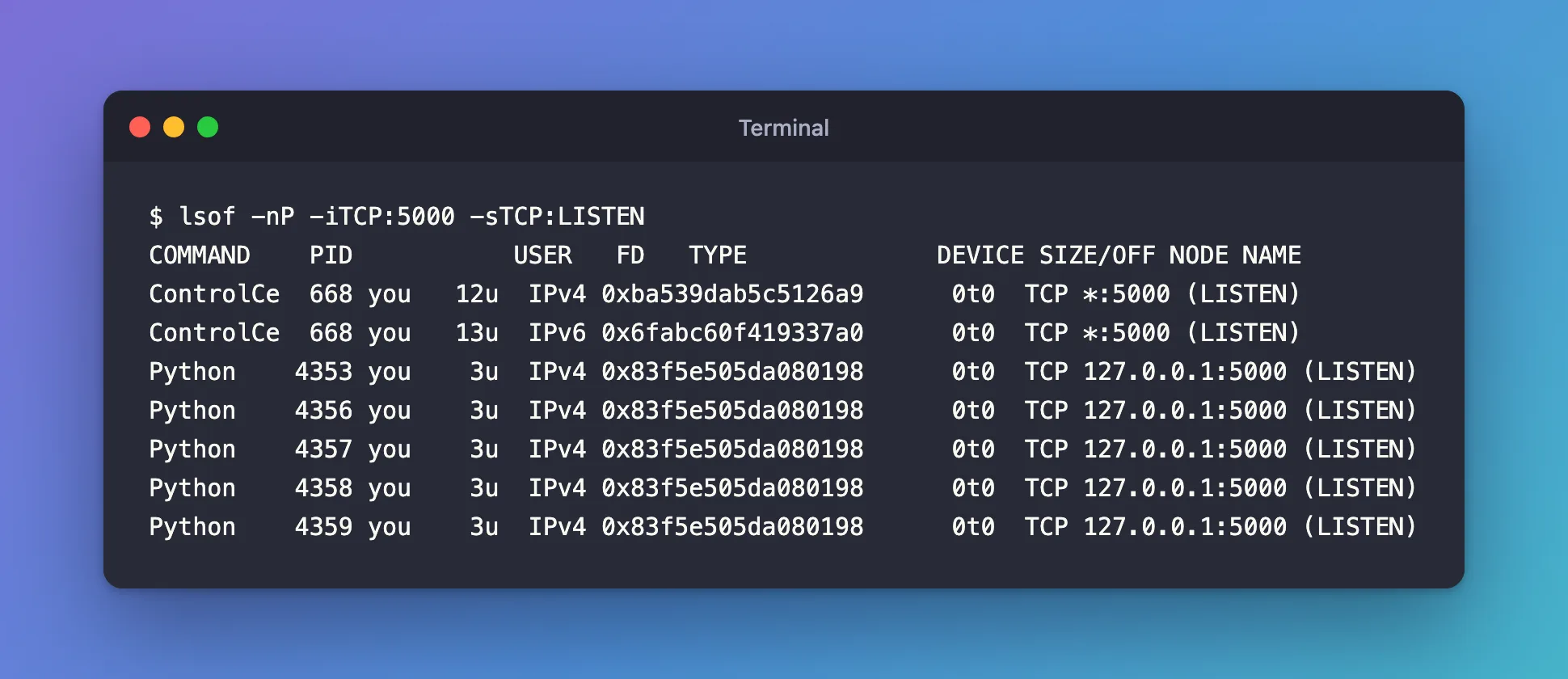
That's why http://localhost:5000 opens an "Access to localhost was denied" page on a Mac: Fixed: "Access to localhost was denied" HTTP ERROR 403 When You Open the MLflow UI on a Mac.
Run Two Servers Side by Side
Each server needs its own port and its own folder. With one on 8080, a second started from another folder on 8081 runs happily next to it:
uv run mlflow server --port 8081
2026/11/13 17:47:53 INFO: Uvicorn running on http://127.0.0.1:8081 (Press CTRL+C to quit)
Starting it on 8080 instead fails, because the first server holds that port: Fixed: "[Errno 48] Address already in use" When You Start the MLflow Server.
Common Mistakes
| Mistake | What happens | Do this instead |
|---|---|---|
| Changing the server's port but not the code's tracking URI | The code retries the old port for about four minutes, then fails | Change both |
| Using port 5000 on a Mac | localhost:5000 reaches the AirPlay Receiver, not MLflow | Use another port, such as 8080 |
| Starting a second server on a port that's in use | ERROR: [Errno 48] Address already in use | Pick a free port |
Troubleshooting
| Symptom | Likely cause | Fix |
|---|---|---|
ERROR: [Errno 48] Address already in use | Another program holds the port | Find it with the check in Step 3, then stop it or choose another port |
| The UI opens on the new port but shows no runs | The server was started from another folder, with its own mlflow.db | Start it from the folder that holds your mlflow.db |
FAQ
Which port should I use?
Any free one from 1024 to 65535. This series uses 8080, a common choice for development servers, which works the same on macOS, Windows and Linux.
Does --host change anything?
--host decides which network address the server listens on. The default, 127.0.0.1, means only your computer can connect, which is what you want on a laptop.
Can I avoid the AirPlay conflict without changing the port?
Apple's port list shows AirPlay using TCP port 5000, and the AirPlay Receiver switch is in System Settings. Changing MLflow's port is simpler, works on every operating system, and leaves your Mac's settings alone.
Conclusion
uv run mlflow server --port 8080 moved the server to http://127.0.0.1:8080; the code's tracking URI followed it, lsof showed exactly which programs held a port, and a second server ran beside the first on 8081.
Additional Resources
- mlflow server CLI reference — every option of the command.
- MLflow Tracking Server — running and securing the server.
- TCP and UDP ports used by Apple software products — Apple's list, including AirPlay on port 5000.
