How to Change the Lock Wait Timeout in MySQL

A statement that can't get a row lock waits, and by default it waits 50 seconds. That's a long time for a web request to hang. innodb_lock_wait_timeout changes the limit, per session or for the whole server. And what happens when the limit passes isn't what most people expect.
Prerequisites
- MySQL, and two sessions. The examples use MySQL 9.7.4 in Docker, and the
mysqlclient from How to Connect to MySQL in a Docker Container.
Step 1: Check the Current Limit
SELECT @@innodb_lock_wait_timeout, @@global.innodb_lock_wait_timeout, @@innodb_rollback_on_timeout;
+----------------------------+-----------------------------------+------------------------------+
| @@innodb_lock_wait_timeout | @@global.innodb_lock_wait_timeout | @@innodb_rollback_on_timeout |
+----------------------------+-----------------------------------+------------------------------+
|                         50 |                                50 |                            0 |
+----------------------------+-----------------------------------+------------------------------+
1 row in set (0.001 sec)
The first column is this session's limit, in seconds, and the second is what new connections start with. The InnoDB options page defines it as "The length of time in seconds an InnoDB transaction waits for a row lock before giving up."
Step 2: Change It for One Session
SET SESSION innodb_lock_wait_timeout = 3;
SELECT @@innodb_lock_wait_timeout, @@global.innodb_lock_wait_timeout;
+----------------------------+-----------------------------------+
| @@innodb_lock_wait_timeout | @@global.innodb_lock_wait_timeout |
+----------------------------+-----------------------------------+
|                          3 |                                50 |
+----------------------------+-----------------------------------+
1 row in set (0.000 sec)
This needs no special rights, and it's how an application sets its own limit: How to Set a Lock Wait Timeout from EF Core does it from .NET.
Step 3: Watch It Give Up
The first terminal holds a row:
START TRANSACTION;
UPDATE products SET QuantityOnHand = 49 WHERE Id = 3;
The second wants it:
UPDATE products SET QuantityOnHand = 48 WHERE Id = 3;
Three seconds later:
ERROR 1205 (HY000): Lock wait timeout exceeded; try restarting transaction
Step 4: See What the Timeout Undid
This is the part to remember. Do it again, this time with another change earlier in the transaction:
START TRANSACTION;
UPDATE products SET QuantityOnHand = 47 WHERE Id = 4;
UPDATE products SET QuantityOnHand = 48 WHERE Id = 3;
ERROR 1205 (HY000): Lock wait timeout exceeded; try restarting transaction
The transaction is still open, and the first change is still in it:
SELECT Id, QuantityOnHand FROM products WHERE Id IN (3, 4);
+----+----------------+
| Id | QuantityOnHand |
+----+----------------+
|  3 |             50 |
|  4 |             47 |
+----+----------------+
2 rows in set (0.001 sec)
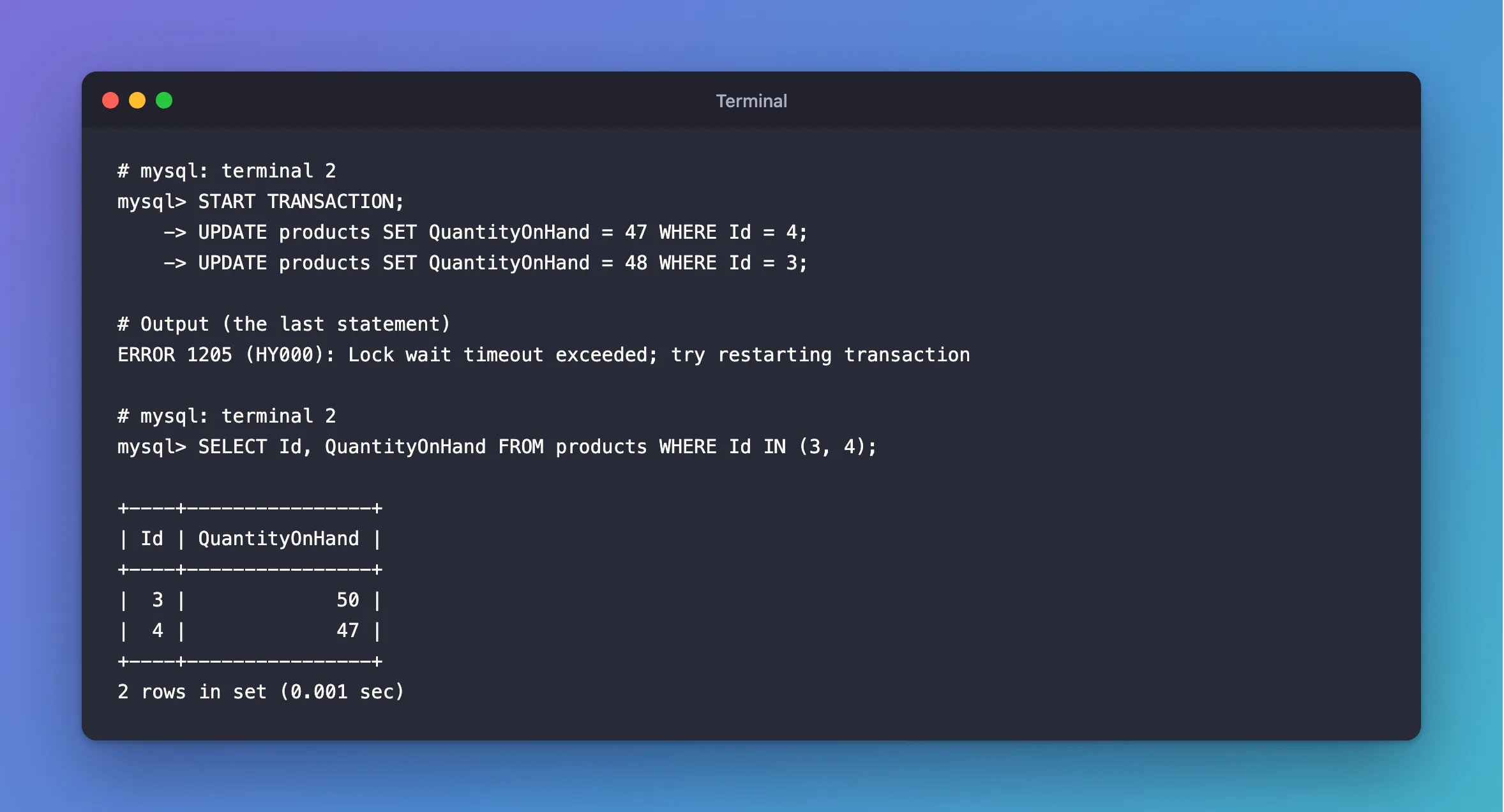
The error handling page says: "A lock wait timeout causes InnoDB to roll back the current statement (the statement that was waiting for the lock and encountered the timeout)." So a COMMIT here would save half the work. Run ROLLBACK yourself:
ROLLBACK;
SELECT Id, QuantityOnHand FROM products WHERE Id IN (3, 4);
+----+----------------+
| Id | QuantityOnHand |
+----+----------------+
|  3 |             50 |
|  4 |             50 |
+----+----------------+
2 rows in set (0.001 sec)
There is a setting that makes a timeout roll back the whole transaction, innodb_rollback_on_timeout, but it can only be set when the server starts. Trying at runtime gets ERROR 1238.
Step 5: Change It for New Connections
An administrator can change what new connections start with:
SET GLOBAL innodb_lock_wait_timeout = 10;
SELECT @@global.innodb_lock_wait_timeout, @@innodb_lock_wait_timeout;
+-----------------------------------+----------------------------+
| @@global.innodb_lock_wait_timeout | @@innodb_lock_wait_timeout |
+-----------------------------------+----------------------------+
|                                10 |                         50 |
+-----------------------------------+----------------------------+
1 row in set (0.001 sec)
Your own session still shows 50, and only new connections get 10. Put it back with the same statement. An ordinary account gets ERROR 1227.
What the Limit Covers
The page is specific: "innodb_lock_wait_timeout applies to InnoDB row locks." It doesn't cover the waiting an ALTER TABLE does for a metadata lock, and deadlocks don't wait for it at all: "The lock wait timeout value does not apply to deadlocks when innodb_deadlock_detect is enabled (the default) because InnoDB detects deadlocks immediately and rolls back one of the deadlocked transactions."
Common Mistakes
| Mistake | What happens | Do this instead |
|---|---|---|
| Committing after a 1205 | The statements before it are saved | ROLLBACK, then try again |
| Treating it like a deadlock | A deadlock rolls back everything, and a timeout only the statement | Handle them separately |
| Raising the limit to make the error go away | Requests hang for longer | Find what's holding the lock |
Setting SET GLOBAL and expecting your session to change | Your session keeps its value | Reconnect, or use SET SESSION |
Troubleshooting
| Symptom | Likely cause | Fix |
|---|---|---|
Lock wait timeout exceeded; try restarting transaction | Another transaction held the row for too long | The fix |
| The limit is back to 50 after a restart | SET GLOBAL doesn't last | Use --innodb-lock-wait-timeout at startup |
| A statement waits past the limit | It's waiting on something other than a row lock | Check for a metadata lock |
FAQ
What's a good value?
For a web API, a few seconds. The person waiting for a page won't wait 50 seconds, so it's better to fail sooner and say so. The product in this series uses 5.
Conclusion
SET SESSION innodb_lock_wait_timeout = 3 is all an application needs. When the limit passes, only the waiting statement is undone, and the transaction stays open with everything before it, so roll it back yourself.
Additional Resources
- innodb_lock_wait_timeout — the option.
- InnoDB Error Handling — what each error rolls back.
