How to Change a Tool's Result Before the Model Sees It in Microsoft Agent Framework

Function calling middleware in Microsoft Agent Framework runs around every tool call, so it can change what a tool returns before the model reads it. This post uses it to send the model the first five books of a list of 40 and the total, instead of all 40, and measures what the model reads either way.
Syntax
AIAgent withMiddleware = agent.AsBuilder()
    .Use(<functionMiddleware>)
    .Build();

async ValueTask<object?> <functionMiddleware>(
    AIAgent agent,
    FunctionInvocationContext context,
    Func<FunctionInvocationContext, CancellationToken, ValueTask<object?>> next,
    CancellationToken cancellationToken)
{
    object? result = await next(context, cancellationToken);
    return <theResultTheModelGets>;
}
| Part | What it is |
|---|---|
<functionMiddleware> | Your function. Use adds it to the agent, and the agent calls it for every function tool call. |
context | The call: context.Function is the tool, context.Arguments the arguments the model chose. |
next | Runs the tool, or the next function calling middleware. It returns the tool's result. |
<theResultTheModelGets> | What you return goes to the model as the tool's result. Return result to leave it unchanged. |
Microsoft's documentation notes that function calling middleware is currently only supported with an AIAgent that uses FunctionInvokingChatClient, for example, ChatClientAgent, the kind of agent AsAIAgent creates.
The Example
A console app called BookList has an agent with one tool, list_books, which returns 40 books. Middleware turns that into the first five books and the total. The app asks the agent without the middleware and with it: How many books are on the list, and what are the first three titles?
Prerequisites
- A Microsoft Foundry project with a model deployment, and the Foundry User role on it.
- The Azure CLI, signed in with
az login. - The .NET 10 SDK.
Step 1: Create a Console App
dotnet new console -n BookList
cd BookList
dotnet add package Microsoft.Agents.AI.Foundry --version 1.28.0-preview.261106.1
dotnet add package Azure.Identity --version 1.21.0
Step 2: Create the Agent and Its Tool
Replace everything in Program.cs with this, using your own project endpoint and model deployment:
using System.ComponentModel;
using System.Text.Json;
using Azure.AI.Projects;
using Azure.Identity;
using Microsoft.Agents.AI;
using Microsoft.Extensions.AI;

AIAgent agent = new AIProjectClient(
        new Uri("https://foundry-devblogs-exp.services.ai.azure.com/api/projects/proj-devblogs-exp"),
        new AzureCliCredential())
    .AsAIAgent(
        model: "gpt-5.6-luna",
        instructions: "You answer questions about the library's books. Answer in one sentence of plain text, without Markdown.",
        name: "BookList",
        tools: [AIFunctionFactory.Create(ListBooks, name: "list_books")]);
And add the tool at the end of the file:
[Description("Lists every book in the library, in order.")]
static Book[] ListBooks() =>
    [.. Enumerable.Range(1, 40).Select(number => new Book($"Book {number}", $"Author {number}", 1985 + number))];

record Book(string Title, string Author, int Year);
list_books returns 40 books, each with a title, an author and a year. A tool made with AIFunctionFactory returns its result to the middleware as JSON, a JsonElement: Microsoft's documentation says the method's return value is then JSON serialized, with the resulting JsonElement returned.
Step 3: Write the Middleware
Add this function above ListBooks:
// Runs the tool, then gives the model the first five books and how many there are, instead of all of them.
async ValueTask<object?> KeepFirstFiveAsync(
    AIAgent agent,
    FunctionInvocationContext context,
    Func<FunctionInvocationContext, CancellationToken, ValueTask<object?>> next,
    CancellationToken cancellationToken)
{
    object? result = await next(context, cancellationToken);

    if (context.Function.Name == "list_books" && result is JsonElement { ValueKind: JsonValueKind.Array } books)
    {
        return new { total = books.GetArrayLength(), firstFive = books.EnumerateArray().Take(5).ToArray() };
    }

    return result;
}
await next(context, cancellationToken)runs the tool and gets its 40 books.- The check makes sure it's
list_books, and that its result is a JSON array. The middleware runs for every tool the agent calls, so it changes only the one it's for. - The new result is an object with
total, the number of books, andfirstFive, the first five. Agent Framework turns it into JSON for the model, as it does with a tool's own result.
Step 4: Ask With and Without the Middleware
Add this after the agent, before the functions. The agent with middleware is the same agent, wrapped:
// The same agent, with function calling middleware that changes what list_books returns.
AIAgent agentWithMiddleware = agent.AsBuilder()
    .Use(KeepFirstFiveAsync)
    .Build();

string question = "How many books are on the list, and what are the first three titles?";

AgentResponse withoutMiddleware = await agent.RunAsync(question);
Console.WriteLine($"Without middleware: {withoutMiddleware.Text} ({withoutMiddleware.Usage?.InputTokenCount} tokens in)");

AgentResponse withMiddleware = await agentWithMiddleware.RunAsync(question);
Console.WriteLine($"With middleware:    {withMiddleware.Text} ({withMiddleware.Usage?.InputTokenCount} tokens in)");
Step 5: Run It
dotnet run
Without middleware: There are 40 books on the list, and the first three titles are Book 1, Book 2, and Book 3. (1399 tokens in)
With middleware:    There are 40 books on the list, and the first three titles are Book 1, Book 2, and Book 3. (363 tokens in)
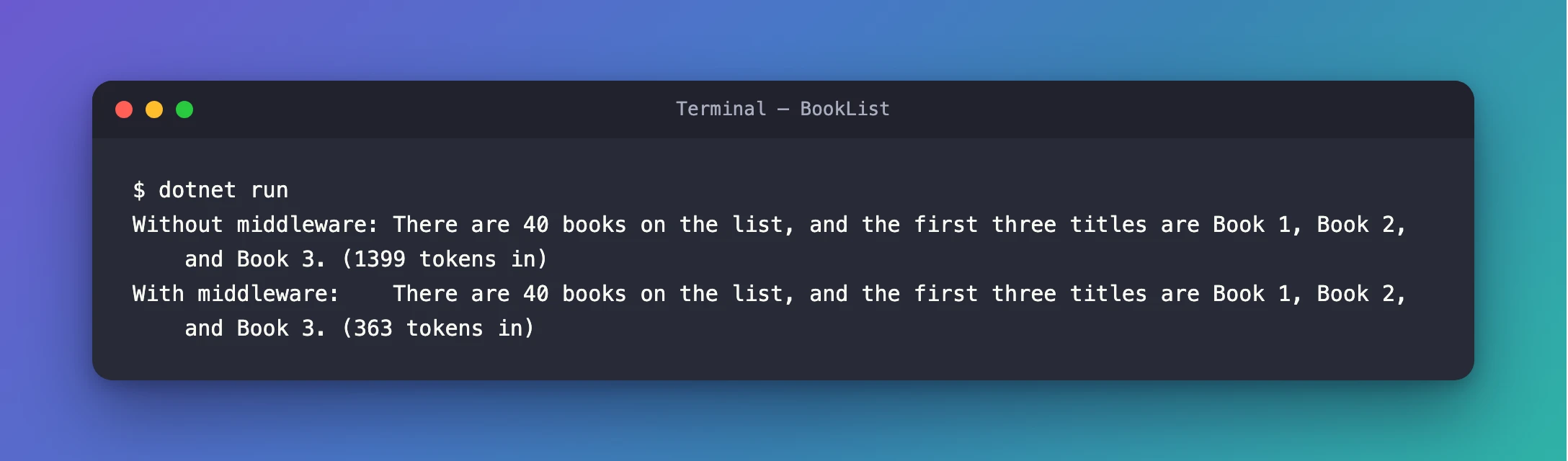
The answer is the same, and the model read 363 input tokens instead of 1,399: the 35 books it didn't need never reached it. The total still did, so the model still knew there were 40.
The Complete File
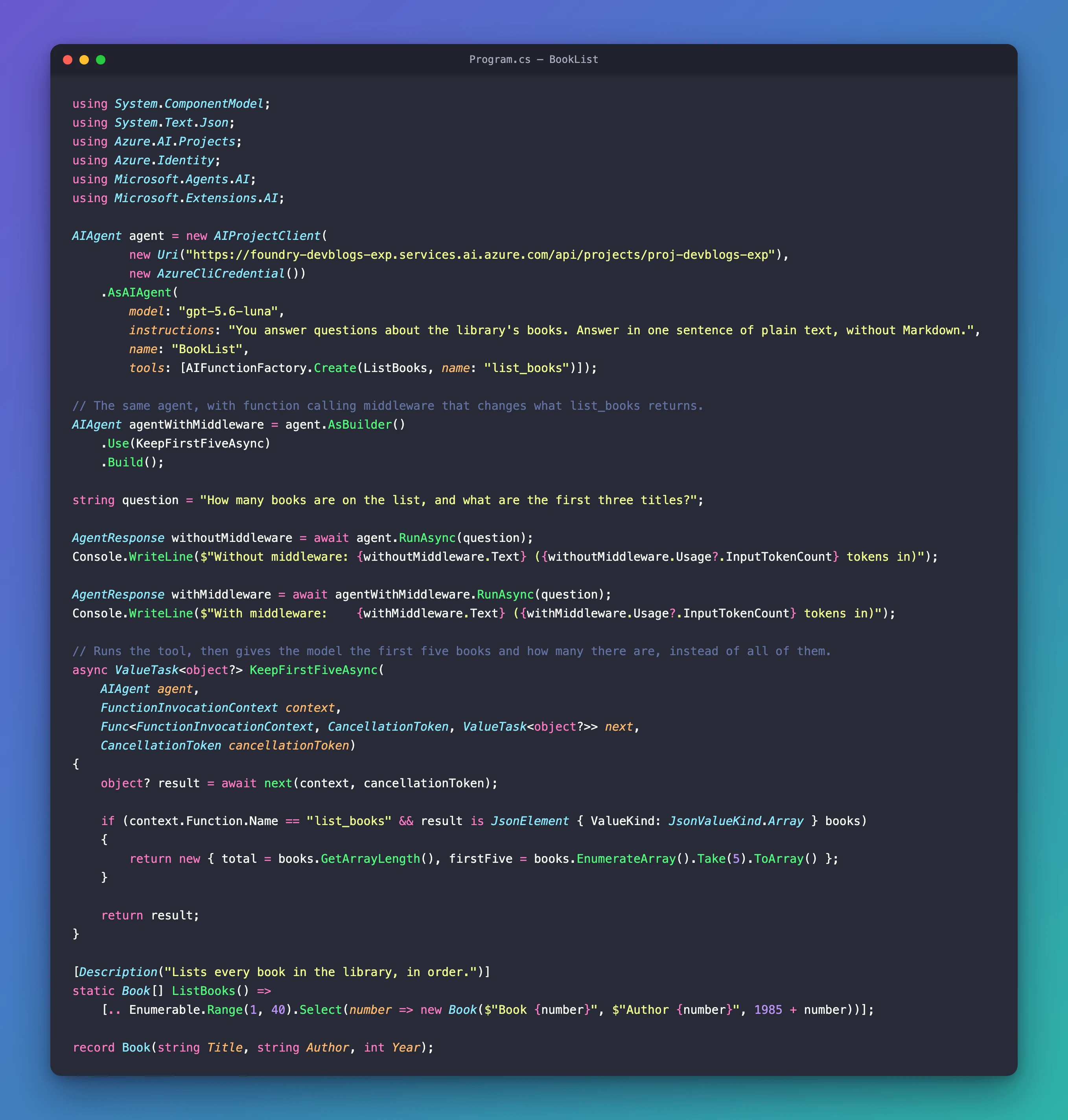
using System.ComponentModel;
using System.Text.Json;
using Azure.AI.Projects;
using Azure.Identity;
using Microsoft.Agents.AI;
using Microsoft.Extensions.AI;

AIAgent agent = new AIProjectClient(
        new Uri("https://foundry-devblogs-exp.services.ai.azure.com/api/projects/proj-devblogs-exp"),
        new AzureCliCredential())
    .AsAIAgent(
        model: "gpt-5.6-luna",
        instructions: "You answer questions about the library's books. Answer in one sentence of plain text, without Markdown.",
        name: "BookList",
        tools: [AIFunctionFactory.Create(ListBooks, name: "list_books")]);

// The same agent, with function calling middleware that changes what list_books returns.
AIAgent agentWithMiddleware = agent.AsBuilder()
    .Use(KeepFirstFiveAsync)
    .Build();

string question = "How many books are on the list, and what are the first three titles?";

AgentResponse withoutMiddleware = await agent.RunAsync(question);
Console.WriteLine($"Without middleware: {withoutMiddleware.Text} ({withoutMiddleware.Usage?.InputTokenCount} tokens in)");

AgentResponse withMiddleware = await agentWithMiddleware.RunAsync(question);
Console.WriteLine($"With middleware:    {withMiddleware.Text} ({withMiddleware.Usage?.InputTokenCount} tokens in)");

// Runs the tool, then gives the model the first five books and how many there are, instead of all of them.
async ValueTask<object?> KeepFirstFiveAsync(
    AIAgent agent,
    FunctionInvocationContext context,
    Func<FunctionInvocationContext, CancellationToken, ValueTask<object?>> next,
    CancellationToken cancellationToken)
{
    object? result = await next(context, cancellationToken);

    if (context.Function.Name == "list_books" && result is JsonElement { ValueKind: JsonValueKind.Array } books)
    {
        return new { total = books.GetArrayLength(), firstFive = books.EnumerateArray().Take(5).ToArray() };
    }

    return result;
}

[Description("Lists every book in the library, in order.")]
static Book[] ListBooks() =>
    [.. Enumerable.Range(1, 40).Select(number => new Book($"Book {number}", $"Author {number}", 1985 + number))];

record Book(string Title, string Author, int Year);
Common Mistakes
| Mistake | What happens | Do this instead |
|---|---|---|
| Changing every tool's result in the same way | Tools that should stay whole get cut too | Check context.Function.Name first |
| Dropping data the model needs, such as the total | The model answers from what's left, and gets it wrong | Keep what the answer depends on |
Forgetting await next(...) | The tool never runs | Call it, unless you mean to replace the tool |
| Expecting it to change tools the model service runs | Those never pass through function calling middleware | Change only your own function tools this way |
FAQ
Why not make the tool return less?
When you own the tool, that's simpler. Middleware is for rules about many tools at once, or for tools you don't own, such as an MCP server's.
Can middleware skip the tool?
Yes, by returning a result without calling next. Microsoft's documentation: Unless the intention is to use the middleware to not execute the function tool, the middleware should call the provided next Func.
Conclusion
Function calling middleware gets every tool's result from next and decides what the model reads. Here it kept the first five books and the total, and the same answer cost 363 input tokens instead of 1,399.
Additional Resources
- Agent Middleware — function calling middleware and
FunctionInvocationContext.
