How to Change a Row's Status Only Once in MySQL

Cancelling an order puts its stock back. Cancel it twice, and the stock goes back twice. Reading the status and then updating leaves a gap for exactly that to happen. Put the expected status in the WHERE, and only the first update can change the row.
Prerequisites
- MySQL, and two sessions. The examples use MySQL 9.7.4 in Docker, and the
mysqlclient from How to Connect to MySQL in a Docker Container. - A table with a status. The examples use a small
ticketstable, with two rows whoseStatusisOpen.
Step 1: Change It Once
Say what the row has to look like for the change to apply:
UPDATE tickets SET Status = 'Closed' WHERE Id = 1 AND Status = 'Open';
SELECT ROW_COUNT();
Query OK, 1 row affected (0.002 sec)
Rows matched: 1  Changed: 1  Warnings: 0

+-------------+
| ROW_COUNT() |
+-------------+
|           1 |
+-------------+
1 row in set (0.001 sec)
Step 2: Try Again
The same statement, a second time:
UPDATE tickets SET Status = 'Closed' WHERE Id = 1 AND Status = 'Open';
SELECT ROW_COUNT();
Query OK, 0 rows affected (0.001 sec)
Rows matched: 0  Changed: 0  Warnings: 0

+-------------+
| ROW_COUNT() |
+-------------+
|           0 |
+-------------+
1 row in set (0.000 sec)
Rows matched: 0. Nothing happened, and your code can tell, so anything that should only happen once, such as restocking, can be skipped.
Step 3: Two Sessions at Once
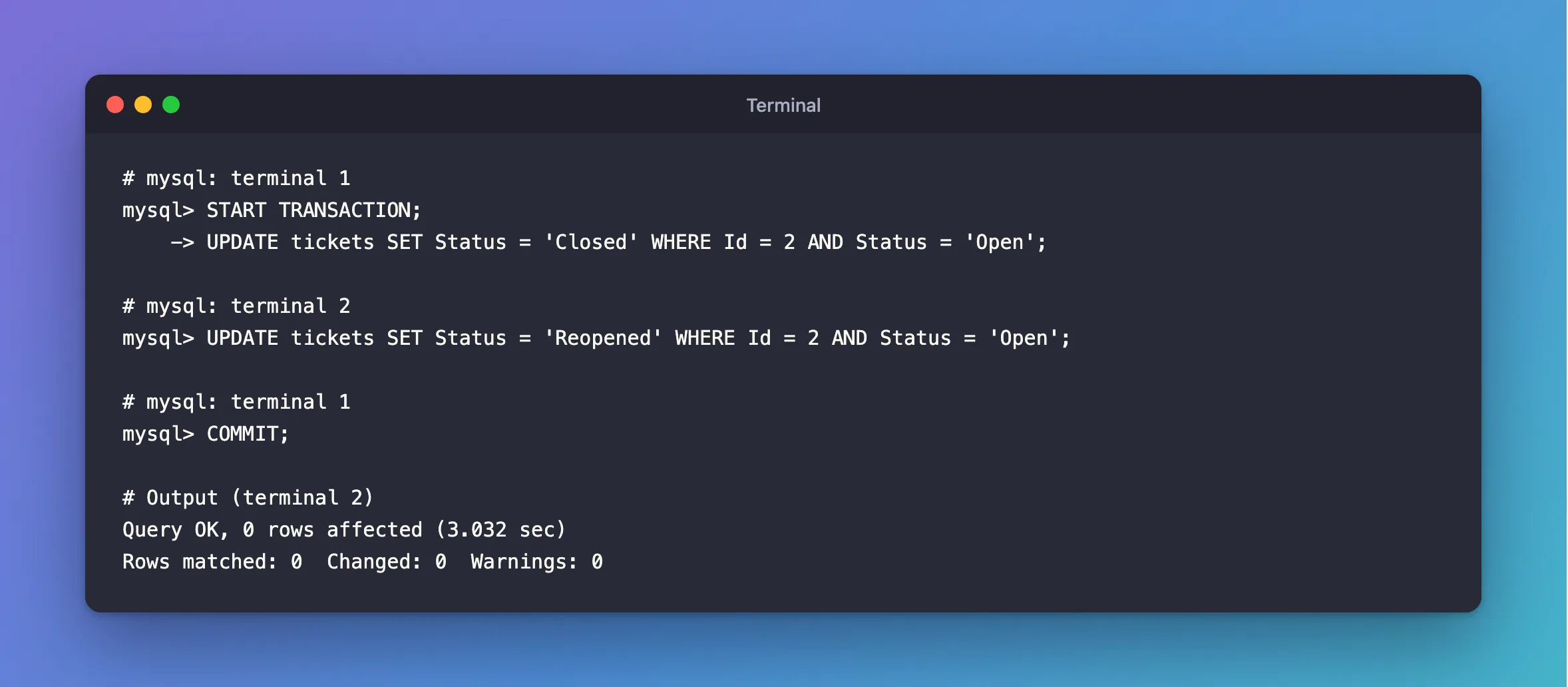
The first session closes ticket 2, and hasn't committed yet:
START TRANSACTION;
UPDATE tickets SET Status = 'Closed' WHERE Id = 2 AND Status = 'Open';
The second one wants to change it too, and waits for the row's lock:
UPDATE tickets SET Status = 'Reopened' WHERE Id = 2 AND Status = 'Open';
The first one commits:
COMMIT;
Query OK, 0 rows affected (3.032 sec)
Rows matched: 0  Changed: 0  Warnings: 0
SELECT * FROM tickets;
+----+--------+
| Id | Status |
+----+--------+
|  1 | Closed |
|  2 | Closed |
+----+--------+
2 rows in set (0.001 sec)
It waited, then checked its WHERE against the new value, and found the ticket no longer Open. There's exactly one winner, and the loser knows it lost.
Do the Follow-Up Work Only If You Won
Put the status change first, in a transaction, and carry on only if it changed a row:
START TRANSACTION;
UPDATE orders SET Status = 'Cancelled' WHERE Id = 7 AND Status = 'Placed';
-- If ROW_COUNT() is 0, stop here: run ROLLBACK and report it.
-- If it's 1, you're the only one who got this far, so put the stock back.
UPDATE products SET QuantityOnHand = QuantityOnHand + 2 WHERE Id = 3;
COMMIT;
Holding the row's lock from the first statement keeps everyone else out until the commit. How to Change a Status Only Once with a Conditional Update in EF Core does this from C#: six requests at once, one 204 and five 409s, and the stock put back once.
Common Mistakes
| Mistake | What happens | Do this instead |
|---|---|---|
Reading the status, then updating by Id | Two sessions both see Open, and both act | Put the status in the WHERE |
Ignoring ROW_COUNT() | You don't know if you won | Check it |
| Restocking before changing the status | The second caller restocks too | Change the status first |
Troubleshooting
| Symptom | Likely cause | Fix |
|---|---|---|
Rows matched: 0 on a row that exists | The status has already changed | Read it, and report it |
| It waits | Another transaction holds the row | Normal, as long as it's short |
| The stock went back twice | The status check wasn't in the WHERE | Change it to the form above |
Conclusion
UPDATE ... SET Status = 'New' WHERE Id = ? AND Status = 'Old' can only win once. ROW_COUNT() tells you whether you did, so everything that has to happen once can follow it, in the same transaction.
Additional Resources
- UPDATE Statement — the syntax.
