How to Change a MySQL Password Without Downtime

Change an app's MySQL password the plain way, and there's a gap between the server's change and the app's. With RETAIN CURRENT PASSWORD, MySQL accepts both for as long as you need, so there's no gap at all.
What You Need
MySQL 9.7, and an administrator's session. Changing another account needs the CREATE USER right. The examples use an account made for this, rotate_demo, and these passwords are placeholders.
Step 1: Add the New Password
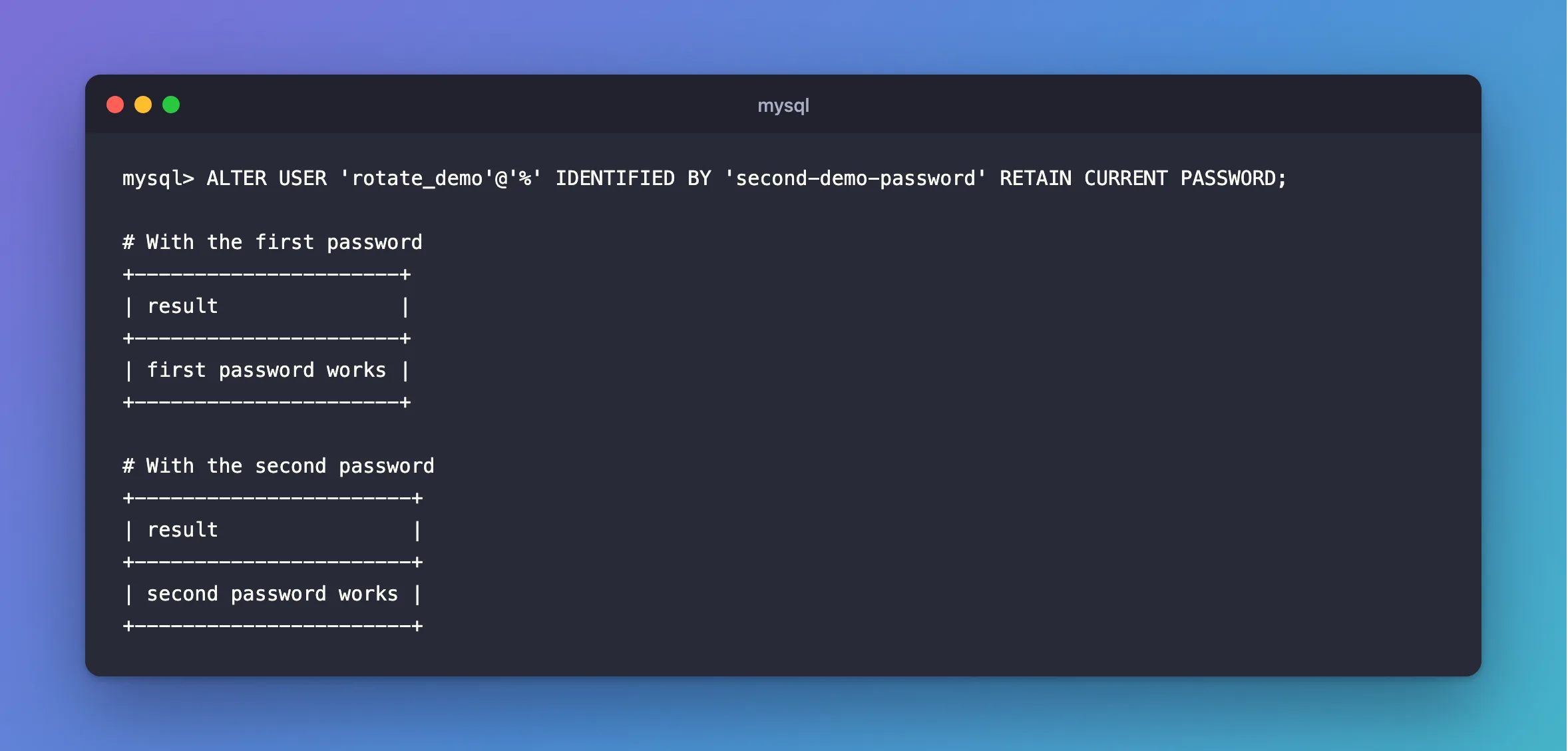
ALTER USER 'rotate_demo'@'%' IDENTIFIED BY 'second-demo-password' RETAIN CURRENT PASSWORD;
Query OK, 0 rows affected (0.003 sec)
The new password is now the main one, and the old one is kept as a second. You can see that there's a second password, though not what it is:
SELECT user, JSON_EXTRACT(user_attributes, '$.additional_password') IS NOT NULL AS has_second_password FROM mysql.user WHERE user = 'rotate_demo';
+-------------+---------------------+
| user        | has_second_password |
+-------------+---------------------+
| rotate_demo |                   1 |
+-------------+---------------------+
1 row in set (0.000 sec)
Step 2: Check Both Work
+----------------------+
| result               |
+----------------------+
| first password works |
+----------------------+
+-----------------------+
| result                |
+-----------------------+
| second password works |
+-----------------------+
Step 3: Update Your App
Change the password wherever your app gets it, and restart or redeploy it, one copy at a time if you have several. Copies with either password keep working throughout.
Connections already open don't care. In my tests with a .NET API, a pooled connection carried on working through a plain password change, and the failure only came with the next new connection. That's why a plain change can look fine for hours and then fail at the next restart.
Step 4: End the Old Password
Once every copy has the new one:
ALTER USER 'rotate_demo'@'%' DISCARD OLD PASSWORD;
Query OK, 0 rows affected (0.001 sec)
ERROR 1045 (28000): Access denied for user 'rotate_demo'@'localhost' (using password: YES)
+-----------------------------+
| result                      |
+-----------------------------+
| second password still works |
+-----------------------------+
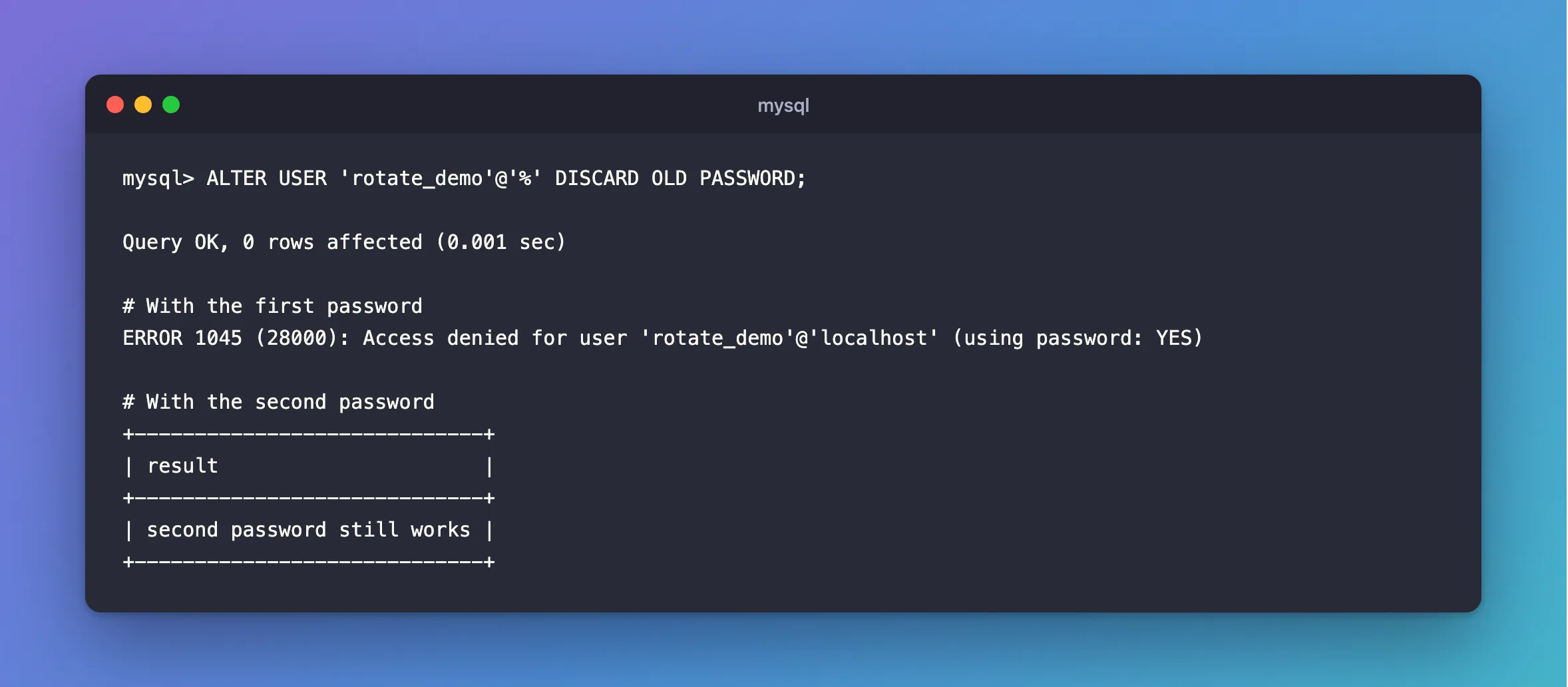
Check it's really finished, because a forgotten copy now fails. If a replica is involved, the manual's steps wait for the change to replicate first.
Common Mistakes
| Mistake | What happens | Do this instead |
|---|---|---|
Leaving out RETAIN CURRENT PASSWORD | The next new connection fails until the app is updated | Use it |
| Never discarding | A leaked old password keeps working | Discard when you're done |
Running RETAIN twice | The first password is gone, and the middle one is kept | Finish one rotation before the next |
| Trusting a running app as proof | Pooled connections hide a bad password | Restart it, and check |
Troubleshooting
| Symptom | Likely cause | Fix |
|---|---|---|
ERROR 1045 after the change | Something still has an old password | The fix |
ERROR 1819 | The server has a password policy | The fix |
| Access denied running it on your own account | That needs APPLICATION_PASSWORD_ADMIN | Use an administrator |
Conclusion
ALTER USER … RETAIN CURRENT PASSWORD lets both passwords work, you update your app at your own pace, and DISCARD OLD PASSWORD ends the old one.
Additional Resources
- Password Management: Dual Password Support — these clauses, and replication.
- ALTER USER Statement — the syntax.
