How to Change a Cell's Number Format in Excel for the Web

A cell's number format decides how its value looks, not what it is. The same value can show as 3.50, 12:00 or a date, depending on the format. In Excel for the web, the Number Format list on the Home tab changes it.
The examples are from the old overtime timesheet from Part 1 of the Overtime Timesheet series, where the wrong format caused two of its problems.
Prerequisites
- A workbook open for editing in Excel for the web.
Step 1: Select the Cells
Select the cells to change. A format applies to every selected cell. Here it's J2:J15, the Hours column, which showed hours as clock times.
Step 2: Open the Number Format List
On the Home tab, in the Number group, the box shows the current format: Custom here. Open the list next to it:
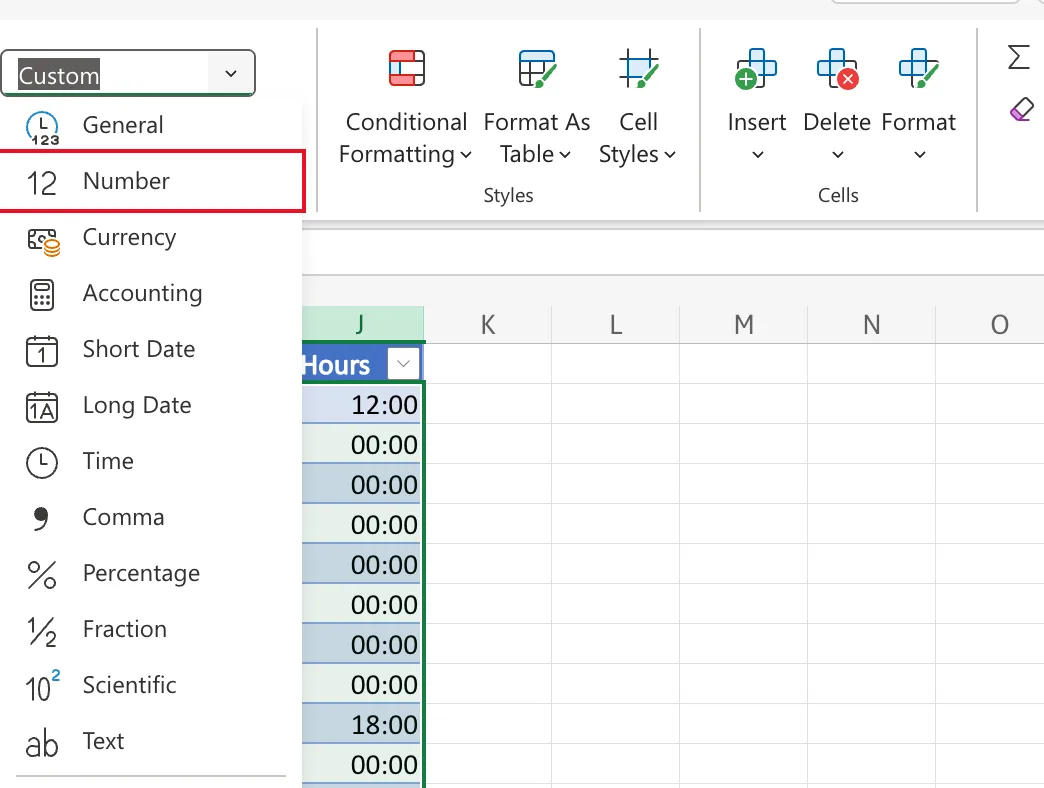
| Option | Shows the value as |
|---|---|
| General | Excel's default: numbers as typed, dates as their serial number |
| Number | A number with two decimal places, such as 3.50 |
| Short Date / Long Date | A date only, in your regional format |
| Time | A time only |
| Percentage | ×100 with a % sign |
| Text | The value as text; formulas typed afterwards aren't calculated |
| More Number Formats | The All formatting options pane, with every category and custom codes |
Step 3: Pick the Format
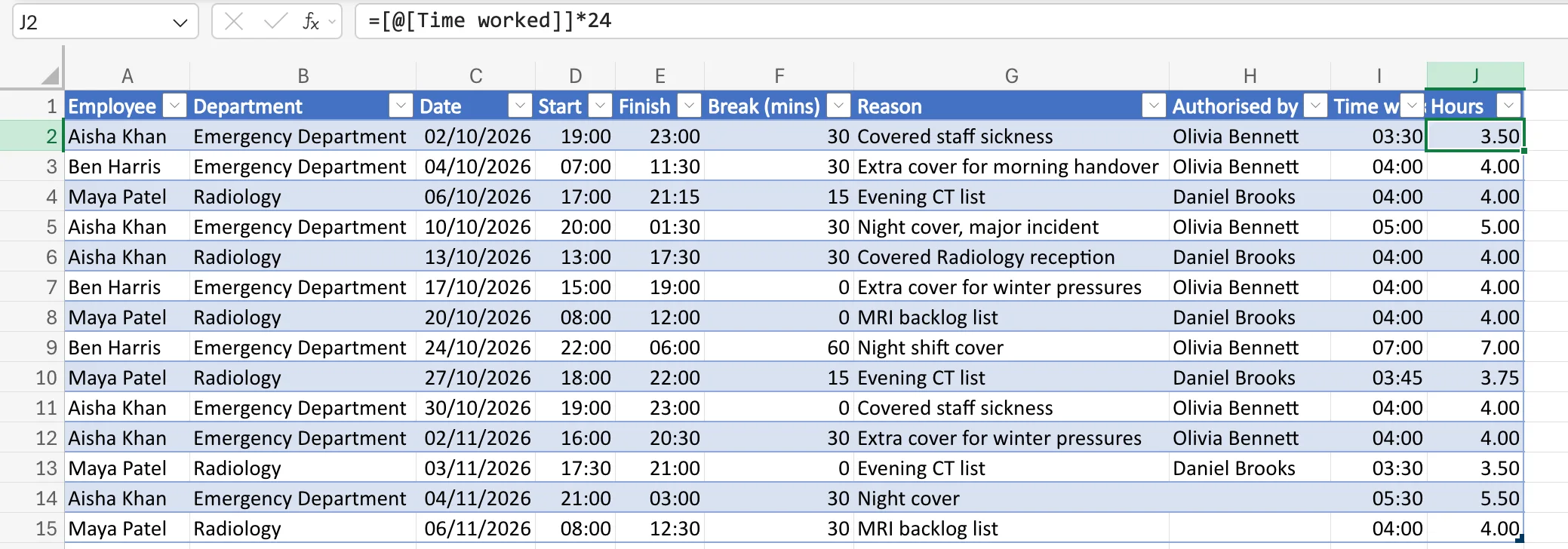
Select Number. The values don't change, only how they look: 12:00 became 3.50:
Two More Cases from the Timesheet
- A date as its serial number. Choosing General for B1, which shows Oct 2026, revealed the number behind it, 46296: How to See the Serial Number Behind a Date in Excel.
- A date and time. No option in the list shows both, so 29/03/2026 01:00 needs a custom format from More Number Formats: Fixed: Excel Shows Only the Date After Adding a Time to a Date.
Common Mistakes
| Mistake | What happens | Do this instead |
|---|---|---|
| Rewriting a formula because its result looks wrong | The result was right; the format wasn't | Check the Number Format box first |
| Formatting one cell of a column | The rest still show the old format | Select the whole range |
| Using Text for numbers | They stop adding up | Use Number or General |
Troubleshooting
| Symptom | Likely cause | Fix |
|---|---|---|
| Hours show as 12:00 or 00:00 | A time format on a count of hours | Number |
| A total of times is 24 or 48 hours short | hh:mm wraps each day | Custom [h]:mm: How to Show Total Hours Over 24 in Excel |
| A date shows as a five-digit number | General format | Short Date |
FAQ
Does changing the format change the value?
No. Formulas that use the cell get the same value whatever its format.
Why did Excel pick a format I didn't choose?
When a formula uses a date or time, Excel often gives the result the same format. Change it if it doesn't suit the result.
Conclusion
Select the cells, open Home → Number Format, and pick how the values should look. The values themselves never change.
