How to Cast an object to a string in C#

When C# hands you a value typed as object, for example from a Dictionary<string, object>, you can't call string methods on it until you tell the compiler what it really is. A cast does that: (string)value. It works when the value is a string and throws when it isn't.
Syntax
<type> <name> = (<type>)<value>;
<type>? <name> = <value> as <type>;
| Part | What it does |
|---|---|
(<type>)<value> | A cast expression: treats <value> as <type>, and throws InvalidCastException when it isn't one. |
<value> as <type> | The same conversion for reference types, but gives null instead of throwing. |
Microsoft Learn on cast expressions: "A cast expression of the form (T)E explicitly converts the result of expression E to type T. If no explicit conversion exists from the type of E to type T, the compiler issues an error. At run time, an explicit conversion might not succeed and a cast expression might throw an exception." On the as operator: "Unlike a cast expression, the as operator never throws an exception."
The Example
The example stores a string and a number as object. It casts the string back and calls ToUpper on it, prints the number with ToString, converts the string with as, and finally casts the number to string.
Prerequisites
- The .NET 10 SDK or newer, which runs a single
.csfile withdotnet run. This guide uses .NET SDK 10.0.404.
Step 1: Write the Code
Create a file named main.cs:
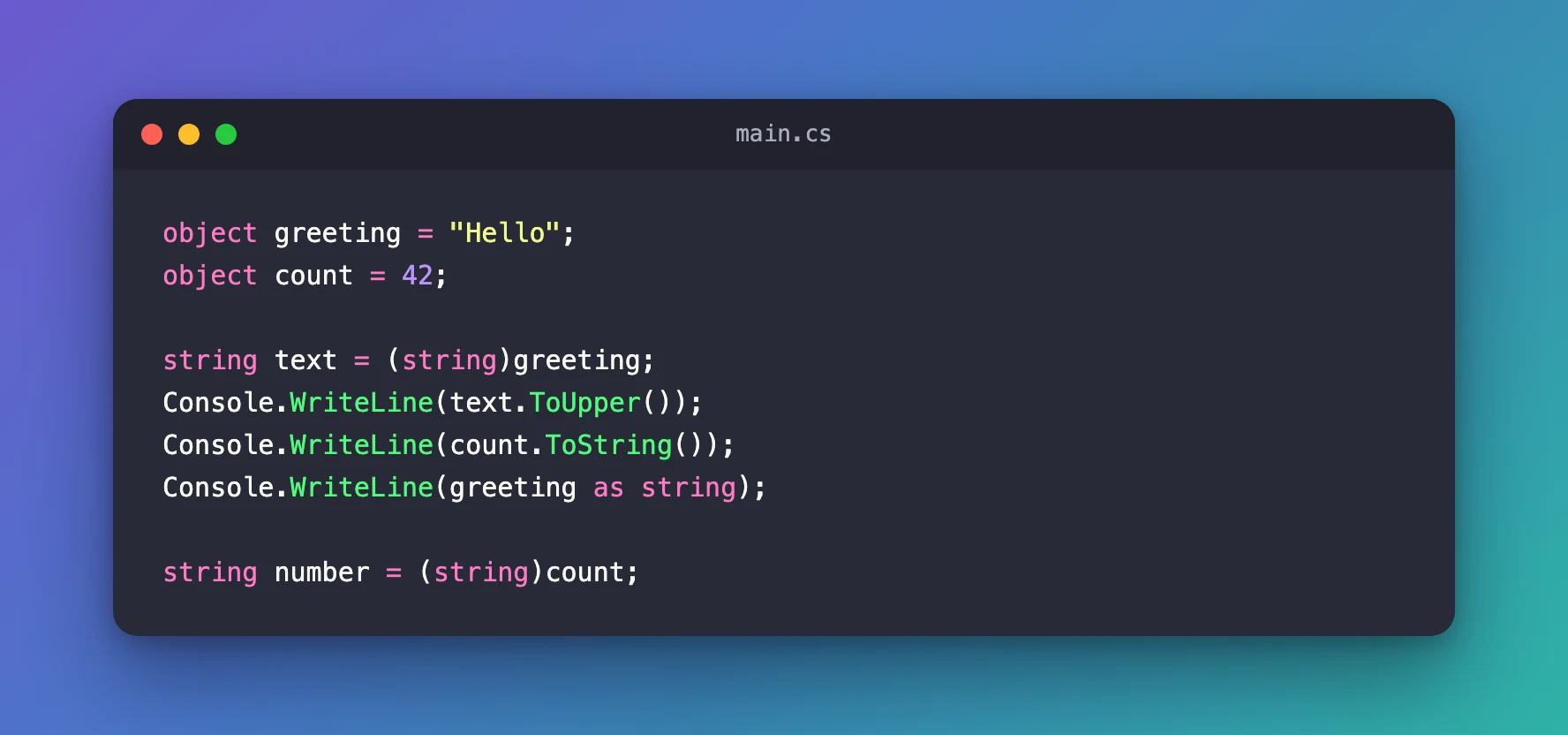
object greeting = "Hello";
object count = 42;

string text = (string)greeting;
Console.WriteLine(text.ToUpper());
Console.WriteLine(count.ToString());
Console.WriteLine(greeting as string);

string number = (string)count;
Step 2: Run It
dotnet run main.cs
HELLO
42
Hello
Unhandled exception. System.InvalidCastException: Unable to cast object of type 'System.Int32' to type 'System.String'.
   at Program.<Main>$(String[] args) in /Users/Shared/you/main.cs:line 9
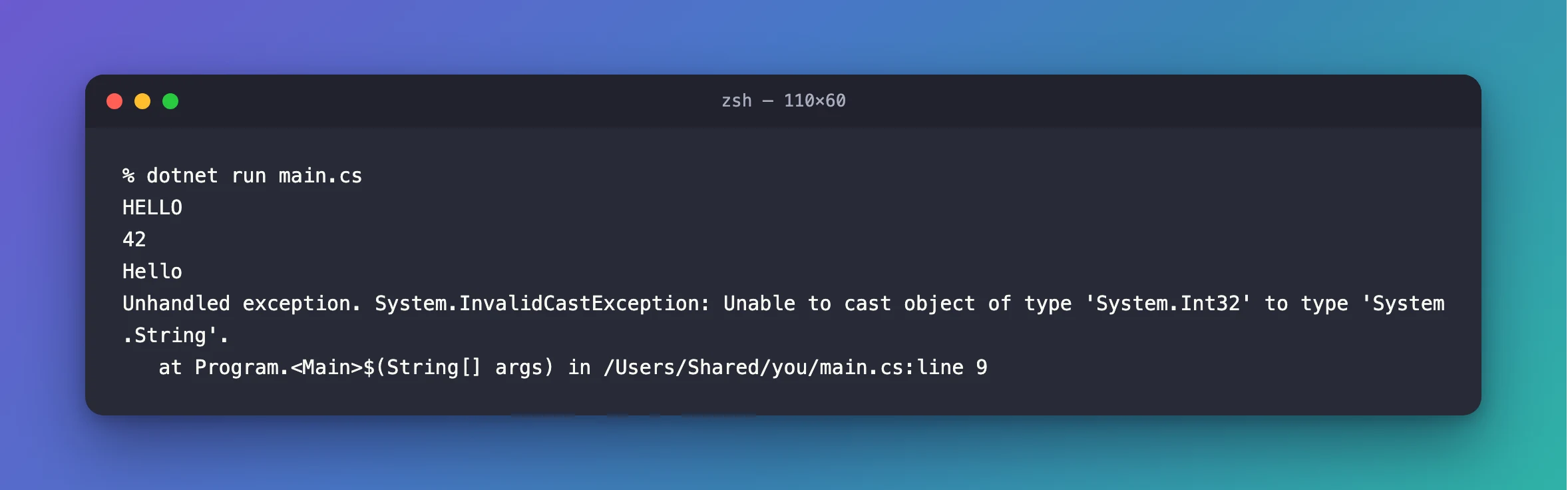
The command is the same in zsh, bash and PowerShell.
What Happened
(string)greetingworked because the object really is a string, andToUpperbecame available.count.ToString()didn't cast anything: every object can describe itself as text.greeting as stringreturned the string. Oncount,aswould have returnednullinstead.(string)countcompiled, because anobjectmight be a string, but at run time the value was anint, so the cast threwInvalidCastException.
Common Mistakes
| Mistake | What happens | Do this instead |
|---|---|---|
Casting a number to string | InvalidCastException: Unable to cast object of type 'System.Int32' to type 'System.String'. | Call ToString() to get its text |
Casting a string straight to int, as in (int)"42" | error CS0030: Cannot convert type 'string' to 'int' | Use int.Parse("42") |
Using as and not checking for null | A later call fails with NullReferenceException | Check the result, or use a pattern: if (value is string text) |
Troubleshooting
| Symptom | Likely cause | Fix |
|---|---|---|
System.InvalidCastException at a cast | The value's real type isn't the one in brackets | Check it with value.GetType().Name, or use is |
| An empty line where text was expected | as returned null because the value wasn't a string | Use a cast to fail loudly, or handle the null |
FAQ
When should I use a cast and when as?
Use a cast when the value must be that type, so a wrong value stops the program at the cause. Use as, or is, when either type is fine and you want to check.
Does a cast change the value?
Not for a reference type such as string: the object stays the same, only the type the compiler sees changes.
Conclusion
(string)value turns an object back into a string and throws InvalidCastException when the value is something else. value as string gives null instead, and ToString() turns any value into text without a cast.
Additional Resources
- Type-testing operators and cast expressions, on Microsoft Learn.
