How to Cancel EF Core Queries with a CancellationToken in a Minimal API

Add a CancellationToken parameter to a minimal API endpoint, pass it to EF Core, and the work can stop when the client goes away. That's the idea, so I measured what it does on MySQL with Oracle's connector. The token fires, and the next step stops. A statement that's already running keeps going until it ends, so the token isn't a substitute for a command timeout.
Prerequisites
- A .NET minimal API with EF Core. The examples use .NET 10, EF Core 10, Oracle's
MySql.EntityFrameworkCore10.0.12 with MySql.Data 26.10.0, and MySQL 9.7.
Step 1: Pass the Token
Add a CancellationToken parameter. ASP.NET Core's parameter binding page lists it among the special types, as "The cancellation token associated with the current HTTP request". Then pass it to each async call:
private static async Task<Ok<List<CategoryResponse>>> ListAsync(
    InventoryDbContext db,
    CancellationToken cancellationToken)
{
    var categories = await db.Categories
        .OrderBy(c => c.Name)
        .Select(c => new CategoryResponse(c.Id, c.Name, c.CreatedAtUtc))
        .ToListAsync(cancellationToken);

    return TypedResults.Ok(categories);
}
The token fires when the client disconnects. The .NET analyzers (CA2016) remind you to pass it along.
Step 2: See What It Stops
To measure it, this endpoint runs a query that takes 20 seconds, SELECT SLEEP(20), and curl gives up after 2:
app.MapGet("/demo/slow", async (InventoryDbContext db, ILoggerFactory loggers, CancellationToken cancellationToken) =>
{
    var logger = loggers.CreateLogger("Demo");
    DemoLog.SlowStarted(logger);
    using var registration = cancellationToken.Register(() => DemoLog.TokenFired(logger));

    var result = await db.Database.SqlQueryRaw<int>("SELECT SLEEP(20) AS `Value`").ToListAsync(cancellationToken);

    DemoLog.SlowFinished(logger, result[0]);
    return Results.Ok(result[0]);
});
curl -s -m 2 -o /dev/null -w 'curl http=%{http_code} after %{time_total}s\n' http://localhost:5190/demo/slow
curl http=000 after 2.004471s
The token did fire, as the API's log shows at 3 seconds:
info: Demo[1317550069]
      Starting a query that takes 20 seconds
info: Demo[74491962]
      The request's cancellation token fired
But MySQL hadn't stopped. Its process list, 3 seconds in:
PROCESSLIST at 3s
+----+------+------------+-----------------------------+
| ID | TIME | STATE      | INFO                        |
+----+------+------------+-----------------------------+
| 26 |    4 | User sleep | SELECT SLEEP(20) AS `Value` |
+----+------+------------+-----------------------------+
And 21 seconds in, the log shows the query ran its whole 20 seconds, and the method carried on:
info: Microsoft.EntityFrameworkCore.Database.Command[20101]
      Executed DbCommand (20,016ms) [Parameters=[], CommandType='Text', CommandTimeout='30']
      SELECT SLEEP(20) AS `Value`
info: Demo[183478342]
      The query finished with 0
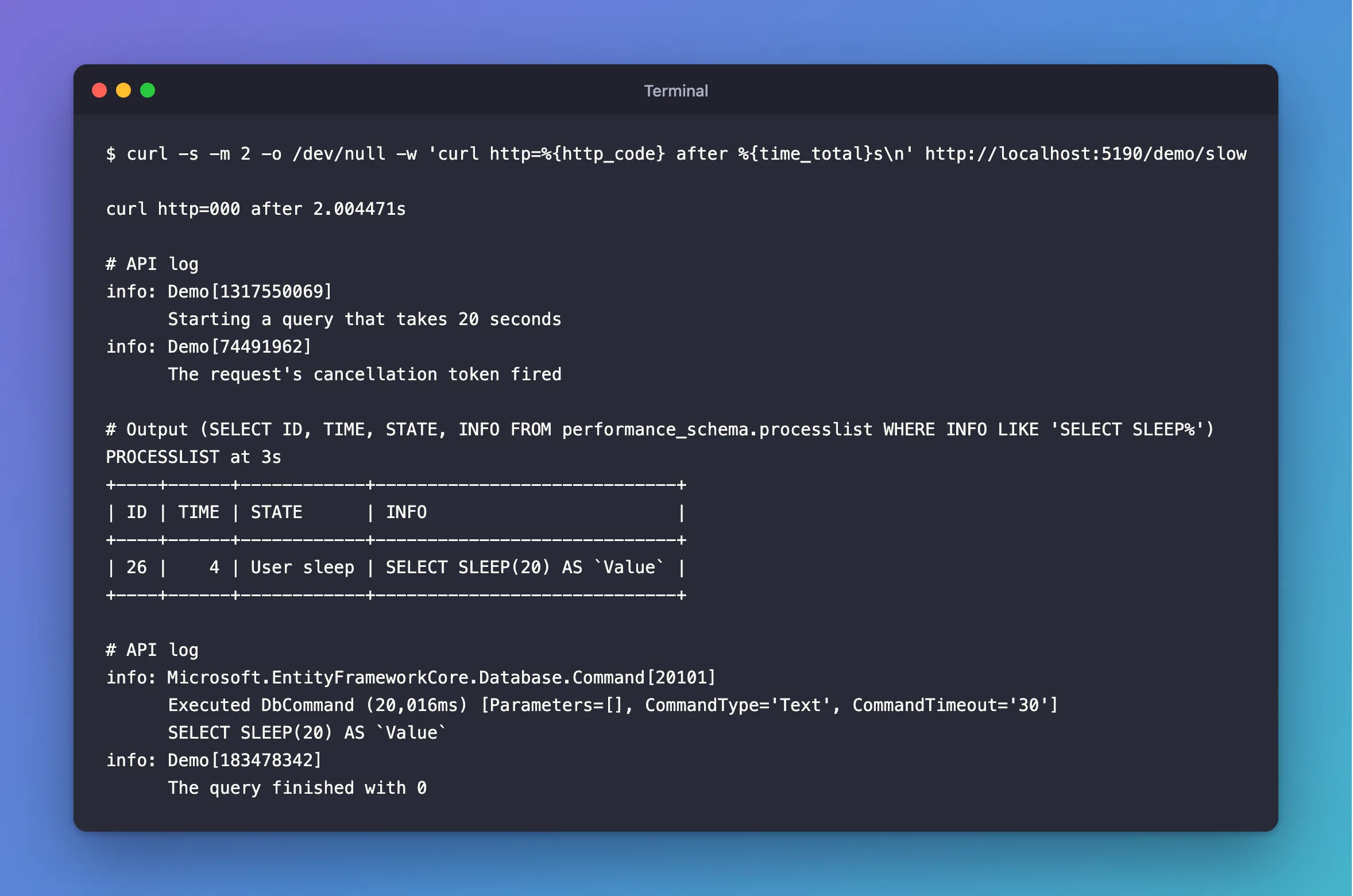
So with this connector, a statement that's already running isn't interrupted by the token.
Step 3: See What It Does Stop
The token does stop the next step. This endpoint runs a 5-second query, then a second one:
await db.Database.SqlQueryRaw<int>("SELECT SLEEP(5) AS `Value`").ToListAsync(cancellationToken);
DemoLog.SecondStarting(logger);

var count = await db.Products.CountAsync(cancellationToken);
DemoLog.Counted(logger, count);
With curl giving up after 2 seconds:
info: Demo[74491962]
      The request's cancellation token fired
info: Microsoft.EntityFrameworkCore.Database.Command[20101]
      Executed DbCommand (5,010ms) [Parameters=[], CommandType='Text', CommandTimeout='30']
      SELECT SLEEP(5) AS `Value`
info: Demo[990700017]
      The first query finished. Starting the second
The second query never ran: there's no SELECT COUNT and no Counted line. So a request made of several steps still stops early, which is why passing the token is worth it.
Step 4: Limit Long Queries Another Way
A runaway statement needs a limit of its own, and with this driver, that shouldn't be CommandTimeout: an async statement that outlasts it never returns. Put the limit on the server instead. How to Limit How Long a SELECT Runs in MySQL shows max_execution_time, and How to Run SQL When a Connection Opens in EF Core sets it on every connection.
Common Mistakes
| Mistake | What happens | Do this instead |
|---|---|---|
| Not passing the token | Later steps run for a client who's gone | Pass it to every async call |
| Relying on it to stop a slow query on MySQL | The query keeps running | Set a limit on the server, and fix the query |
Passing CancellationToken.None | The same as not passing it | Use the endpoint's token |
Catching OperationCanceledException and answering 500 | A client leaving looks like a server failure | Let it go |
FAQ
Is this true for every MySQL driver?
I measured Oracle's MySql.Data 26.10.0, through MySql.EntityFrameworkCore 10.0.12. Other drivers can behave differently, so measure yours the same way.
Should I still pass the token?
Yes. It costs nothing, it stops later steps, and it's what the code analysis rules ask for.
Conclusion
Add CancellationToken to the endpoint, and pass it to every EF Core call. With Oracle's MySQL connector, it stops the next step when the client disconnects, but a running statement finishes anyway, as SELECT SLEEP(20) did here. Use a limit on the server for that.
Additional Resources
- Parameter binding: special types —
CancellationToken. - Asynchronous Programming in EF Core — async queries.
