How to Cancel an Upstream Request When the Browser Disconnects in Next.js

A Next.js route handler often calls another service — an API, a database, an AI model — and waits for it. If the browser gives up, closes the tab or presses Stop, that call keeps running for nobody unless you tell it otherwise. Passing request.signal to fetch ties the two together. This guide shows the one line, and a side-by-side run of what happens with and without it.
How a Request Tells You It Has Ended
Every route handler receives the browser's Request, and every Request has a signal: an AbortSignal that fires when the request ends early — the browser disconnects, or a client times out. fetch accepts a signal too, and cancels its request when that signal fires. Handing one to the other means: this upstream call lives exactly as long as the browser's request.
Prerequisites
- A Next.js app with the App Router. The examples use Next.js 16.4.6.
- curl, to play a client that gives up.
Step 1: A Slow Upstream Service
For the demonstration, the "upstream" is a route in the same app: ten steps of half a second, which checks between steps whether its own caller has gone, and logs what happened:
// A slow service: ten steps of half a second, which stops when its caller goes away.
export async function GET(request: Request) {
  const id = new URL(request.url).searchParams.get("id");
  console.log(`upstream ${id}: started`);
  for (let step = 1; step <= 10; step++) {
    if (request.signal.aborted) {
      console.log(
        `upstream ${id}: the caller went away, stopped after step ${step - 1}`,
      );
      return new Response(null, { status: 499 });
    }
    await new Promise((resolve) => setTimeout(resolve, 500));
  }
  console.log(`upstream ${id}: finished all 10 steps`);
  return Response.json({ done: true });
}
In real life this is any service that does work per request — and many, like AI model APIs, also stop when their caller disconnects.
Step 2: Pass request.signal On
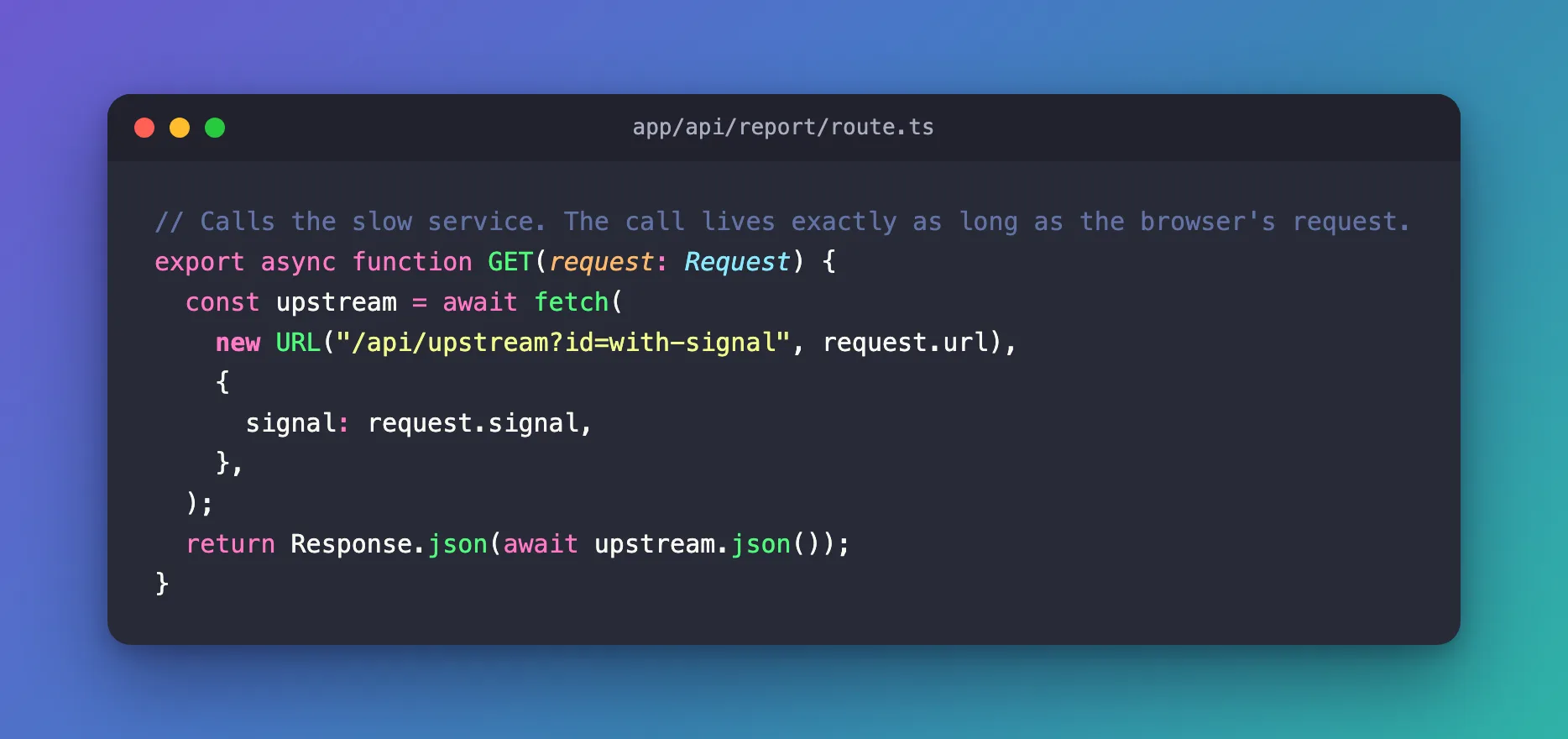
The route the browser calls, with the signal passed to fetch:
// Calls the slow service. The call lives exactly as long as the browser's request.
export async function GET(request: Request) {
  const upstream = await fetch(
    new URL("/api/upstream?id=with-signal", request.url),
    {
      signal: request.signal,
    },
  );
  return Response.json(await upstream.json());
}
For comparison, the same route without the signal:
// The same call, without passing the request's signal on.
export async function GET(request: Request) {
  const upstream = await fetch(
    new URL("/api/upstream?id=without-signal", request.url),
  );
  return Response.json(await upstream.json());
}
Step 3: Leave Early, Both Ways
Build and start the app (npm run build, then npm start), so that no route is compiled on its first request. Then call each route with a client that gives up after one second — --max-time 1:
curl --max-time 1 http://localhost:3000/api/report
curl --max-time 1 http://localhost:3000/api/report-no-signal
curl: (28) Operation timed out after 1009 milliseconds with 0 bytes received
curl: (28) Operation timed out after 1001 milliseconds with 0 bytes received
Both times, the client left after a second. The app's terminal shows what happened upstream:
upstream with-signal: started
⨯ [ResponseAborted: ]
upstream with-signal: the caller went away, stopped after step 2
upstream without-signal: started
upstream without-signal: finished all 10 steps
| Run | What the upstream did |
|---|---|
With signal: request.signal | Stopped after step 2 — about one second, the moment curl gave up. ⨯ [ResponseAborted: ] is Next.js noting the abandoned request |
| Without it | Ran all ten steps, five seconds of work, for a client that had already gone |
Multiply that by every closed tab and every Stop button, and the second version is paying for answers nobody reads.
Where It Matters Most
- Proxy routes that forward a request to another API, such as a route between a chat page and an AI agent.
- Long or expensive calls: AI models, reports, searches, file conversions.
- Streaming responses: a stream you return has a
cancel()hook for the same moment (How to Stream Server-Sent Events from a Next.js Route Handler).
The trusted route in the Microsoft Agent Framework series passes request.signal to its agent call for exactly this reason: a user who presses Stop stops the agent too.
Common Mistakes
| Mistake | What happens | Do this instead |
|---|---|---|
Calling fetch without signal | Upstream work continues after the browser leaves | fetch(url, { signal: request.signal }) |
Creating a new AbortController that nothing triggers | Nothing ever cancels it | Use request.signal, or combine it with your own timeout |
| Treating the abort as a failure to report | Logs fill with errors for every closed tab | Check request.signal.aborted before logging an error |
Troubleshooting
| Symptom | Likely cause | Fix |
|---|---|---|
| The upstream still finishes its work | The signal isn't passed to the call that does the work | Pass it to every fetch the request starts |
⨯ [ResponseAborted: ] in the server log | A client left before the response finished | Expected for abandoned requests |
Nothing is cancelled in npm run dev | The route was still compiling when the client gave up | Try it with npm run build and npm start |
FAQ
Can I add a timeout as well?
Yes. AbortSignal.any([request.signal, AbortSignal.timeout(10_000)]) gives a signal that fires on whichever comes first: the browser leaving or ten seconds passing.
Does this work for database calls?
If the database client accepts an AbortSignal, pass it the same way. Otherwise, check request.signal.aborted between steps, as the upstream route above does.
Conclusion
request.signal fires when the browser's request ends early. Pass it to every fetch your route handler starts, and the upstream call ends with the request — here after one second instead of five, for a client that was already gone.
Additional Resources
- MDN: Request.signal — the request's abort signal.
- MDN: AbortSignal —
any()andtimeout(). - Next.js: Route handlers — the
Requestyour handler receives.
