How to Call a Static .NET Method in PowerShell

PowerShell is built on .NET, so it can use .NET's classes directly. A static method belongs to the class itself, so you call it on the class name with ::, as in [Math]::Round(3.14159, 2). This guide rounds a number, makes a new GUID and passes one call's result to another, with real output from PowerShell 7.6.10.
Syntax
[<TypeName>]::<MethodName>(<argument1>, <argument2>)
| Part | What it means |
|---|---|
[<TypeName>] | The .NET type, in square brackets, such as [Math] or [System.Math] |
:: | The static member operator: what follows belongs to the type itself, not to one object of that type |
<MethodName> | The method to call, written straight after :: |
(<argument1>, <argument2>) | The values the method needs, separated by commas, straight after the method's name. A method that needs none still takes () |
The about_Operators page says that :: "Calls the static properties and methods of a .NET class." And about_Methods: "The parentheses are required for every method call, even when there are no arguments. If the method takes multiple arguments, they should be separated by commas."
The Example
The example calls three static methods: Round and Sqrt from System.Math, .NET's class of math functions, and NewGuid from System.Guid, which makes a new GUID, a globally unique identifier. The commands run in the PowerShell 7.6.10 console.
Prerequisites
- PowerShell 7. This guide uses PowerShell 7.6.10.
Step 1: Round a Number
[Math]::Round(3.14159, 2)
3.14
Round took two arguments: the number, and how many digits to keep after the decimal point. It returned 3.14.
Step 2: Call a Method That Takes No Arguments
[Guid]::NewGuid()
Guid
----
96eaa32b-568c-4eeb-93a3-08e175893c83
NewGuid needs no arguments, but the empty parentheses are still required. It returned a new GUID, which PowerShell shows as a table with one column, Guid. Yours will be different: two more calls returned two more GUIDs, each different from the others.
Step 3: Pass One Method's Result to Another
A method call can be an argument of another call. Sqrt returns a number's square root, and Round then shortens it:
[Math]::Sqrt(10)
[Math]::Round([Math]::Sqrt(10), 2)
3.16227766016838
3.16
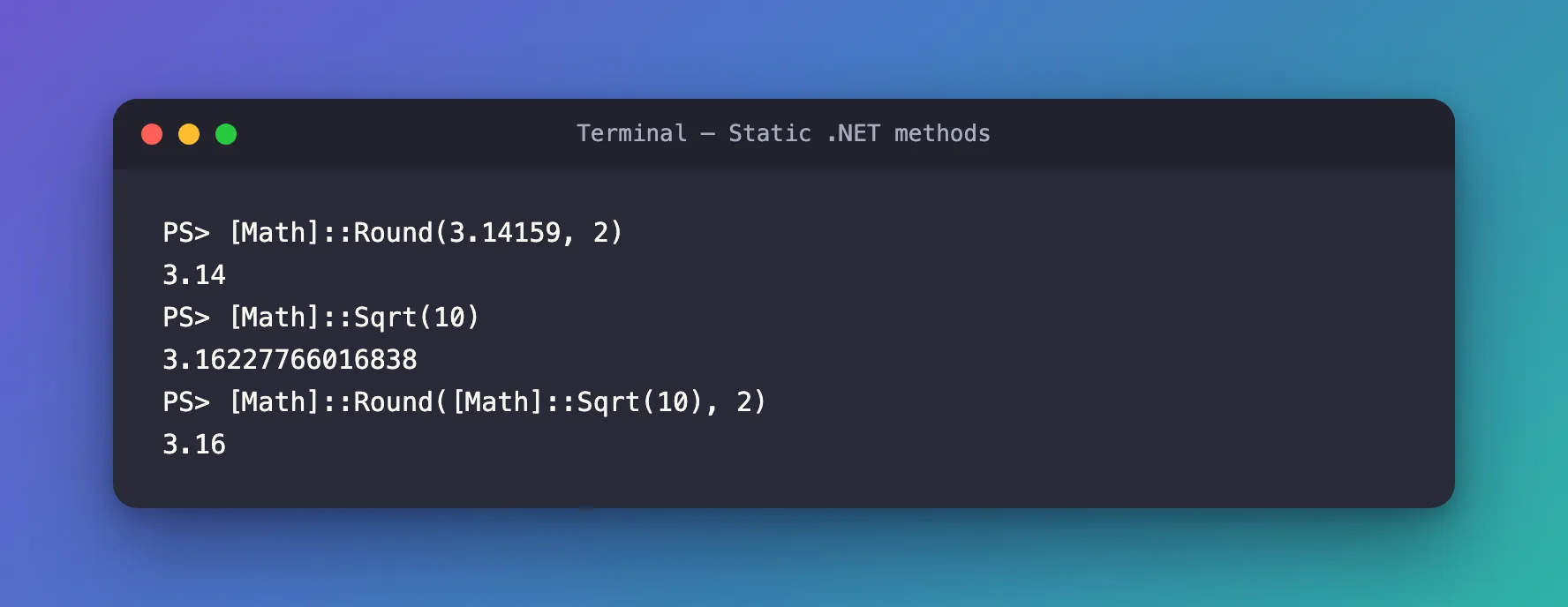
PowerShell ran the inner call first: Sqrt returned 3.16227766016838, and Round received that number as its first argument and returned 3.16.
Common Mistakes
| Mistake | What happens | Do this instead |
|---|---|---|
A dot instead of ::: [Math].Round(3.14159, 2) | Method invocation failed because [System.RuntimeType] does not contain a method named 'Round'. The dot looked for Round on [Math] itself, an object of type System.RuntimeType | Use :: |
A space before the parenthesis: [Math]::Round (3.14159, 2) | ParserError: Unexpected token '(' in expression or statement. | Write ( straight after the method's name |
Spaces instead of commas between arguments: [Math]::Round(3.14159 2) | ParserError: Missing ')' in method call. | Separate the arguments with commas |
No parentheses: [Guid]::NewGuid | No GUID: PowerShell printed the method's OverloadDefinitions, static guid NewGuid() | Add () |
Troubleshooting
| Symptom | Likely cause | Fix |
|---|---|---|
Method invocation failed because [System.RuntimeType] does not contain a method named ... | A dot between the type and the method's name | Use :: |
OverloadDefinitions appears instead of a result | The method's name has no parentheses after it | Add them, with the arguments inside |
FAQ
Do I have to write System. in the type name?
No. [System.Math]::Round(3.14159, 2) printed 3.14 as well. The Using static classes and methods article explains why: "Windows PowerShell automatically prepends 'System.' to type names when you use New-Object. The same thing happens when using a bracketed type name, so you can specify [System.Environment] as [Environment]."
How do I see which static methods a type has?
Pipe the type to Get-Member -Static. The about_Operators page: "To find the static properties and methods of an object, use the Static parameter of the Get-Member cmdlet." [Math] | Get-Member -Static -MemberType Method listed 45 methods, Round and Sqrt among them.
Why did [Math]::Round(2.5) return 2?
A number exactly halfway between two whole numbers goes to the even one. The Math.Round reference: "By default, the Round method uses the round to nearest even convention." To round halves away from zero instead, pass [MidpointRounding]::AwayFromZero, a value read with the same ::: [Math]::Round(2.5, [MidpointRounding]::AwayFromZero) returned 3.
Conclusion
[Math]::Round(3.14159, 2) returned 3.14: the type in square brackets, ::, the method's name, and its arguments in parentheses. Keep the ::, put ( straight after the name, and separate the arguments with commas.
Additional Resources
- about_Operators — the static member operator,
::. - about_Methods — calling methods, with their parentheses and arguments.
- Using static classes and methods —
System.MathandSystem.Environmentin PowerShell. - Math.Round — the method's overloads and its rounding rules.
