How to Calculate Hours Between Two Times in Excel

Excel stores times as numbers, so the time between two of them is a subtraction: finish minus start. A shift from 19:00 to 23:00 gives 04:00. This is where every timesheet's hours begin, and it needs one more step for shifts that end after midnight.
The example is the Time worked column of the old overtime timesheet, from Part 1 of the Overtime Timesheet series.
Prerequisites
- Start and finish times in cells, entered as times such as
19:00.
Step 1: Subtract Start from Finish
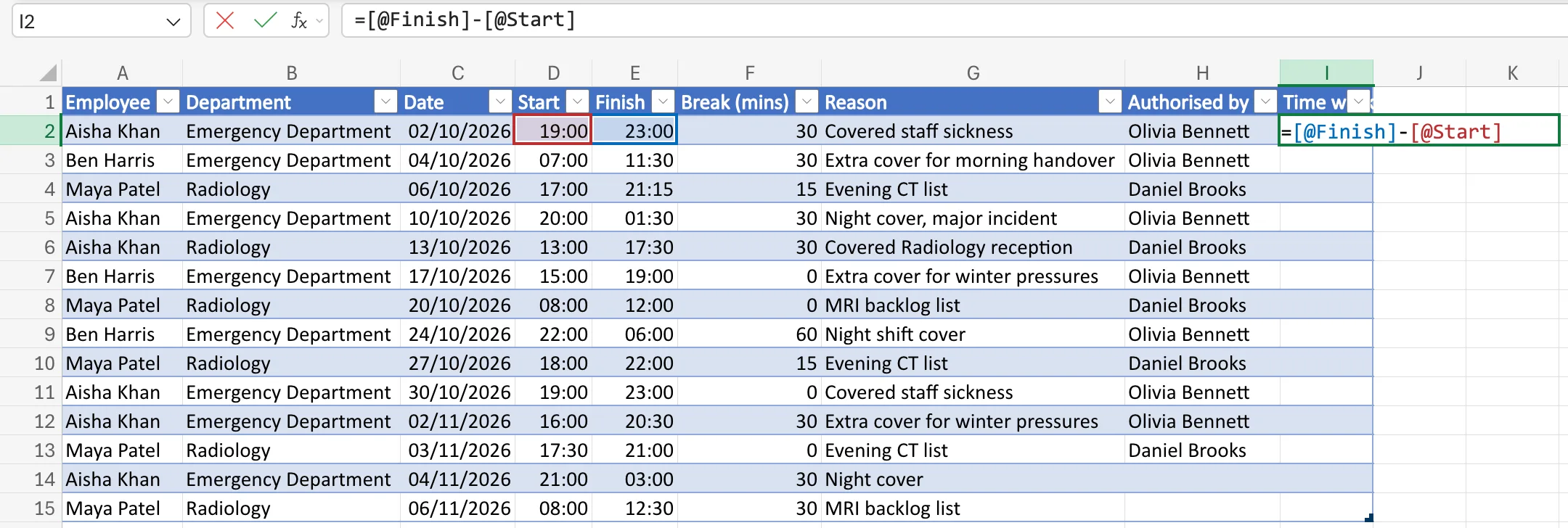
In an Excel table, with Start in column D and Finish in E, type in the first row of a new column:
=[@Finish]-[@Start]
[@Finish] means "this row's Finish" (How to Use Structured References in an Excel Table). Outside a table, the same formula in row 2 is =E2-D2.
Step 2: Read the Result
Press Enter. Each row shows its time worked: 04:00 for 19:00 to 23:00, 04:30 for 07:00 to 11:30, 04:15 for 17:00 to 21:15:
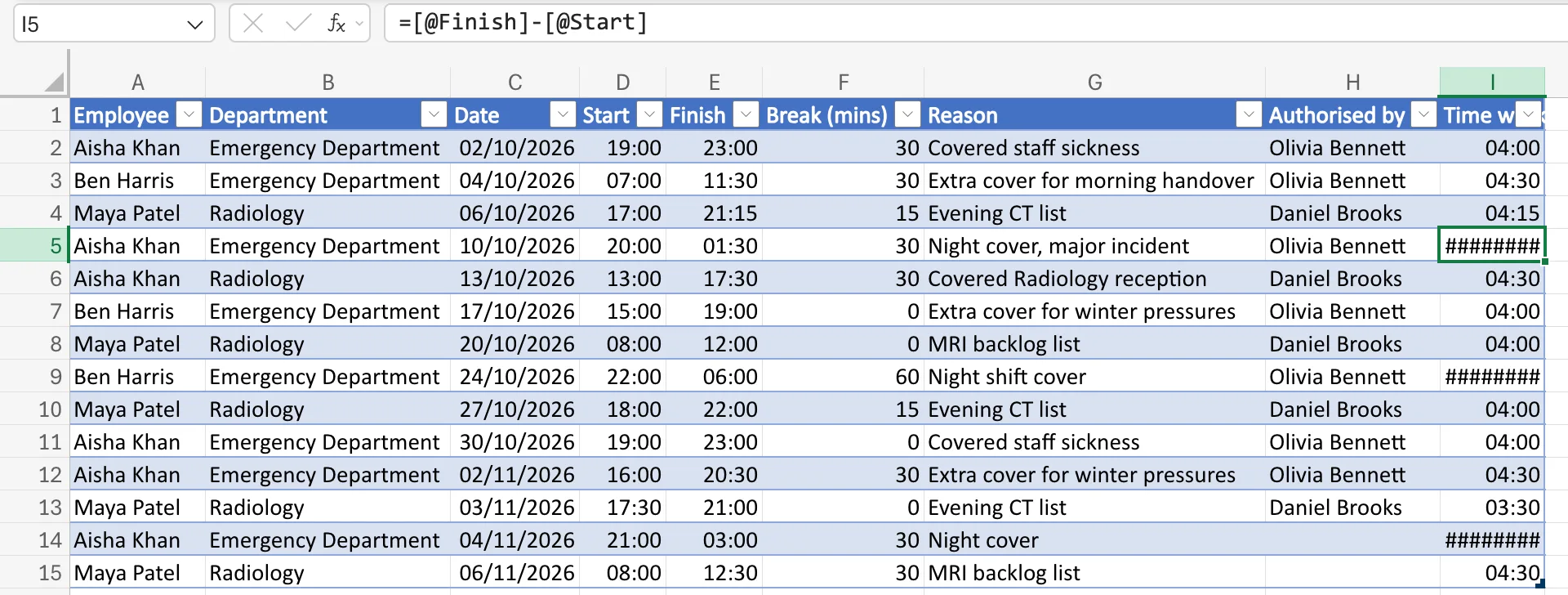
The result is a time because Excel counts in days. 19:00 is 0.7917 of a day and 23:00 is 0.9583, so the difference, 0.1667, is a sixth of a day: four hours. Excel shows it as 04:00.
Step 3: Handle Shifts Past Midnight
Rows 5, 9 and 14 show ########. They're night shifts, such as 20:00 to 01:30, where Finish is earlier in the day than Start, so the subtraction is negative, and Excel can't show a negative time. Wrap it in MOD:
=MOD([@Finish]-[@Start],1)
How to Calculate Hours for an Overnight Shift in Excel with MOD explains how it works.
Common Mistakes
| Mistake | What happens | Do this instead |
|---|---|---|
| Subtracting the other way round | Every result is negative and shows ######## | Finish minus start |
| Multiplying by 24 in the same column | The column shows a time format | Keep hours in their own column: How to Convert Time to Decimal Hours in Excel |
Troubleshooting
| Symptom | Likely cause | Fix |
|---|---|---|
######## only on night shifts | Negative time | MOD(Finish-Start,1) |
######## everywhere | The column is too narrow | AutoFit the column |
#VALUE! | A cell holds text that Excel can't read as a time | Re-enter it as a time such as 19:00 |
FAQ
How do I get 4 instead of 04:00?
Multiply by 24 and format as a number: How to Convert Time to Decimal Hours in Excel.
How do I take off an unpaid break?
Subtract it as a time: How to Subtract an Unpaid Break from Hours Worked in Excel.
Conclusion
Hours between two times is =Finish-Start, shown as a time. For shifts that cross midnight, use =MOD(Finish-Start,1).
