How to Build File Paths in Python with pathlib

Gluing folder and file names together with + and "/" works until the code runs on Windows, or a slash goes missing. pathlib, in Python's standard library, builds paths with the / operator and writes them the right way for each system. This guide builds a path to a CSV file inside a folder and reads its parts, with real output from Python 3.15.2.
Syntax
from pathlib import Path

<path> = Path("<folder>") / "<subfolder>" / "<file name>"
<path>.name      # the last part, with its extension
<path>.suffix    # the extension, with its dot
<path>.stem      # the last part, without its extension
<path>.parent    # the folder that contains it
Path.home()      # your home folder
| Part | What it means |
|---|---|
Path("<folder>") | A path object. It holds a path, and the file or folder doesn't have to exist yet |
/ "<name>" | "The slash operator helps create child paths, like os.path.join()." It adds one level and returns a new path |
.name | "A string representing the final path component" |
.suffix | "The last dot-separated portion of the final component, if any" |
.stem | "The final path component, without its suffix" |
.parent | "The logical parent of the path" |
Path.home() | "A new path object representing the user's home directory" |
A path object works anywhere Python expects a file name, such as open(), and str(path) turns it into text.
Step 1: Build a Path and Read Its Parts
The example builds the path of a CSV file inside an evaluation folder, prints its parts, and builds a second path inside your Downloads folder. Create paths.py:
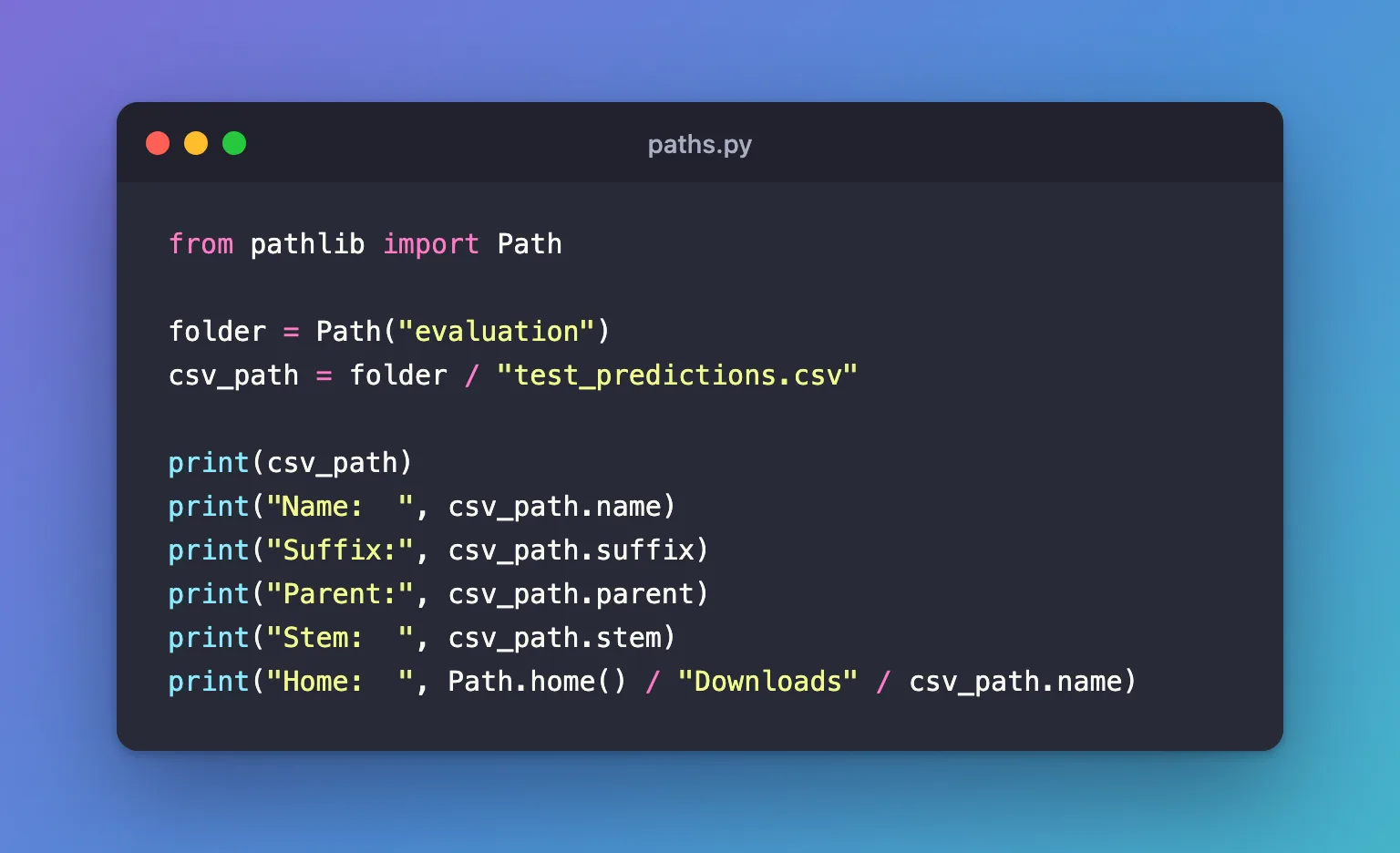
from pathlib import Path

folder = Path("evaluation")
csv_path = folder / "test_predictions.csv"

print(csv_path)
print("Name:  ", csv_path.name)
print("Suffix:", csv_path.suffix)
print("Parent:", csv_path.parent)
print("Stem:  ", csv_path.stem)
print("Home:  ", Path.home() / "Downloads" / csv_path.name)
| Line | What it does |
|---|---|
folder / "test_predictions.csv" | Adds the file name to the folder's path |
print(csv_path) | Prints the path as your system writes it |
| The next four lines | Print the parts, using the attributes from the syntax table |
Path.home() / "Downloads" / csv_path.name | Starts at your home folder and adds two levels, reusing the file's name |
Step 2: Run It
uv run python paths.py
evaluation/test_predictions.csv
Name:   test_predictions.csv
Suffix: .csv
Parent: evaluation
Stem:   test_predictions
Home:   /Users/you/Downloads/test_predictions.csv
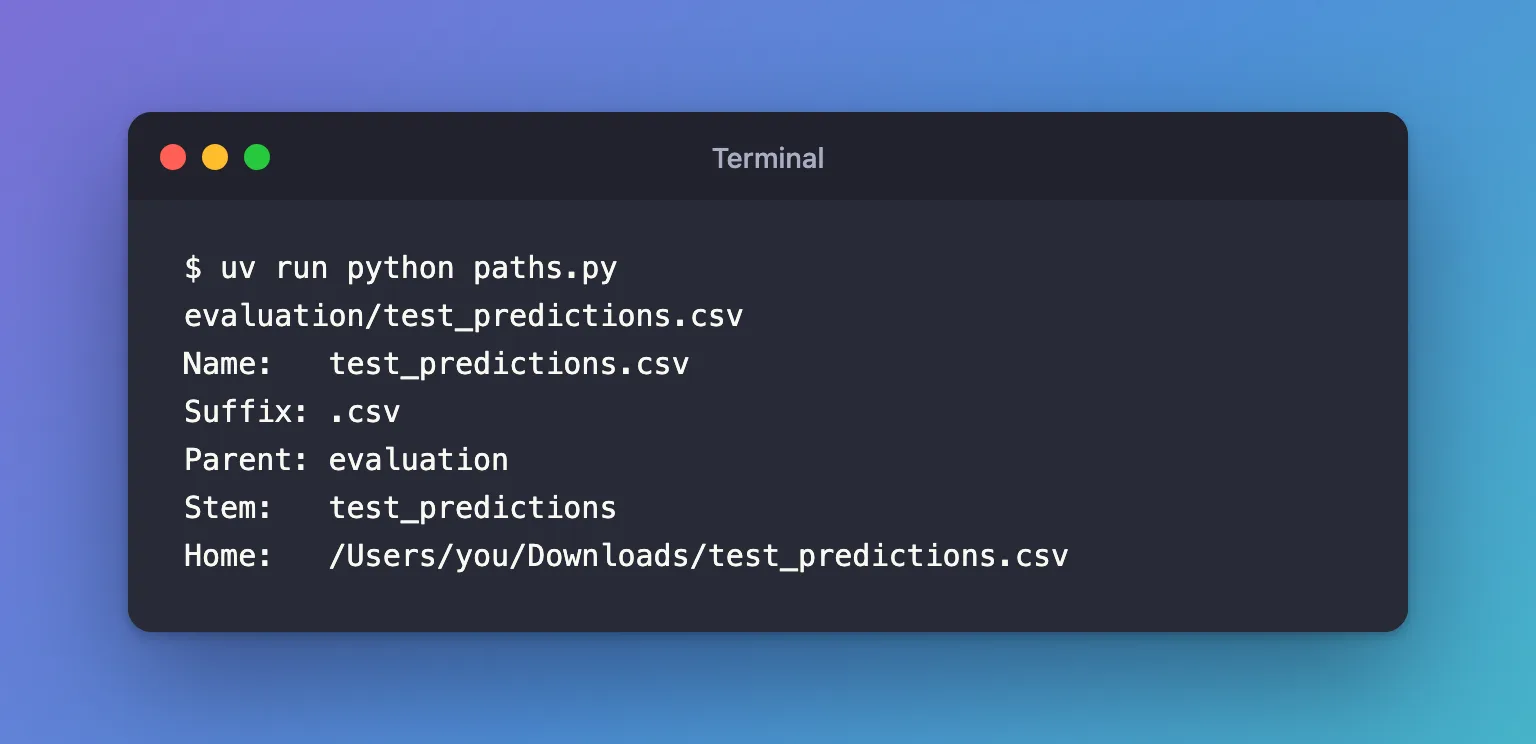
- The first line is the joined path, with a forward slash on macOS and Linux. On Windows, Python prints it "in native form, e.g. with backslashes":
evaluation\test_predictions.csv. Your code is the same on all three. Suffix: .csvincludes the dot.Stemis the name without it.Home:shows the home folder of the account running the script; on Windows it starts withC:\Users\.
Common Mistakes
| Mistake | What happens | Do this instead |
|---|---|---|
Starting the second part with a slash: folder / "/test_predictions.csv" | The result is /test_predictions.csv. The docs: "If the argument is an absolute path, the previous path is ignored" | Write the names without a leading slash |
Dividing two plain strings: "evaluation" / "x.csv" | TypeError: unsupported operand type(s) for /: 'str' and 'str' | Make the first part a path: Path("evaluation") / "x.csv" |
Building paths with + "/" + | Mixed slashes on Windows, and missing or doubled slashes | Use / between Path parts |
Troubleshooting
| Symptom | Likely cause | Fix |
|---|---|---|
FileNotFoundError when you open the path | Building a path doesn't create anything; the folder or file doesn't exist | Create the folder first with folder.mkdir(parents=True, exist_ok=True) |
| A relative path points somewhere unexpected | Relative paths start from the folder the script runs in, not the script's own folder | Run the script from the right folder, or build from Path(__file__).parent |
FAQ
Do I still need os.path.join?
No. os.path.join("evaluation", "x.csv") and Path("evaluation") / "x.csv" build the same path, and the path object also gives you .name, .suffix, .parent and methods such as .exists().
Can I pass a Path to functions that expect text?
Yes, wherever Python accepts a file name, such as open() and most libraries, including pandas. For code that needs real text, use str(path).
Does building a path check that the file exists?
No. A path is only a name. path.exists() checks the disk.
Conclusion
Path("evaluation") / "test_predictions.csv" built a path to a CSV file without any slashes in the strings, .name, .suffix, .stem and .parent read its parts, and Path.home() started a path from the home folder. The same code prints forward slashes on a Mac and backslashes on Windows.
Additional Resources
- pathlib — Object-oriented filesystem paths — Python's reference, including the operators and every attribute.
- Corresponding tools in os.path — what replaces each
os.pathfunction.
