How to Build a JSON Object in Code with JsonObject in C#

Sometimes you need a piece of JSON whose shape you decide as you go, and writing a class for it would be overkill. In C#, JsonObject from System.Text.Json.Nodes is a JSON object you build in code: add properties by name, change them, read them back, and print the JSON.
Syntax
using System.Text.Json.Nodes;

JsonObject <name> = new()
{
    ["<property>"] = <value>,
};

<name>["<property>"] = <value>;
| Part | What it does |
|---|---|
new() { ["<property>"] = <value>, } | Creates the object with its first properties |
<name>["<property>"] = <value> | Adds the property, or replaces its value when it's already there |
<value> | A string, a number, true or false, or another JSON node |
Microsoft's JsonObject reference describes the class in one line: "Represents a mutable JSON object." Its guide to the JSON DOM adds: "JsonNode and the classes that derive from it in the System.Text.Json.Nodes namespace provide the ability to create a mutable DOM."
The Example
The program builds a person with a name, an age and an admin flag, then adds a city and changes the age. It prints the whole object, one property, and the number of properties.
Prerequisites
- The .NET 10 SDK or newer, which runs a single
.csfile withdotnet run. This guide uses .NET SDK 10.0.404.
Step 1: Write the Code
Create a file named main.cs in an empty folder:
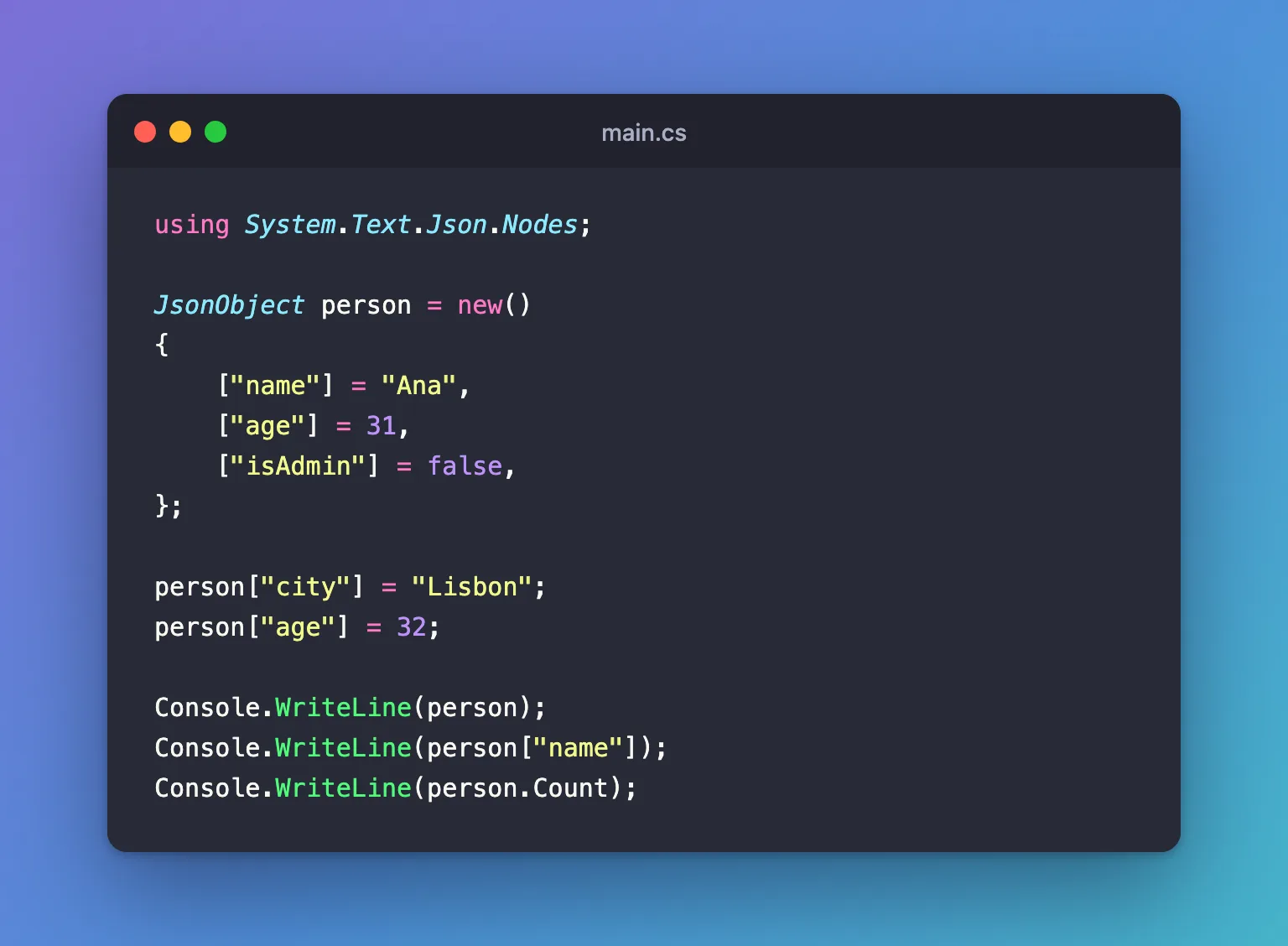
using System.Text.Json.Nodes;

JsonObject person = new()
{
    ["name"] = "Ana",
    ["age"] = 31,
    ["isAdmin"] = false,
};

person["city"] = "Lisbon";
person["age"] = 32;

Console.WriteLine(person);
Console.WriteLine(person["name"]);
Console.WriteLine(person.Count);
Step 2: Run It
dotnet run main.cs
{
  "name": "Ana",
  "age": 32,
  "isAdmin": false,
  "city": "Lisbon"
}
Ana
4
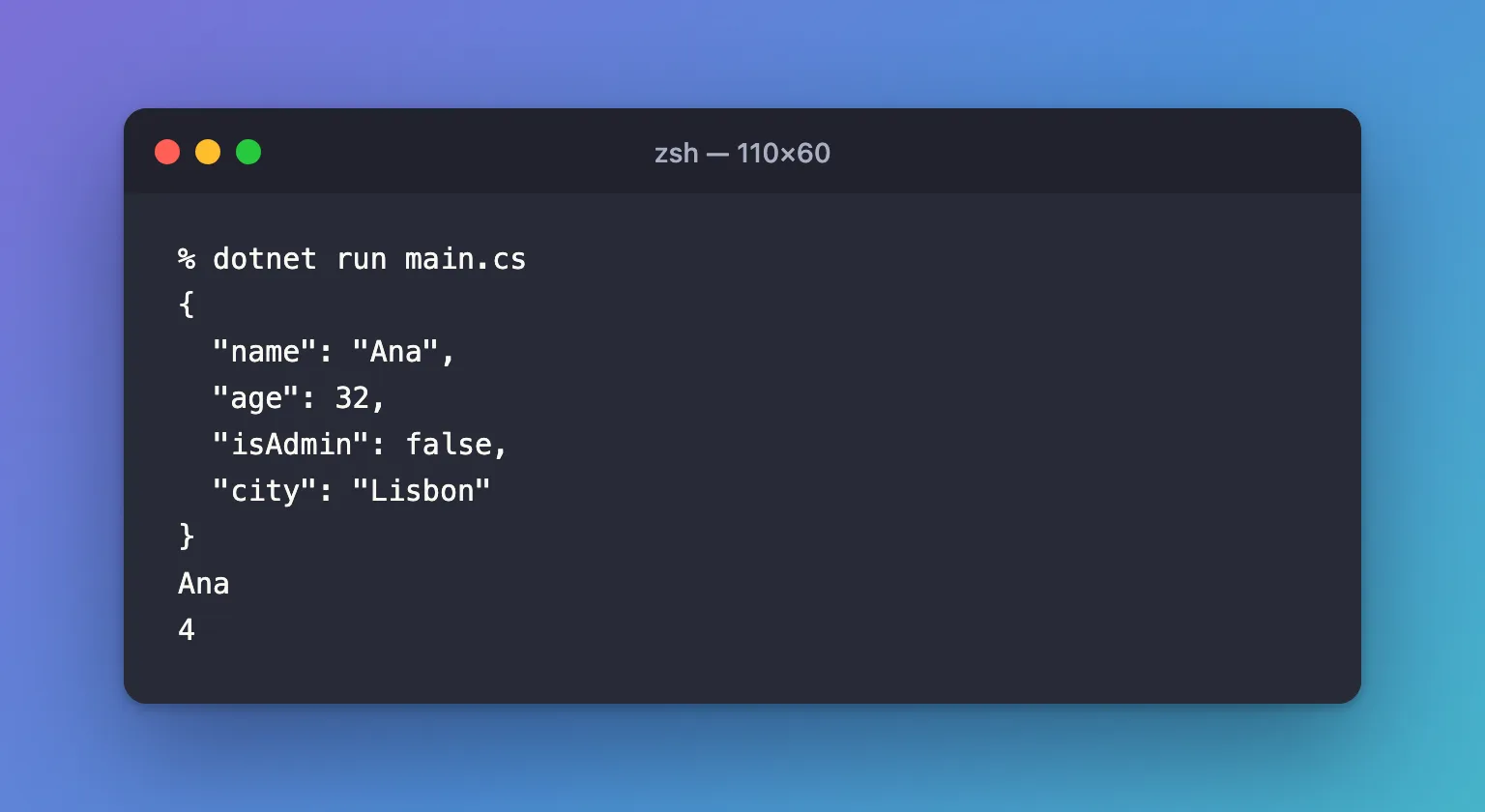
- Printing the object gave indented JSON, with the properties in the order they were added.
citywas new, so it was added at the end.agewas already there, so its value changed from 31 to 32 in place.person["name"]gave the value,Ana, andCountthe number of properties, 4.
The command is the same in zsh, bash and PowerShell.
Property Names Are Case-Sensitive
name and Name are different properties:
using System.Text.Json.Nodes;

JsonObject person = new() { ["name"] = "Ana" };

Console.WriteLine(person["name"] is null);
Console.WriteLine(person["Name"] is null);
Console.WriteLine(person.ContainsKey("Name"));
False
True
False
Reading a property that isn't there gives null rather than an error, so a wrong case shows up as a missing value.
Add Throws for an Existing Property
Add only adds. For a name that's already there, it throws, where the square brackets would have replaced the value:
using System.Text.Json.Nodes;

JsonObject person = new() { ["name"] = "Ana" };
person.Add("name", "Ben");
Unhandled exception. System.ArgumentException: An item with the same key has already been added. Key: name (Parameter 'key')
   at System.Collections.ThrowHelper.ThrowDuplicateKey[TKey](TKey key)
   at System.Collections.Generic.OrderedDictionary`2.TryInsert(Int32 index, TKey key, TValue value, InsertionBehavior behavior, Int32& keyIndex)
   at System.Collections.Generic.OrderedDictionary`2.Add(TKey key, TValue value)
   at System.Text.Json.Nodes.JsonObject.Add(String propertyName, JsonNode value)
   at Program.<Main>$(String[] args) in /Users/you/demo/main.cs:line 4
Common Mistakes
| Mistake | What happens | Do this instead |
|---|---|---|
Reading person["Name"] for a property called name | null, as if it were missing | Use the exact name |
Calling Add for a property that may exist | ArgumentException: An item with the same key has already been added. Key: name (Parameter 'key') | Set it with person["name"] = ... |
Forgetting using System.Text.Json.Nodes; | error CS0246: The type or namespace name 'JsonObject' could not be found | Add the using line at the top |
Troubleshooting
| Symptom | Likely cause | Fix |
|---|---|---|
A property reads as null | The name or its case doesn't match | Check the name, or ContainsKey it |
ArgumentException ... Key: name | Add met an existing property | Use the square brackets to replace |
FAQ
How do I remove a property?
person.Remove("city") removes it and returns True. A second Remove("city") returned False, and the JSON was left with {"name":"Ana"}.
How do I get the JSON as a string?
person.ToJsonString() returns it on one line, as in the output above after the removal. Printing the object, as in Step 1, gives the indented form.
Conclusion
JsonObject builds JSON in code: create it with new() { ["name"] = value }, set properties with obj["name"] = value, which adds or replaces, and read them the same way. Names are case-sensitive, and Add throws for a name that's already there.
Additional Resources
- JsonObject class, on Microsoft Learn.
- How to use a JSON document object model in System.Text.Json, on Microsoft Learn.
