How to Build a Date from a Year, Month and Day in Excel with DATE

When the year is in one cell and you need a date in it, don't type the date: build it. =DATE(year, month, day) makes a real Excel date from three numbers. =DATE(B1,4,1) is 1 April of whatever year B1 holds, so changing the year moves the date with it.
The example is from the Clock change sheet in How to Calculate Hours Worked Across a Daylight Saving Time Change in Excel. B1 holds the year, 2026, and the sheet needs 1 April and 1 November of that year.
Prerequisites
- The year in a cell, here
2026in B1.
Step 1: Type the DATE Formula
In B4:
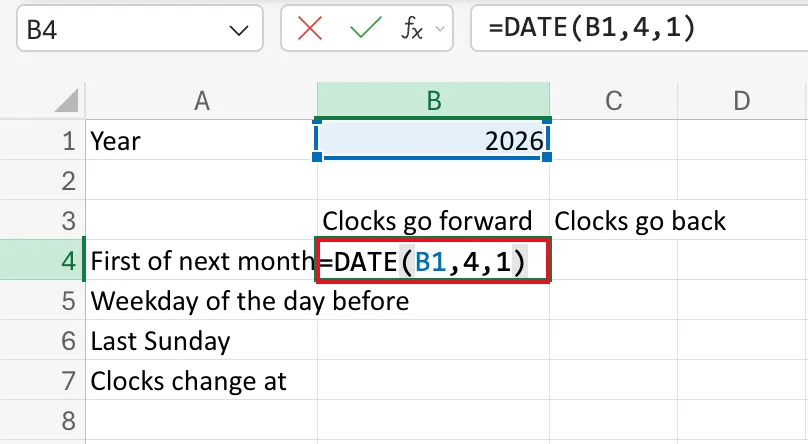
=DATE(B1,4,1)
B1: the year, 2026.4: the month, April.1: the day.
As you type, B1 is outlined in the reference colour:
Step 2: Check the Date
Press Enter. B4 shows 01/04/2026. Excel gave it a date format by itself; the Number Format box says Date:
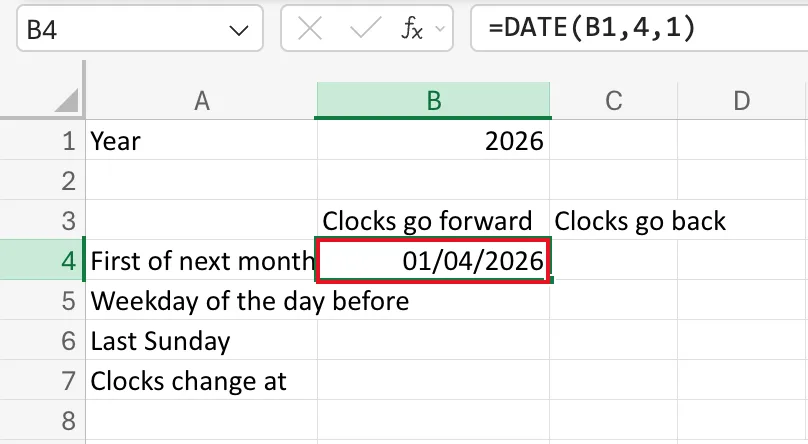
In C4, =DATE(B1,11,1) gives 01/11/2026 the same way.
What DATE Returns
Microsoft's DATE function page says it returns the serial number that represents the date: the count of days in which 1 January 1900 is day 1. That's why DATE results can be compared, subtracted and fed to other date functions. How to See the Serial Number Behind a Date in Excel shows the numbers.
The same page notes that a month over 12 carries into the next year: =DATE(2026,13,1) is 1 January 2027.
Common Mistakes
| Mistake | What happens | Do this instead |
|---|---|---|
| Typing a date that should follow a year cell | It stays in the old year when the year changes | Build it with DATE |
| Putting the arguments in day, month, year order | DATE always takes year, month, day | =DATE(year, month, day) |
Typing a two-digit year like 26 | Excel reads years from 0 to 1899 as added to 1900, so 26 is 1926 | Use four-digit years |
Troubleshooting
| Symptom | Likely cause | Fix |
|---|---|---|
| The result is a five-digit number | The cell has the General format | Give it a date format |
| The date is in 1900 | The year cell is empty or 0 | Fill in the year |
FAQ
Why not just type 01/04/2026?
Because then it doesn't follow B1. With DATE, typing 2027 in B1 moves every date built from it to 2027.
Does the regional format matter?
Not for DATE. Its arguments are numbers, so =DATE(2026,4,1) is 1 April whatever the regional format. Only how it's displayed changes.
Conclusion
=DATE(year, month, day) builds a real date from numbers, and from cells, so dates follow the values they depend on.
