How to Base64url-Encode in Rust with the base64 Crate

The base64 crate encodes base64url with its URL_SAFE_NO_PAD engine: - and _ instead of + and /, and no = padding at the end, which is the form JSON Web Tokens use. The one thing to remember is to import the Engine trait.
Syntax
use base64::Engine;
use base64::engine::general_purpose::URL_SAFE_NO_PAD;

URL_SAFE_NO_PAD.encode(data)
URL_SAFE_NO_PAD.decode(text)
| Part | What it does |
|---|---|
use base64::Engine; | Brings the Engine trait into scope. encode and decode are its methods, so they can't be called without it. |
URL_SAFE_NO_PAD | A ready-made engine: the URL-safe alphabet, with - and _, and no padding. |
encode(data) | Returns the encoded text as a String. data is anything that can be read as bytes, such as a &str or a Vec<u8>. |
decode(text) | Returns a Result: Ok with the bytes, a Vec<u8>, or Err when text isn't valid for this engine. |
The base64 crate's documentation: "Use an Engine to decode or encode base64, configured with the base64 alphabet and padding behavior best suited to your application." Its list of engines describes URL_SAFE_NO_PAD as "A GeneralPurpose engine using the alphabet::URL_SAFE base64 alphabet and NO_PAD config", where NO_PAD means "Don’t add padding when encoding, and require that there is no padding when decoding."
The Example
The example encodes the text Hi?> with three engines, STANDARD, URL_SAFE and URL_SAFE_NO_PAD, then decodes the base64url text SGk_Pg back to text. Those four characters were chosen because their base64 contains a / and padding.
Prerequisites
- Rust, installed with rustup, which comes with Cargo. This guide uses Rust 1.100.1.
Step 1: Create a Project
cargo new demo
cd demo
    Creating binary (application) `demo` package
note: see more `Cargo.toml` keys and their definitions at https://doc.rust-lang.org/cargo/reference/manifest.html
cargo new demo creates a folder named demo with a Cargo.toml file, which describes the project, and src/main.rs, which holds the code. cd demo moves into it.
Step 2: Add the base64 Crate
cargo add base64
    Updating crates.io index
      Adding base64 v0.23.1 to dependencies
             Features:
             + alloc
             + simd-unsafe
             + std
    Updating crates.io index
     Locking 1 package to highest Rust 1.100.1 compatible version
cargo add base64 adds the newest version of the crate, 0.23.1 here, to the dependencies in Cargo.toml, with its default features.
Step 3: Write the Code
Replace the contents of src/main.rs with:
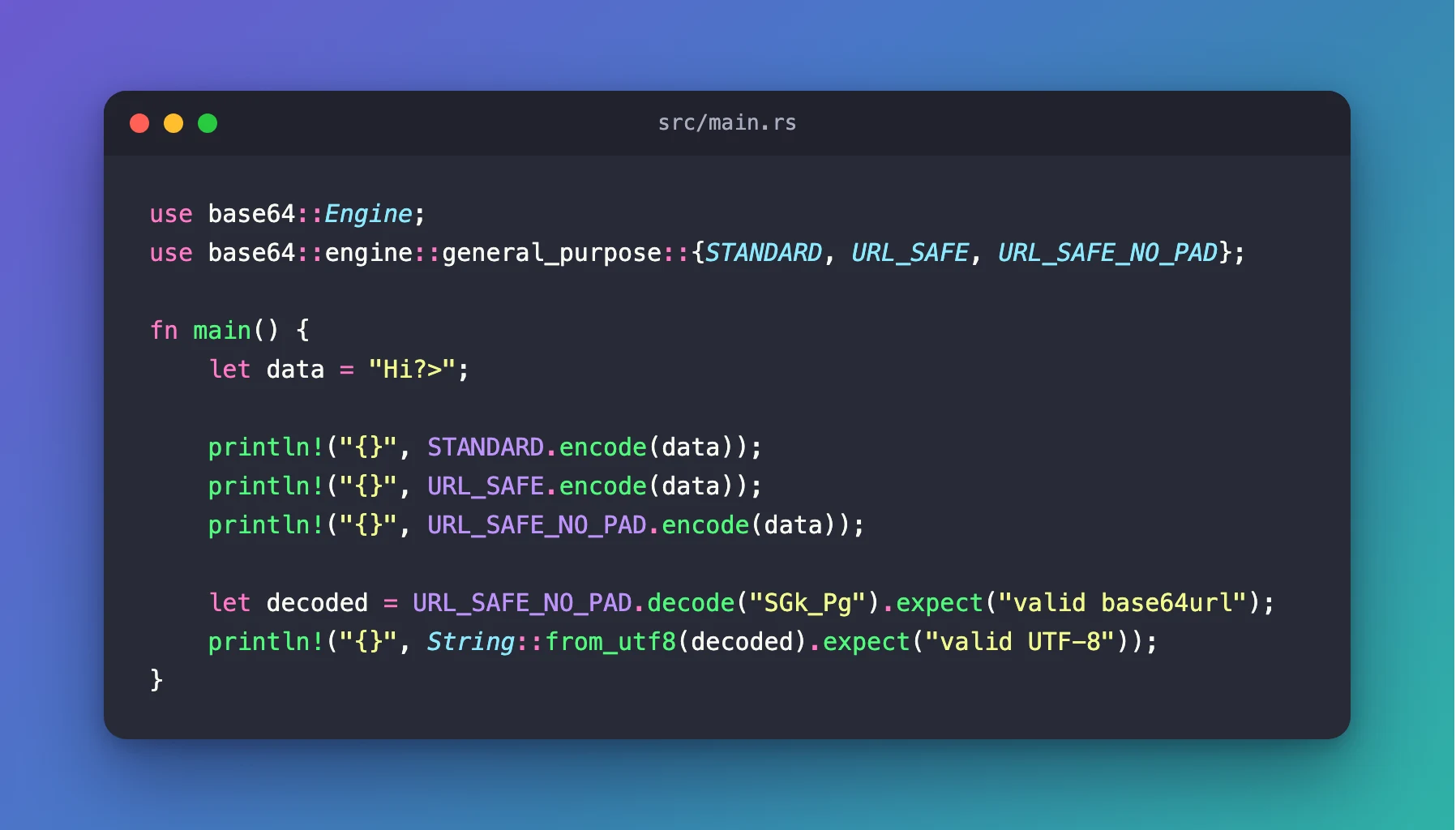
use base64::Engine;
use base64::engine::general_purpose::{STANDARD, URL_SAFE, URL_SAFE_NO_PAD};

fn main() {
    let data = "Hi?>";

    println!("{}", STANDARD.encode(data));
    println!("{}", URL_SAFE.encode(data));
    println!("{}", URL_SAFE_NO_PAD.encode(data));

    let decoded = URL_SAFE_NO_PAD.decode("SGk_Pg").expect("valid base64url");
    println!("{}", String::from_utf8(decoded).expect("valid UTF-8"));
}
- The two
uselines import theEnginetrait and the three engines. - Each
encodecall encodes the same text with a different engine. URL_SAFE_NO_PAD.decode("SGk_Pg")returns aResult..expect("valid base64url")takes the bytes out of it, or stops the program with that message if the text isn't valid.String::from_utf8(decoded)turns the bytes into aString. It also returns aResult, because not every list of bytes is valid UTF-8 text.
Step 4: Run It
cargo run -q
SGk/Pg==
SGk_Pg==
SGk_Pg
Hi?>
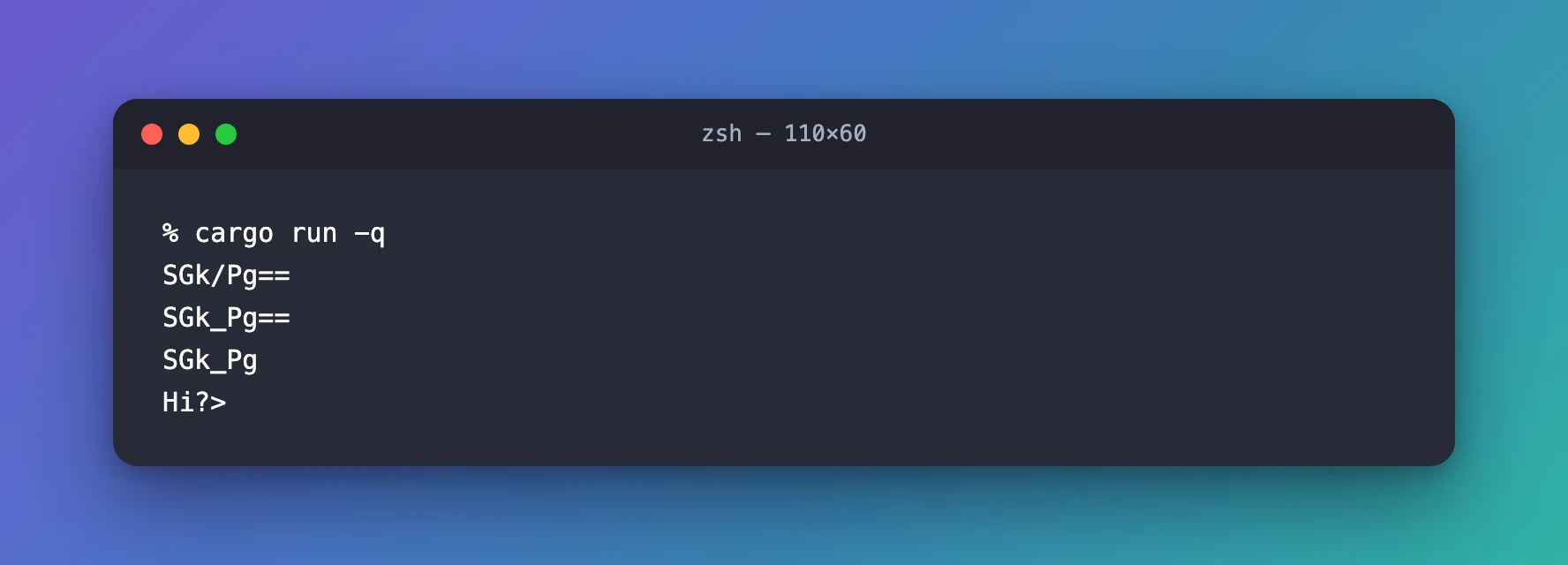
cargo run compiles the program and runs it, and -q hides Cargo's own status lines.
What Happened
STANDARDgave standard base64,SGk/Pg==.URL_SAFEswapped the/for_but kept the padding.URL_SAFE_NO_PADdropped the padding too:SGk_Pg.- Decoding
SGk_Pggave back the bytes ofHi?>, andString::from_utf8turned them into text.
Common Mistakes
| Mistake | What happens | Do this instead |
|---|---|---|
Leaving out use base64::Engine; | error[E0599]: no method named `encode` found for struct `GeneralPurpose` in the current scope, with the help line trait `Engine` which provides `encode` is implemented but not in scope; perhaps you want to import it | Add use base64::Engine; |
Decoding base64url text with STANDARD | The program stopped with valid base64url: Invalid symbol 95, offset 3.: 95 is the code of _ | Decode with the engine that encoded it, here URL_SAFE_NO_PAD |
Decoding padded text with URL_SAFE_NO_PAD | Invalid padding | Use URL_SAFE, which decoded SGk_Pg== |
| Printing the decoded value directly | {:?} shows the bytes, [72, 105, 63, 62] | Turn them into text with String::from_utf8 |
Troubleshooting
| Symptom | Likely cause | Fix |
|---|---|---|
no method named `encode` found or no method named `decode` found | The Engine trait isn't imported | use base64::Engine; |
Invalid symbol with an offset | The text uses another alphabet than the engine | Match the engine to the text |
Invalid padding | Padded text given to a NO_PAD engine, or the other way round | Use the engine with the matching padding |
FAQ
Why does the crate need an import for a method?
encode and decode belong to the Engine trait, and Rust only lets you call a trait's methods when the trait is in scope. The compiler says so in its help line: "items from traits can only be used if the trait is in scope".
What does Engine as _ mean in the crate's examples?
The crate's examples import the trait with Engine as _, as in use base64::{engine::general_purpose::URL_SAFE, Engine as _};. The Rust Reference: "Items can be imported without binding to a name by using an underscore with the form use path as _. This is particularly useful to import a trait so that its methods may be used without importing the trait’s symbol". encode and decode work the same way with it.
Conclusion
Import base64::Engine, then call URL_SAFE_NO_PAD.encode(data) for the unpadded base64url that JWTs use, and URL_SAFE_NO_PAD.decode(text) to get the bytes back.
Additional Resources
- base64 0.23.1 and its general-purpose engines, on docs.rs.
- RFC 4648, section 5: base64 with the URL and filename safe alphabet.
