How to Base64url-Encode in Python with base64.urlsafe_b64encode

Base64url is base64 made safe for web addresses and file names: it writes - and _ where base64 writes + and /. JSON Web Tokens also leave out the = padding. In Python, base64.urlsafe_b64encode does the encoding, and since Python 3.15 it can leave the padding out too.
Syntax
import base64

<encoded> = base64.urlsafe_b64encode(<data>)
<encoded> = base64.urlsafe_b64encode(<data>, padded=False)
<encoded> = base64.urlsafe_b64encode(<data>).rstrip(b"=")
| Part | What it does |
|---|---|
<data> | The bytes to encode. Turn text into bytes first with .encode(). |
urlsafe_b64encode(<data>) | Returns the base64url text as bytes, with = padding. |
padded=False | Python 3.15 and later: leaves the padding out. |
.rstrip(b"=") | Removes the padding in any Python version. |
The Python documentation for base64.urlsafe_b64encode: "Encode bytes-like object s using the URL- and filesystem-safe alphabet, which substitutes - instead of + and _ instead of / in the standard Base64 alphabet, and return the encoded bytes. The result can still contain = if padded is true (default)." And: "Changed in version 3.15: Added the padded parameter."
The Example
The example encodes the text Hi?> four ways: plain base64, base64url, base64url with padded=False, and base64url with the padding stripped and turned back into text. Those four characters were chosen because their base64 contains a / and padding.
Prerequisites
- uv and Python. This guide uses uv 0.13.10 with Python 3.15.2.
padded=Falseneeds Python 3.15 or later.
Step 1: Write the Code
Create a file named main.py:
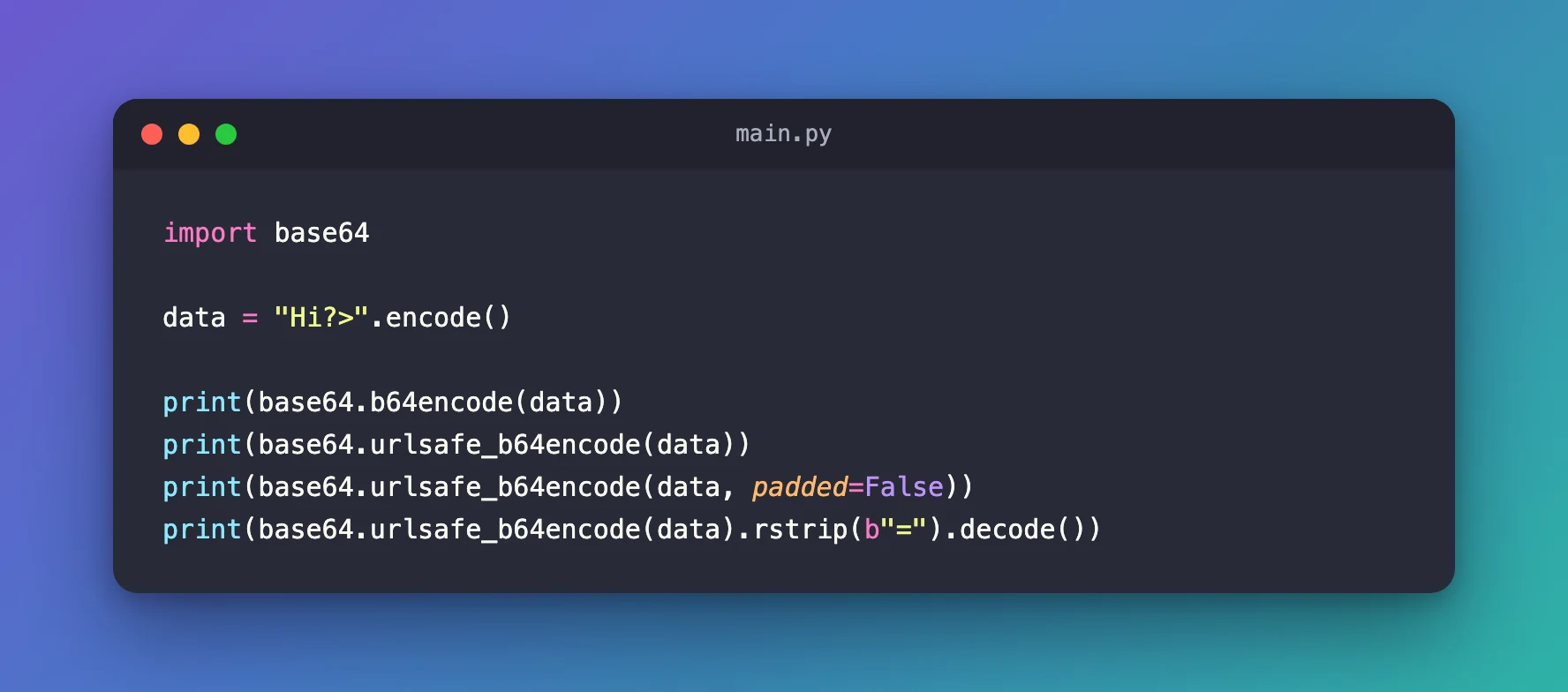
import base64

data = "Hi?>".encode()

print(base64.b64encode(data))
print(base64.urlsafe_b64encode(data))
print(base64.urlsafe_b64encode(data, padded=False))
print(base64.urlsafe_b64encode(data).rstrip(b"=").decode())
Step 2: Run It
uv run python main.py
b'SGk/Pg=='
b'SGk_Pg=='
b'SGk_Pg'
SGk_Pg
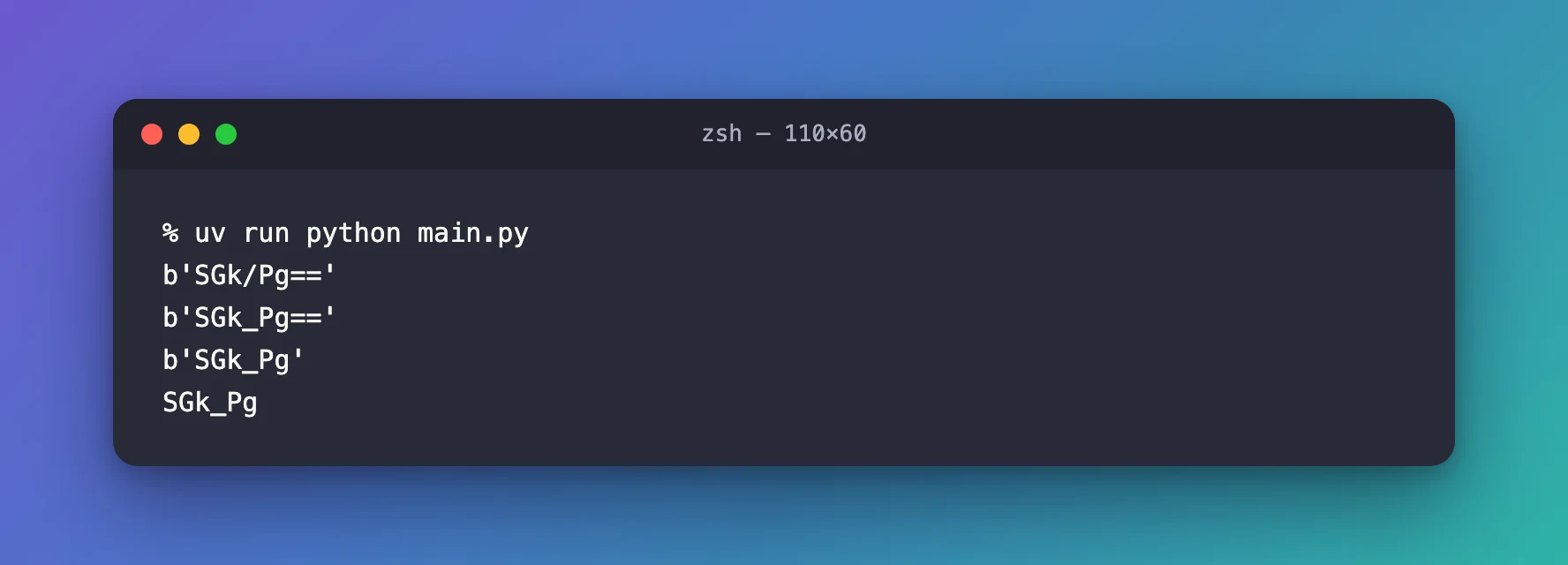
The command is the same in zsh, bash and PowerShell.
What Happened
- Plain base64 gave
SGk/Pg==: a/and two=of padding. urlsafe_b64encodeswapped the/for_but kept the padding.padded=Falseleft the padding out, giving the form JWTs use..rstrip(b"=")removed the padding by hand, and.decode()turned the bytes into astr.
Common Mistakes
| Mistake | What happens | Do this instead |
|---|---|---|
Passing a str instead of bytes | TypeError: a bytes-like object is required, not 'str' | Encode the text first: "Hi?>".encode() |
Using padded=False on Python 3.14 or earlier | Python 3.13 raised TypeError: urlsafe_b64encode() got an unexpected keyword argument 'padded' | Use .rstrip(b"="), which works everywhere |
Decoding base64url text with b64decode | binascii.Error: Invalid base64-encoded string: number of data characters (5) cannot be 1 more than a multiple of 4 for SGk_Pg | Use urlsafe_b64decode |
Troubleshooting
| Symptom | Likely cause | Fix |
|---|---|---|
The output starts with b' | It's still bytes | Add .decode() |
The result ends in = | Padding wasn't removed | Use padded=False or .rstrip(b"=") |
FAQ
How do I decode base64url without padding?
In Python 3.15, base64.urlsafe_b64decode("SGk_Pg") returned b'Hi?>': the documentation says "Padding of input is no longer required by default." Older versions need the = added back first: Python 3.13 raised binascii.Error: Incorrect padding without it.
Is base64url the same as base64?
The same idea with two different characters, - and _ instead of + and /, and usually without padding. RFC 4648 defines both.
Conclusion
base64.urlsafe_b64encode(data, padded=False) gives the unpadded base64url that JWTs use, in Python 3.15 and later. On older versions, encode and then .rstrip(b"=").
Additional Resources
- base64.urlsafe_b64encode, in the Python documentation.
- RFC 4648, section 5: base64 with the URL and filename safe alphabet.
