How to Base64url-Encode in Go with base64.RawURLEncoding

Go's encoding/base64 package has four ready-made encodings. base64.RawURLEncoding is the one JSON Web Tokens use: the URL-safe alphabet, with - and _ instead of + and /, and no = padding.
Syntax
<text> := base64.RawURLEncoding.EncodeToString(<bytes>)
<bytes>, <err> := base64.RawURLEncoding.DecodeString(<text>)
| Part | What it does |
|---|---|
base64.StdEncoding | Standard base64, with +, / and padding. |
base64.URLEncoding | URL-safe alphabet, with padding. |
base64.RawURLEncoding | URL-safe alphabet, without padding. |
EncodeToString(<bytes>) | Encodes a []byte and returns the text. |
DecodeString(<text>) | Decodes the text and returns the bytes and an error. |
The Go documentation for encoding/base64: "RawURLEncoding is the unpadded alternate base64 encoding defined in RFC 4648. It is typically used in URLs and file names."
The Example
The example encodes the text Hi?> with three of the encodings, then decodes the base64url form back into text. Those four characters were chosen because their base64 contains a / and padding.
Prerequisites
- Go.
go runcompiles and runs a single file. This guide uses Go 1.27.4.
Step 1: Write the Code
Create a file named main.go:
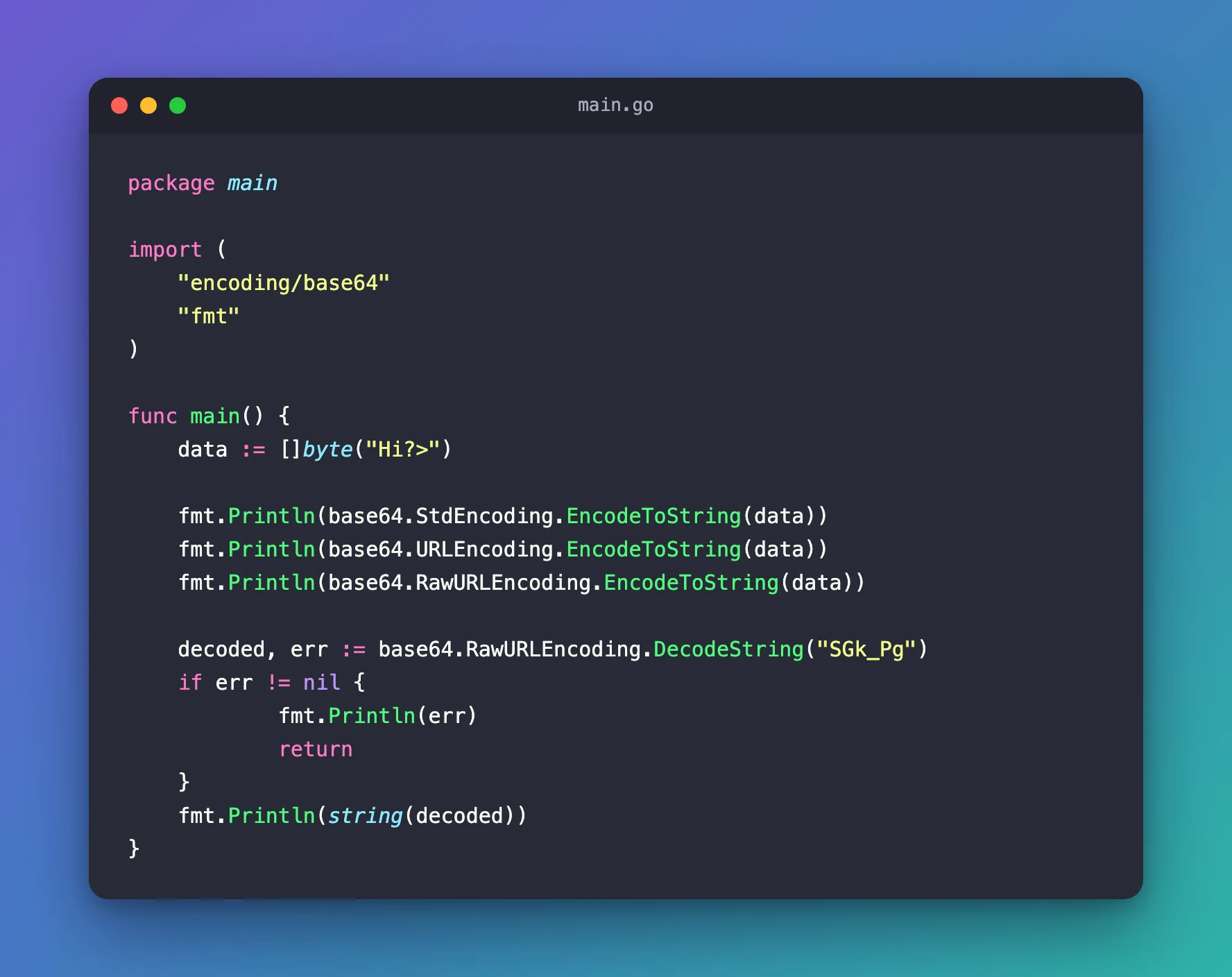
package main

import (
	"encoding/base64"
	"fmt"
)

func main() {
	data := []byte("Hi?>")

	fmt.Println(base64.StdEncoding.EncodeToString(data))
	fmt.Println(base64.URLEncoding.EncodeToString(data))
	fmt.Println(base64.RawURLEncoding.EncodeToString(data))

	decoded, err := base64.RawURLEncoding.DecodeString("SGk_Pg")
	if err != nil {
		fmt.Println(err)
		return
	}
	fmt.Println(string(decoded))
}
Step 2: Run It
go run main.go
SGk/Pg==
SGk_Pg==
SGk_Pg
Hi?>
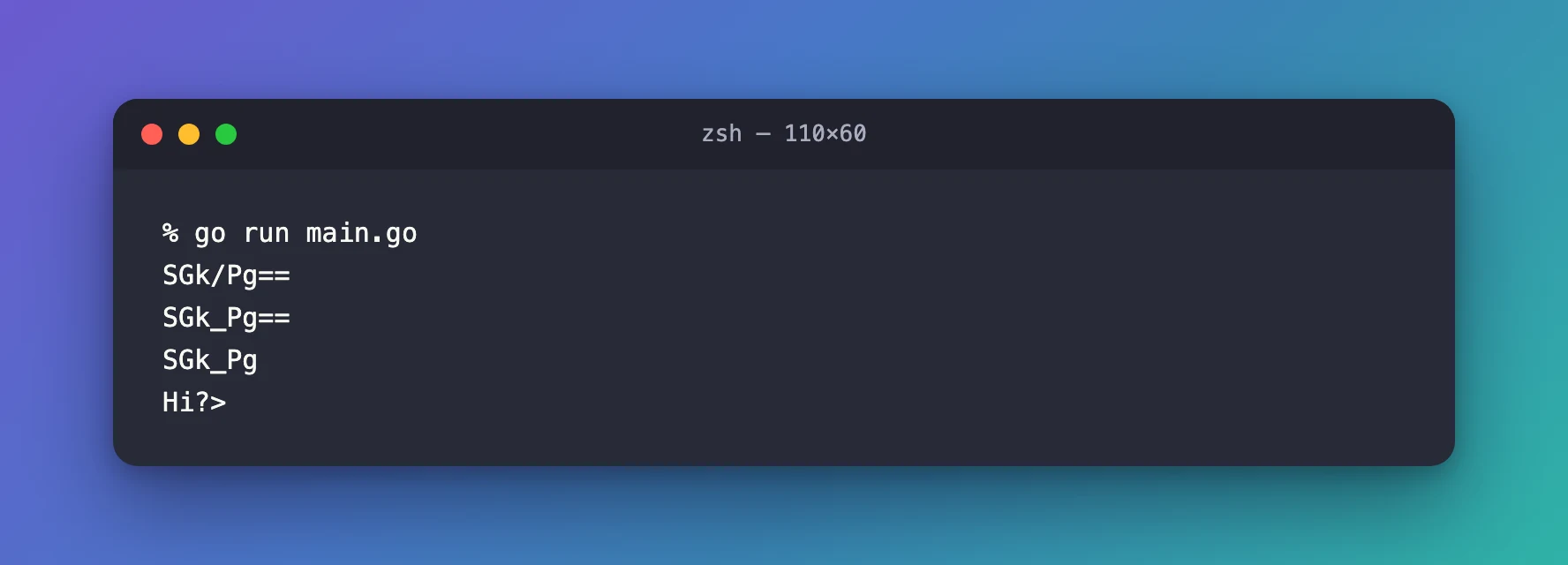
The command is the same in zsh, bash and PowerShell.
What Happened
StdEncodinggaveSGk/Pg==: a/and two=of padding.URLEncodingswapped the/for_but kept the padding.RawURLEncodingalso left the padding out:SGk_Pg.RawURLEncoding.DecodeStringturnedSGk_Pgback intoHi?>.
Common Mistakes
| Mistake | What happens | Do this instead |
|---|---|---|
Decoding base64url text with StdEncoding | illegal base64 data at input byte 3 for SGk_Pg, at the _ | Decode with the encoding that wrote it |
Decoding padded text with RawURLEncoding | illegal base64 data at input byte 6 for SGk_Pg==, at the first = | Use URLEncoding for padded text |
Ignoring the error from DecodeString | A bad input goes on as empty or partial bytes | Check err before using the bytes |
Troubleshooting
| Symptom | Likely cause | Fix |
|---|---|---|
illegal base64 data at input byte N | The text uses another alphabet or padding than the encoding expects | Match the encoding to the text |
| Numbers printed instead of text | The decoded []byte was printed directly | Print string(decoded) |
FAQ
Which encoding do JWTs use?
RawURLEncoding: RFC 7515 defines JWS's base64url "with all trailing '=' characters omitted".
Can I decode padded base64url?
Yes, with base64.URLEncoding: it decoded SGk_Pg== to Hi?>.
Conclusion
base64.RawURLEncoding.EncodeToString(data) gives unpadded base64url, the form JWTs use, and DecodeString turns it back. Pick the encoding that matches the text, because each one rejects the others' characters or padding.
Additional Resources
- encoding/base64, in the Go documentation.
- RFC 4648, section 5: base64 with the URL and filename safe alphabet.
