How to Base64url-Encode Bytes in Java with jjwt Encoders.BASE64URL

jjwt, the Java JWT library, comes with its own base64 encoders in io.jsonwebtoken.io.Encoders. Encoders.BASE64URL.encode(bytes) writes the URL-safe, unpadded base64url that JWTs use, and you can call it in your own code too.
Syntax
String <encoded> = Encoders.BASE64URL.encode(<bytes>);
String <encoded> = Encoders.BASE64.encode(<bytes>);
| Part | What it does |
|---|---|
Encoders.BASE64URL | Base64url: - and _ instead of + and /, with no = padding. |
Encoders.BASE64 | Standard base64, with padding. |
.encode(<bytes>) | Takes a byte[] and returns the encoded String. |
The jjwt API documentation for Encoders: BASE64URL is a "Very fast Base64Url encoder guaranteed to work in all >= Java 7 JDK and Android environments."
The Example
The example turns the text Hi?> into UTF-8 bytes and encodes them with both encoders. Those four characters were chosen because their base64 contains a / and padding.
Prerequisites
Step 1: Create the Project
Create a folder named demo with this pom.xml:
<?xml version="1.0" encoding="UTF-8"?>
<project xmlns="http://maven.apache.org/POM/4.0.0"
         xmlns:xsi="http://www.w3.org/2001/XMLSchema-instance"
         xsi:schemaLocation="http://maven.apache.org/POM/4.0.0 https://maven.apache.org/xsd/maven-4.0.0.xsd">
  <modelVersion>4.0.0</modelVersion>
  <groupId>com.example</groupId>
  <artifactId>demo</artifactId>
  <version>1.0.0</version>
  <properties>
    <maven.compiler.release>25</maven.compiler.release>
    <project.build.sourceEncoding>UTF-8</project.build.sourceEncoding>
  </properties>
  <dependencies>
    <dependency>
      <groupId>io.jsonwebtoken</groupId>
      <artifactId>jjwt-api</artifactId>
      <version>0.13.0</version>
    </dependency>
  </dependencies>
  <build>
    <plugins>
      <plugin>
        <groupId>org.codehaus.mojo</groupId>
        <artifactId>exec-maven-plugin</artifactId>
        <version>3.7.0</version>
        <configuration>
          <mainClass>com.example.Main</mainClass>
        </configuration>
      </plugin>
    </plugins>
  </build>
</project>
jjwt-api is the part of jjwt your code calls, and it holds the encoders. exec-maven-plugin lets Maven run the program.
Step 2: Write the Code
Create src/main/java/com/example/Main.java inside demo:
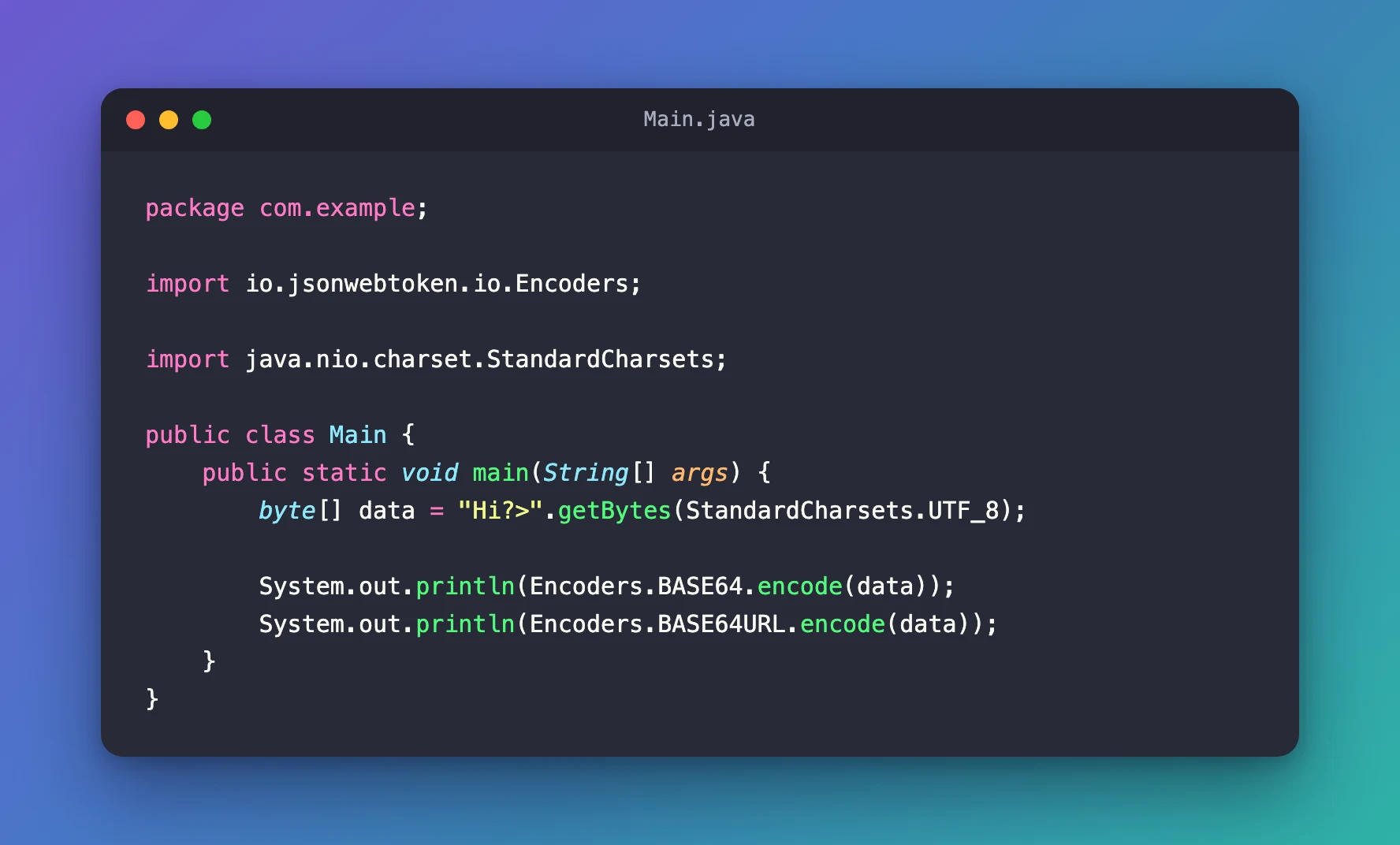
package com.example;

import io.jsonwebtoken.io.Encoders;

import java.nio.charset.StandardCharsets;

public class Main {
    public static void main(String[] args) {
        byte[] data = "Hi?>".getBytes(StandardCharsets.UTF_8);

        System.out.println(Encoders.BASE64.encode(data));
        System.out.println(Encoders.BASE64URL.encode(data));
    }
}
Step 3: Run It
cd demo
mvn -q compile exec:java
SGk/Pg==
SGk_Pg
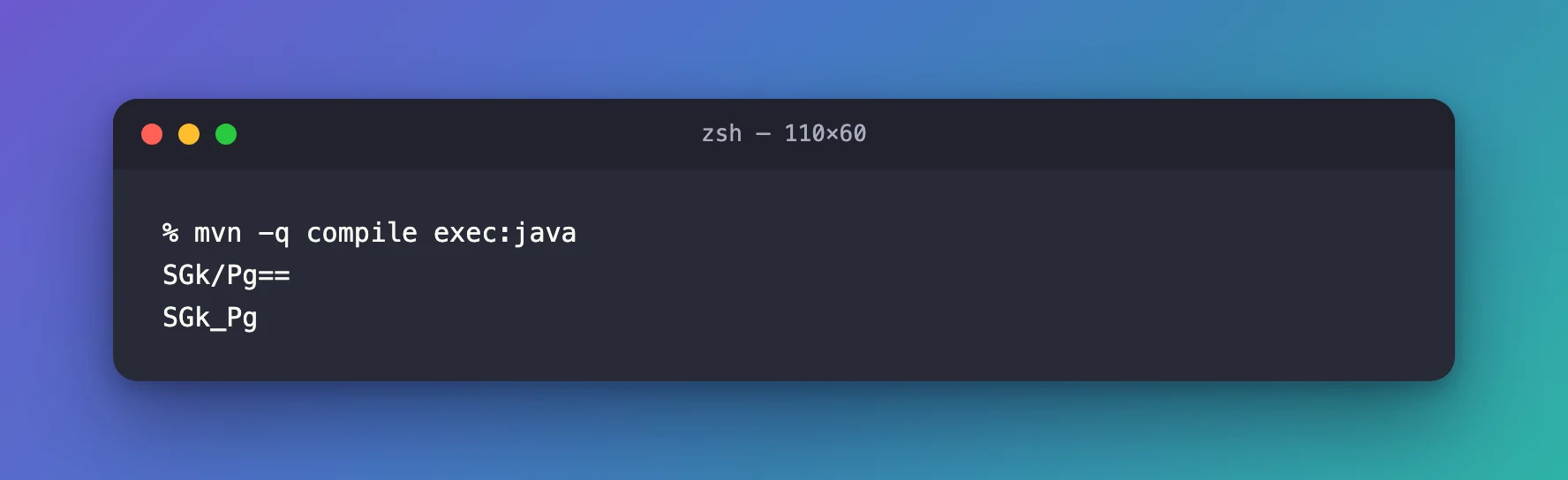
-q keeps Maven quiet, compile builds the code, and exec:java runs the class named in pom.xml.
What Happened
Encoders.BASE64gaveSGk/Pg==: a/and two=of padding.Encoders.BASE64URLgaveSGk_Pg: the/became_, and the padding is gone, which is the form every piece of a JWT uses.
Common Mistakes
| Mistake | What happens | Do this instead |
|---|---|---|
Using Encoders.BASE64 for a JWT piece | The text can contain +, / and =, and jjwt's base64url decoder rejects them | Use Encoders.BASE64URL |
Calling getBytes() with no charset before encoding | The bytes depend on the platform's default charset | Use getBytes(StandardCharsets.UTF_8) |
Adding jjwt-impl only for the encoders | Not needed; they're in jjwt-api | Depend on jjwt-api |
Troubleshooting
| Symptom | Likely cause | Fix |
|---|---|---|
package io.jsonwebtoken.io does not exist | jjwt-api isn't a dependency | Add it to pom.xml |
The result ends in = | The code used Encoders.BASE64 | Use Encoders.BASE64URL |
FAQ
Is this different from java.util.Base64?
Not in the result: Base64.getUrlEncoder().withoutPadding().encodeToString(bytes) gives the same text. jjwt's encoder saves you choosing the padding setting.
How do I decode it again?
With Decoders.BASE64URL.decode(text), from the same package.
Conclusion
Encoders.BASE64URL.encode(bytes) turns bytes into unpadded base64url, the same encoding jjwt uses inside every token. It comes with jjwt-api, so code that already uses jjwt needs nothing more.
Additional Resources
- Encoders, in the jjwt API documentation.
- RFC 4648, section 5: base64 with the URL and filename safe alphabet.
