How to Base64url-Encode a String in PHP with JWT::urlsafeB64Encode

PHP's own base64_encode writes standard base64, with +, / and = padding. JSON Web Tokens use base64url instead, and php-jwt, the PHP JWT library, has a public helper for it: JWT::urlsafeB64Encode.
Syntax
use Firebase\JWT\JWT;

$<encoded> = JWT::urlsafeB64Encode(<text>);
| Part | What it does |
|---|---|
JWT::urlsafeB64Encode(<text>) | Encodes the string as base64, then swaps + and / for - and _ and removes the = padding. |
<text> | Any string, including binary data. |
php-jwt's source documents urlsafeB64Encode as: "Encode a string with URL-safe Base64." Its code is one line: str_replace('=', '', strtr(base64_encode($input), '+/', '-_')).
The Example
The example encodes the text Hi?> with base64_encode and with JWT::urlsafeB64Encode. Those four characters were chosen because their base64 contains a / and padding.
Prerequisites
Step 1: Create the Project
mkdir demo
cd demo
composer require firebase/php-jwt
composer require downloads php-jwt, version 7.2.2 here, into a vendor folder and writes vendor/autoload.php, which the code loads.
Step 2: Write the Code
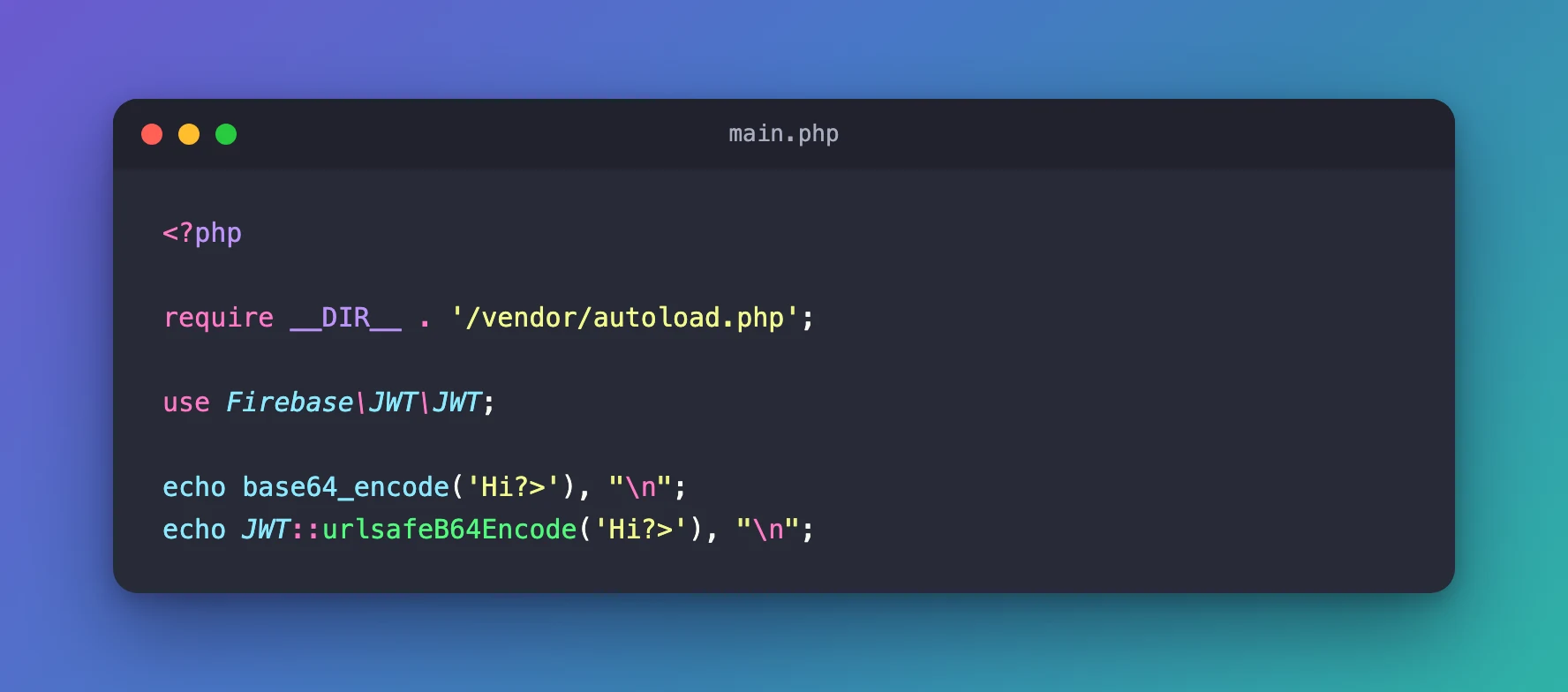
Create main.php in the demo folder:
<?php

require __DIR__ . '/vendor/autoload.php';

use Firebase\JWT\JWT;

echo base64_encode('Hi?>'), "\n";
echo JWT::urlsafeB64Encode('Hi?>'), "\n";
Step 3: Run It
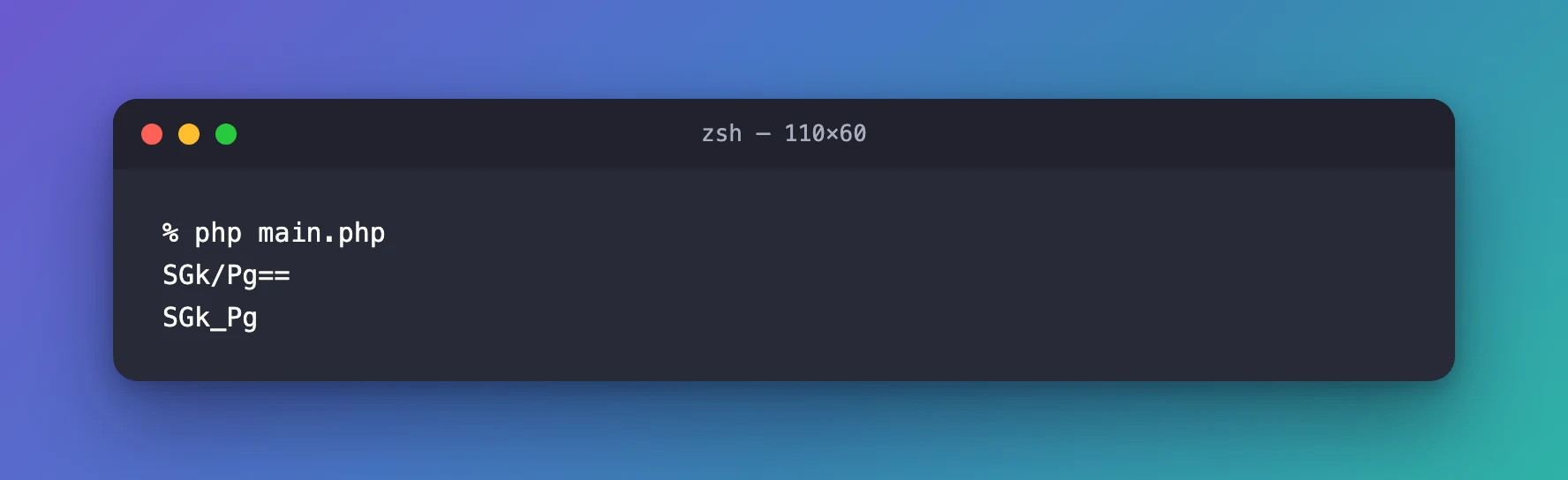
php main.php
SGk/Pg==
SGk_Pg
The command is the same in zsh, bash and PowerShell.
What Happened
base64_encodegaveSGk/Pg==: a/and two=of padding.JWT::urlsafeB64EncodegaveSGk_Pg: the/became_, and the padding is gone, which is the form every piece of a JWT uses.
Common Mistakes
| Mistake | What happens | Do this instead |
|---|---|---|
Using base64_encode for a JWT piece | The text can contain +, / and = | Use JWT::urlsafeB64Encode |
Forgetting require __DIR__ . '/vendor/autoload.php' | Error: Class "Firebase\JWT\JWT" not found | Load the autoloader first |
| Encoding the result twice | You get base64 of base64 | Encode the original string once |
Troubleshooting
| Symptom | Likely cause | Fix |
|---|---|---|
Class "Firebase\JWT\JWT" not found | The autoloader isn't loaded, or php-jwt isn't installed in this folder | Run composer require firebase/php-jwt and require the autoloader |
The result ends in = | It came from base64_encode | Use JWT::urlsafeB64Encode |
FAQ
Can I do this without php-jwt?
Yes, with the same one line php-jwt uses: str_replace('=', '', strtr(base64_encode($text), '+/', '-_')).
How do I decode it again?
With JWT::urlsafeB64Decode, which adds the padding back and swaps the characters before decoding.
Conclusion
JWT::urlsafeB64Encode($text) turns a string into the unpadded base64url that JWTs use. It comes with php-jwt, so code that already uses the library needs nothing more.
Additional Resources
- php-jwt, and its JWT.php source.
- base64_encode, in the PHP manual.
