How to Base64url-Encode a String in Node.js with Buffer

Base64url is base64 made safe for web addresses and file names: it writes - and _ where base64 writes + and /, and it leaves out the = padding. JSON Web Tokens use it for every piece. In Node.js, Buffer does it in one line.
Syntax
const <encoded> = Buffer.from(<text>).toString('base64url');
const <text> = Buffer.from(<encoded>, 'base64url').toString();
| Part | What it does |
|---|---|
Buffer.from(<text>) | Turns the string into bytes, as UTF-8. |
.toString('base64url') | Writes the bytes as base64url text, without padding. |
Buffer.from(<encoded>, 'base64url') | Reads base64url text back into bytes. |
.toString() | Turns the bytes back into a string, as UTF-8. |
The Node.js Buffer documentation: "'base64url': base64url encoding as specified in RFC 4648, Section 5. When creating a Buffer from a string, this encoding will also correctly accept regular base64-encoded strings. When encoding a Buffer to a string, this encoding will omit padding."
The Example
The example encodes the text Hi?> twice, once as plain base64 and once as base64url, then decodes the base64url result back into text. Those four characters were chosen because their base64 contains a / and padding.
Prerequisites
- Node.js. This guide uses Node.js 26.13.1.
Step 1: Write the Code
Create a file named main.js:
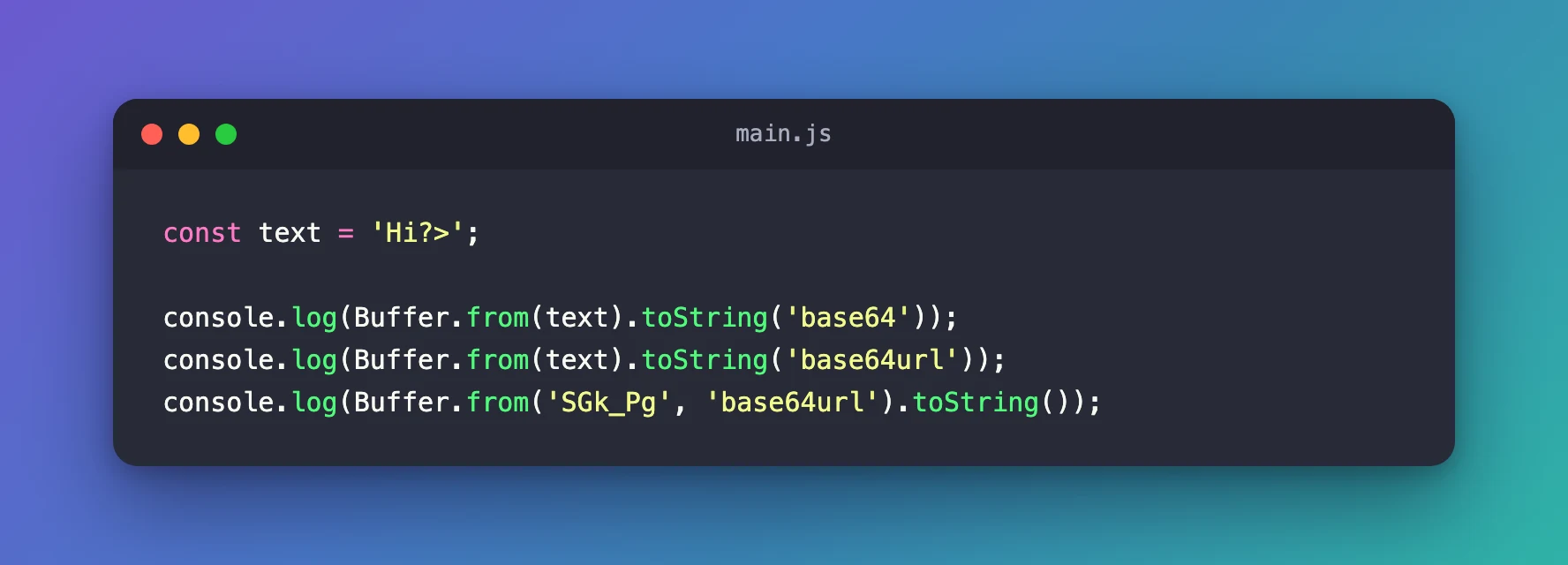
const text = 'Hi?>';

console.log(Buffer.from(text).toString('base64'));
console.log(Buffer.from(text).toString('base64url'));
console.log(Buffer.from('SGk_Pg', 'base64url').toString());
Step 2: Run It
node main.js
SGk/Pg==
SGk_Pg
Hi?>
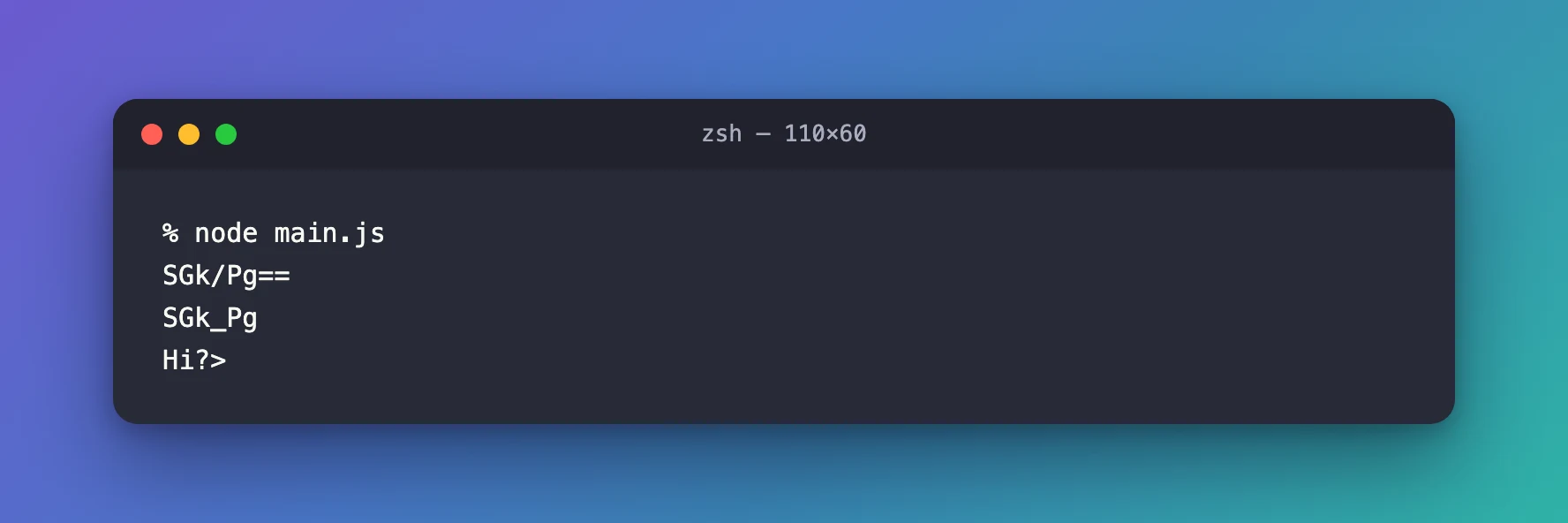
The command is the same in zsh, bash and PowerShell.
What Happened
- Plain base64 gave
SGk/Pg==: a/, which has a meaning in web addresses, and two=of padding. - Base64url gave
SGk_Pg: the/became_, and the padding is gone. Everything else is the same. - Decoding
SGk_Pgas base64url gave backHi?>.
Common Mistakes
| Mistake | What happens | Do this instead |
|---|---|---|
Using 'base64' where base64url is required, as in a JWT | The text can contain +, / and =, which other base64url decoders may reject | Use 'base64url' |
Replacing characters by hand after 'base64' | It works only if you swap both + and / and remove every = | Let Buffer do it with 'base64url' |
Calling .toString() on bytes that aren't text | Binary data such as a key turns into garbled characters | Keep binary data as a Buffer or Uint8Array |
Troubleshooting
| Symptom | Likely cause | Fix |
|---|---|---|
The output ends in = | The encoding was 'base64' | Use 'base64url' |
| The decoded text looks garbled | The bytes weren't UTF-8 text to begin with | Work with the bytes, not a string |
FAQ
Can the base64url decoder read plain base64?
Yes. In Node.js each decoder accepts both alphabets: Buffer.from('SGk/Pg==', 'base64url') also gave Hi?>, and so did Buffer.from('SGk_Pg', 'base64').
Does this work in a browser?
Buffer is a Node.js API. The standard Uint8Array.prototype.toBase64({ alphabet: 'base64url', omitPadding: true }) does the same job and gave SGk_Pg in Node.js 26 too. MDN marks it Baseline 2025, newly available in current browsers.
Conclusion
Buffer.from(text).toString('base64url') turns text into base64url, the URL-safe, unpadded form that JWTs use, and Buffer.from(encoded, 'base64url').toString() turns it back.
Additional Resources
- Buffers and character encodings, in the Node.js documentation.
- RFC 4648, section 5: base64 with the URL and filename safe alphabet.
