How to Back Up an MLflow Tracking Server

A local MLflow tracking server keeps everything in two places: its records in the SQLite database mlflow.db, and its files in the folder mlartifacts. Back up both and you can get every run, model and file back. This guide writes a backup script that works while the server keeps running, with real output from MLflow 3.18.0.
Why Not Just Copy mlflow.db
The server may be writing to mlflow.db at the moment you copy it. SQLite's own page, How To Corrupt An SQLite Database File, warns that a copy made "while it is in the middle of a transaction" "might contain some old and some new content, and thus be corrupt." SQLite's backup copies the database as it is at one moment instead. Python's sqlite3 reference: "Create a backup of an SQLite database. Works even if the database is being accessed by other clients or concurrently by the same connection."
The Example
A tracking server in a folder called backup-server, on port 8091, with one experiment, backup-demo. A small script, log_run.py, logs a run with the name you give it and a file, note.txt:
import sys

import mlflow

mlflow.set_tracking_uri("http://127.0.0.1:8091")
mlflow.set_experiment("backup-demo")

with mlflow.start_run(run_name=sys.argv[1]):
    mlflow.log_text(f"Logged by the run {sys.argv[1]}", "note.txt")
Prerequisites
- A tracking server that keeps its data in
mlflow.dbandmlartifacts, the defaults when you start it withmlflow server. This guide uses MLflow 3.18.0 and Python 3.15.
Step 1: Log a Run to Back Up
With the server running, in a second terminal in the same folder:
uv run python log_run.py before-backup
2026/11/28 14:00:28 INFO mlflow.tracking.fluent: Experiment with name 'backup-demo' does not exist. Creating a new experiment.
🏃 View run before-backup at: http://127.0.0.1:8091/#/experiments/1/runs/cc2665e323a54a45875be736e58fe2f2
🧪 View experiment at: http://127.0.0.1:8091/#/experiments/1
Step 2: Write the Backup Script
Create backup.py in the server's folder. Its main function does the work; DATABASE, ARTIFACTS and BACKUPS are the paths of mlflow.db, mlartifacts and a new backups folder next to the script:
def main() -> int:
    """Copy the database and the artifacts into backups/<time>."""
    if not DATABASE.is_file():
        print(
            f"No database at {DATABASE}: keep backup.py next to mlflow.db",
            file=sys.stderr,
        )
        return 1
    target = BACKUPS / datetime.now(UTC).strftime("%Y-%m-%d_%H-%M-%S")
    target.mkdir(parents=True)

    with (
        closing(sqlite3.connect(DATABASE)) as source,
        closing(sqlite3.connect(target / DATABASE.name)) as copy,
    ):
        source.backup(copy)
    if ARTIFACTS.is_dir():
        shutil.copytree(ARTIFACTS, target / ARTIFACTS.name)

    print(f"Backed up the tracking server to {target}")
    return 0
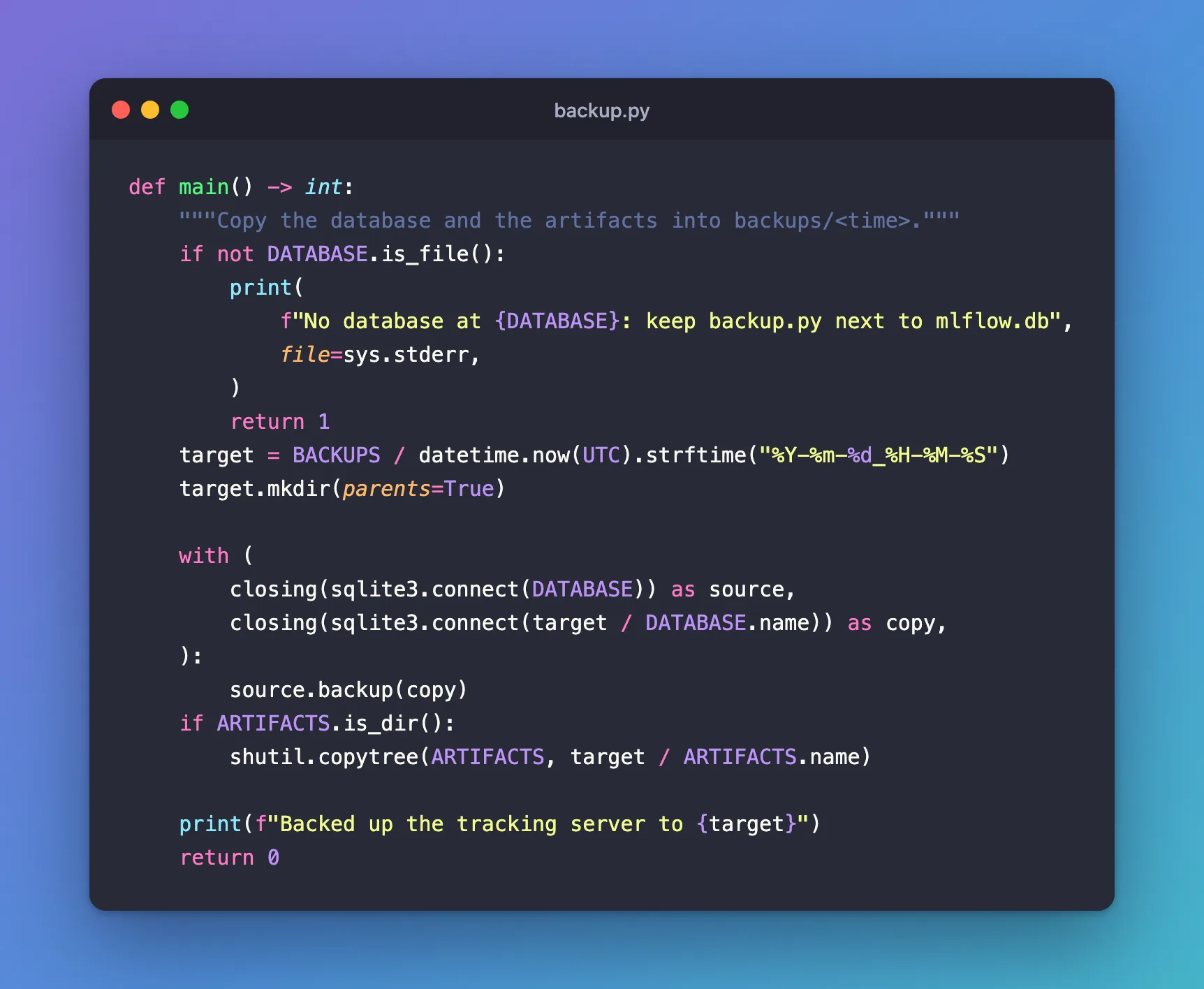
- The
DATABASE.is_file()check stops the script when there's nomlflow.dbnext to it. Without it,sqlite3.connectwould create an empty file and back that up. source.backup(copy)copies the database into the new folder with SQLite's backup.shutil.copytreecopiesmlartifactswith everything in it.- The folder name, the time in UTC such as
2026-11-28_14-00-29, sorts in order and has no colons, which Windows doesn't allow in names.
The complete file:
"""Back up the MLflow tracking server: its database, mlflow.db, and its artifacts, mlartifacts.

Run it with `uv run python backup.py` in the server's folder. It's safe while the server is running:
SQLite's backup copies the database as it is at one moment, even while MLflow writes to it. Each
backup goes into a new folder under backups/, named after the UTC time it started."""

import shutil
import sqlite3
import sys
from contextlib import closing
from datetime import UTC, datetime
from pathlib import Path

SERVER_DIR = Path(__file__).resolve().parent
DATABASE = SERVER_DIR / "mlflow.db"
ARTIFACTS = SERVER_DIR / "mlartifacts"
BACKUPS = SERVER_DIR / "backups"


def main() -> int:
    """Copy the database and the artifacts into backups/<time>."""
    if not DATABASE.is_file():
        print(
            f"No database at {DATABASE}: keep backup.py next to mlflow.db",
            file=sys.stderr,
        )
        return 1
    target = BACKUPS / datetime.now(UTC).strftime("%Y-%m-%d_%H-%M-%S")
    target.mkdir(parents=True)

    with (
        closing(sqlite3.connect(DATABASE)) as source,
        closing(sqlite3.connect(target / DATABASE.name)) as copy,
    ):
        source.backup(copy)
    if ARTIFACTS.is_dir():
        shutil.copytree(ARTIFACTS, target / ARTIFACTS.name)

    print(f"Backed up the tracking server to {target}")
    return 0


if __name__ == "__main__":
    sys.exit(main())
Step 3: Back Up the Server
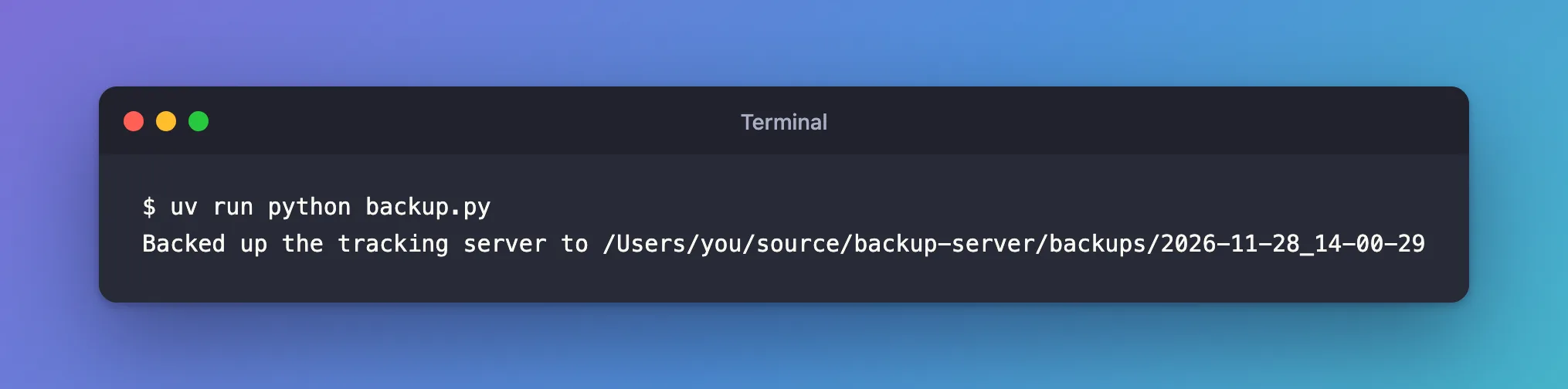
Leave the server running:
uv run python backup.py
Backed up the tracking server to /Users/you/source/backup-server/backups/2026-11-28_14-00-29
Step 4: Look Inside the Backup
- macOS / Linux
- Windows (PowerShell)
find backups
backups
backups/2026-11-28_14-00-29
backups/2026-11-28_14-00-29/mlartifacts
backups/2026-11-28_14-00-29/mlartifacts/1
backups/2026-11-28_14-00-29/mlartifacts/1/cc2665e323a54a45875be736e58fe2f2
backups/2026-11-28_14-00-29/mlartifacts/1/cc2665e323a54a45875be736e58fe2f2/artifacts
backups/2026-11-28_14-00-29/mlartifacts/1/cc2665e323a54a45875be736e58fe2f2/artifacts/note.txt
backups/2026-11-28_14-00-29/mlflow.db
Get-ChildItem backups -Recurse -Name
2026-11-28_14-00-29
2026-11-28_14-00-29/mlartifacts
2026-11-28_14-00-29/mlflow.db
2026-11-28_14-00-29/mlartifacts/1
2026-11-28_14-00-29/mlartifacts/1/cc2665e323a54a45875be736e58fe2f2
2026-11-28_14-00-29/mlartifacts/1/cc2665e323a54a45875be736e58fe2f2/artifacts
2026-11-28_14-00-29/mlartifacts/1/cc2665e323a54a45875be736e58fe2f2/artifacts/note.txt
The backup has the database and the run's note.txt, in a folder for its experiment, 1, and its run.
Common Mistakes
| Mistake | What happens | Do this instead |
|---|---|---|
Copying mlflow.db with a file copy while the server runs | The copy "might contain some old and some new content, and thus be corrupt", in SQLite's words | Use SQLite's backup, as backup.py does |
Backing up only mlflow.db | The backup has the records but not the files: note.txt lives in mlartifacts, as the listing in Step 4 shows | Back up mlartifacts too |
| Keeping the backups on the same disk only | A lost disk takes the server and its backups | Copy the backups folder somewhere else as well |
Troubleshooting
| Symptom | Likely cause | Fix |
|---|---|---|
No database at …: keep backup.py next to mlflow.db | backup.py isn't in the server's folder | Move it next to mlflow.db |
FAQ
Do I have to stop the server?
No. Step 3 ran while the server was running, and SQLite's backup is built for that.
How do I get the data back?
How to Restore an MLflow Tracking Server from a Backup restores this backup and checks it.
Conclusion
backup.py copied mlflow.db with SQLite's backup and mlartifacts with shutil.copytree into backups/2026-11-28_14-00-29, while the server kept running. Run it whenever you want a backup, and keep a copy of the backups folder somewhere else.
Additional Resources
- sqlite3 Connection.backup — SQLite's backup in Python.
- Backend Stores — where MLflow keeps its records.
- Artifact Stores — where MLflow keeps its files.
