How to Avoid Deadlocks in MySQL by Locking Rows in the Same Order

A deadlock needs a cycle: I hold what you want, and you hold what I want. If everyone takes rows in the same order, the cycle can't form, and the second transaction waits instead of failing. This is the most effective fix for deadlocks, and it's a small change.
Prerequisites
- MySQL, and two sessions. The examples use MySQL 9.7.4 in Docker, and the
mysqlclient from How to Connect to MySQL in a Docker Container.
Opposite Orders: A Deadlock
Each transaction changes rows 3 and 4, in a different order:
START TRANSACTION;
UPDATE products SET QuantityOnHand = QuantityOnHand - 1 WHERE Id = 3;
START TRANSACTION;
UPDATE products SET QuantityOnHand = QuantityOnHand - 1 WHERE Id = 4;
UPDATE products SET QuantityOnHand = QuantityOnHand - 1 WHERE Id = 4;
That waits for terminal 2. Then terminal 2 asks for what terminal 1 holds:
UPDATE products SET QuantityOnHand = QuantityOnHand - 1 WHERE Id = 3;
ERROR 1213 (40001): Deadlock found when trying to get lock; try restarting transaction
One of them lost all its work, and has to start over.
The Same Order: A Short Wait
Now both take row 3 first:
START TRANSACTION;
UPDATE products SET QuantityOnHand = QuantityOnHand - 1 WHERE Id = 3;
START TRANSACTION;
UPDATE products SET QuantityOnHand = QuantityOnHand - 1 WHERE Id = 3;
Terminal 2 waits, holding nothing, so terminal 1 can finish without running into it:
UPDATE products SET QuantityOnHand = QuantityOnHand - 1 WHERE Id = 4;
COMMIT;
Terminal 2 gets its row, and carries on:
UPDATE products SET QuantityOnHand = QuantityOnHand - 1 WHERE Id = 4;
COMMIT;
SELECT Id, QuantityOnHand FROM products WHERE Id IN (3, 4);
mysql> UPDATE products SET QuantityOnHand = QuantityOnHand - 1 WHERE Id = 3;
Query OK, 1 row affected (2.141 sec)
Rows matched: 1  Changed: 1  Warnings: 0

mysql> UPDATE products SET QuantityOnHand = QuantityOnHand - 1 WHERE Id = 4;
Query OK, 1 row affected (0.001 sec)
Rows matched: 1  Changed: 1  Warnings: 0

mysql> COMMIT;
Query OK, 0 rows affected (0.004 sec)

mysql> SELECT Id, QuantityOnHand FROM products WHERE Id IN (3, 4);
+----+----------------+
| Id | QuantityOnHand |
+----+----------------+
|  3 |             48 |
|  4 |             48 |
+----+----------------+
2 rows in set (0.001 sec)
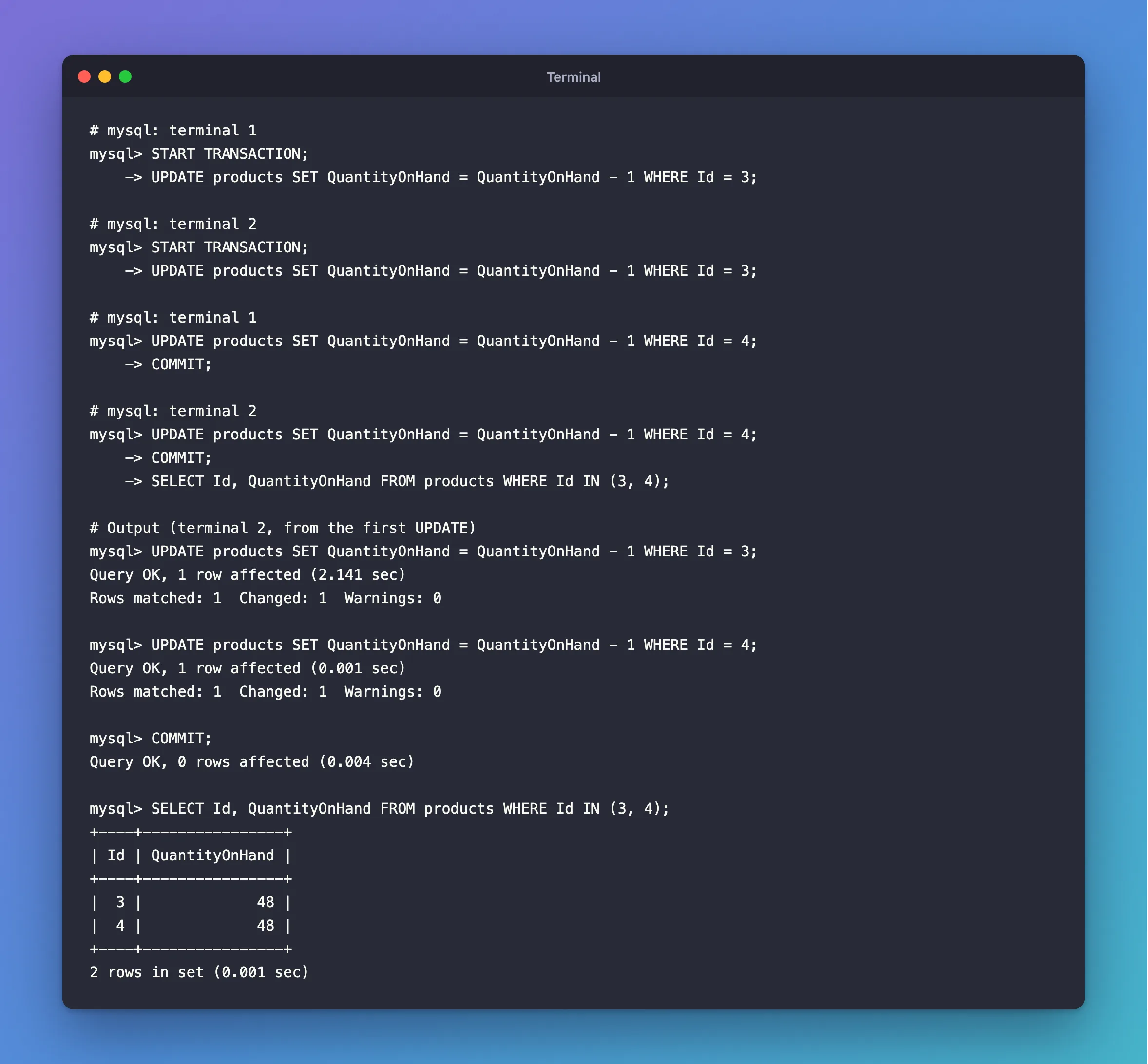
It took 2.1 seconds instead of an error, and both changes count: from 50 to 48.
MySQL's deadlock handling page puts it as: "When modifying multiple tables within a transaction, or different sets of rows in the same table, do those operations in a consistent order each time."
How to Pick an Order
| You're changing | A simple rule |
|---|---|
| Several rows in one table | Lowest primary key first. Sort them in code |
| Several tables | The same table order everywhere |
| A parent and a child row | The parent first |
In .NET, that's one OrderBy before the loop: How to Prevent Overselling with a Conditional UPDATE in EF Core sorts its lines. In a test here, 30 simultaneous orders in opposite orders gave 15 deadlocks each round before sorting, and none after.
Other Habits That Help
From the same page:
- Keep transactions short. "Keep transactions small and short in duration to make them less prone to collision." Why You Should Not Do Slow Work Inside a Database Transaction shows the cost.
- Use an index on what you filter by, so a statement locks fewer rows. Without one, it locks them all.
- Be ready to retry. "Always be prepared to re-issue a transaction if it fails due to deadlock." Lock order makes them rare, and not impossible.
Common Mistakes
| Mistake | What happens | Do this instead |
|---|---|---|
| Processing a list in the order a client sent it | Clients decide your lock order | Sort it |
| Fixing the order in one code path only | The other path still collides | Use one rule everywhere |
| Treating a retry as the whole fix | Deadlocks keep costing work | Fix the order, and keep the retry |
Troubleshooting
| Symptom | Likely cause | Fix |
|---|---|---|
| Deadlocks on the same rows, in the same order | Another lock is involved, such as a shared lock from a foreign key | Read the report |
| Deadlocks only under load | Two paths use different orders | Compare the two statements in the report |
| Long waits, but no deadlocks | The order's right, and a transaction is slow | Shorten it |
FAQ
Does it slow things down?
Waiting a moment costs far less than rolling back and redoing the work. Here, the second transaction waited for as long as the first one needed.
Conclusion
Deadlocks need two transactions taking rows in opposite orders. Sort your rows and use one table order, and the second transaction waits instead of failing. Keep transactions short, and keep a retry for the rare one that gets through.
Additional Resources
- How to Minimize and Handle Deadlocks — the full list of advice.
- Deadlocks in InnoDB — what they are.
