How to AutoFit Column Width in Excel for the Web

Auto Fit Column Width makes each selected column exactly as wide as its longest entry. In Excel for the web it's under Home → Format. Select the columns first, and one click fixes dates showing as ######## and text cut off at the edge of its cell.
The example is the old overtime timesheet from Part 1 of the Overtime Timesheet series, straight after the rows were pasted in.
Prerequisites
- A workbook open for editing in Excel for the web.
Step 1: Select the Columns
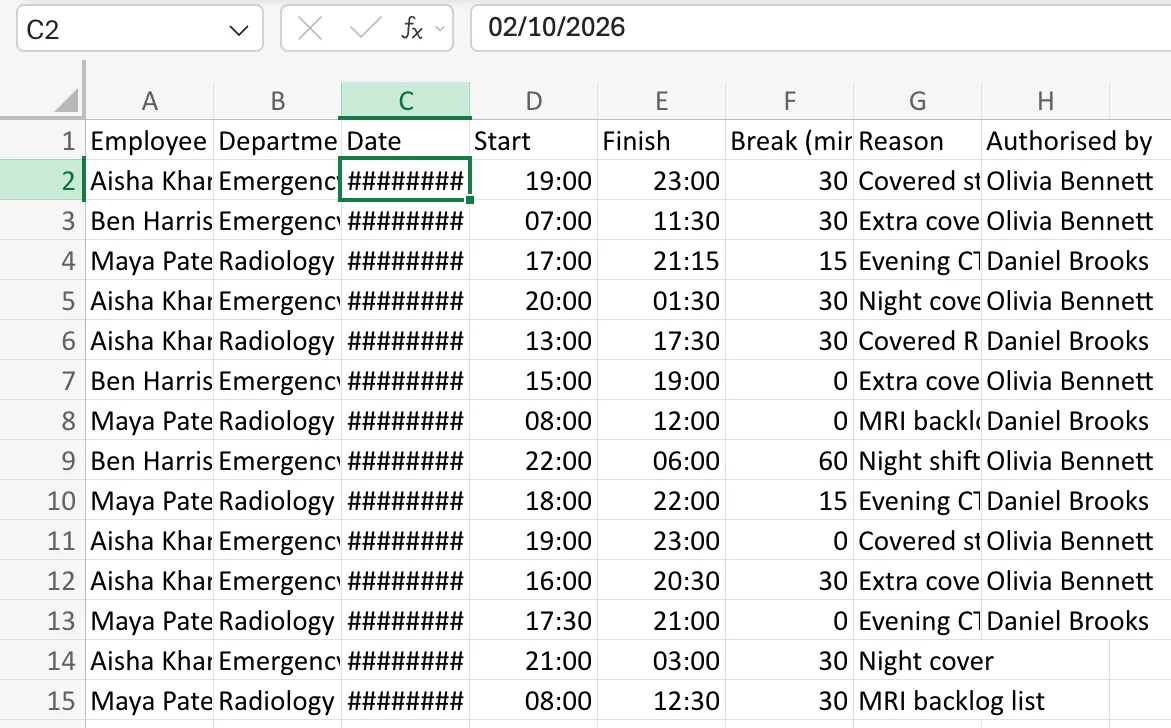
Select the columns to resize. Select a column's letter at the top of the grid and drag across to the last one, or type the range in the Name Box, such as A:H, and press Enter (How to Go to a Cell or Range with the Name Box in Excel). Here the dates are ######## and the text is cut off:
Step 2: Auto Fit Column Width
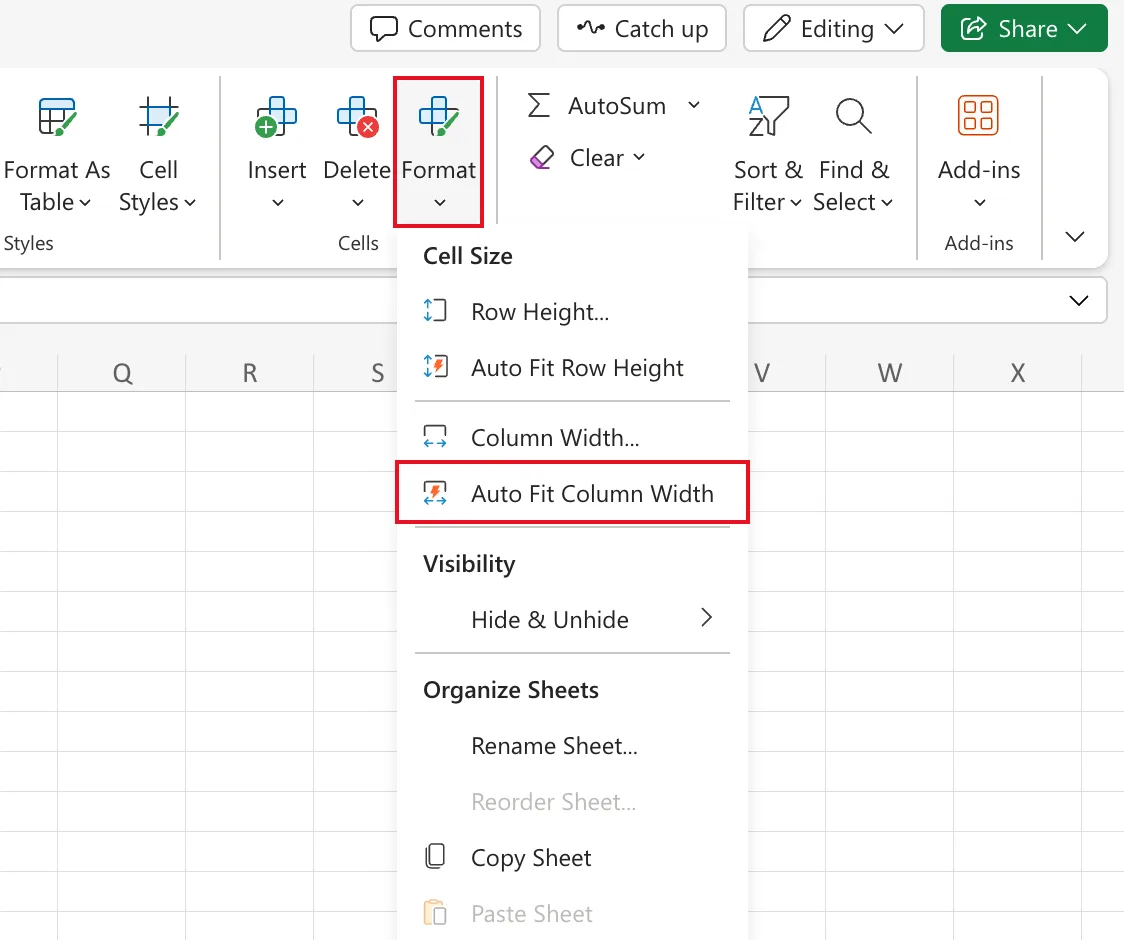
On the Home tab, select Format, then Auto Fit Column Width under Cell Size:
Step 3: Check the Result
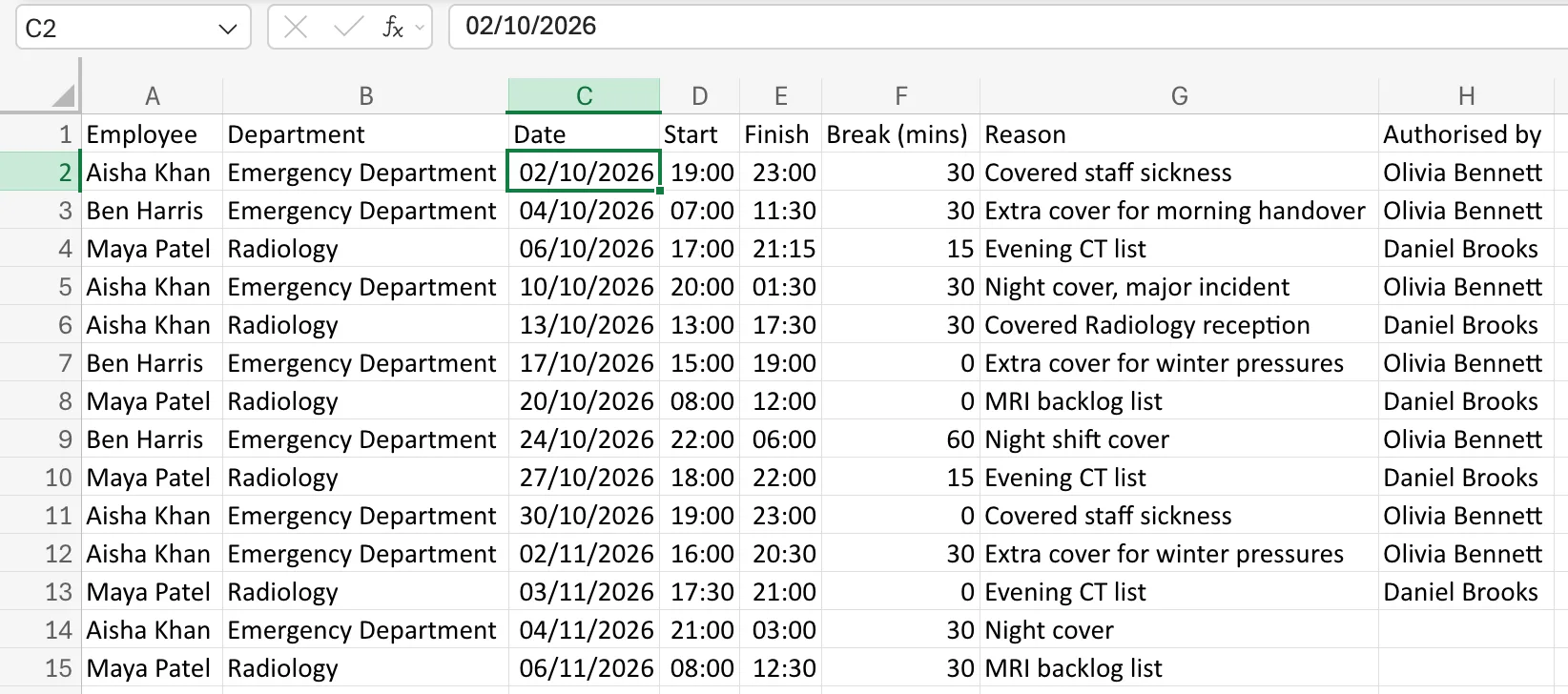
Each column now fits its longest value, heading included:
Run it again whenever new entries are longer than the column. I used it after every change in the series' workbook, on whole columns such as A:A or I:J.
Common Mistakes
| Mistake | What happens | Do this instead |
|---|---|---|
| Widening only the date column | Text in the other columns stays cut off | Select every column you need to read |
| Using Auto Fit Row Height | It changes row heights, not widths | Use Auto Fit Column Width |
| Auto-fitting before typing a long heading | The column is too narrow for the heading | Run it again after adding text |
Troubleshooting
| Symptom | Likely cause | Fix |
|---|---|---|
| A column is still too narrow | It wasn't selected | Select it and run Auto Fit Column Width again |
######## remains in a time column | The time is negative, not too wide | See Fixed: Excel Shows ######## for Overnight Shift Hours |
FAQ
Can I set an exact width instead?
Yes. Format → Column Width sets a width you type.
Does AutoFit happen automatically?
Sometimes. When I typed a date and time into an empty column, Excel widened it by itself. Pasted data and later edits aren't resized, so run Auto Fit Column Width when you need it.
Conclusion
Select the columns, then Home → Format → Auto Fit Column Width. Each column takes the width of its longest entry.
