How to Add, Update and Remove a NuGet Package with the .NET CLI (dotnet package add)

NuGet packages are how .NET C# projects use code that other people wrote: EF Core, a database driver, a JSON library. dotnet package add downloads a package and records it in your project file, so the next build, on any machine, gets the same version. This guide adds a package, pins a version, lists what's installed, tries a prerelease, and removes it again, showing what each command writes.
Prerequisites
- The .NET 10 SDK.
dotnet package addis the .NET 10 name; older SDKs usedotnet add package, which still works (see the end of this guide). - A project. The examples use a class library at
src/Demo.Lib, and the commands run in the folder above it. - Internet access to nuget.org, the public package feed.
Step 1: Add the Newest Version
dotnet package add Microsoft.EntityFrameworkCore --project src/Demo.Lib/Demo.Lib.csproj
Microsoft.EntityFrameworkCoreis the package ID, as shown on nuget.org.--projectnames the project to change. Without it, the command uses the project in the current folder.
info : Adding PackageReference for package 'Microsoft.EntityFrameworkCore' into project 'src/Demo.Lib/Demo.Lib.csproj'.
info : Restoring packages for /Users/you/projects/slnx-demo/src/Demo.Lib/Demo.Lib.csproj...
info : Package 'Microsoft.EntityFrameworkCore' is compatible with all the specified frameworks in project 'src/Demo.Lib/Demo.Lib.csproj'.
info : PackageReference for package 'Microsoft.EntityFrameworkCore' version '10.0.14' added to file '/Users/you/projects/slnx-demo/src/Demo.Lib/Demo.Lib.csproj'.
log  : Restored /Users/you/projects/slnx-demo/src/Demo.Lib/Demo.Lib.csproj (in 664 ms).
The project file has a new item:
<Project Sdk="Microsoft.NET.Sdk">

  <PropertyGroup>
    <TargetFramework>net10.0</TargetFramework>
    <ImplicitUsings>enable</ImplicitUsings>
    <Nullable>enable</Nullable>
  </PropertyGroup>

  <ItemGroup>
    <PackageReference Include="Microsoft.EntityFrameworkCore" Version="10.0.14" />
  </ItemGroup>

</Project>
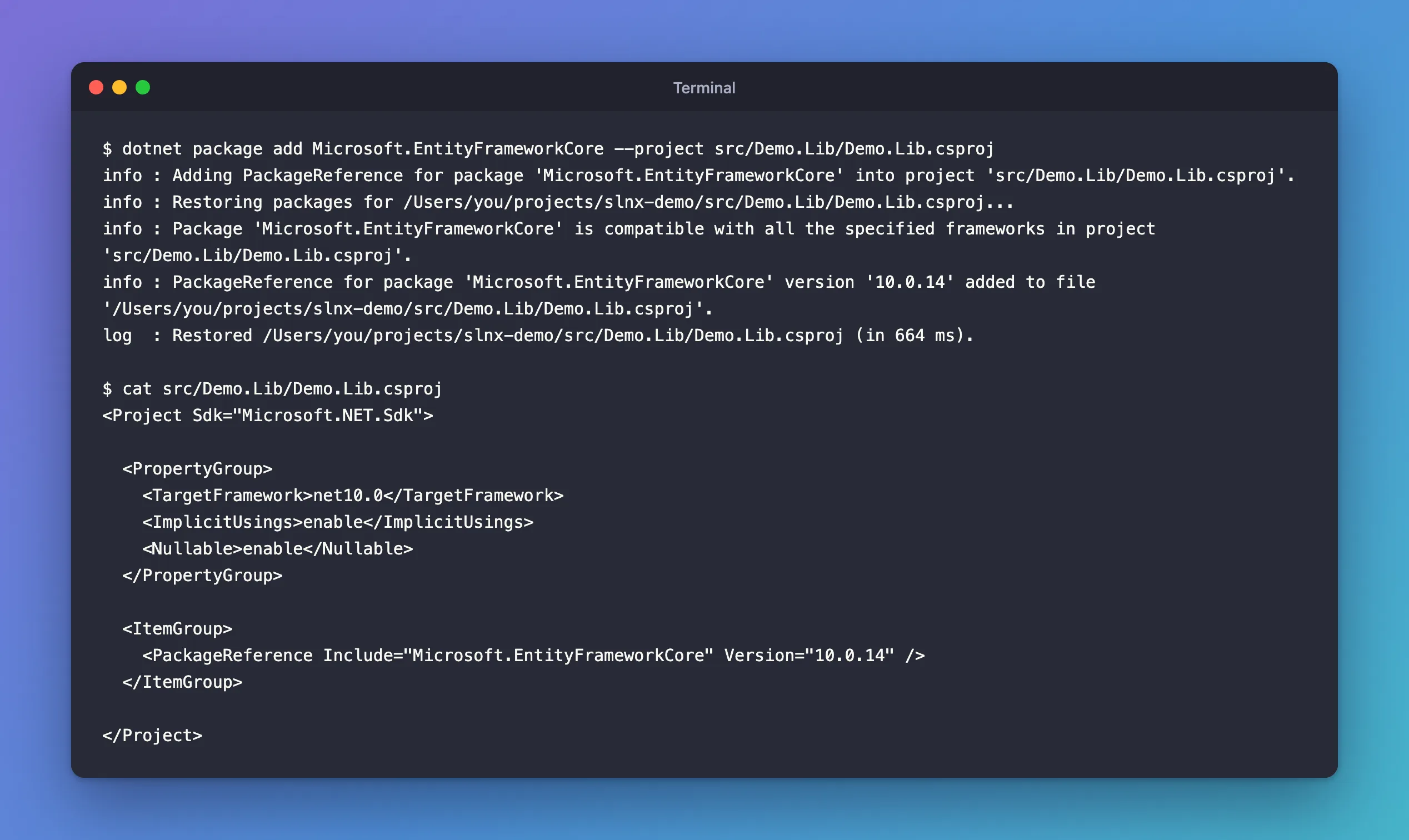
The command did three things, in the order the dotnet package add reference describes: "there's a compatibility check to ensure the package is compatible with the frameworks in the project. If the check passes and the package isn't referenced in the project file, a <PackageReference> element is added to the project file." Then it ran a restore, which downloads the package.
Which version? The NuGet docs say "The dotnet package add command installs the latest version of the package unless you specify a different version." In practice that meant the newest stable version: EF Core 11 was already out as a release candidate, but the command chose 10.0.14. Prereleases need a flag, as Step 4 shows.
Step 2: Choose a Specific Version
--version sets the version, upward or downward:
dotnet package add Microsoft.EntityFrameworkCore --version 10.0.12 --project src/Demo.Lib/Demo.Lib.csproj
info : PackageReference for package 'Microsoft.EntityFrameworkCore' version '10.0.12' updated in file '/Users/you/projects/slnx-demo/src/Demo.Lib/Demo.Lib.csproj'.
<PackageReference Include="Microsoft.EntityFrameworkCore" Version="10.0.12" />
"updated", not "added": running the command for a package that's already referenced changes its version. That's also how you update a package: run dotnet package add again, with or without --version.
Step 3: List the Packages
dotnet package list --project src/Demo.Lib/Demo.Lib.csproj
Project 'Demo.Lib' has the following package references
   [net10.0]:
   Top-level Package                    Requested   Resolved
   > Microsoft.EntityFrameworkCore      10.0.12     10.0.12
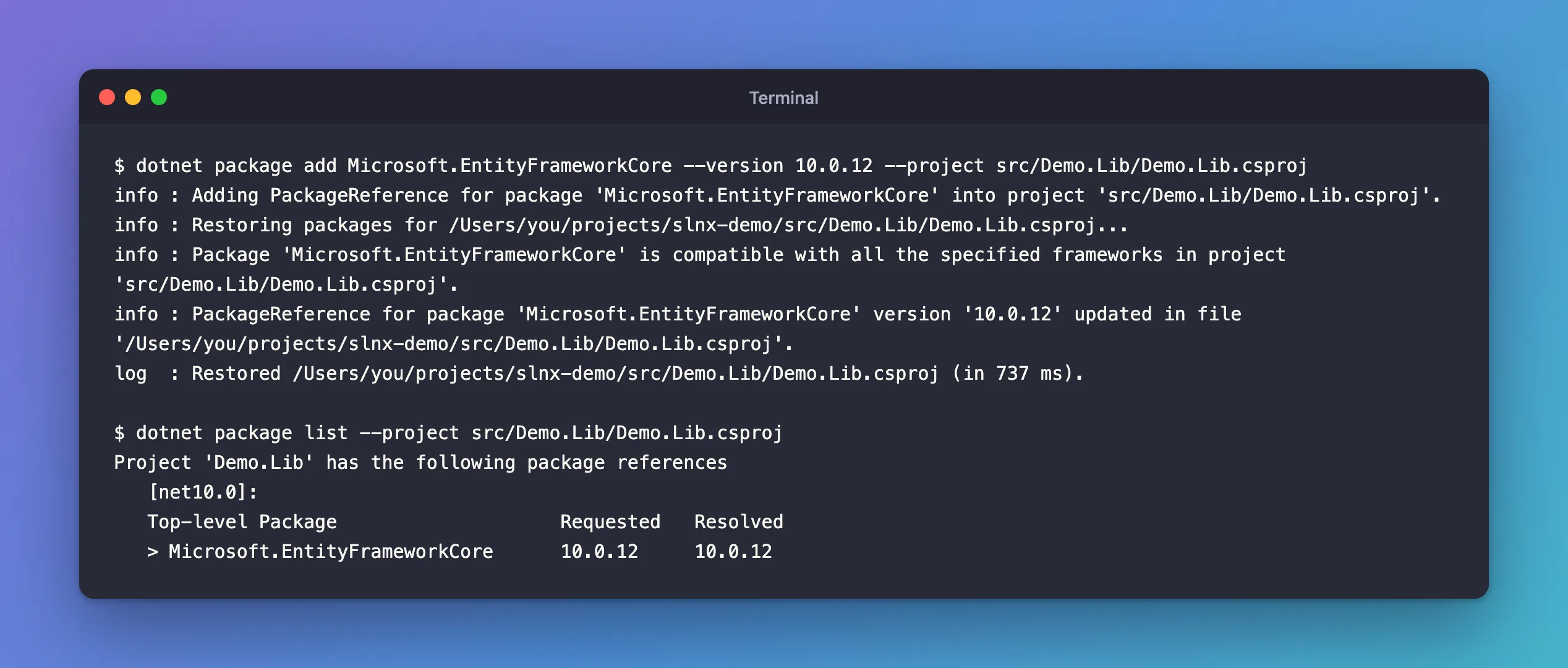
- Requested is what the project file asks for.
- Resolved is what restore picked. With a single version, as here, they match; they can differ when a project asks for a range, such as
10.0.*.
dotnet package list has options to show more: --include-transitive for the packages your packages bring along, --outdated for newer versions, --vulnerable for known security advisories.
Step 4: Try a Prerelease
--prerelease "Allows prerelease packages to be installed". With it, the command picked EF Core's newest version, a release candidate:
dotnet package add Microsoft.EntityFrameworkCore --prerelease --project src/Demo.Lib/Demo.Lib.csproj
info : Installed Microsoft.EntityFrameworkCore 11.0.0-rc.3.26522.148 from https://api.nuget.org/v3/index.json to /Users/you/.nuget/packages/microsoft.entityframeworkcore/11.0.0-rc.3.26522.148 with content hash dAf8QI+9efsqaRikJ/d+KZpaFvDSR00PbLr/L19bJxlMYjr/06K+DF10kFyRhdPH4VM7RY1nbEH83atGI3p74Q==.
error: NU1202: Package Microsoft.EntityFrameworkCore 11.0.0-rc.3.26522.148 is not compatible with net10.0 (.NETCoreApp,Version=v10.0). Package Microsoft.EntityFrameworkCore 11.0.0-rc.3.26522.148 supports: net11.0 (.NETCoreApp,Version=v11.0)
error: Package 'Microsoft.EntityFrameworkCore' is incompatible with 'all' frameworks in project 'src/Demo.Lib/Demo.Lib.csproj'.
That's the compatibility check doing its job: EF Core 11 needs .NET 11, and this project targets .NET 10. The project file was left alone, still at 10.0.12. Fixed: "NU1202: Package is not compatible with net10.0" covers the error. Use --prerelease deliberately, for a preview you mean to test.
Step 5: Remove the Package
dotnet package remove Microsoft.EntityFrameworkCore --project src/Demo.Lib/Demo.Lib.csproj
info : Removing PackageReference for package 'Microsoft.EntityFrameworkCore' from project 'src/Demo.Lib/Demo.Lib.csproj'.
The <ItemGroup> with the reference is gone from the project file. The downloaded package stays in NuGet's cache, ~/.nuget/packages, where other projects can reuse it.
With Central Package Management
In a solution that uses Central Package Management, versions live in one file, Directory.Packages.props, instead of each project. dotnet package add handles that for you. In such a solution:
dotnet package add MySql.EntityFrameworkCore --version 10.0.12 --project src/Dewiride.Inventory.Data
info : PackageReference for package 'MySql.EntityFrameworkCore' added to '/Users/you/projects/dewiride-inventory-api/src/Dewiride.Inventory.Data/Dewiride.Inventory.Data.csproj' and PackageVersion added to central package management file '/Users/you/projects/dewiride-inventory-api/Directory.Packages.props'.
info : PackageReference for package 'MySql.EntityFrameworkCore' version '10.0.12' added to file '/Users/you/projects/dewiride-inventory-api/Directory.Packages.props'.
The project got <PackageReference Include="MySql.EntityFrameworkCore" />, with no version, and Directory.Packages.props got the <PackageVersion> with 10.0.12. How to Use Central Package Management for NuGet in a .NET C# Solution explains the setup.
The Older Command Form
.NET 10 renamed the package commands to put the noun first, and kept the old names working:
| .NET 10 form | Older form, still works |
|---|---|
dotnet package add | dotnet add package |
dotnet package list | dotnet list package |
dotnet package remove | dotnet remove package |
Microsoft's what's new page recommends the new ones: "it's better to use the noun-first forms for improved readability and consistency in scripts and documentation."
Common Mistakes
| Mistake | What happens | Do this instead |
|---|---|---|
| Adding a package to the wrong project in a solution | The code that needs it still can't see it | Pass --project every time |
--prerelease to get "the latest" | A preview that may not support your target framework | Leave it out unless you're testing a preview |
| Mixing major versions of related packages | EF Core 10 with an EF Core 9 provider, for example | Keep related packages on the same major version |
FAQ
Where are the packages downloaded to?
To NuGet's global packages folder, ~/.nuget/packages on macOS and Linux and %userprofile%\.nuget\packages on Windows. The project file only records the ID and version.
Do I commit the packages to Git?
No. Commit the project file; the next restore downloads the packages again.
Conclusion
dotnet package add <id> adds the newest stable version of a package to a project, --version pins or changes it, dotnet package list shows what's referenced and what restore picked, and dotnet package remove takes it out. Each command changes one line of the project file, or of Directory.Packages.props with Central Package Management, and the compatibility check stops packages that don't support your target framework before they reach the project.
