How to Add Up Values with LINQ Sum in C#

Sum adds up numbers: numbers.Sum() for a list of numbers, or orders.Sum(order => order.Quantity) to add up one number taken from each item.
Microsoft's reference describes the form with a lambda: Computes the sum of the sequence of Int32 values that are obtained by invoking a transform function on each element of the input sequence. The same method exists for long, decimal, double and the other number types.
Syntax
<type> <total> = <numbers>.Sum();
<type> <total> = <items>.Sum(<item> => <value>);
| Part | What it is |
|---|---|
<numbers>.Sum() | Adds up a list of numbers |
<item> => <value> | Takes the number to add from each item |
<type> | The type of the values: int, decimal, double and so on |
For an empty list, the reference says: This method returns zero if source contains no elements.
The Example
A console app called LinqSum has three orders, each with a quantity and a price. It adds up the quantities and the order values, and sums an empty array.
Prerequisites
- The .NET 10 SDK.
dotnet --versionprints a version that starts with10.0.
Step 1: Create a Console App
dotnet new console -n LinqSum
cd LinqSum
The template "Console App" was created successfully.

Processing post-creation actions...
Restoring /Users/you/source/LinqSum/LinqSum.csproj:
  Determining projects to restore...
  Restored /Users/you/source/LinqSum/LinqSum.csproj (in 45 ms).
Restore succeeded.
dotnet new console -n LinqSum creates a folder named LinqSum with a project file and a Program.cs, and cd moves into it. Everything this example uses is part of .NET, so there's no package to add. Open the folder in VS Code, or LinqSum.csproj in Visual Studio.
Step 2: Write the Code
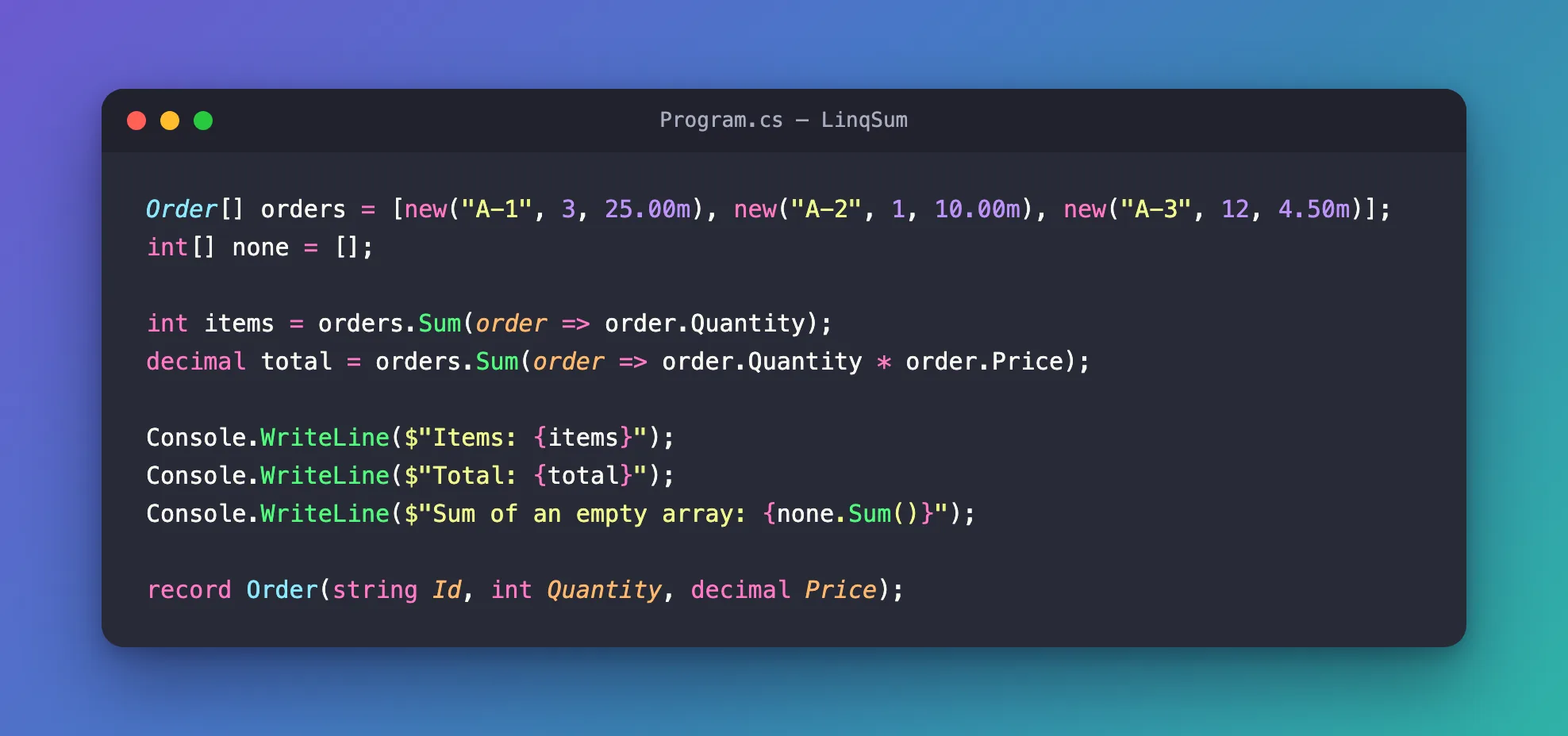
Replace everything in Program.cs. First the orders and an empty array:
Order[] orders = [new("A-1", 3, 25.00m), new("A-2", 1, 10.00m), new("A-3", 12, 4.50m)];
int[] none = [];
The m after each price makes it a decimal, the type for money.
Then the two totals:
int items = orders.Sum(order => order.Quantity);
decimal total = orders.Sum(order => order.Quantity * order.Price);
order => order.Quantityadds up the quantities.order => order.Quantity * order.Priceadds up quantity times price for each order.
Print them, then add the Order record at the end of the file:
Console.WriteLine($"Items: {items}");
Console.WriteLine($"Total: {total}");
Console.WriteLine($"Sum of an empty array: {none.Sum()}");

record Order(string Id, int Quantity, decimal Price);
Step 3: Run It
Run it in VS Code's terminal, or press Ctrl+F5 in Visual Studio:
dotnet run
Items: 16
Total: 139.00
Sum of an empty array: 0
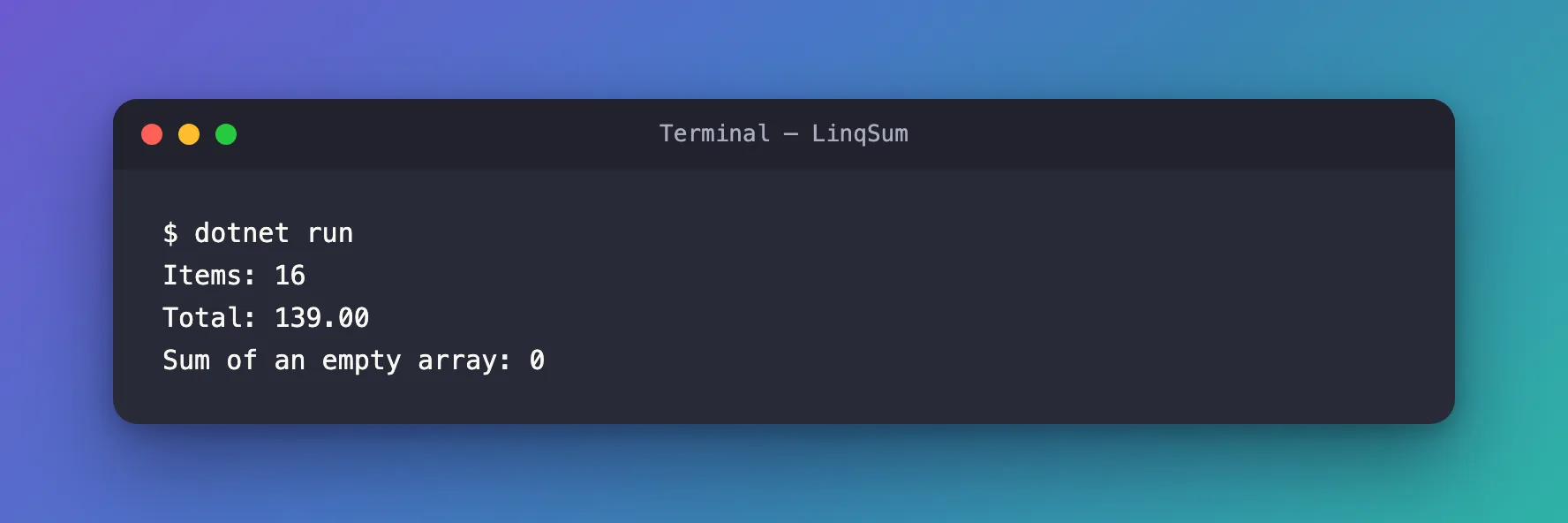
3 + 1 + 12 is 16 items, and 3 × 25.00 + 1 × 10.00 + 12 × 4.50 is 139.00. The prices have two decimal places and decimal keeps them, so the total prints as 139.00. The empty array summed to 0.
The Complete File
Order[] orders = [new("A-1", 3, 25.00m), new("A-2", 1, 10.00m), new("A-3", 12, 4.50m)];
int[] none = [];

int items = orders.Sum(order => order.Quantity);
decimal total = orders.Sum(order => order.Quantity * order.Price);

Console.WriteLine($"Items: {items}");
Console.WriteLine($"Total: {total}");
Console.WriteLine($"Sum of an empty array: {none.Sum()}");

record Order(string Id, int Quantity, decimal Price);
Common Mistakes
| Mistake | What happens | Do this instead |
|---|---|---|
Adding int values that can pass about 2.1 billion | OverflowException: Arithmetic operation resulted in an overflow. for [int.MaxValue, 1] | Add them as long: Sum(number => (long)number) returned 2147483648 |
Writing a price without the m | decimal price = 4.50; doesn't build: error CS0664: Literal of type double cannot be implicitly converted to type 'decimal'; use an 'M' suffix to create a literal of this type | Write 4.50m |
FAQ
What happens to null values?
They're skipped: [1, null, 2] as int?[] summed to 3. The reference, for the nullable forms: Items in source that are null are excluded from the computation of the sum.
Conclusion
numbers.Sum() adds up numbers, and items.Sum(item => value) adds up a value from each item, returning 0 for an empty list. Use long or decimal when an int total could grow past int.MaxValue.
Additional Resources
- Enumerable.Sum — every form, by number type.
