How to Add Type Hints to a Python Function

A type hint writes down what kind of value a function expects and returns: a float here, an int there. Editors use the hints to warn you early, and readers see at a glance what to pass, but Python itself doesn't check them when the code runs.
Syntax
def <name>(<parameter>: <type>, <parameter>: <type>) -> <return type>:
    <body>
| Part | What it does |
|---|---|
<parameter>: <type> | Says what type the parameter should be, such as price: float. |
-> <return type> | Says what type the function returns. |
<type> | A type such as int, float, str, bool or list[str]. |
The Python glossary defines a type hint as "An annotation that specifies the expected type for a variable, a class attribute, or a function parameter or return value", and adds: "Type hints are optional and are not enforced by Python but they are useful to static type checkers."
The Example
The example writes a total_price function with hints for both parameters and the result, calls it correctly, and then calls it with a string to show what happens.
Prerequisites
- uv and Python. This guide uses uv 0.13.10 with Python 3.15.2.
Step 1: Write the Hints
Create a file named main.py:
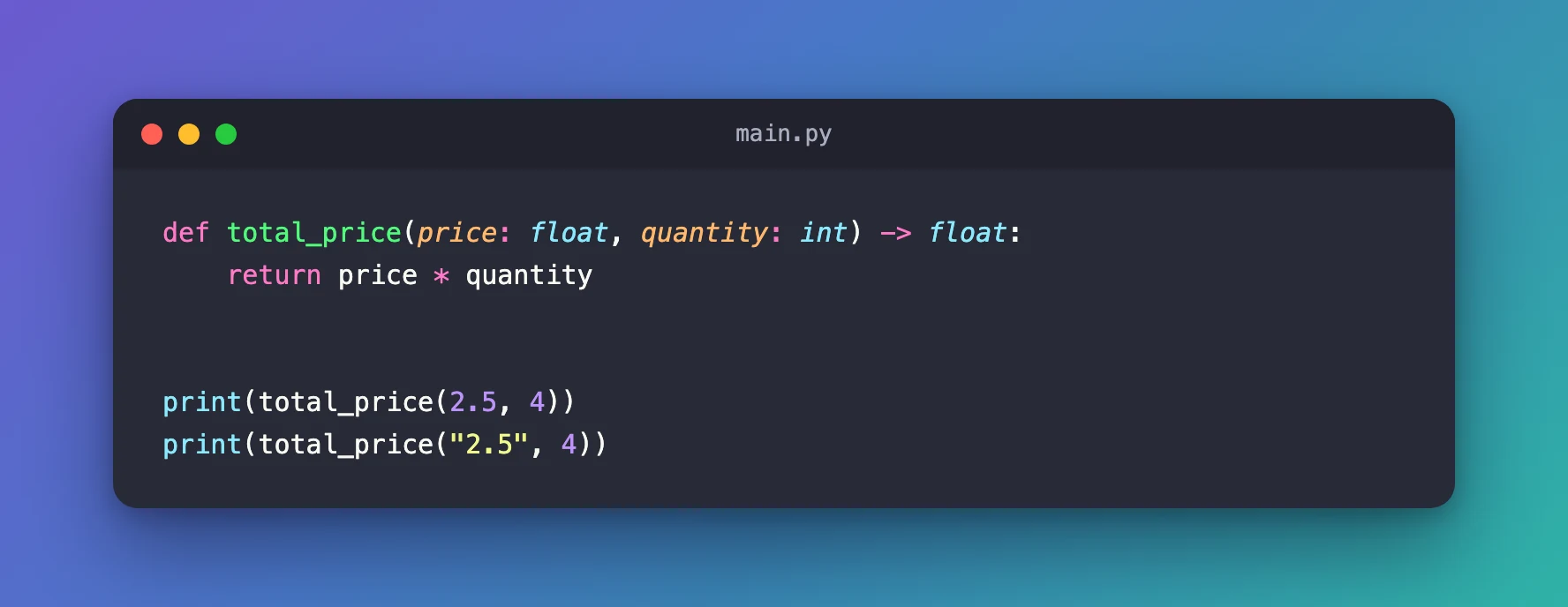
def total_price(price: float, quantity: int) -> float:
    return price * quantity


print(total_price(2.5, 4))
print(total_price("2.5", 4))
price: floatandquantity: intdescribe the two parameters.-> floatdescribes the result.- The second call passes the string
"2.5", which breaks the hint on purpose.
Step 2: Run It
uv run python main.py
10.0
2.52.52.52.5
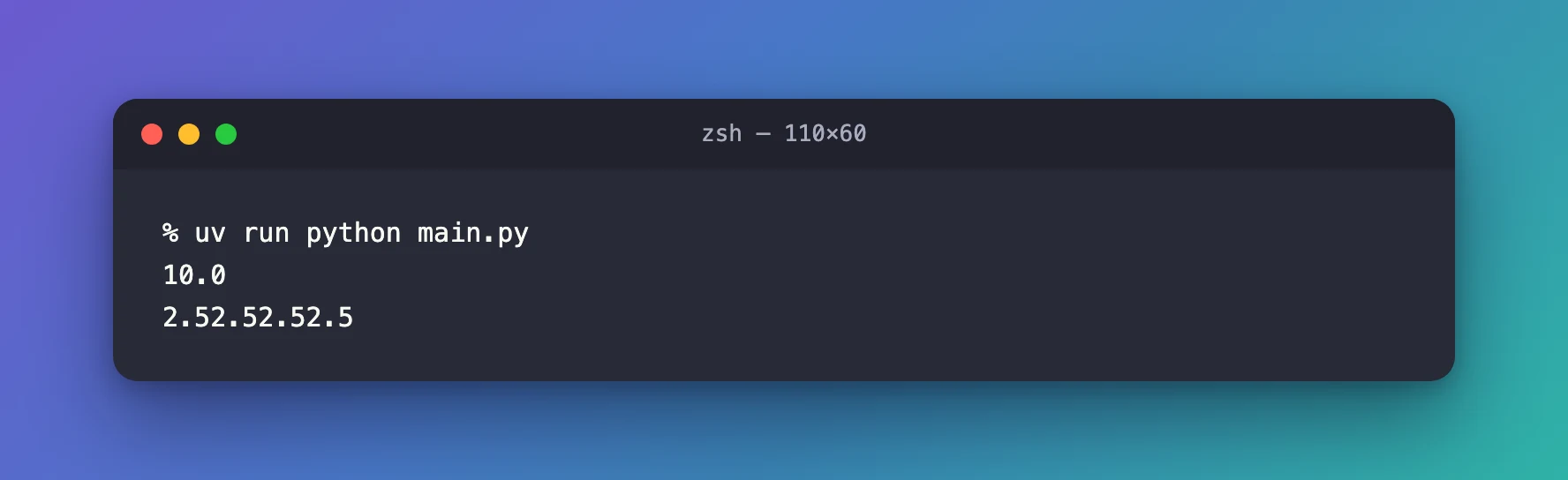
The first call worked as intended. The second ran too: Python ignored the hint, and a string times 4 repeats the string four times. That's exactly what the glossary means by "not enforced". The command is the same in zsh, bash and PowerShell.
Reading the Hints Back
Python keeps the hints on the function, where tools can read them:
print(total_price.__annotations__)
# {'price': <class 'float'>, 'quantity': <class 'int'>, 'return': <class 'float'>}
Common Mistakes
| Mistake | What happens | Do this instead |
|---|---|---|
| Expecting Python to reject a wrong type | The call runs anyway, as 2.52.52.52.5 shows | Run a static type checker over the code |
Writing -> float after the colon, as in def f(x: int): -> float | SyntaxError: invalid syntax | Put -> type before the colon |
Hinting float and returning a string | Nothing at run time; only a checker notices | Keep the hint and the code in agreement |
Troubleshooting
| Symptom | Likely cause | Fix |
|---|---|---|
| A function gets a value of the wrong type with no error | Hints aren't checked when the code runs | Check types with a static type checker, or convert the value in the function |
| Your editor underlines a call | It compared the call with the hints | Pass a value of the hinted type |
FAQ
Do type hints make Python faster?
No. Python doesn't enforce them, and the example ran the same with a wrong type; they're for readers, editors and type checkers.
What checks the hints, then?
Static type checkers, such as mypy, and editors read the hints without running the code and report calls that don't match.
Conclusion
parameter: type and -> type document what a function takes and returns. Python stores the hints but doesn't enforce them, so pair them with a type checker when you want mistakes caught before the code runs.
