How to Add the MSAL Redirect Bridge Page to a Next.js App

MSAL Browser 5, the library behind Microsoft Entra ID sign-in in the browser, no longer finishes a sign-in on whatever page Microsoft sends the response to. It wants a small page of its own, the redirect bridge, that hands the response back to your app. This guide adds that page to a Next.js App Router app, with every setting MSAL's documentation asks for.
Why the Bridge Exists
When someone signs in, Microsoft sends the response to your app's redirect URI. With MSAL 4, the page at that address processed the response itself. MSAL 5 adds support for Cross-Origin-Opener-Policy (COOP), a browser security header that cuts the connection between windows of different origins. MSAL's migration guide explains the problem it solves: with COOP headers on the sign-in service's responses, traditional popup and silent iframe authentication flows will fail because the authentication window cannot communicate back to the main application window. It also notes that Microsoft Entra ID … has COOP enabled by default.
The redirect bridge is MSAL 5's answer: a page on your own site that receives the response and passes it back with broadcastResponseToMainFrame(). For a redirect sign-in, the whole page went to Microsoft, and the bridge sends it back to where it started. For popups and silent sign-ins, it hands the response to the waiting page and closes the window. MSAL's documentation is clear that the bridge isn't optional: when your redirectUri points to it and it's missing, those redirect flows will also fail.
The example is a Next.js 16 app that signs people in with MSAL React 5 and runs on http://localhost:3000; its bridge lives at /redirect (How to Sign Users In to a Next.js App with MSAL React).
Prerequisites
- The redirect URI registered: your app's registration in Microsoft Entra ID lists
http://localhost:3000/redirectas a single-page application redirect URI. MSAL's documentation warns that it must match exactly — including path, protocol, and port.
Step 1: Create the Bridge Page
In the App Router, a page is a page.tsx in a folder named after its path. Create app/redirect/page.tsx:
"use client";

import { broadcastResponseToMainFrame } from "@azure/msal-browser/redirect-bridge";
import { useEffect } from "react";

// Microsoft sends the sign-in response here. This page passes it back to the
// page that started the sign-in. It must stay outside MsalProvider.
export default function Redirect() {
  useEffect(() => {
    broadcastResponseToMainFrame().catch((error: unknown) => {
      console.error("Couldn't pass the sign-in response on.", error);
    });
  }, []);

  return <p>Signing in…</p>;
}
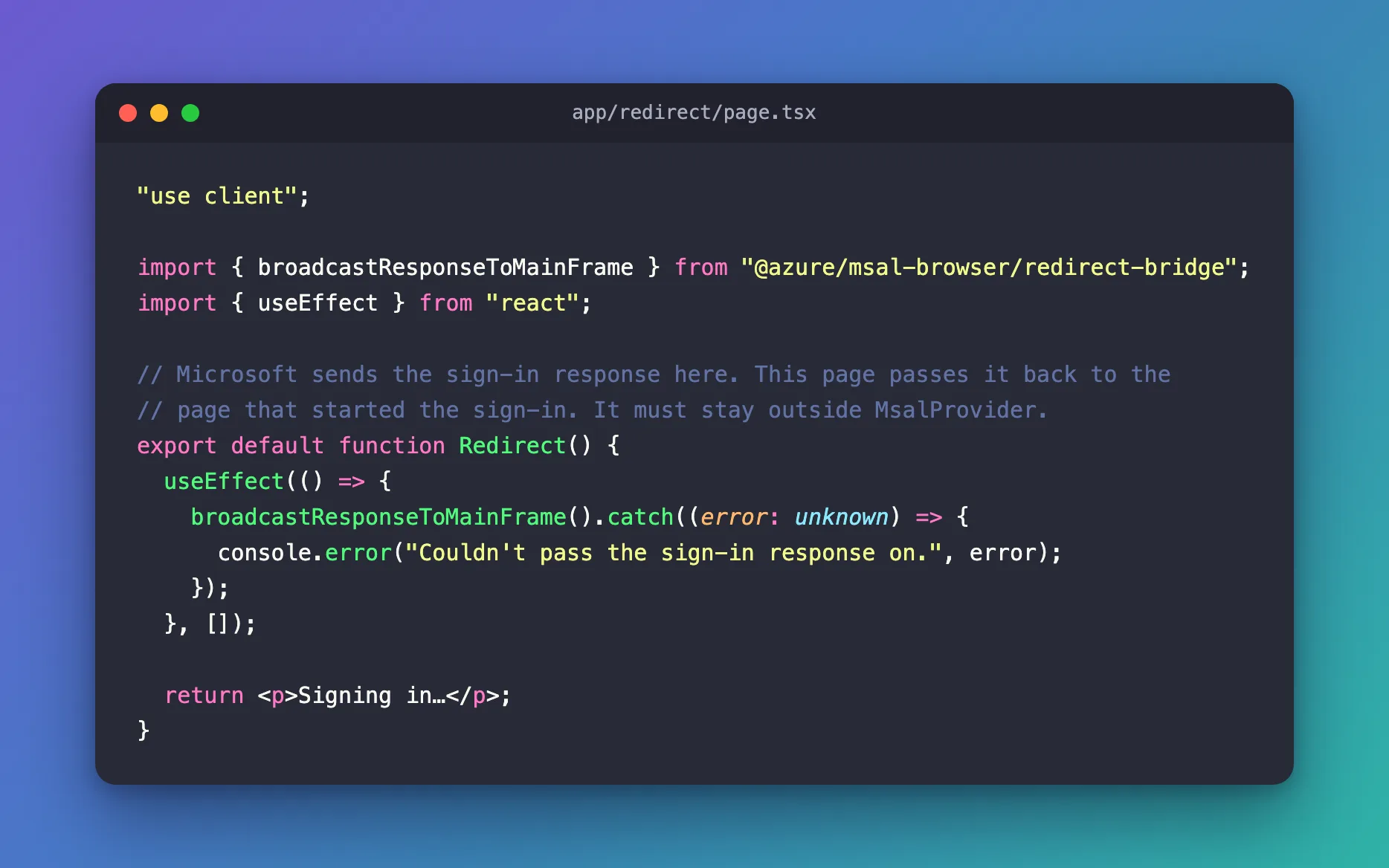
| Line | Why |
|---|---|
"use client" | The response is in the browser's address bar, so the page must run in the browser. MSAL's App Router instructions say the page must be a Client Component |
@azure/msal-browser/redirect-bridge | The bridge's own entry point in MSAL Browser |
useEffect(…, []) | Runs once, after the page appears in the browser |
.catch(…) | If there's nothing to pass on, the call fails; the page logs why instead of failing silently |
<p>Signing in…</p> | What people see for the moment the page is on screen |
Step 2: Keep It Outside MsalProvider
The bridge page must not be inside MsalProvider, MSAL React's component that runs MSAL for your pages. MSAL's Next.js instructions say to exclude the redirect route from MsalProvider: if your root layout wraps everything in the provider, give /redirect a layout that doesn't.
The simplest way is not to put the provider in the root layout at all, and to wrap only the pages that need sign-in. In the example, the home page wraps its content in the provider and the root layout stays plain, so /redirect is outside it automatically.
Step 3: Give It a Fixed Title
The response arrives in the page's address, and that address includes the sign-in code. MSAL's documentation explains the risk: Without an explicit title, the browser displays the raw redirect URL — which contains authorization codes or tokens — as the tab title and browser history entry. It asks for a static title, present before any JavaScript runs.
In the App Router, a layout's metadata is part of the HTML Next.js sends: the built page starts with <title>Signing in</title>. Give the folder its own app/redirect/layout.tsx:
import type { Metadata } from "next";

// A fixed title, so the browser tab and history never show the address,
// which carries the sign-in response.
export const metadata: Metadata = {
  title: "Signing in",
};

export default function RedirectLayout({ children }: LayoutProps<"/redirect">) {
  return children;
}
LayoutProps<"/redirect"> is the type Next.js generates for this route's layout. The layout adds nothing but the title, and it's also where a provider-free layout would go if your root layout had one.
Step 4: Stop Anyone from Caching It
MSAL's documentation is just as clear about caching: Because the bridge page carries sensitive authentication material in the URL, it must not be cached by any intermediary. Serve the redirect bridge page with Cache-Control: no-store.
Next.js doesn't do that on its own. In production it serves a static page like this one with Cache-Control: s-maxage=31536000, which lets a CDN keep it for a year (Fixed: Next.js Caches the MSAL Redirect Page with "Cache-Control: s-maxage=31536000"). Add a header rule for the page in next.config.ts:
import type { NextConfig } from "next";

const nextConfig: NextConfig = {
  // The sign-in response arrives at /redirect in the page's address, so no
  // browser, proxy or CDN may keep a copy of that page.
  async headers() {
    return [
      {
        source: "/redirect",
        headers: [{ key: "Cache-Control", value: "no-store" }],
      },
    ];
  },
};

export default nextConfig;
How headers() works, and why the development server hides the problem, is in How to Set a Cache-Control Header for One Page in Next.js.
The documentation adds two more rules that need no code in a Next.js app: the page must not be served with COOP headers, and it must come from your own site, never from a CDN on another origin, because it handles the raw sign-in response.
Step 5: Point MSAL at It
Use the page's path for both MSAL redirect settings:
new PublicClientApplication({
  auth: {
    clientId: process.env.NEXT_PUBLIC_ENTRA_CLIENT_ID ?? "",
    authority: `https://login.microsoftonline.com/${process.env.NEXT_PUBLIC_ENTRA_TENANT_ID}`,
    redirectUri: "/redirect",
    postLogoutRedirectUri: "/redirect",
  },
})
redirectUri is where sign-in responses go. postLogoutRedirectUri is where Microsoft sends people after signing out; MSAL's documentation calls pointing both at the bridge the simplest configuration.
Step 6: Check It
A sign-in. With npm run dev, a sign-in comes back through the bridge; the app's terminal shows the page, then the home page it sends the browser back to:
 GET /redirect 200 in 57ms (next.js: 11ms, application-code: 46ms)
 GET / 200 in 27ms (next.js: 0.8ms, application-code: 26ms)
The production build. npm run build lists the bridge as a static page:
Route (app)
┌ ○ /
├ ○ /_not-found
└ ○ /redirect


○  (Static)  prerendered as static content
The header. With npm start running the build, curl -I asks for the page's headers only:
curl -I http://localhost:3000/redirect
HTTP/1.1 200 OK
Cache-Control: no-store
x-nextjs-cache: HIT
x-nextjs-prerender: 1
X-Powered-By: Next.js
Content-Type: text/html; charset=utf-8
In PowerShell, write curl.exe instead of curl. The home page, which has no rule, still gets Cache-Control: s-maxage=31536000: the rule changes this one page only.
Common Mistakes
| Mistake | What happens | Do this instead |
|---|---|---|
Wrapping /redirect in MsalProvider | MSAL's documentation says the bridge must stay outside it | Wrap only the pages that need sign-in |
Leaving out "use client" | The page renders on the server, and the call never runs in the browser | Make the page a client component |
No Cache-Control: no-store | In production, Next.js marks the page as cacheable for a year | Add the headers() rule |
| Setting the title from JavaScript | The raw address shows in the tab and history until the script runs | Use a layout's metadata, which is in the HTML |
| A redirect URI that doesn't match the registration | Microsoft refuses to send the response | Register http://localhost:3000/redirect exactly |
Troubleshooting
| Symptom | Likely cause | Fix |
|---|---|---|
The page stays on Signing in…, and the console shows Couldn't pass the sign-in response on. BrowserAuthError: empty_response | The page was opened without a sign-in response in its address, such as by typing /redirect | Expected: start the sign-in from your app's button |
| The error appears twice in the console in development | React's development mode runs effects twice to catch mistakes | Expected in npm run dev only |
curl -I shows s-maxage=31536000 for /redirect | The headers() rule is missing, or the build is older than the rule | Add the rule, then npm run build again |
| Popups or silent sign-ins time out | The bridge page is missing or broken: MSAL's documentation says those flows depend on it | Check that the page exists at the redirectUri and calls broadcastResponseToMainFrame() |
FAQ
Does the page have to be at /redirect?
No. Any path works, as long as redirectUri points to it and the registration lists it exactly. /redirect is the path MSAL's examples use.
Can the bridge be the home page?
MSAL's documentation describes the bridge as its own page, outside MsalProvider. Your home page is usually inside the provider, so keep them apart.
Does sign-out need the bridge?
For logoutRedirect(), the documentation calls it optional: when the postLogoutRedirectUri page has the bridge, it will navigate the user back to the origin page. For logoutPopup(), it's required.
Conclusion
MSAL Browser 5 hands every sign-in response to a redirect bridge page. In a Next.js App Router app, that's app/redirect/page.tsx: a client component calling broadcastResponseToMainFrame(), outside MsalProvider, with a static Signing in title from its layout and Cache-Control: no-store from a headers() rule. Point redirectUri and postLogoutRedirectUri at it, register the exact address, and check the header in a production build.
Additional Resources
- MSAL Browser: redirect bridge — the rules and the Next.js instructions.
- MSAL Browser: v4 to v5 migration — why COOP needs the bridge.
- Next.js: headers — header rules in
next.config.ts.
