How to Add Tags to a Model Version in MLflow

A model version can carry facts about itself: whether it passed review, who reviewed it, which ticket it belongs to. MLflow stores them as tags, key and value pairs on the version. This guide sets a tag when a version is registered, changes it, adds another and deletes one, with real output from MLflow 3.18.0.
Syntax
version = mlflow.register_model(model_uri, name, tags={key: value})
client = MlflowClient()
client.set_model_version_tag(name, version_number, key, value)
client.delete_model_version_tag(name, version_number, key)
client.get_model_version(name, version_number).tags
| Part | What it means |
|---|---|
tags={key: value} | Tags the new version gets as it's registered |
name | The registered model |
version_number | The version's number, such as "1" or version.version |
key, value | The tag's name and its value; setting a key that exists replaces its value |
.tags | A dictionary of the version's tags |
MLflow's Model Registry workflows page sets and deletes a version tag with exactly these calls: client.set_model_version_tag("example-model", "1", "validation_status", "approved").
Prerequisites
- An MLflow tracking server with a database backend at
http://127.0.0.1:8080, such asmlflow server --port 8080with its default SQLite database. The registry needs one. mlflowandscikit-learnin your project, for example withuv add mlflow scikit-learn pandas.
Step 1: Tag a Version, Change the Tag, Delete One
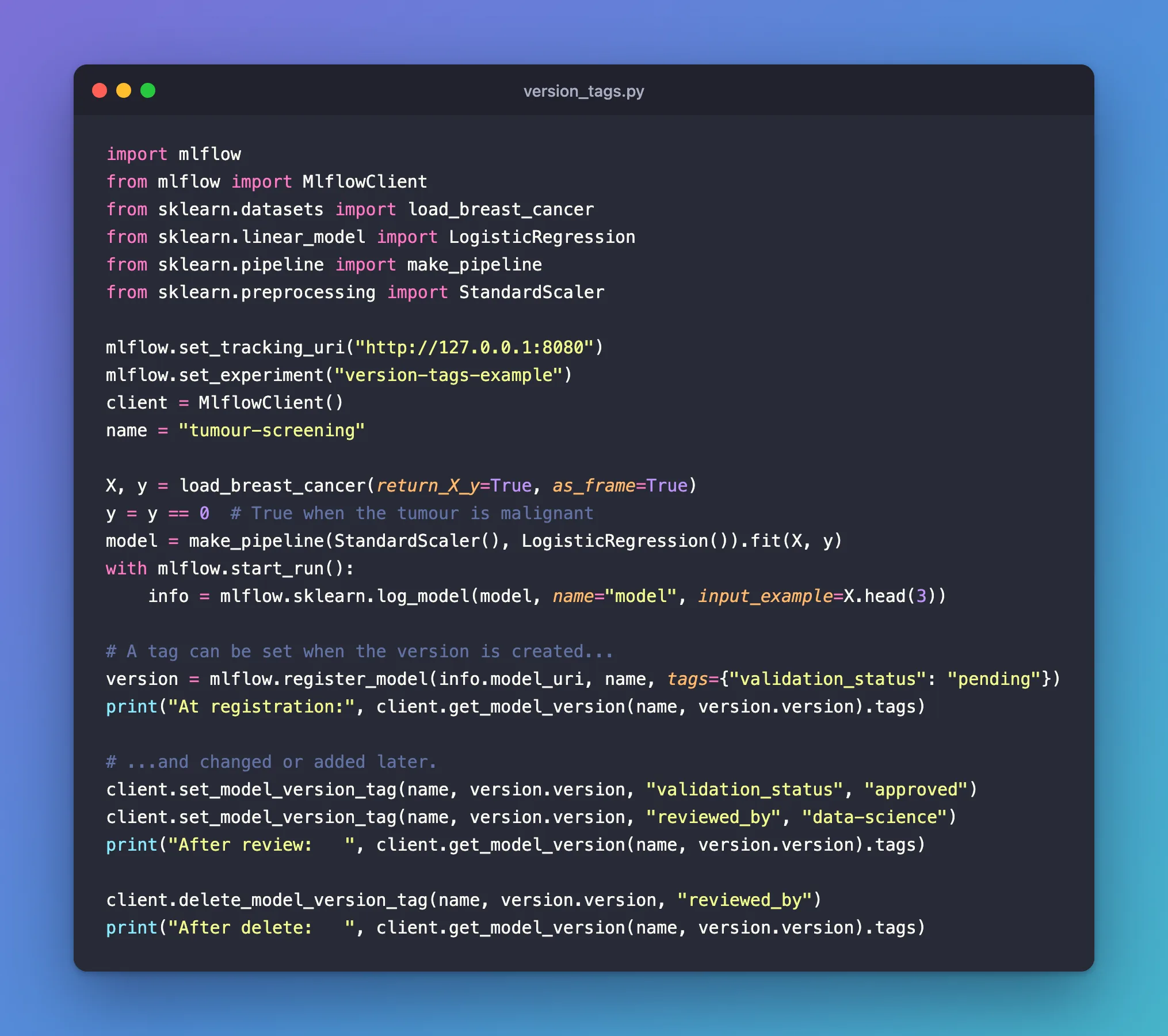
The example logs a breast cancer classifier and registers it as tumour-screening, with validation_status set to pending. After a review, it sets the status to approved and adds a reviewed_by tag, then deletes reviewed_by again, printing the version's tags at each point:
import mlflow
from mlflow import MlflowClient
from sklearn.datasets import load_breast_cancer
from sklearn.linear_model import LogisticRegression
from sklearn.pipeline import make_pipeline
from sklearn.preprocessing import StandardScaler

mlflow.set_tracking_uri("http://127.0.0.1:8080")
mlflow.set_experiment("version-tags-example")
client = MlflowClient()
name = "tumour-screening"

X, y = load_breast_cancer(return_X_y=True, as_frame=True)
y = y == 0  # True when the tumour is malignant
model = make_pipeline(StandardScaler(), LogisticRegression()).fit(X, y)
with mlflow.start_run():
    info = mlflow.sklearn.log_model(model, name="model", input_example=X.head(3))

# A tag can be set when the version is created...
version = mlflow.register_model(info.model_uri, name, tags={"validation_status": "pending"})
print("At registration:", client.get_model_version(name, version.version).tags)

# ...and changed or added later.
client.set_model_version_tag(name, version.version, "validation_status", "approved")
client.set_model_version_tag(name, version.version, "reviewed_by", "data-science")
print("After review:   ", client.get_model_version(name, version.version).tags)

client.delete_model_version_tag(name, version.version, "reviewed_by")
print("After delete:   ", client.get_model_version(name, version.version).tags)
uv run python version_tags.py
At registration: {'validation_status': 'pending'}
After review:    {'validation_status': 'approved', 'reviewed_by': 'data-science'}
After delete:    {'validation_status': 'approved'}
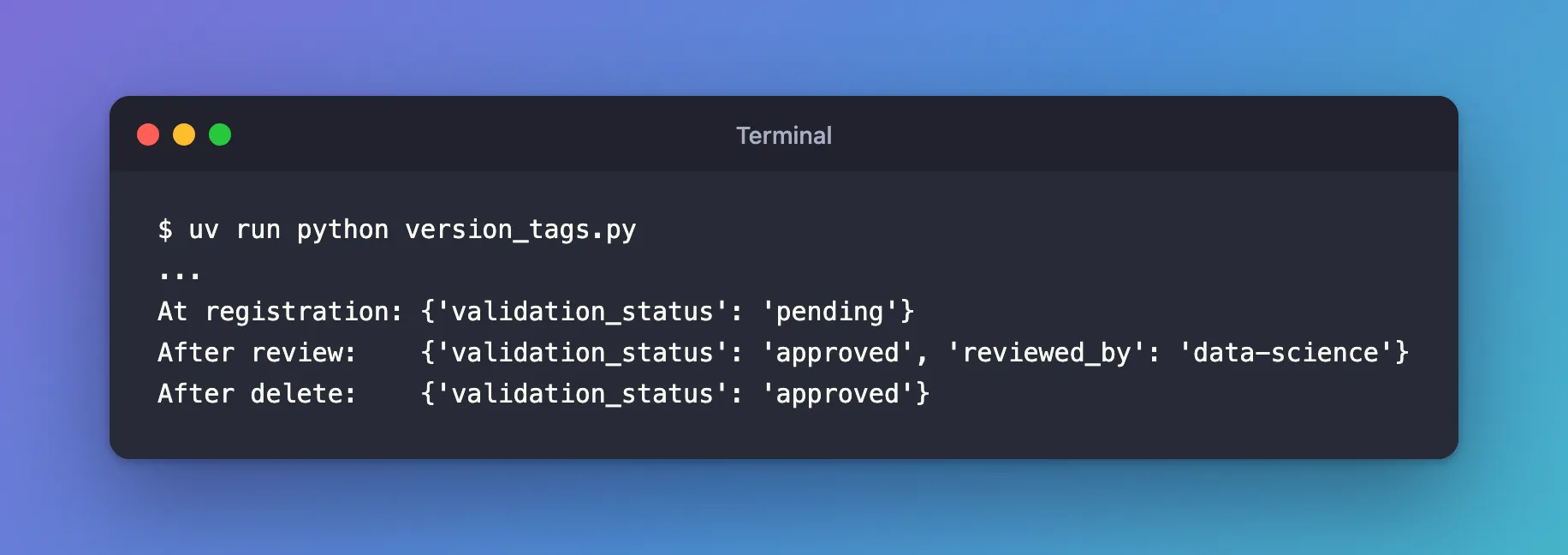
- At registration: the tag came with the new version, so it never existed without a status.
- After review: setting
validation_statusagain replacedpendingwithapproved, andreviewed_bywas added beside it. - After delete:
reviewed_byis gone and the status stays.
Common Mistakes
| Mistake | What happens | Do this instead |
|---|---|---|
| Using a tag to choose which version code loads | Code has to search for the tag, and two versions can carry the same value | Use an alias, which points to one version at a time |
| Setting a registered model tag when you meant the version | The tag describes the whole model, not this version | Use set_model_version_tag for facts about one version |
Troubleshooting
| Symptom | Likely cause | Fix |
|---|---|---|
RESOURCE_DOES_NOT_EXIST: Model Version (name=tumour-screening, version=9) not found | The version number doesn't exist | Use the number from register_model's result, or the registered model's page |
| The tag value comes back as a string | MLflow stores tag values as strings | Convert it when you read it, such as with int(...) |
FAQ
Can I find versions by their tags?
Yes, with a filter such as tags.validation_status = 'approved': How to Search Model Versions in MLflow.
How is this different from a run's tags?
A run's tags describe the training run; a version's tags describe the registered version. They're separate: How to Add Tags to an MLflow Run covers the run's.
Conclusion
register_model(..., tags={"validation_status": "pending"}) tagged version 1 of tumour-screening as it was created, set_model_version_tag changed and added tags after the review, and delete_model_version_tag removed one.
Additional Resources
- Model Registry workflows — setting and deleting tags in code.
- MlflowClient.set_model_version_tag — the call and an example.
