How to Add Scalar API Documentation to a .NET 10 C# Web API

ASP.NET Core can describe your API as an OpenAPI document, but that's a JSON file meant for tools. Scalar turns it into a page you can read and try in a browser. It takes one package and one line of code. This guide adds it to a .NET 10 C# Web API, for Development only.
Prerequisites
- A .NET 10 C# Web API with an OpenAPI document. The
dotnet new webapitemplate sets this up:builder.Services.AddOpenApi();andapp.MapOpenApi();. The examples use a minimal API onhttp://localhost:5190, built in Part 3 of the MySQL series.
Check that the document exists, with the API running. It answers at /openapi/v1.json, and the first lines look like this:
{
  "openapi": "3.1.1",
  "info": {
    "title": "Dewiride.Inventory.Api | v1",
    "version": "1.0.0"
  },
Step 1: Add the Package
Run this from the solution folder. It's the same in bash, zsh and PowerShell:
dotnet add src/Dewiride.Inventory.Api package Scalar.AspNetCore
info : PackageReference for package 'Scalar.AspNetCore' version '2.19.0' added to file '/Users/you/projects/dewiride-inventory-api/Directory.Packages.props'.
log  : Restored /Users/you/projects/dewiride-inventory-api/src/Dewiride.Inventory.Api/Dewiride.Inventory.Api.csproj (in 621 ms).
This solution uses central package management, so the version went into Directory.Packages.props. In a project without it, the version goes into the .csproj.
Step 2: Map the Page
In Program.cs, add the using at the top, and one line in the IsDevelopment block, next to MapOpenApi:
using Scalar.AspNetCore;

// …

if (app.Environment.IsDevelopment())
{
    app.MapOpenApi();

    // Interactive API documentation at /scalar/v1, built from the OpenAPI document.
    app.MapScalarApiReference();
}
MapScalarApiReference adds a page that reads the document MapOpenApi serves. Keeping it inside IsDevelopment means it doesn't exist in production, along with the document: the same API, running as Production, answered 404 for /openapi/v1.json.
Step 3: Open It
Run the API, and open http://localhost:5190/scalar/v1 in a browser:
dotnet run --project src/Dewiride.Inventory.Api
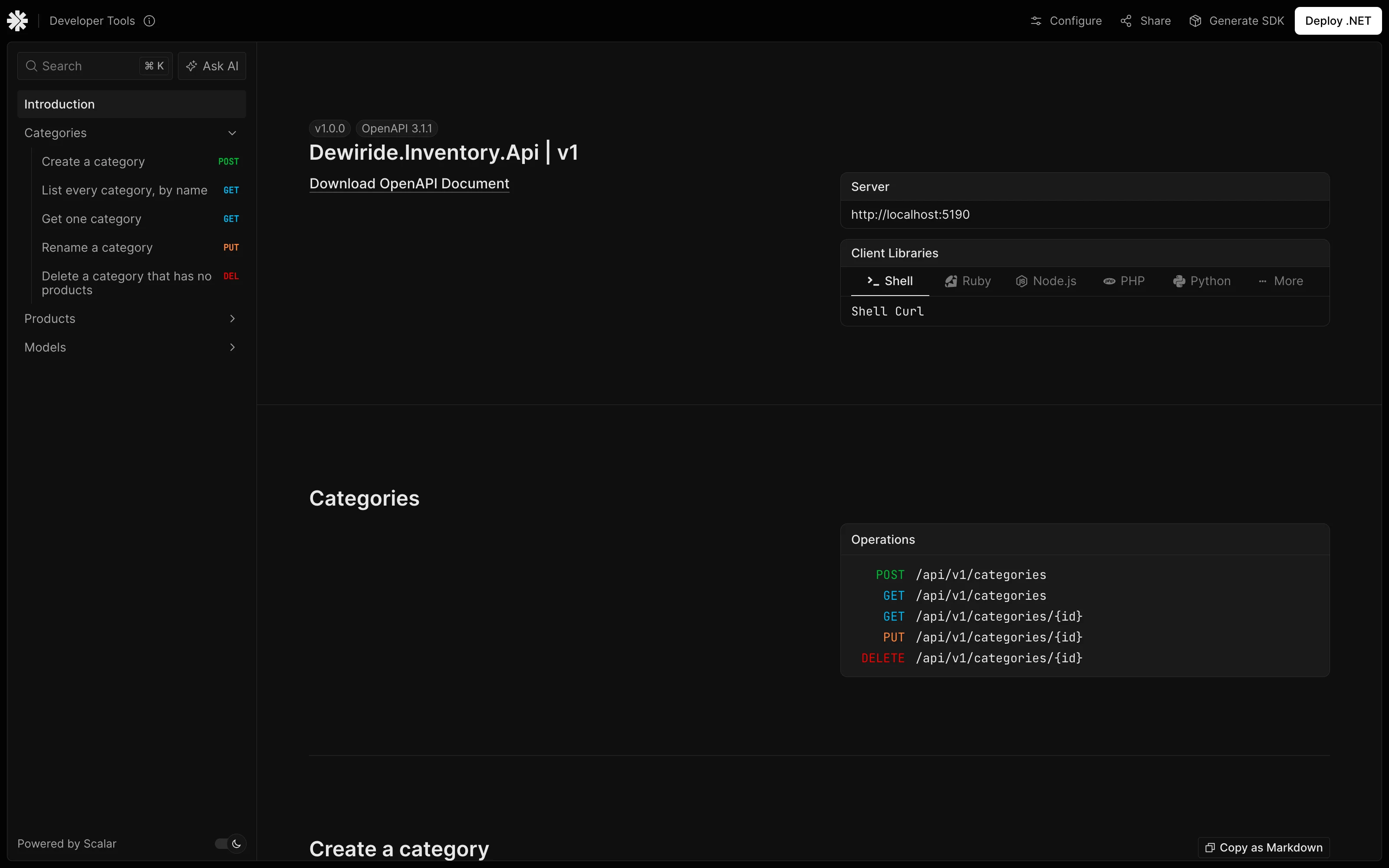
Everything on this page comes from your code:
| On the page | Where it comes from |
|---|---|
| Dewiride.Inventory.Api | v1 | The project's name, and the document's name |
| Categories, Products | .WithTags("Categories") on the route group |
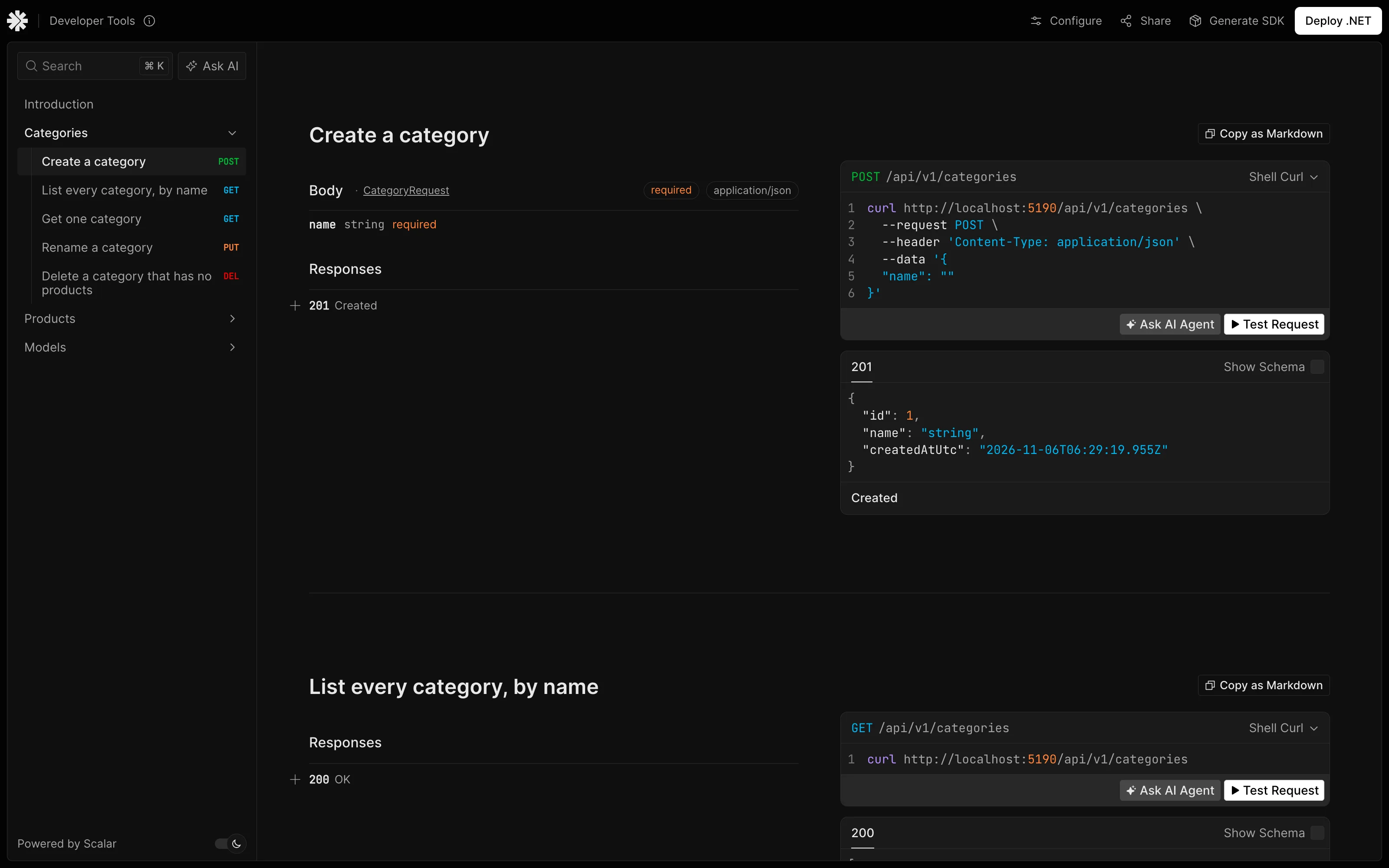
| Create a category | .WithSummary("Create a category") on the endpoint |
| Request and response schemas | The records in the endpoint's parameters and return type |
How to Add Summaries and Tags to an OpenAPI Document covers the first two, and TypedResults vs Results explains why the return type matters.
Select an operation in the sidebar to read its details, with a sample request:
Common Mistakes
| Mistake | What happens | Do this instead |
|---|---|---|
Calling MapScalarApiReference outside IsDevelopment | Your API's structure is public | Keep it in Development, unless you mean to publish it |
Removing AddOpenApi or MapOpenApi | The page has no document to read | Keep both |
Using Results instead of TypedResults | Scalar can't show the response shapes | Use TypedResults |
Troubleshooting
| Symptom | Likely cause | Fix |
|---|---|---|
| The page says the document can't be loaded | /openapi/v1.json answers an error | Open that address directly, and read the API's log |
/openapi/v1.json answers 500 with InvalidCastException | Validation attributes on an [AsParameters] record | See that post |
404 for /scalar/v1 | The API isn't running as Development | Start it with dotnet run, which uses the launch profile |
CS1061 for MapScalarApiReference | The using is missing | Add using Scalar.AspNetCore; |
FAQ
Is Scalar free?
The Scalar.AspNetCore package and this page cost nothing, and they run on your own computer. The page also shows buttons for Scalar's own paid and hosted services, such as Deploy .NET, which you don't need here.
What about Swagger UI?
Microsoft's Swagger page says: "In .NET 9 and later, ASP.NET Core includes built-in OpenAPI support that replaces Swashbuckle as the default. Swashbuckle is no longer included in project templates, but it remains available as a community package you can add manually." Any tool that reads OpenAPI can use the generated document, and Scalar is one of them.
Conclusion
dotnet add package Scalar.AspNetCore, then app.MapScalarApiReference(); next to MapOpenApi inside IsDevelopment, gives you a documentation page at /scalar/v1, generated from the OpenAPI document ASP.NET Core already makes.
Additional Resources
- Scalar's ASP.NET Core integration — options for the page.
- Generate OpenAPI documents — how ASP.NET Core makes the document.
