How to Add Rows to an Excel Table with an Office Script

To add data under an Excel table, an Office Script gets the table by its name and calls addRows. The table grows to take the new rows, so formulas, formats and total rows that belong to it keep working.
Syntax
workbook.getTable("<table name>").addRows(<index>, [
    [<row values>]
]);
From Microsoft's ExcelScript.Table reference:
<table name>: the name of the table, as shown on Table Design, Table Name.<index>: where the rows go. If null or -1, the addition happens at the end. Otherwise it's a position counted from 0, and rows below it move down.- The rows: an array of rows, each with one value per column of the table, left to right.
The Example
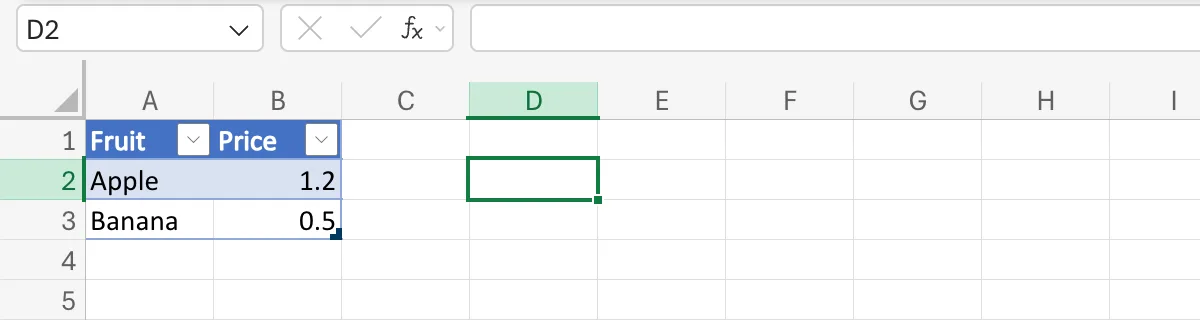
The sheet has a table named Fruits with two columns, Fruit and Price, and two rows: Apple 1.2 and Banana 0.5. The script Add Cherry adds a third. To make a range a table and name it, see How to Format Data as a Table in Excel and How to Rename a Table in Excel.
Step 1: Write the Script
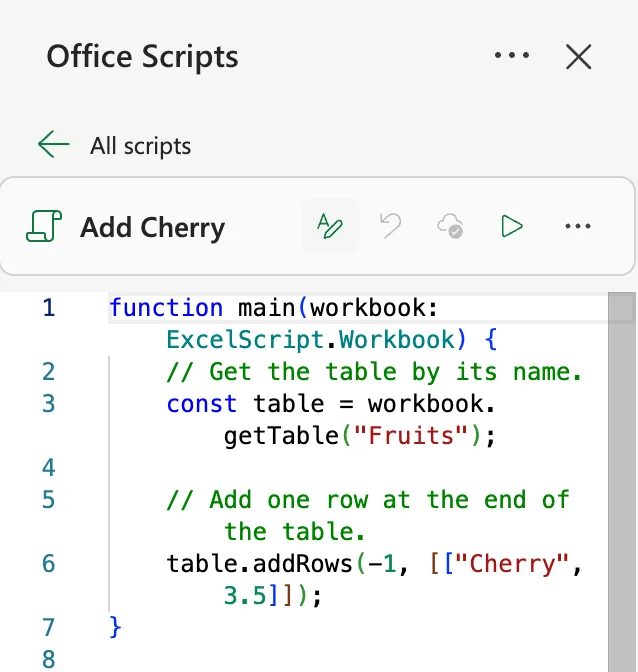
Create a script (How to Create and Run an Office Script in Excel) with this code:
function main(workbook: ExcelScript.Workbook) {
    // Get the table by its name.
    const table = workbook.getTable("Fruits");

    // Add one row at the end of the table.
    table.addRows(-1, [["Cherry", 3.5]]);
}
workbook.getTable("Fruits")finds the table wherever it is in the workbook, so it doesn't matter which sheet is open.-1adds the row at the end.[["Cherry", 3.5]]is a list with one row in it, and the row has a value for each of the two columns.
Step 2: Run It
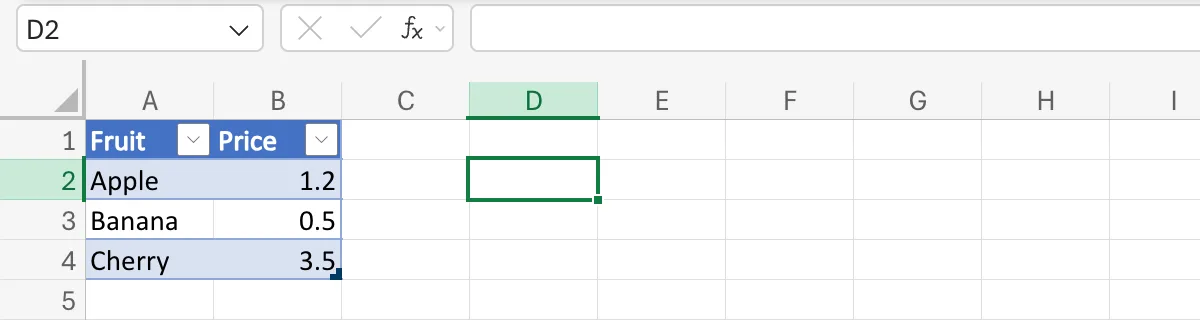
Select Run. The table now ends with Cherry 3.5, in the table's own banded style:
To add several rows at once, put more rows in the list: [["Cherry", 3.5], ["Kiwi", 0.8]]. One call with all the rows is quicker than one call per row.
Common Mistakes
| Mistake | What happens | Do this instead |
|---|---|---|
One flat row, ["Cherry", 3.5] | The reference describes addRows's values as a 2-dimensional array | [["Cherry", 3.5]], or addRow(-1, ["Cherry", 3.5]) for a single row |
| Fewer values than columns | Microsoft's example notes that each row must have as many values as the table has columns | One value for each column |
| The wrong table name | getTable finds no table | Copy the name from Table Design, Table Name |
Writing under the table with getRange | The cells are outside the table | addRows |
Troubleshooting
| Symptom | Likely cause | Fix |
|---|---|---|
The script stops on the addRows line | No table has that name, so there's nothing to add to | Check Table Name |
| The row appears in the middle | The index wasn't -1 | Use -1 for the end |
| A total row moved down | It always stays under the table's rows | Nothing to fix: that's how a total row works |
FAQ
Can I add a row at the top?
Yes: addRows(0, rows) adds them before the first row, and the others move down.
What's the difference between addRow and addRows?
addRow(index, values) adds one row and takes one row of values; addRows(index, values) takes a list of rows.
Do formulas in the table fill into the new rows?
A calculated column, a column whose formula Excel copies down, fills itself in for new rows.
Conclusion
workbook.getTable("<name>").addRows(-1, rows) adds rows to the end of a table, one inner array per row with a value for each column. The table grows to take them.
