How to Add Paging to an EF Core Query with Skip and Take

A list endpoint shouldn't return every row. Skip and Take give you one page at a time, which EF Core turns into MySQL's LIMIT and OFFSET. Getting it right takes three more things: a sort order rows can't escape from, the total count, and a limit on the page size. This guide builds all of it.
Prerequisites
- A .NET C# project with EF Core. The examples use EF Core 10, Oracle's
MySql.EntityFrameworkCore, MySQL 9.7, and aproductstable with eight rows. SQL logging is on, as in How to See the SQL That EF Core Sends.
Step 1: Skip and Take
For page page, with size rows per page, skip the pages before it:
app.MapGet("/demo/page", async (int page, int size, InventoryDbContext db) =>
    Results.Ok(await db.Products
        .OrderBy(p => p.Name)
        .ThenBy(p => p.Id)
        .Skip((page - 1) * size)
        .Take(size)
        .Select(p => p.Sku)
        .ToListAsync()));
HTTP/1.1 200 OK
Content-Type: application/json; charset=utf-8

[
  "CBL-HDMI-2M",
  "ADP-HDMI-VGA",
  "CBL-LTNG-1M"
]
HTTP/1.1 200 OK
Content-Type: application/json; charset=utf-8

[
  "CBL-USBC-1M",
  "CBL-USBC-2M",
  "CHG-USBC-20W"
]
HTTP/1.1 200 OK
Content-Type: application/json; charset=utf-8

[
  "CHG-USBC-65W",
  "ADP-USBC-USBA"
]
info: Microsoft.EntityFrameworkCore.Database.Command[20101]
      Executed DbCommand (1ms) [Parameters=[@p1='?' (DbType = Int32), @p='?' (DbType = Int32)], CommandType='Text', CommandTimeout='30']
      SELECT `p`.`Sku`
      FROM `products` AS `p`
      ORDER BY `p`.`Name`, `p`.`Id`
      LIMIT @p1 OFFSET @p
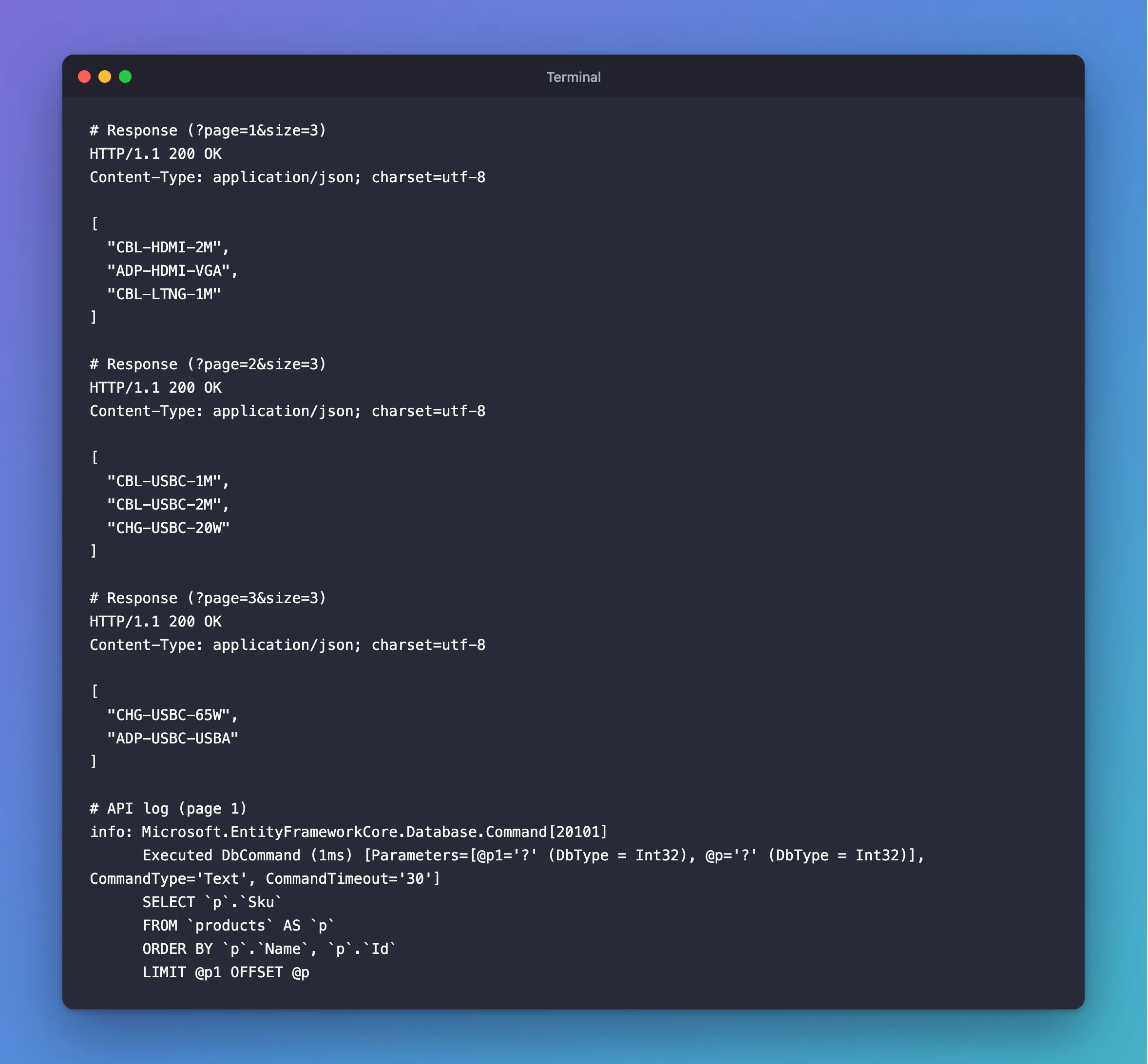
Eight products over three pages, each exactly once.
Step 2: Sort First, and End with Something Unique
The order isn't decoration. Without OrderBy, EF Core logs a warning, and pages aren't reliable. EF Core's pagination page adds a second rule: "always make sure that your ordering is fully unique." If two products have the same name, ThenBy(p => p.Id) decides between them, so they can't swap places between requests.
Step 3: Return the Total
A client needs the total to show "page 2 of 3". Count the filtered query before paging:
var totalCount = await products.CountAsync(cancellationToken);

var items = await sorted
    .Skip((query.Page - 1) * query.PageSize)
    .Take(query.PageSize)
    .Select(ProductResponse.FromProduct)
    .ToListAsync(cancellationToken);

return TypedResults.Ok(new PagedResponse<ProductResponse>(items, query.Page, query.PageSize, totalCount));
namespace Dewiride.Inventory.Api.Common;

/// <summary>One page of a longer list, and how long the whole list is.</summary>
public sealed record PagedResponse<T>(
    IReadOnlyList<T> Items,
    int Page,
    int PageSize,
    int TotalCount);
GET /api/v1/products?pageSize=3 sends two statements, the count and the page:
info: Microsoft.EntityFrameworkCore.Database.Command[20101]
      Executed DbCommand (3ms) [Parameters=[], CommandType='Text', CommandTimeout='30']
      SELECT COUNT(*)
      FROM `products` AS `p`
      WHERE NOT (`p`.`IsArchived`)
info: Microsoft.EntityFrameworkCore.Database.Command[20101]
      Executed DbCommand (4ms) [Parameters=[@p1='?' (DbType = Int32), @p='?' (DbType = Int32)], CommandType='Text', CommandTimeout='30']
      SELECT `p0`.`Id`, `p0`.`Sku`, `p0`.`Name`, `p0`.`Description`, `p0`.`CategoryId`, `c`.`Name`, `p0`.`UnitPrice`, `p0`.`QuantityOnHand`, `p0`.`ReorderLevel`, `p0`.`IsArchived`, `p0`.`ArchivedAtUtc`, `p0`.`CreatedAtUtc`, `p0`.`UpdatedAtUtc`
      FROM (
          SELECT `p`.`Id`, `p`.`ArchivedAtUtc`, `p`.`CategoryId`, `p`.`CreatedAtUtc`, `p`.`Description`, `p`.`IsArchived`, `p`.`Name`, `p`.`QuantityOnHand`, `p`.`ReorderLevel`, `p`.`Sku`, `p`.`UnitPrice`, `p`.`UpdatedAtUtc`
          FROM `products` AS `p`
          WHERE NOT (`p`.`IsArchived`)
          ORDER BY `p`.`Name`, `p`.`Id`
          LIMIT @p1 OFFSET @p
      ) AS `p0`
      INNER JOIN `categories` AS `c` ON `p0`.`CategoryId` = `c`.`Id`
      ORDER BY `p0`.`Name`, `p0`.`Id`
The page itself runs in an inner query, so LIMIT picks the rows before the join to categories.
Step 4: Limit What Clients Can Ask For
Without limits, a client can ask for a million rows per page. Validation handles that, in a record bound with [AsParameters]:
[property: Range(1, 1_000_000)] int Page = 1,
[property: Range(1, 100)] int PageSize = 20
HTTP/1.1 400 Bad Request
Content-Type: application/problem+json

{
  "type": "https://tools.ietf.org/html/rfc9110#section-15.5.1",
  "title": "One or more validation errors occurred.",
  "status": 400,
  "errors": {
    "PageSize": [
      "The field PageSize must be between 1 and 100."
    ]
  },
  "traceId": "00-b1086d0926e761e13fef4085263c14a9-6074188c3f312f05-00"
}
The maximum on Page also keeps (Page - 1) * PageSize inside what an int can hold. A page past the end is just empty, with the real total:
HTTP/1.1 200 OK
Content-Type: application/json; charset=utf-8

{
  "items": [],
  "page": 99,
  "pageSize": 20,
  "totalCount": 8
}
Common Mistakes
| Mistake | What happens | Do this instead |
|---|---|---|
Skip and Take with no OrderBy | An EF Core warning, and unreliable pages | Sort first |
| Sorting by a column with repeats only | Rows that tie can move between pages | Add .ThenBy(p => p.Id) |
Skip(page * size) with pages starting at 1 | Page 1 skips the first page's rows | (page - 1) * size |
Counting after Take | The count is the page size | Count before paging |
ToListAsync before Skip | Every row loads, and C# pages them | Keep it a query |
| No maximum page size | A client can load the whole table | Limit it with [Range] |
FAQ
Does Skip get slow on deep pages?
Yes. The pagination page explains: "The database must still process the first 20 entries, even if they aren't returned to the application". For very long lists, it recommends keyset paging, which filters on the last value seen, such as WHERE Id > @last.
What if rows change between pages?
Offset paging can then skip or repeat a row: if one is removed, the rest shift up. For most admin lists, that's acceptable. Keyset paging avoids it.
Conclusion
Sort with a unique last column, then Skip((page - 1) * size).Take(size), and count the filtered query for the total. Limit the page size with validation. In MySQL, that becomes ORDER BY … LIMIT … OFFSET, and every row appears exactly once across the pages.
Additional Resources
- Pagination in EF Core — offset and keyset paging.
