How to Add or Replace a Dictionary Value with the Indexer in C#

Most of the time you don't care whether a key is already in a Dictionary: you just want it to hold the new value. In C#, the indexer does exactly that. scores["Ana"] = 12; adds Ana if she's new, and replaces her score if she isn't.
Syntax
<dictionary>[<key>] = <value>;
| Part | What it does |
|---|---|
<dictionary>[<key>] | The entry for that key |
= <value> | Stores the value: adds the key if it isn't there, replaces the old value if it is |
Microsoft's Dictionary indexer reference: "When you set the property value, if the key is in the Dictionary<TKey,TValue>, the value associated with that key is replaced by the assigned value. If the key is not in the Dictionary<TKey,TValue>, the key and value are added to the dictionary."
The Example
A small scoreboard keeps a score for each player. Ana scores 10, Ben scores 7, then Ana's score is set again to 12. The program prints every entry and how many there are.
Prerequisites
- The .NET 10 SDK or newer, which runs a single
.csfile withdotnet run. This guide uses .NET SDK 10.0.404.
Step 1: Write the Code
Create a file named main.cs in an empty folder:
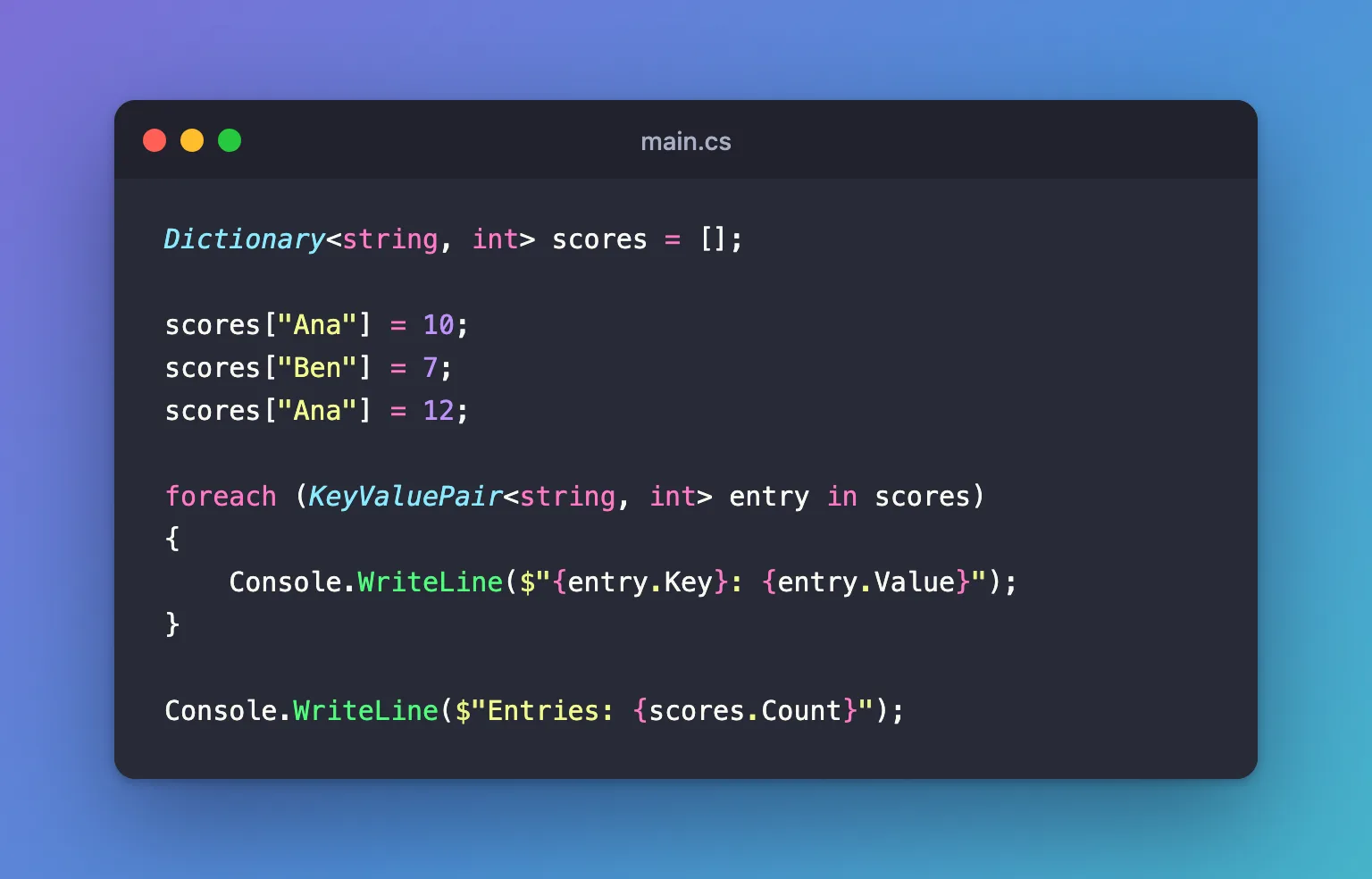
Dictionary<string, int> scores = [];

scores["Ana"] = 10;
scores["Ben"] = 7;
scores["Ana"] = 12;

foreach (KeyValuePair<string, int> entry in scores)
{
    Console.WriteLine($"{entry.Key}: {entry.Value}");
}

Console.WriteLine($"Entries: {scores.Count}");
Step 2: Run It
dotnet run main.cs
Ana: 12
Ben: 7
Entries: 2
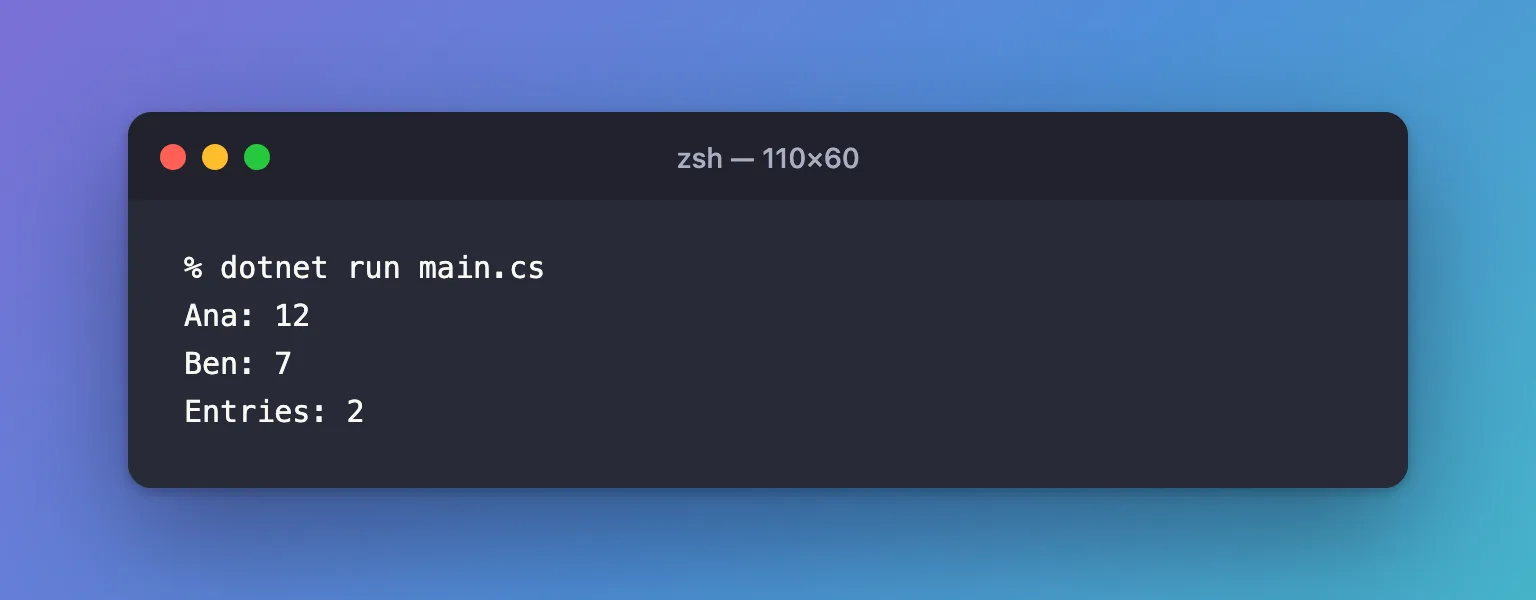
- The first two lines added
AnaandBen, because neither was there yet. - The third line found
Anaalready there, so it replaced 10 with 12 instead of adding a secondAna. - That's why there are 2 entries, not 3.
The command is the same in zsh, bash and PowerShell.
What Add Does Differently
Add only adds. For a key that's already there, it throws:
Dictionary<string, int> scores = [];

scores.Add("Ana", 10);
scores.Add("Ana", 12);
Unhandled exception. System.ArgumentException: An item with the same key has already been added. Key: Ana
   at System.Collections.Generic.Dictionary`2.TryInsert(TKey key, TValue value, InsertionBehavior behavior)
   at System.Collections.Generic.Dictionary`2.Add(TKey key, TValue value)
   at Program.<Main>$(String[] args) in /Users/you/demo/main.cs:line 4
Use Add when a second value for the same key would be a bug you want to hear about, and the indexer when the newest value should win.
Keep the First Value with TryAdd
When the first value should win instead, TryAdd adds only new keys and returns whether it did:
Dictionary<string, int> scores = [];
scores["Ana"] = 12;

Console.WriteLine(scores.TryAdd("Ana", 99));
Console.WriteLine(scores.TryAdd("Ben", 7));
Console.WriteLine($"Ana: {scores["Ana"]}, Ben: {scores["Ben"]}");
False
True
Ana: 12, Ben: 7
Ana kept 12, and Ben was added.
Common Mistakes
| Mistake | What happens | Do this instead |
|---|---|---|
Calling Add for a key that may already be there | ArgumentException: An item with the same key has already been added. Key: Ana | Use the indexer, or TryAdd |
| Setting a value with the indexer when the old one must stay | The old value is replaced without a word | Use TryAdd |
Checking ContainsKey before setting with the indexer | An extra lookup that changes nothing: the indexer handles both cases | Set it with the indexer directly |
Troubleshooting
| Symptom | Likely cause | Fix |
|---|---|---|
ArgumentException: An item with the same key has already been added. | Add met a key that was already there | Use the indexer to replace, or TryAdd to keep the first |
| A value changed when you expected it to stay | The indexer replaced it | Use TryAdd |
FAQ
Does the indexer also read values?
Yes: scores["Ana"] without = reads the value. Reading is stricter than setting. The reference: "If the specified key is not found, a get operation throws a KeyNotFoundException, and a set operation creates a new element with the specified key."
Can I add to a value instead of replacing it?
Yes, read and set in one line: scores["Ana"] = scores["Ana"] + 1; turned Ana's 12 into 13. The key must exist already, because the read part throws for a missing key: the same line for Ben, who wasn't there, stopped with KeyNotFoundException: The given key 'Ben' was not present in the dictionary.
Conclusion
dictionary[key] = value adds the key when it's new and replaces the value when it isn't, so the dictionary always ends up with one entry per key. Use Add when a duplicate key should throw, and TryAdd when the first value should stay.
Additional Resources
Dictionary<TKey,TValue>.Item[TKey]property, on Microsoft Learn.Dictionary<TKey,TValue>.TryAddmethod, on Microsoft Learn.
