How to Add Middleware to an Agent in the Microsoft 365 Agents SDK in C#

Middleware in the Microsoft 365 Agents SDK runs for every activity, before your agent sees it and after your agent has finished, and it can change what your agent sends. That makes it the place for anything that applies to every conversation, whichever route answers: here, a disclaimer under every message the agent sends.
Syntax
public class MiddlewareName : IMiddleware
{
    public async Task OnTurnAsync(ITurnContext turnContext, NextDelegate next, CancellationToken cancellationToken = default)
    {
        // Before the agent
        await next(cancellationToken);
        // After the agent
    }
}

builder.AddAgentMiddleware(new MiddlewareName());
IMiddlewareis the Agents SDK's middleware interface, in theMicrosoft.Agents.Buildernamespace. Its one method,OnTurnAsync, gets the turn andnext, the rest of the pipeline.await next(cancellationToken)passes the activity on, to the next middleware or, after the last one, to your agent. Code after this line runs once the agent's whole turn has finished.- Returning without calling
nextstops the activity there: your agent never sees it. builder.AddAgentMiddleware(...)inProgram.csadds a middleware object to the adapter's pipeline. Call it once for each middleware; they run in the order you add them.
The Example
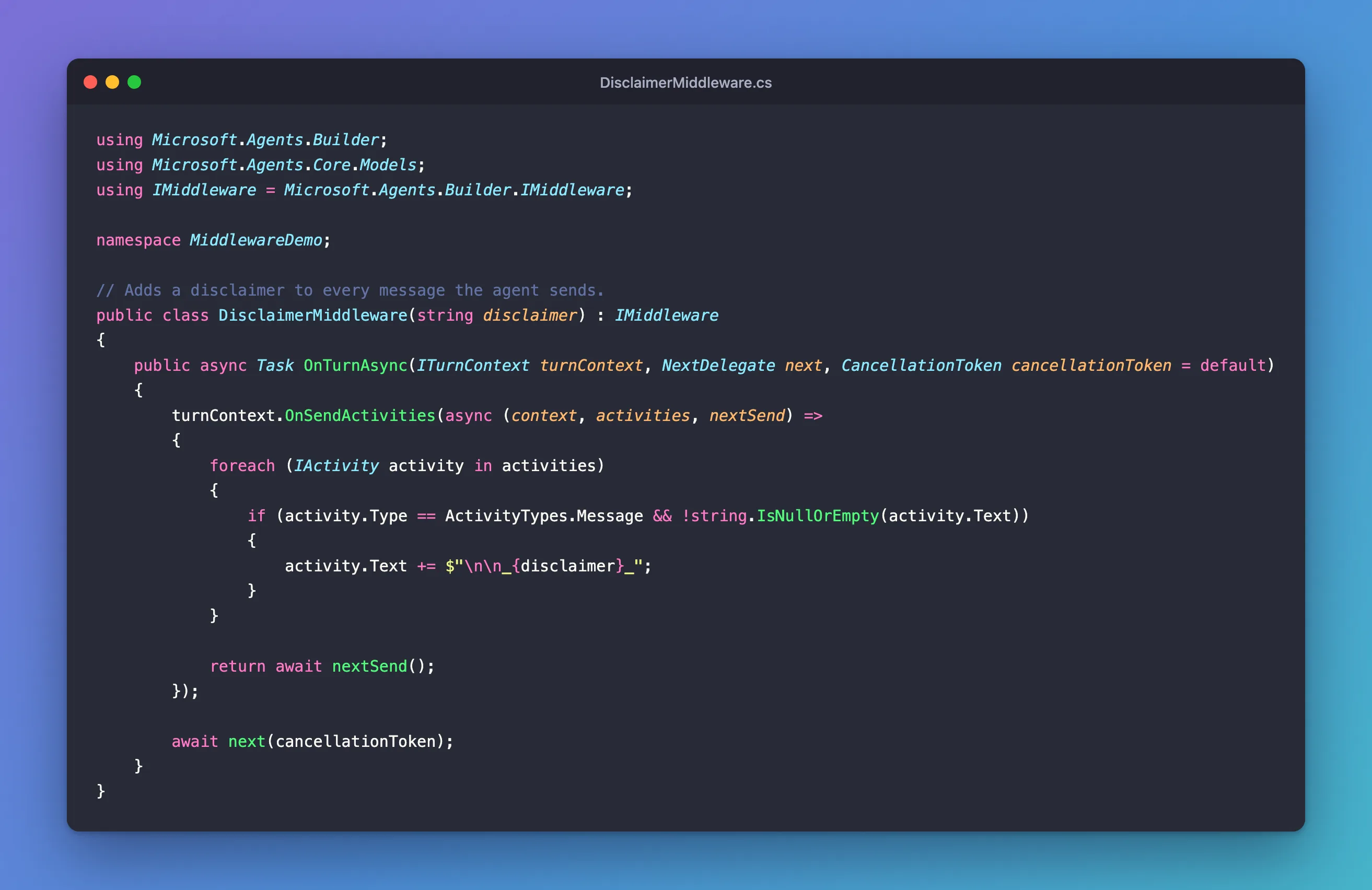
The agent for this post answers questions about a shop's refunds. Answers like these are often written automatically, so every message the agent sends should carry a short disclaimer, whatever route sent it. A middleware adds it in one place:
using Microsoft.Agents.Builder;
using Microsoft.Agents.Core.Models;
using IMiddleware = Microsoft.Agents.Builder.IMiddleware;

namespace MiddlewareDemo;

// Adds a disclaimer to every message the agent sends.
public class DisclaimerMiddleware(string disclaimer) : IMiddleware
{
    public async Task OnTurnAsync(ITurnContext turnContext, NextDelegate next, CancellationToken cancellationToken = default)
    {
        turnContext.OnSendActivities(async (context, activities, nextSend) =>
        {
            foreach (IActivity activity in activities)
            {
                if (activity.Type == ActivityTypes.Message && !string.IsNullOrEmpty(activity.Text))
                {
                    activity.Text += $"\n\n_{disclaimer}_";
                }
            }

            return await nextSend();
        });

        await next(cancellationToken);
    }
}
The agent itself knows nothing about the disclaimer. It has a route for refunds and a catch-all:
using Microsoft.Agents.Builder;
using Microsoft.Agents.Builder.App;
using Microsoft.Agents.Builder.State;
using Microsoft.Agents.Core.Models;

namespace MiddlewareDemo;

public class PolicyAgent : AgentApplication
{
    public PolicyAgent(AgentApplicationOptions options) : base(options)
    {
        OnMessage("refunds", RefundsAsync);
        OnActivity(ActivityTypes.Message, HelpAsync, rank: RouteRank.Last);
    }

    private async Task RefundsAsync(ITurnContext turnContext, ITurnState turnState, CancellationToken cancellationToken)
    {
        await turnContext.SendActivityAsync("You can return any item within **30 days** of delivery.", cancellationToken: cancellationToken);
    }

    private async Task HelpAsync(ITurnContext turnContext, ITurnState turnState, CancellationToken cancellationToken)
    {
        await turnContext.SendActivityAsync("Ask me about **refunds**.", cancellationToken: cancellationToken);
    }
}
It's an ASP.NET Core project with the Agents SDK, hosted with AddAgent<PolicyAgent>() and listening on port 3978.
Prerequisites
- The Microsoft 365 Agents Playground, to chat with the agent on your own machine.
agentsplayground --versionshould print0.2.30; if the command isn't found, install it withnpm install -g @microsoft/m365agentsplayground.
Step 1: Write the Middleware Class
Create DisclaimerMiddleware.cs, starting with its using directives and the class declaration:
using Microsoft.Agents.Builder;
using Microsoft.Agents.Core.Models;
using IMiddleware = Microsoft.Agents.Builder.IMiddleware;

namespace MiddlewareDemo;

// Adds a disclaimer to every message the agent sends.
public class DisclaimerMiddleware(string disclaimer) : IMiddleware
- The
using IMiddleware = ...line picks the Agents SDK's interface. ASP.NET Core has anIMiddlewareinterface of its own, and every web project imports its namespace automatically, so without this line the build fails with error CS0104, an ambiguous reference. string disclaimeris a parameter of the class's primary constructor, soProgram.csdecides the text, and the same middleware can serve agents with different disclaimers.
Step 2: Change What the Agent Sends
Inside OnTurnAsync, the middleware registers a handler for everything the agent sends in this turn, then passes the activity on:
public async Task OnTurnAsync(ITurnContext turnContext, NextDelegate next, CancellationToken cancellationToken = default)
{
    turnContext.OnSendActivities(async (context, activities, nextSend) =>
    {
        foreach (IActivity activity in activities)
        {
            if (activity.Type == ActivityTypes.Message && !string.IsNullOrEmpty(activity.Text))
            {
                activity.Text += $"\n\n_{disclaimer}_";
            }
        }

        return await nextSend();
    });

    await next(cancellationToken);
}
turnContext.OnSendActivities(...)registers a handler that runs whenever anything in this turn sends activities, before they go out. It gets the turn, the list ofactivitiesabout to be sent, andnextSend, which sends them.- The loop appends the disclaimer, in italics, to each message with text. Other activities, such as a typing indicator, are left alone.
return await nextSend()sends the changed activities and hands back the ids the channel gave them. Forget it, and nothing is sent at all.await next(cancellationToken)then lets the agent handle the activity. Because the send handler was registered first, it sees every reply the agent sends.
Step 3: Register the Middleware
In Program.cs, add the middleware to the AddAgentDefaults() chain:
using MiddlewareDemo;
using Microsoft.Agents.Hosting.AspNetCore;
using Microsoft.Agents.Storage;

var builder = WebApplication.CreateBuilder(args);

builder.AddAgentDefaults()
    .AddAgent<PolicyAgent>()
    .AddAgentMiddleware(new DisclaimerMiddleware("Answers are written automatically. Check anything important with our team."));
builder.Services.AddSingleton<IStorage, MemoryStorage>();

var app = builder.Build();

app.UseAgents();
app.MapDefaultAgentEndpoints();

app.Run();
AddAgentMiddleware takes a middleware object you create, here with the disclaimer's text, and the adapter runs it for every activity.
Step 4: Try It
Run the agent with dotnet run, start the Agents Playground in a second terminal, and send refunds, then Can I swap a size?:
agentsplayground -e http://localhost:3978/api/messages -c emulator
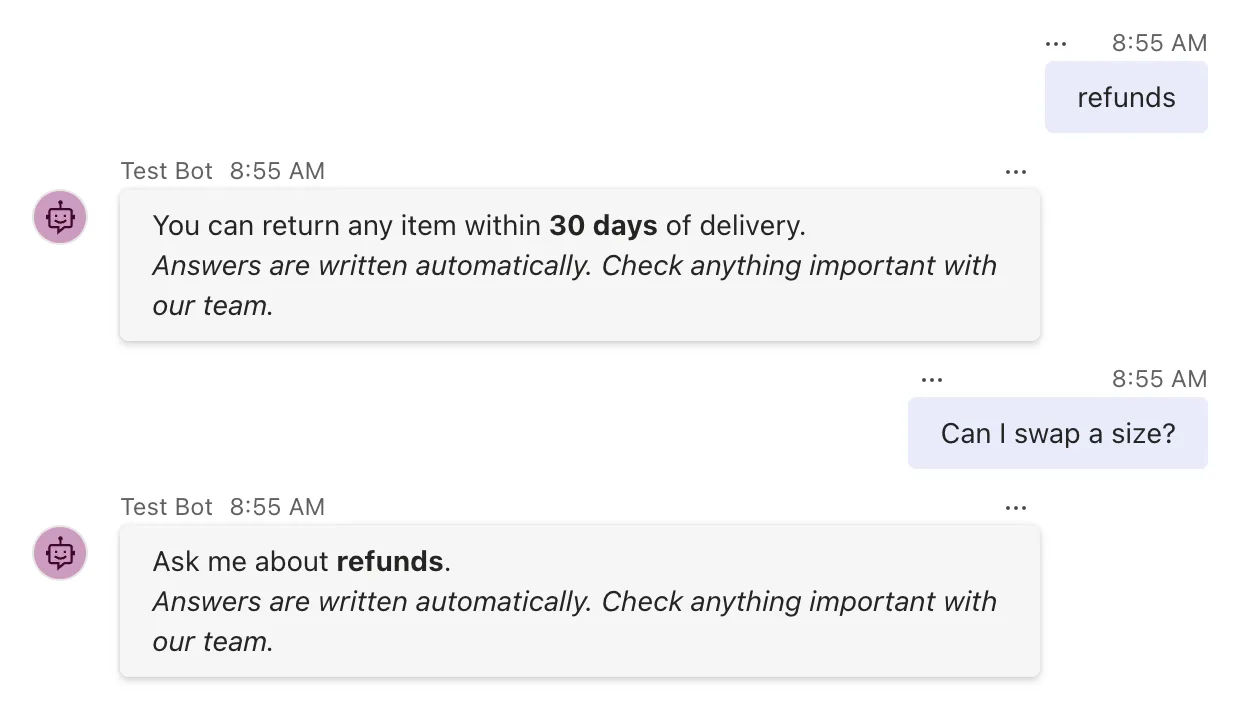
Both replies carry the disclaimer, although they came from two different routes and neither of them mentions it. Any route you add later gets it too.
Common Mistakes
| Mistake | What happens | Do this instead |
|---|---|---|
Leaving out the using IMiddleware = ... alias in a web project | error CS0104, an ambiguous reference | Add the alias, as in Step 1 |
Forgetting await next(cancellationToken) | The agent never sees any activity | Call next on every path that should reach the agent |
Forgetting return await nextSend() in the send handler | The agent's replies are never sent | Always end the send handler with it |
| Appending to every activity | Typing indicators and other activities get text they shouldn't have | Change only messages with text |
Troubleshooting
| Symptom | Likely cause | Fix |
|---|---|---|
| No disclaimer under the replies | The middleware isn't registered | Add .AddAgentMiddleware(...) to Program.cs |
| The agent stopped answering | next or nextSend isn't called | Check both calls |
| The disclaimer appears twice | The middleware is registered twice | Register it once |
FAQ
In what order do several middleware run?
In the order you add them with AddAgentMiddleware. Each one's code before next runs in that order, and its code after next runs in reverse, as the turn unwinds.
Can middleware stop an activity?
Yes: return without calling next, and the agent never sees the activity. A middleware that answers over-long messages itself, for example, does exactly that.
Does middleware see activities that no route handles?
Yes. It runs for every activity the adapter receives, before the agent decides whether any route wants it.
Can my middleware use a logger or other services?
AddAgentMiddleware takes an object you create, so give the middleware what it needs through its constructor, as this one gets its disclaimer. The SDK's own middleware does the same: TranscriptLoggerMiddleware, for example, takes the transcript store it writes to.
Is this the same as the AI label in Teams?
No. This is plain text, so it works in every channel. Microsoft Teams also has a built-in label for AI-generated messages, which is set differently.
Conclusion
Implement IMiddleware, do your work in OnTurnAsync around await next(cancellationToken), and register the object with AddAgentMiddleware. The middleware then runs for every activity, before and after your agent, and with turnContext.OnSendActivities it can change everything the agent sends, without touching a single route.
Additional Resources
- IMiddleware interface — the Agents SDK's middleware interface.
- AgentHostExtensions.AddAgentMiddleware method — registering middleware in the adapter's pipeline.
- ITurnContext.OnSendActivities method — handling the activities a turn sends.
Related
- Microsoft 365 Agents SDK Fundamentals in C# — Part 3: Turn Events, Error Handling and Middleware
- Fixed: "error CS0104: 'IMiddleware' is an ambiguous reference between 'Microsoft.Agents.Builder.IMiddleware' and 'Microsoft.AspNetCore.Http.IMiddleware'"
- How to Run Code Before Every Turn in the Microsoft 365 Agents SDK in C#
